


How to Enable Dark Mode in the Gmail iOS App
Since the release of iOS 13, Apple has included a system-wide Dark Mode option for iPhones and iPads, similar to the one it brought to the Mac in 2018 with the release of macOS Mojave.
Many third-party app developers have since added support for Dark mode to their apps, although it has to be said that some popular apps have been quicker than others.
On September 24, 2019, Google announced ...
Read Full Article

How to Use Spotify's Sleep Timer Feature on iPhone and iPad
Spotify added a Sleep Timer to its Android app earlier this year, and this week, it's making the feature available for Spotify users on iPhone and iPad. Keep reading to learn how to use the Sleep Timer and get a good night's sleep.
What's the Spotify Sleep Timer For?
Basically, the Sleep Timer feature is for anyone who goes to bed with Spotify playing on their iOS device and wants it to...

How to Forget Wireless Networks on Mac
If you take your Mac everywhere with you, there's a good chance that it has connected to a number of private and public Wi-Fi networks over that time.
These networks are remembered by macOS so that in the event that your Mac encounters one of them again, it can connect to it automatically and you won't have to manually select it or enter the password.
If you want, you can edit this list of ...
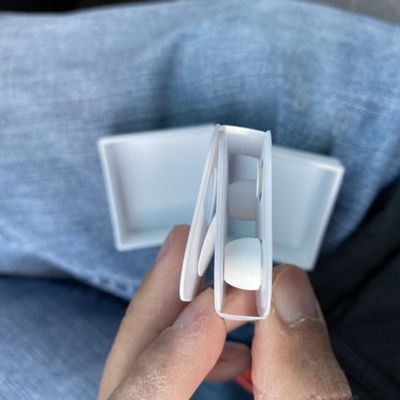
How to Buy Replacement AirPods Pro Ear Tips
AirPods Pro sport an all-new in-ear design with three sizes of soft, flexible silicone tips included in the box, including small, medium, and large. Apple does not sell the ear tips directly, but if you happen to lose them, replacements are available for $3.95 per pair through the company's support channels.
AirPods Pro replacement ear tips via MacRumors forum member faythebest
There are...
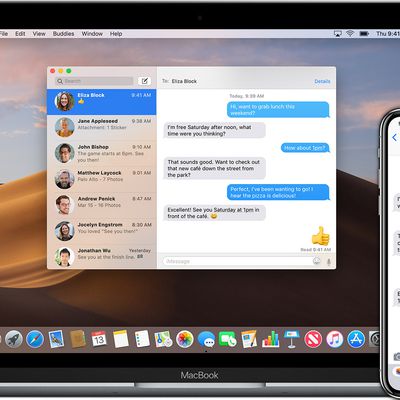
How to Set Up iMessage on Your Mac
The Messages app in macOS offers users a convenient way of communicating with friends, family, and colleagues across a variety of Apple devices.
With Messages for Mac, you can send unlimited messages to any Mac, iPhone, iPad, or iPod touch that uses iMessage, Apple's secure-messaging service. If you have an iPhone, you can also send and receive SMS texts.
The following steps show you how ...

How to Add Funds to Your Apple ID on iPhone and iPad
It used to be the case that adding funds to your Apple ID required redeeming an iTunes Gift Card bought from a store, but Apple now lets you use a debit or credit card right on your iPhone or iPad to do the same thing.
Adding funds to your Apple ID allows you to make purchases from the iTunes Store, iBooks Store, and App Store on any of your Apple devices. It's easy to add funds to your...
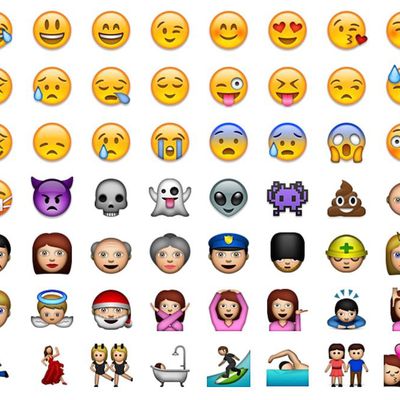
How to Use Emoji on Mac
Emoji gained currency in electronic communications thanks to phone texting, but you don't need to be on your iPhone to insert these now-iconic facial expressions in your text – you can use them on Mac, too.
This fact may come as a surprise to some Mac users, as it's not exactly obvious how to access them in macOS, but it's actually very easy, as the following steps show.
How to Use Emoji...
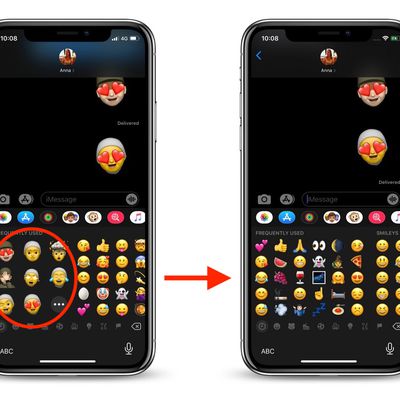
How to Remove Memoji Stickers From the Emoji Keyboard in iOS
In iOS 11, Apple introduced animated emoji characters called Animoji, which are designed to mimic your facial expressions. Animoji have since grown to encompass Memoji, which are customizable humanoid Animoji characters that you can design to look just like you.
These characters are also available as Memoji Stickers in iOS 13, which show up in the frequently used section of the emoji picker ...
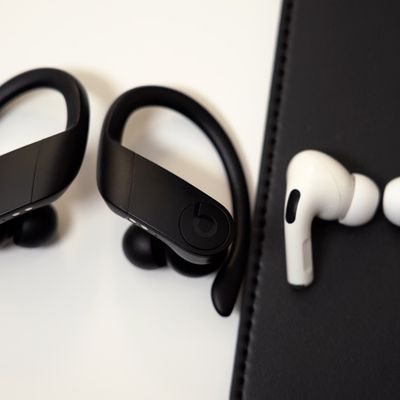
How to Use Audio Sharing on iPhone and iPad
Apple's Audio Sharing feature on iPhone and iPad lets you share your device's Bluetooth audio with a second pair of wireless headphones, allowing two of you to listen to the same music together while running, or enjoy a movie on a plane without disturbing those around you, for example.
Compatibility Check
To get started with Audio Sharing, first make sure that the headphones and iOS device ...

How to Change Video Quality in the Camera App on iPhone 11 and 11 Pro
For the iPhone 11, iPhone 11 Pro, and iPhone 11 Pro Max, Apple redesigned the Camera app and added new ways to shoot video.
As well as the usual method of selecting Video from the menu strip below the viewfinder, iPhone 11 series users can also simply press and hold the shutter button, then release it to stop recording.
In October 2019, Apple released iOS 13.2, which added another camera...

How to Sign Up for Apple TV+
Apple on November 1, 2019, launched its new streaming television service, which offers up original movies and TV shows for $4.99 per month or $49.99 per year, plus there's a free year of service for those who have recently purchased an Apple device.
You can use Apple TV+ on the iPhone, iPad, Mac, Apple TV, and iPod touch in the Apple TV app, or visit tv.apple.com on the web, and all of these...
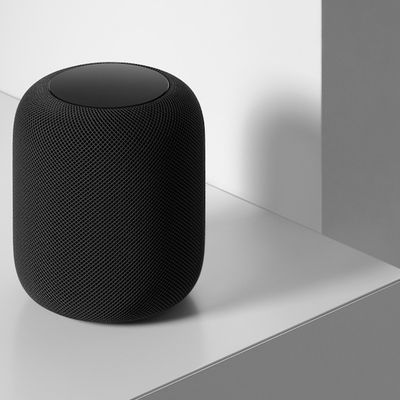
How to Play Ambient Sounds on HomePod
Apple in October 2019 added a new HomePod feature that brings users the ability to play relaxing high-quality soundtracks with Ambient Sounds. This article explains how to use them.
The Ambient Sounds feature offers seven continuous streaming options. They include the following:
Rain
Stream
White Noise
Fireplace
Forest
Night
OceanTo start streaming one of the sounds on your HomePod,...
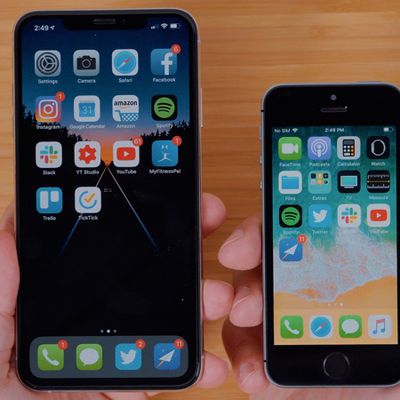
How to Take Screenshots on iPhone
This article explains how to take screenshots on iPhones and iPads that have a Home button, as well as on iPhones and iPads that don't have a Home button. Keep reading to learn how it's done.
Taking a Screenshot on iPhone X and Later Models
Taking a Screenshot on iPhone 6s, 6s Plus, 7, 7 Plus, 8, 8 Plus, and iPhone SE
The ability to take screenshots on your iPhone can come in handy for a...
How to Delete Siri Audio History and Opt Out of Siri Audio Sharing on HomePod
This article explains how to delete your Siri audio interaction history and opt out of sharing audio recordings with Apple on iPhone, iPad, and iPod touch.
How to Opt Out of Siri Audio Sharing on HomePod
How to Delete Your Siri Audio History on HomePod
In 2019, it was discovered that Apple hired contractors to listen to a small percentage of anonymized Siri recordings to evaluate the virtual...
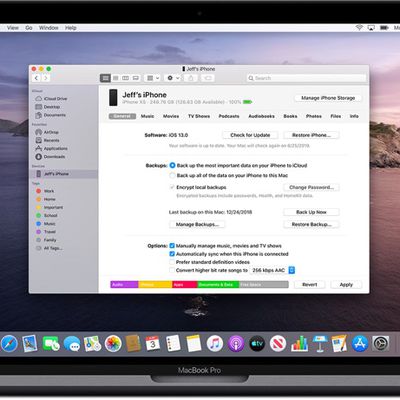
How to Back Up Your iOS Device on a Mac Running Catalina
This article shows you how to back up your iPhone, iPad, or iPod touch to your Mac using the new route in Catalina.
How to Back Up Your iOS Device in Catalina
How to Encrypt an iOS Device Backup in macOS CatalinaWith the release of macOS Catalina, Apple said goodbye to iTunes and broke it up into separate Mac apps for Music, Podcasts, and Apple TV, meaning the functions for managing a...
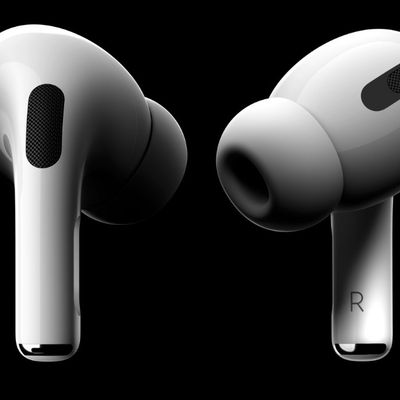
How to Control the Transparency Feature on AirPods Pro
This article explains how to control the Transparency feature on Apple's AirPods Pro wireless earbuds. Bear in mind that iOS devices need to be running iOS 13.2 in order to support AirPods Pro. You can check that your device is updated by launching the Settings app and going to General -> Software Update.
What is the Transparency Feature on AirPods Pro?
AirPods Pro are Apple's first in-ear...
How to Perform an Ear Tip Fit Test on AirPods Pro
This article shows you how to perform an AirPods Pro Ear Tip Fit Test, which checks the fit of your AirPods ear tips to determine which size provides the best seal and acoustic performance.
How Does the AirPods Ear Tip Fit Test Work?
Unlike previous generation AirPods, AirPods Pro come with three sizes of silicone tips for a customizable fit. These tips help to form a seal appropriate for...

How to Customize the Force Sensor Gesture Functions on AirPods Pro
This article explains how to customize the functions assigned to AirPods Pro gestures. Bear in mind that iOS devices need to be running iOS 13.2 in order to support AirPods Pro. You can check that your device is updated by launching the Settings app and going to General -> Software Update.
Apple's AirPods Pro wireless earbuds feature a new, innovative force sensor on each stem that responds...
How to Control the Noise Cancellation Feature on AirPods Pro
This article explains how to control the noise cancellation feature on Apple's AirPods Pro wireless earbuds. Bear in mind that iOS devices need to be running iOS 13.2 in order to support AirPods Pro. You can check that your device is updated by launching the Settings app and going to General -> Software Update.
How Active Noise Cancellation Works on AirPods Pro
AirPods Pro are Apple's first ...
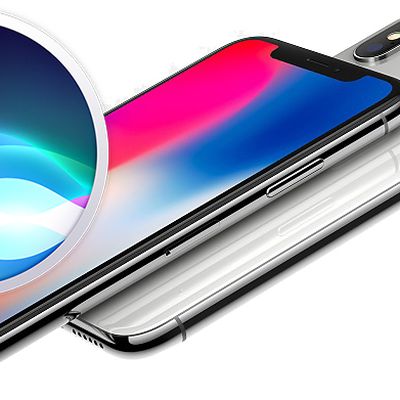
How to Delete Your Siri Audio History and Opt Out of Siri Audio Sharing
This article explains how to delete your Siri audio interaction history and opt out of sharing audio recordings with Apple on iPhone, iPad, and iPod touch.
How to Opt Out of Siri Audio Sharing
How to Delete Your Siri Audio History
Earlier this year, it was discovered that Apple hired contractors to listen to a small percentage of anonymized Siri recordings to evaluate the virtual...
