Apple is working on a broader set of Camera app improvements in iOS 27 it has announced, according to a new deep dive from MacRumors forum member "pdfu."
iOS 27 beta code apparently points to five features that could arrive alongside new iPhone models this week or in a future software update:
Exposure scopes: The Camera app can display a waveform or histogram to help judge exposure while shooting. A histogram shows how much of the image is too dark, too bright, or in between, while a waveform shows similar information but keeps it lined up with where those areas are in the frame.
Focus peaking and highlight warnings: New code overlays helpful information right on top of the camera preview. Focus peaking highlights the edges of whatever's in sharp focus using a colored outline, while a separate overlay warns when part of the image is getting overexposed, using a solid color, a pulsing color, diagonal stripes, or a checkerboard pattern.
Repeated self-timer shots: Apple is adding the ability to take several timed photos in a row rather than just one. After each shot, the countdown starts again right away instead of waiting for the photo to finish saving, so the shots can be taken back to back.
Manual focus: A control for manually setting and locking focus, rather than relying on autofocus, has also turned up in testing, similar to what's already available in Apple's Final Cut Camera app. A version of this existed in iOS 26 with a focus slider, but that slider was removed in iOS 27 beta 1. The underlying focus-locking code is still there, but Apple has restricted it to devices that ship with iOS 27 or later, so it won't work on any current iPhone.
Aperture-based image correction: A change to how photos are processed could be tied to a future iPhone with a variable aperture, a lens opening that can widen or narrow rather than staying fixed. iOS 27 can adjust lens corrections depending on the aperture setting, blending between up to four reference points to smooth out the results.
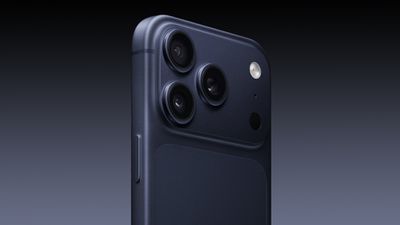
Although the hidden features could be made available to other iPhone models, the presence of aperture-based image correction when the iPhone 18 Pro is widely expected to offer a variable aperture main camera suggests that at least some of the capabilities could arrive with the new models.
Ahead of the announcement of the Apple Watch Series 12 and Ultra 4 later this week, code in the watchOS 27 and iOS 27 betas points to a series of new features for the product line.
The information comes from a new post from MacRumors forums member "pdfu." The findings include:
New "Readiness" app: An all-new separate Watch app referred to in code as "Readiness," distinct from the existing Vitals app. The watchOS 27 launcher apparently includes it in the default Home Screen layout immediately after the Workout app, and the Watch companion app on iOS 27 references the same app in its logic for arranging apps on the Home Screen. Its name and placement next to the Workout app suggest Apple is preparing a more substantial readiness or recovery experience for the Apple Watch.
Richer strength workouts: Expanded health infrastructure to store individual sets, repetition counts, weight, equipment, body side, and duration.
New optical-sensing system: A new sensor family called "Sunstone4p0" with lower noise coefficients, and wrist- and orientation-based channel selection. This could point to revised heart-sensing hardware on an upcoming Apple Watch, featuring improved readings when the reflected pulse signal is weak and specialized sensing according to the watch's placement.
128GB storage: A NAND storage profile tied to the T8320 chip for the Apple Watch Series 12 and Apple Watch Ultra 4 suggesting that they could offer 128GB of storage, up from 64GB on previous models.
Bloomberg's Mark Gurmanpreviously reported that the Apple Watch Series 12 and Ultra 4 will tout new health and fitness features.
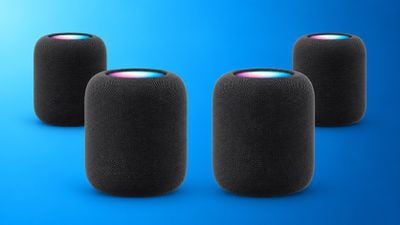
pdfu has emerged as an intriguing source of code discoveries in recent weeks. The forum member previously spotted references to two unreleased game controllers in the first macOS 26.7 release candidate, identified by the internal names T6502 and T1057, and separately found evidence in audioOS 27 beta 8 pointing to a four-speaker HomePod surround sound system and a new "Party Mode" feature.
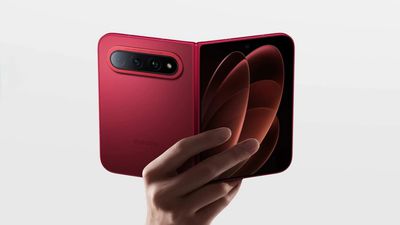
Xiaomi today officially announced the 18 Fold, its first wide-format foldable, at a product event in China, two days before Apple is expected to unveil its own first foldable iPhone.
The Xiaomi 18 Fold uses a similar wide-folding design to the Samsung Z Fold8 and Apple's upcoming foldable iPhone. It features a 5.38-inch outer display and a 7.58-inch inner display, both with 120Hz LTPO technology and 4000 nits of peak brightness. The display is protected by a new double-layer ultra-thin glass structure.
The phone folds around a redesigned hinge Xiaomi calls the "Dragon Bone" hinge, which the company says underwent 492 structural optimizations, facilitating a noticeably more rounded design than Samsung's Galaxy Z Fold8. It launches in four finishes, including a Nishino Red colorway and a limited Ceramic Special Edition capped at 1,500 units.
The 18 Fold is the first flagship to contain Xiaomi's in-house Xring O3 chip, built using a 3nm process with a 10-core CPU clocked to 4.35GHz and a 16-core GPU. Xiaomi says the chip delivers a 60% multi-core CPU gain and an 85% GPU performance gain over its predecessor, with power draw down 25% and 64% respectively, alongside a dedicated NPU rated at 200 TOPS.
The rear camera system was developed with Leica and is led by a 200-megapixel main sensor, alongside a 50-megapixel ultrawide and a 50-megapixel periscope telephoto lens with 3.5x optical zoom. Apple's first foldable iPhone is expected to feature two rear cameras only, with no dedicated telephoto camera.
The device ships with Xiaomi's HyperOS 4 software and a 6,000mAh battery supporting 67W wired and 50W wireless charging. Pricing starts at 10,999 yuan (approximately $1,638), for the base 12GB RAM and 256GB storage configuration, rising to 14,999 yuan (approximately $2,235) for the top 16GB/1TB model, with a limited Ceramic Special Edition at 15,999 yuan (approximately $2,384). Apple's foldable is widely expected to be priced above $2,000.
Xiaomi also introduced the Xiaomi Pad 9 Pro Max tablet at the event, which shares the Xring O3 chip, along with three electric vehicles under its Pengcheng brand. The company has not announced global availability for the 18 Fold; its earlier Mix Fold foldables have stayed exclusive to China.
Apple's September 9 iPhone announcement event could become a negative catalyst for the stock, KeyBanc Capital Markets warns.
In a research note seen by Investing.com, KeyBanc said the event could motivate investors to weigh pricing decisions against the impact of higher costs on demand and margins. KeyBanc added that Apple faces a choice to either raise prices broadly to offset gross margin pressure, which could hurt unit volumes and trigger "sticker shock," or raise prices more selectively.
This could invite greater scrutiny of margins and raise the prospect of further price increases later down the line. The firm maintained an "Underweight" rating on Apple and a $250 price target, against a share price of $324.96 at the time of publication.
KeyBanc models total iPhone 18 lineup builds at around 80 million units across the fourth quarter of fiscal 2026 and first quarter of fiscal 2027, down from roughly 91 million units a year earlier. The firm attributed most of the decline to the absence of a base iPhone 18 model in this part of the product cycle, with higher pricing and a richer product mix expected to partially offset the lower volumes.
KeyBanc is also expecting a $150 price increase for the iPhone 18 Pro, raising it to $1,249, and a $200 increase for the iPhone 18 Pro Max, raising it to $1,399. The firm expects the foldable "iPhone Ultra" to start at $2,199.
KeyBanc also pointed to a historical pattern of Apple shares weakening around iPhone announcements, with the stock averaging a 0.72% decline on announcement day over the past five years and a 1.22% decline five trading days later. Apple's "Surprise and shine" event commences at 10 a.m. Pacific time on Wednesday, September 9.
Apple is set to unveil new iPhone 18 Pro and iPhone 18 Pro Max models on Wednesday, September 9, and the devices are expected to feature a design that's largely similar to the iPhone 17 Pro models, with a peppering of enhancements inside. Major changes are not expected until next year, when Apple is expected to introduce a radically redesigned 20th-anniversary iPhone.
If you're thinking of trading in your current iPhone for this year's latest, consider the following features rumored to be coming to next September's iPhone 20 models (Apple is expected to skip the iPhone 19 for its commemorative edition). Taken together, they may just give you pause for thought.
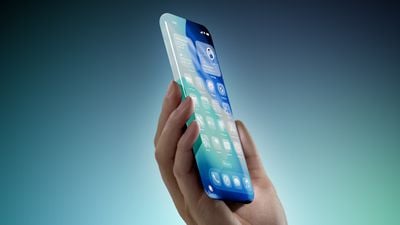
A quad-curved, all-glass design: The display glass reportedly curves away on all four sides of the iPhone 20, concealing the metal frame during normal use for a borderless effect. Apple is said to be working with Samsung on an "equal-depth quad-curved" display to achieve the feat.
Advanced OLED technology: Apple is planning to use a brighter, thinner OLED panel for the 20th anniversary iPhone. Rumors suggest that Apple will adopt Samsung OLED displays with Color Filter on Encapsulation (COE) technology, which reduces the thickness of the overall display stack, and lets more light through to improve brightness while reducing power draw.
Under-display Face ID and camera: Apple is reportedly continuing to test hardware that would eliminate the Dynamic Island – the visible cutout – from the front of the device, with Face ID components moving under the screen and an under-camera display said to be in development. Whether the technology will be ready in time for a fall 2027 launch remains uncertain.
Custom Apple image sensor: Apple is said to be developing its own stacked image sensor to replace the Sony sensors it has traditionally used for the iPhone. Apple has reportedly already developed a working prototype. The sensor is said to use LOFIC technology, which would let each pixel store varying amounts of light and potentially reach up to 20 stops of dynamic range.
Solid-state buttons: Apple is said to be testing haptic replacements for the Side, Volume, Action, and Camera Control buttons. The buttons could be integrated directly into the device's frame, with no actual physical movement when pressed, yet retaining a tactile responsiveness.
A 2-nanometer A21 chip: The 20th anniversary models are expected to feature a second-generation 2-nanometer chip. With the upcoming iPhone 18 Pro models widely expected to debut the A20 Pro chip, the anniversary models would likely be powered by the A21 Pro.
Silicon anode battery: Apple is reportedly exploring a new battery technology that uses a silicon anode capable of storing more lithium ions per gram, potentially delivering longer battery life without increasing the physical size of the battery.
Mobile high bandwidth memory: Apple is rumored to be evaluating vertically stacked DRAM technology to improve memory bandwidth and boost on-device AI performance.
Two sizes: The two anniversary models could have a larger display size compared to this September's iPhone 18 Pro and iPhone 18 Pro Max, which are expected to use 6.3-inch and 6.9-inch displays similar to iPhone 17 Pro models. In contrast, Apple is rumored to be prototyping a 6.4-inch display for the iPhone 20 Pro, and a 7-inch display for the larger 20 Pro Max.
With all that said, we're still 12 months out, and Apple's plans shift constantly behind closed doors, plus features this ambitious have a habit of slipping a year or two. Under-display Face ID in particular has been "two years away" for about five years now.
Still, the combined leaks describe the most dramatic iPhone rethink since 2017 when the 10th-anniversary iPhone X debuted. If even half of the features make it to the shipped device, the iPhone 20 should be worth holding out for. For everything we know so far, check out our dedicated guide.
Apple is looking at further ways to monetize the App Store and increase the company's recurring revenue from the platform, according to a new report.
Writing in his latest Power On newsletter, Bloomberg's Mark Gurman said that newly appointed Apple CEO John Ternus and services chief Eddy Cue are behind the effort to raise margins from the App Store, which already generates Apple an estimated $30 billion a year.
Interestingly, Gurman ties the effort to Apple Fellow Phil Schiller's decision to step away from running the App Store and work on other unspecified projects. Schiller, now 66 and edging toward retirement, "seems to believe that such moves will only irk developers and governments," he said. Based on what Gurman has heard from internal sources at the company, he added that "there was no internal blowup or anything like that, [but] it's something he wanted no part of."
Back in February 2025, as part of Apple's ongoing legal battle with Epic Games, Schiller testified that he initially opposed the 27 percent commission Apple originally wanted to charge on purchases made outside the App Store, citing compliance risks and potential developer backlash.
Schiller said in court that he had concerns that the fee would create an "antagonistic relationship" between Apple and developers, and worried about Apple becoming "some kind of collection agency" that might need to audit developers who didn't pay.
Apple has not collected fees from App Store link-outs in the U.S. since April 2025, after being found to be in contempt of court for charging 27 percent commission and ordered by a judge to stop the practice. The Supreme Court has agreed to hear Apple's challenge to the contempt ruling, but hasn't yet decided it.
Meanwhile, Apple is now said to be moving responsibility for the App Store to Cue, who oversaw it until 2015, when Schiller took over. Carson Oliver, who has long been on the App Store team, will oversee its day-to-day operations.
App Store Earnings Down
Apple admitted during its July earnings call that regulatory changes have started to weigh on its Services growth. Apple reported services revenue of $30.7 billion for the June quarter, a record for the period but short of the $31.4 billion that analysts expected.
Separately, analytics firm Appfigures said in August that Apple's U.S. commission revenue from the App Store has fallen 18 percent since the start of 2026. It also found App Store revenue declining in Brazil and Japan since both countries introduced new regulations.
Tim Cook will attend the screening for Apple's "Surprise and Shine" event this Wednesday, but he will not feature in the event video itself, according to sources cited by Bloomberg's Mark Gurman. Cook stepped down as Apple CEO on September 1 to become executive chairman of the company, paving the way for John Ternus to take over the top job.
In his latest Power On newsletter, Gurman said that Apple has "carefully orchestrated this transition to make Ternus the face of the foldable iPhone and all the new products to come. Putting Cook in the presentation would just undermine that."
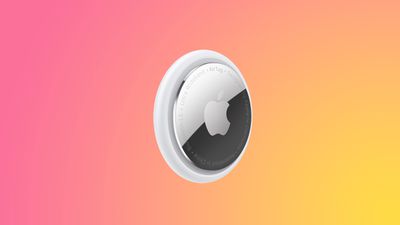
Apple's AirTag 2 is on sale for $79.99 this weekend on Amazon, down from $99.00. This deal is on the 4-Pack of the AirTag 2, and it's a match of the record low price for the accessory, beating the previous low by about $5.
Note: MacRumors is an affiliate partner with Amazon. When you click a link and make a purchase, we may receive a small payment, which helps us keep the site running.
We're also tracking a smaller deal on the AirTag 2 1-Pack, available for $24.00, down from $29.00. This is another record low price on the AirTag 2.
The new AirTag is equipped with a second-generation Ultra Wideband chip, enabling the Precision Finding feature to work up to 50% farther away from an item compared to the previous-generation model.
If you're on the hunt for more discounts, be sure to visit our Apple Deals roundup where we recap the best Apple-related bargains of the past week.
Deals Newsletter
Interested in hearing more about the best deals you can find in 2026? Sign up for our Deals Newsletter and we'll keep you updated so you don't miss the biggest deals of the season!
Apple announced the M6 chip last week, just ahead of its September iPhone event, providing the clearest indication yet of what the A20 will bring to the iPhone 18 lineup.
Apple silicon generations share much of their architecture across the A-series and the M-series, so a new A-series chip normally functions as a partial preview of the M-series chip that follows it. This year the order reversed; the M6 was revealed on August 25, ahead of the A20 Pro expected in the iPhone 18 Pro this month.
Recent reports place the A20 Pro at up to 18% faster and up to 30% more power efficient than the A19 Pro, which is broadly similar to the M6 over the M5.
Apple's First 2nm iPhone Chip
The M6 is Apple's first chip built on TSMC's 2nm (N2) process, with the second almost certain to be the A20. Being a smaller manufacturing process, N2 has higher transistor density, allowing Apple to pack more performance into a smaller area.
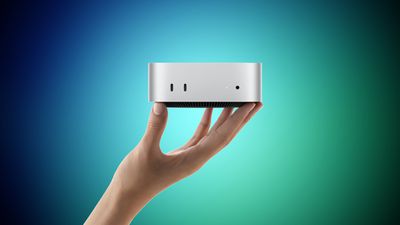
Apple has historically debuted new nodes on the A-series, since iPhone volume validates yields, so introducing N2 in an $899 Mac mini represents a change. As such, reports that the A20 and A20 Pro will move to N2 are now supported by a shipping product rather than analyst predictions. The consequence for the iPhone event is that the "Apple's first 2nm chip" claim is no longer available.
Dual Neural Engine?
The iPhone's Neural Engine has remained at 16 cores and approximately 35 trillion operations per second since the A17 Pro, spanning three generations. The M6 introduces a Dual 16-core Neural Engine, which Apple says system frameworks can address simultaneously for up to 2x the peak compute of previous generations.
The change corresponds with the reported move to WMCM packaging, which integrates memory onto the same wafer as the CPU, GPU, and Neural Engine to shorten the path between them. It is possible that die area and thermal constraints may limit a dual engine to the A20 Pro.
GPU AI Gains Are Now Incremental
Apple said the M5 delivered over 4x the peak GPU compute for AI compared to the M4, reflecting the introduction of Neural Accelerators within each GPU core. The M6 is rated at nearly 30% over the M5.
The A19 Pro recorded a comparable 4x improvement on the iPhone 17 Pro last September for the same architectural reason. Second-generation Neural Accelerators consequently appear to represent a refinement rather than another step change, suggesting the A20 Pro will not repeat the A19 Pro's headline figure.
Graphics Improvements Should Carry Across
The M6 adds 50% increased geometry rates, an updated shader core architecture, revised Dynamic Caching, and hardware-accelerated ray tracing. These are architectural changes and comparable graphics work has historically appeared across both the A-series and M-series within the same generation.
Memory Bandwidth Suggests a Modest A20 Gain
Memory bandwidth determines how quickly data moves between the memory and the processor, and it is the main constraint on running large language models on device. The M6 provides up to 170GB/s, which Apple describes as a 10% increase over the M5's 153.6GB/s.
That increase is small enough to indicate Apple is using a faster grade of the same LPDDR5X memory rather than moving to the newer LPDDR6 standard, which would have delivered a far larger jump. Reports indicate Apple is sourcing high-speed LPDDR5X from Samsung for the iPhone 18 lineup, and the M6 is consistent with that.
The implication for the A20 is that memory bandwidth is unlikely to improve dramatically. The A19 Pro is rated at 76.8GB/s, and a similar 10% uplift would take the A20 Pro to roughly 85GB/s. Any meaningful gain in how quickly the iPhone 18 Pro loads and runs on-device models is therefore more likely to come from WMCM packaging shortening the distance data travels than from the memory itself.
AV1 Encode Remains Absent
The M6 Media Engine supports hardware-accelerated H.264, HEVC, ProRes, and ProRes RAW, with AV1 decode but no AV1 encode, matching the M5. The omission on a new process node in a desktop chip makes its inclusion in the A20 Pro highly unlikely.
After years of rumors, the highly anticipated foldable iPhone is almost here, but that's not all we're expecting to see at next week's big event, and we've got full coverage of expectations for the "Surprise and Shine" event.
Beyond the event, this week also saw John Ternus take over from Tim Cook as Apple CEO, while we learned a bit more about what's coming in iOS 27 and how Apple has been trying to respond to massive demand for its desktop Macs amid the surge in AI computing, so read on below for all of the details!
Top Stories
iPhone Ultra, iPhone 18 Pro, and More: Apple's September 9 Event Preview
Apple's September event will take place on Wednesday, September 9, at 10:00 a.m. Pacific Time. At the event, Apple will announce its 2026 iPhone lineup, and this year is a big one. Along with the slab-style iPhones we've been using for years, Apple is going to debut its first foldable device. We'll also get new Apple Watches, a new set of AirPods, and possibly some other surprises.
Everything we expect to see at the "Surprise and Shine" event is recapped in our event guide and overview video, so make sure to check it out.
Read John Ternus' First Memo to Apple Employees as CEO
In his first memo to employees as CEO, Ternus thanked employees for a warm welcome, expressed thanks to Cook for his contributions to Apple and assisting with the transition, and shared excitement about the future including "a huge launch" next week.
iPhone 18 Pro Pre-Orders May Start at an Unusual Time
Following next Wednesday's event, pre-orders for the new iPhone hardware may start at an unusual time. Pre-orders for the new iPhone models typically start at 5:00 a.m. Pacific Time on the Friday immediately following the event, but this year that falls on the 25th anniversary of the 9/11 terrorist attacks.
As it did back in 2015 when pre-orders would also have fallen on the 11th, Apple will reportedly push things back this year and begin accepting pre-orders at midnight Pacific Time on Saturday, September 12.
iOS 27 Introduces New 'iPhone Handoff' Feature
Back at WWDC in June, Apple made the briefest of mentions about iOS 27 offering the ability to share a phone number between devices, and now we know how that feature will work.
MacRumors forum member pdfu this week shared a video showing how users will set up the feature, dubbed iPhone Handoff, from the Cellular section of the Settings app. iPhone Handoff will require carrier support, with the user's main eSIM remaining on their primary phone and a companion eSIM being sent to another iPhone. Once activated, a single phone number will be used across both devices, with the phone number automatically switching back and forth to whichever device is unlocked at the moment.
Foldable iPhone Ultra Likely Has MagSafe Charging
In addition to the iPhone 18 Pro and Pro Max, next week's event will also see the long-awaited introduction of Apple's first foldable iPhone. The device will sacrifice a few features in order to enable its ultra-thin profile, and until recently it was thought that MagSafe charging might be one of those things.
Apple Caught Off Guard by AI Demand for Mac Mini and Mac Studio
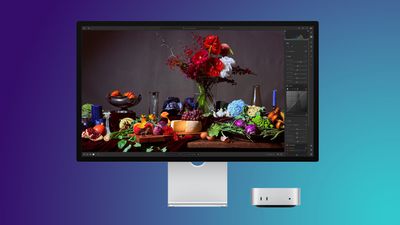
Apple's unusually timed announcement of new Mac mini and Mac Studio models last week was driven by unexpectedly strong enterprise appetite for AI hardware, according to The Information. Apple normally releases new Mac models in the fall, closer to October or November, but Apple pulled Mac announcements ahead of the anticipated arrival of new iPhone models as it has sought to meet strong demand for its desktop Macs.
Apple highlighted the Mac mini and Mac Studio's shift toward business buyers back in June, with a "Business at the Park" event involving executives from major companies Ford, Disney, and Anthropic. The Mac mini was said to be the "darling" of the event.
A surge in demand for Mac hardware to run AI models has coincided with the global memory shortage, leaving many Mac mini and Mac Studio configurations out of stock for months and making the new models a priority to allow Apple to offer improved performance and higher production volumes.
MacRumors Newsletter
Each week, we publish an email newsletter like this highlighting the top Apple stories, making it a great way to get a bite-sized recap of the week hitting all of the major topics we've covered and tying together related stories for a big-picture view.
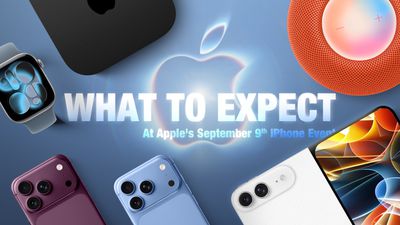
Apple's September event will take place on Wednesday, September 9 at 10:00 a.m. Pacific Time. Apple will announce its 2026 iPhone lineup, and this year is a big one. Along with the slab-style iPhones we've been using for years, Apple is going to debut its first foldable device. We'll also get new Apple Watches, a new set of AirPods, and possibly some other surprises.
Everything we expect to see at the "Surprise and Shine" event is below.
Foldable iPhone
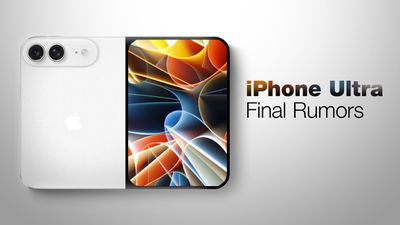
Apple's 2026 iPhone lineup will include its first foldable device. We don't know what Apple will call it, but rumors suggest it might be named the iPhone Ultra.
Apple has designed a book-style foldable that has an iPad-like layout when it's opened up. It will have a ~5.5-inch OLED outer display, which is what you'll use when the iPhone is closed. It will unfold into a larger OLED display that's approximately 7.8 inches.
The design is wider than it is tall when it's open, and you can picture it as something like an iPad mini that folds in half. Samsung's recent Galaxy Z Fold8 matches the foldable iPhone rumors, so it may be the best look at the size and layout of Apple's device.
Apple wanted a crease-free design, but that doesn't seem to be possible with a foldable yet. The iPhone Ultra will instead have a minimal crease and a durable liquid metal hinge. Foldables are delicate and hinges can be a weak point, so Apple focused on durability. Rumors indicate Apple could have some tricks to keep the crease less visible over time, such as optically clear adhesive that will fill in any micro-cracks caused by repeated folding.
When unfolded, the iPhone Ultra could be as thin as 4.5mm, making it Apple's thinnest iPhone to date. That would make it 9mm when folded, which is close to the thickness of the 8.75mm iPhone 17 Pro Max. With a chassis that thin, Apple had to make design compromises.
There is reportedly no space for the TrueDepth camera system for Face ID, so it's going to use Touch ID instead. There will be a Touch ID side button, similar to the iPad Air and iPad mini. Though Face ID isn't included, there will be front cameras for both the inner and outer displays.
Apple also didn't have room for a three-lens rear camera system, so the iPhone Ultra won't have a telephoto lens. Rumors suggest it will have an Ultra Wide lens and a Wide lens located on the back of the device, so the rear camera works whether the iPhone Ultra is folded or unfolded.
The iPhone Ultra will have a 2nm A20 Pro chip. The A20 Pro is expected to be around 18 percent faster and up to 30 percent more power efficient than the A19 Pro, and it could have a 7-core GPU, a wider memory interface, and a larger L2 cache for its efficiency cores. We're expecting 12GB of RAM.
Apple's 2026 iPhones could use its house-designed C2 modem, which is expected to be faster and more efficient than the C1X. It's not yet clear if Apple has added mmWave technology to the C2, and if it hasn't, foldable iPhone models sold in the U.S. could use Qualcomm modems instead. mmWave 5G isn't widely used outside of the U.S., but it is an expected feature for U.S. iPhones. The other alternative is limiting the foldable iPhone to sub–6GHz 5G speeds worldwide.
Each half of the iPhone Ultra will have a battery inside, and it could have a total capacity in the 5,400 to 5,800 mAh range. The iPhone 17 Pro Max has a 5,088 mAh battery for comparison.
Apple isn't taking risks with color. The iPhone Ultra will come in silver/white and a second color that's been described as a very deep shade of indigo that's close to black.
Software could make or break the iPhone Ultra, and Apple has been telling developers to design their apps for a variety of sizes and aspect ratios to accommodate the two foldable screens. The iPhone Ultra is likely to support multitasking, side-by-side apps, and sidebars, much like the iPad.
Apple's first foldable won't be cheap. According to rumors, it will cost at least $2,000, and higher-capacity models could be upwards of $2,500.
iPhone 18 Pro and iPhone 18 Pro Max
The iPhone 18 Pro models will look a lot like the iPhone 17 Pro models, with no major design changes expected. There are rumors that the iPhone 18 Pro Max might be a little bit thicker and heavier because of a larger battery, but iPhone 17 Pro cases are expected to fit the iPhone 18 Pro models. The camera plateau could be slightly thicker to accommodate a new variable aperture lens.
Apple has new colors planned, including a dark cherry shade, light blue, and silver. Rumors suggest there won't be a black iPhone 18 Pro option.
With the iPhone 17 Pro models, there's a clear color contrast between the frosted glass back and the aluminum casing, but that might be more subtle with the iPhone 18 Pro. While the overall shape isn't being updated, the iPhone 18 Pro and Pro Max could have a smaller Dynamic Island. There were early rumors about under-display Face ID with no Dynamic Island at all, but that's not going to happen.
There may be a noticeable increase in battery life due to the larger capacity battery rumored for the 18 Pro Max (5,567 mAh), plus efficiency improvements from the 2nm A20 Pro chip it's supposed to get and an upgrade in display technology. Rumors say Apple is using an LTPO+ display that's more efficient than the current OLED display.
Apple plans to upgrade the main rear camera with a DSLR-like variable aperture, giving users more control over the light that reaches the lens. An option for a smaller aperture in bright lighting could improve exposure, while a larger aperture in lower lighting conditions would let in more light to reduce grain and produce sharper images. A variable aperture also gives more control over background blur. Some rumors suggest this might be a feature exclusive to the iPhone 18 Pro Max, but it's not clear if that's accurate.
Apple could use a three-layer stacked image sensor developed by Samsung, which would make the camera more responsive and improve low-light performance. The Telephoto lens could have a wider aperture to let in more light, but no changes are rumored for the Ultra Wide lens or the front-facing camera.
There might be changes to the Camera Control button. Apple is supposedly simplifying it to eliminate the capacitive layer that lets you swipe to adjust camera settings on the button.
As with the foldable iPhone, some or all of the iPhone 18 Pro models could get Apple's C2 modem, but again, it's possible U.S. models will have Qualcomm modems for mmWave 5G.
Compared to the iPhone 17 Pro models, the iPhone 18 Pro models will be more expensive. Apple is paying more for memory and storage, and prices for Macs and iPads already went up. We could see a price increase ranging from $100 to $300.
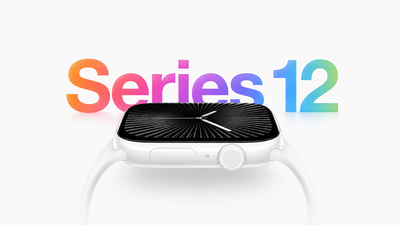
Apple Watch Series 12
The Apple Watch Series 12 won't design changes, but Apple could bring back the ceramic case option. We're expecting an updated processor that could bring improvements to health and fitness tracking.
Apple is testing a feature that would let the heart rate sensor continuously collect data throughout the day, powering a new Health app feature that could show wellness-related info similar to what the Oura Ring offers.
Apple Watch Ultra 4
Like the Apple Watch Series 12, the Apple Watch Ultra 4 will have no major changes. It's likely to get the same upgraded processor and related changes.
AirPods 5
References to AirPods 5 were found in the macOS 26.7 release candidate, and the new earbuds could launch alongside the iPhone 18 Pro models. Apple could add an updated H3 chip for improved sound quality and lower latency, and we're likely to still get an ANC version and a non-ANC version.
Possible Product Launches
Home hub - Apple is working on a home hub with a 7-inch square display, an integrated camera, presence detection sensors, and more. It will control smart home devices, but it will also run apps. Rumors suggest it can be used to make video calls, play content, and interact with Siri AI, the new version of Siri in iOS 27. Apple has been waiting to launch the home hub because Siri AI is a central feature of the new device.
Apple TV 4K - There's a new Apple TV with a faster processor in the works, and it could come at the September event. No design changes are expected, but an updated chip could support Siri AI and new gameplay features. There are also signs of a new remote in Apple code.
HomePod mini - The HomePod mini is due for a refresh, and it's also expected to get a faster processor. We haven't heard word of design changes, but it could come in new colors.
Software Updates
At the September 9 event, Apple will announce the release dates for iOS 27, iPadOS 27, macOS Golden Gate, tvOS 27, watchOS 27, and visionOS 27. Apple will also likely seed release candidate versions of the updates to developers and public beta testers following the event.
Based on historical release timelines, iOS 27 and its sister updates could come out as soon as September 14.
What Not to Expect
There are several other products rumored to be launching before the end of 2026, but they'll likely come at a second event in October or November. There's also a notable omission from the lineup, because Apple is going to delay the iPhone 18.
iPhone 18 - The standard iPhone 18 will not launch in September 2026, with Apple instead planning to debut it in spring 2027 alongside the iPhone 18e and the iPhone Air 2. In the fall, we're only getting the iPhone 18 Pro, iPhone 18 Pro Max, and foldable iPhone.
Apple Watch SE 4 - There won't be a new Apple Watch SE 4 this year.
M6 MacBook Pro - A new entry-level MacBook Pro with an M6 chip is coming before the end of the year, but not at the September event.
M6 iMac - There's also an M6 iMac rumored to be coming in 2026, but Apple is likely to hold a Mac event to announce it, or do it via press release at a later date.
OLED MacBook Pro - We've been waiting on an OLED touchscreen MacBook Pro, and it's rumored for late 2026 or early 2027. It's not a candidate for Apple's September event.
OLED iPad mini - There's an OLED iPad mini in development, and it's expected to launch before the end of October. It's another one that's unlikely for an iPhone event.
Apple's New CEO
New Apple CEO John Ternus has presented at Apple events before, but the iPhone event will be the first he hosts as CEO in place of Tim Cook.
Cook was Apple's CEO for 15 years, so a transition to Ternus leading an event is a major change.
Cook is now Apple's executive chairman, and he may not make an appearance during the event at all.
iPhone Preorders
Apple almost always holds preorders on the Friday after an event, but this year, that Friday is 9/11. It's unlikely Apple will do iPhone preorders on Friday because of the date, so orders could happen on Saturday instead. The last time iPhone preorders overlapped with the 9/11 date in 2015, Apple pushed orders to Saturday.
If Apple follows the same pattern, the iPhone 18 Pro models and the iPhone Ultra could be available for preorder on Saturday, September 12. Back in 2015, Apple started preorders at 12:01 a.m. Pacific Time, but in recent years, preorders have started at 5:00 a.m. Pacific Time. Preorders this year could take place at 5:00 a.m. on September 12.
The new iPhones will likely launch on Friday, September 18, regardless of preorder date.
How to Watch
Apple's "Surprise and Shine" event will start at 10:00 a.m. Pacific Time on Wednesday, September 9. Apple will livestream the event on its website, on YouTube, and through the Apple TV app on supported devices.
For those unable to watch the livestream, MacRumors will have full event coverage on MacRumors.com and the MacRumorsLive X account. We'll also take a much closer look at all of the new products after the event.
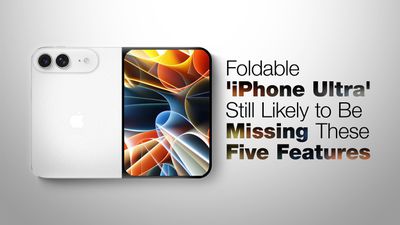
Apple's first foldable iPhone, dubbed the "iPhone Ultra," is expected to launch without at least four features that will be present on the iPhone 18 Pro models, despite a price tag of at least $2,000.
The iPhone Air lacks Ultra Wide and Telephoto rear cameras, a SIM card slot, and stereo speakers. With a super thin design, a titanium frame, and a glass back, the iPhone Ultra is expected to be very similar to the iPhone Air in terms of design, and it is possible that similar concessions will be present on the device. There are no indications that the iPhone Ultra will be missing stereo speakers, but it is not out of the question given the other compromises Apple has chosen to make. Based on over a year of reports and rumors, the iPhone Ultra could be missing the following features:
MagSafe was originally in question earlier in the rumor cycle.
Face ID
The iPhone Ultra is believed to be too thin to accommodate Apple's TrueDepth camera array, which is required for Face ID authentication, so Apple is expected to revert to a Touch ID side button instead.
The last flagship iPhone with Touch ID was 2016's iPhone 7. The iPhone 18 Pro models are moving in the opposite direction, apparently relocating Face ID's flood illuminator beneath the screen to shrink the Dynamic Island.
Telephoto Camera
As visible on dummy models shared by Sonny Dickson, Vadim Yuryev, and others, the iPhone Ultra is expected to sport only two rear cameras. These are believed to be 48-megapixel Wide and Ultra Wide lenses, with no third Telephoto camera of the kind found on the Pro models.
Bloomberg's Mark Gurman said last month that the people who have used the device are impressed by it, but singled out the camera system as the most likely disappointment for buyers.
Action Button
Dummy models continue to point to the absence of the Action button. A power button and volume buttons are clearly visible, with the volume buttons located on the top edge of the device and aligned to the right, similar to the iPad mini, but the left edge appears to be entirely bare. That would make the iPhone Ultra the first iPhone with no Action button or silent switch, some three years after Apple introduced the Action button on the iPhone 15 Pro as a replacement for the switch.
The unusual button layout was first rumored by Weibo leaker "Instant Digital," who said that the motherboard sits on the right side of the device. Rather than run cables across the display to the left side, where the volume buttons are located on every other iPhone, Apple is said to have decided to run them directly upwards to maximize internal space.
Rumors indicate that the iPhone Ultra will also lack a SIM card slot, just like the iPhone Air, being compatible with eSIM only. Gurman and analyst Ming-Chi Kuo both expect the device to be eSIM only in every market where it launches.
mmWave 5G Connectivity
The device is likely to miss mmWave 5G if it features Apple's in-house C2 modem as rumored, since reports indicate the C2 may still lack mmWave capability. iPhone 18 Pro models sold in the United States are expected to retain Qualcomm hardware because they support the mmWave bands used by American carriers. Apple does not sell mmWave-capable iPhones outside the U.S.
The iPhone Ultra's C2-based configuration would therefore advance Apple's modem transition, just like the iPhone Air, but could limit the device to sub-6GHz 5G.
MagSafe?
Bloomberg's Mark Gurman has now indicated that MagSafe will make it into the device after all. Speaking in an interview with Tom's Guide, Gurman said "all indications that I've heard is that MagSafe is in for this foldable phone," pointing to the fact that Apple managed to fit the magnet array into the iPhone Air.
The uncertainty stemmed from the dummy models of the device that emerged earlier this year. Units shared by Dickson and Yuryev showed no indentations for the internal MagSafe magnets, while the mock iPhone 18 Pro and iPhone 18 Pro Max units shown alongside them clearly did. Leaked cases for the foldable, on the other hand, included a magnetic ring, leaving the question open until recently.
Apple will almost certainly unveil the device alongside the iPhone 18 Pro and iPhone 18 Pro Max at its "Surprise and Shine" event on Wednesday, September 9.
Apple could release a home security system and service in 2027, according to Bloomberg.
The company is designing a privacy-forward home security camera that will "use AI to monitor the surrounding environment instead of actual video footage." It will apparently work with a new home security and monitoring service, but no additional detail on the service is included.
Apple is planning to release a home hub for controlling smart home devices before the end of the year, and rumors have previously suggested there's a camera in the works to go along with it. Early rumors indicated it would be a wireless camera with Siri integration and a connection to the home hub that's in development.
Apple already has HomeKit Secure Video, an Apple Home feature for third-party cameras. HomeKit Secure Video features end-to-end encryption and uses iCloud to securely stream and store video from compatible HomeKit cameras.
In iOS 27, Apple is upgrading its HomeKit camera features. The Home app is able to generate written summaries for motion alerts, plus it can surface highlights and group footage from different cameras together. The new features require a 2TB or higher iCloud+ plan, while HomeKit Secure Video requires a 50GB plan or better.
It's possible a future home security monitoring service could also be tied to iCloud+ and Apple's existing HomeKit Secure Video features.
Anthropic added CarPlay integration to the Claude iOS app, which means Claude users can talk to Claude through their in-car infotainment systems.
Apple added support for third-party chatbots in CarPlay in iOS 26.4. Chatbot apps with CarPlay integration need to add support for a voice control screen, use Apple's designated CarPlay template, and get an entitlement from Apple. Claude can answer voice-based questions hands-free, but the chatbot won't be able to control vehicle or iPhone functions. Users also need to open the Claude app from the CarPlay interface because there is no support for third-party wake words.
The Claude app on CarPlay opens with a "Start a hands-free conversation" screen, with options to start a new chat or access recent chats. There are in-app controls for muting and unmuting and ending and resuming conversations, plus visual cues for when Claude is listening or talking.
CarPlay has long supported third-party apps, but Apple has limited the kinds of apps that are available to prevent driving distractions. OpenAI added CarPlay support to the ChatGPT app earlier this year.
Update: This article was updated to note that the Claude CarPlay integration is live.
References to two unreleased controllers that identify as Apple hardware in code were spotted in the macOS 26.7 release candidate by MacRumors reader Pdfu. Apple's first macOS 26.7 release candidate came out in mid-August, and it was full of references to unreleased Apple devices, from iPhones and Macs to new home accessories. Pdfu has continued to dig into the RC, finding new details that were previously overlooked.
There are GameController profiles for two hardware devices identified as T6502 and T1057, which Pdfu suggests could be Apple gaming controllers in development. The two controllers have different haptic designs and standard controller components, like a D-pad, dual thumbsticks, shoulder buttons, Home and Menu buttons, and analog triggers. T1057 also has accelerometer and gyroscope support, while T6502 doesn't.
The code includes dedicated hardware plug-ins for each device as well, which suggests these are actual devices instead of placeholder code.
The code found in the first macOS Tahoe 26.7 RC could point to an Apple controller in the works, but it could also be referencing internal test hardware Apple uses for testing game controller code and support. Apple removed the code in the second macOS Tahoe 26.7 RC.
Apple has had multiple opportunities to release a game controller. The company could have launched one alongside any version of the Apple TV, when Apple Arcade came out, or when the Vision Pro launched, but it didn't. Instead, Apple focused on building extensive support for third-party controllers.
In 2015, Apple required Apple TV games to support the Siri Remote as a gaming controller, but gave that up in a matter of months. With the Vision Pro, it partnered with Sony to add Vision Pro support to the PlayStation VR2 Sense controllers instead of designing its own controller.
Console makers have mastered the controller, and many people already have Xbox, PlayStation, or Nintendo controllers. There's little improvement to be made on controller ergonomics, but if Apple is working on a controller, features like Find My and instant cross-device pairing could set it apart from competitors.
While the long-awaited foldable iPhone has often been referred to as the iPhone Ultra or the iPhone Fold in rumors, another name making the rounds is iPhone Duo.
There is no actual evidence that Apple will use the iPhone Duo name, but it is certainly a possibility. Apple has used Duo branding in the past, for its PowerBook Duo line of laptops in the 1990s and for its MagSafe Duo Charger in the early 2020s.
In this case, Duo would refer to the foldable iPhone's dual screens.
Microsoft released a dual-screen Android smartphone called the Surface Duo in 2020 that has since been discontinued, and Intel had its popular lines of Core Duo and Core 2 Duo processors in the 2000s, so perhaps Apple will want to avoid using Duo branding due to that history. However, competing companies have devices with Ultra and Fold branding too, such as Samsung's Galaxy S26 Ultra and Galaxy Z Fold8.
Apple has used Ultra branding for the Apple Watch Ultra, CarPlay Ultra, and its M1 Ultra, M2 Ultra, M3 Ultra, and M5 Ultra chips.
Apple is expected to unveil its foldable iPhone during its event next week, so we will soon find out whether the device is named iPhone Ultra, iPhone Fold, iPhone Duo, or something else. Share your own guesses in the comments section.
Accessory brand Alogic today announced an expansion to its display lineup, adding several new 5K and 6K models offering varying feature sets with availability coming over the next couple of months.
Aspekt displays
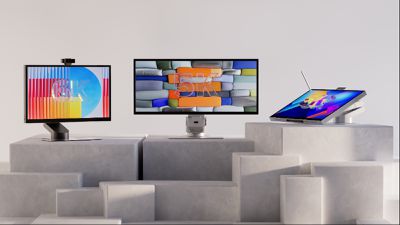
New models in the Aspekt touch-enabled family include a 27-inch 5K model and a 32-inch 6K model with support for 10-point multitouch and MPP 2.0 styluses. Dock capabilities are built into the display, including USB-C with up to 90 watts of upstream charging, HDMI 2.1, DisplayPort 2.0, additional USB-C and USB-A ports, Gigabit Ethernet, and USB-A KVM functionality. There's also a 34-inch 5K Ultrawide model, which offers a resolution of up to 5,120 x 2,160 and a 100Hz refresh rate, plus the 10-point multitouch functionality
The 27-inch 5K ($1,899.99) and 32-inch 6K ($2,999.99) models will be available by the end of October, while the 34-inch Ultrawide 5K model will be priced at $2,799.99 and launch by the end of November.
Clarity 6K display
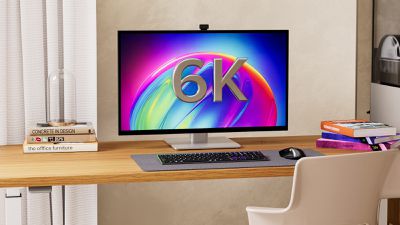
Alogic has also expanded its Clarity family of displays, adding a 12-megapixel webcam to the 27-inch 5K ($1,899.99) and 32-inch 6K ($3,099.99) models, with availability by the end of October. Both displays similarly offer touchscreen support, USB-C, HDMI 2.1, and DisplayPort 1.4 connectivity options, USB-A and audio connections, and up to 90 watts of upstream charging.
Vision displays
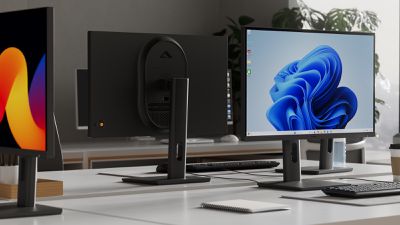
There's also a new 34-inch Edge 5K Ultrawide option priced at $1,599.99 launching by mid-November, and finally, on the low end of the display lineup, Alogic is introducing new 24-inch ($199.99) and 27-inch ($299.99) options in its Vision family of business-oriented displays, plus a 34-inch Ultrawide model.
FlashDock 5
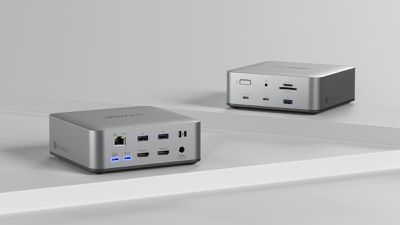
Turning to peripherals, Alogic has announced the FlashDock 5 docking station, a 13-port Thunderbolt 5 dock supporting full bandwidth of up to 80 Gbps in symmetric mode or up to 120 Gbps in asymmetric mode. It supports up to three external displays (depending on capabilities of the host computer), with two HDMI 2.1 ports, two USB-C 3.2 Gen 2 ports, three USB-A ports, a 2.5 Gigabit Ethernet port, SD and microSD card readers, a 3.5mm combo audio port, and an additional downstream Thunderbolt 5 port. There's also an integrated M.2 NVMe SSD slot to allow you to add external storage. It's available now and is priced at $399.99.
Crux mouse
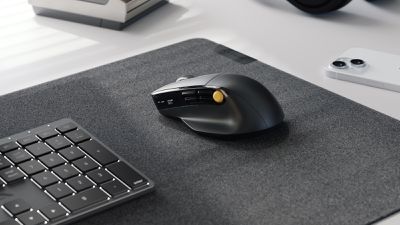
And on the input side, Alogic is now shipping several previously announced accessories including the ergonomic multifunction Crux productivity mouse, priced at $79.99. The Hush full-size keyboard ($89.99) with backlit keys and multi-device support is also shipping, as is the Hush mouse ($29.99) with a slim design and multi-device support.
Note: MacRumors is an affiliate partner with Alogic. When you click a link and make a purchase, we may receive a small payment, which helps us keep the site running.
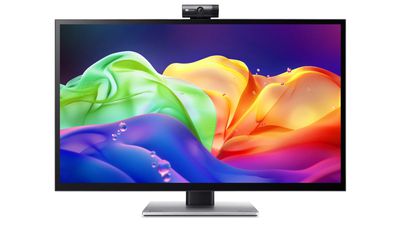
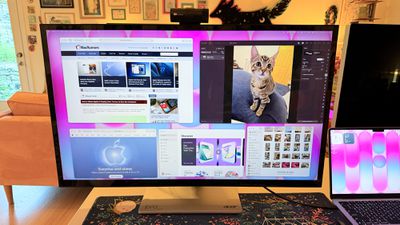
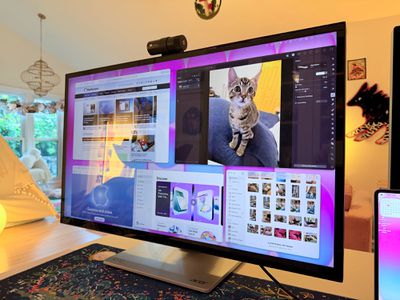
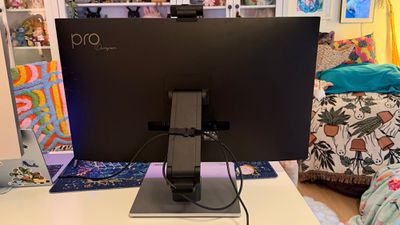
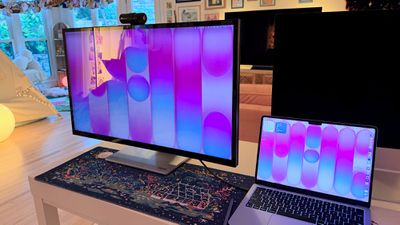
Acer recently came out with a new 6K 31.5-inch display, the ProDesigner PE320QXT. It's a touchscreen display that's able to work with a Mac using touch drivers, and it's aimed at professional creators. It's fun to use, but there are some compromises, and this is not the display to get unless you really want touch integration.
This is a big, heavy display. It's thicker than my Apple Studio Display, and it's thicker than any other display I've tested, likely because of the touch layer. It does have a tapered design so the sides aren't quite as thick as the middle, but this isn't a modern-looking monitor. It doesn't resemble something designed in 2026, especially with the button-based controls and the thick bezels. If someone told me this was a display from 2006, I'd believe it. With its stand, the ProDesigner weighs about 22 pounds, and it takes up a lot of room on my desk.
The display uses an IPS panel and has a resolution of 6016 x 3384, and it can connect to a Mac using HDMI or USB-C. I tested it on a 16-inch M1 MaxMacBook Pro running macOS Golden Gate and an M4 MacBook Air. By default, macOS uses a 3008 x 1692 scaled resolution, which is a good compromise between display quality and sizing. It can be set at higher resolutions, including the full 6016 x 3384, but window sizing and text get smaller as resolution goes up.
Text is crisp and everything looks sharp at the default resolution, but brightness is limited to 400 nits and contrast is just fair, not outstanding. My office is bright, and in the daytime, 400 nits is a little too dim, especially if I'm simultaneously using the MacBook Pro's much better mini-LED screen or a Studio Display with the Acer ProDesigner. Brightness does go up to 600 nits for HDR content, but I wouldn't recommend it for HDR movies because it doesn't have the local dimming you get from mini-LED or OLED.
Though brightness wasn't where I wanted it to be, quality and color were excellent. With some displays, it's unpleasant to use them with a MacBook Pro because of the pixel density mismatch, but 6K resolution makes a difference when using the display next to a MacBook Pro. Text and interface elements don't look soft or low-resolution. Acer says the display is Calman-verified for color accuracy with support for 99 percent of the Adobe RGB and P3 color gamuts. I don't have a colorimeter or a reference display for testing, but colors were saturated and seemed similar to those on my MacBook Pro. I did notice a little light bleed at the edges of the display when viewing a dark image in a dark room, but it's not something I noticed in regular use and the display otherwise looked uniform.
One of the main concerns with any kind of color work is the glossiness of the display. This is one of the most reflective displays I've used, and it is problematic when viewing dark content in a room with bright light. If you have lights behind you, they're going to reflect and make it harder to see what you're working on. Acer says it's an anti-glare display, but I disagree.
This is a display with a 60Hz refresh rate, and I do notice the lower refresh rate when scrolling through webpages because I'm used to my Mac's 120Hz option. This isn't a display I'd choose for games because of it, but games do look good thanks to the resolution.
Controls
Acer doesn't have a native macOS app for controlling the display, so there's no way to control brightness from the Mac unless you download third-party display software. I use BetterDisplay, and it works well.
Without third-party display software, you're limited to the brightness controls on the monitor itself. There are five buttons on the bottom right of the display. On-device controls are not as convenient as software-based controls, and it takes too many button presses to adjust brightness. I need to press one button to toggle the brightness setting, then use a different button and press several times to adjust up or down.
The brightness control is right next to the power button, so I've accidentally turned the display off several times. It's hard to imagine a control scheme that would be less ergonomic than the one Acer chose. You can tediously control all of the display settings with the physical buttons, or use third-party software to solve the problem.
Stand
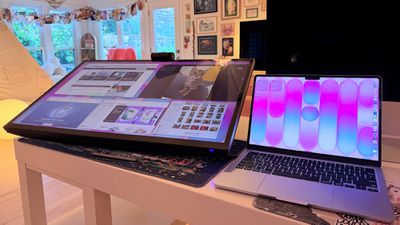
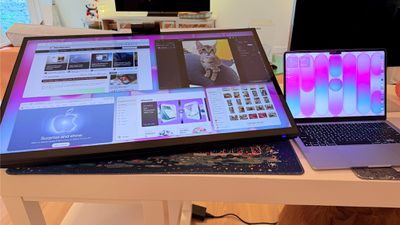
The ProDesigner uses a folding stand made for switching between an upright and a tilted, low-angle orientation, with the latter meant to be used for drawing, sketching, and other tablet-style work. Since the stand is meant to tilt into a tablet position, it doesn't have much height adjustment, with about six inches of range. If you need the display to be taller, you'll need a monitor riser.
It is easy to pull it down into more of a tablet mode, and when it's oriented like that, it's like using a giant iPad or drawing tablet. It can be adjusted to several different angles, and it swivels 360 degrees so you can find the best position for whatever you're doing. The stand mechanism feels well-designed and there's little friction when making changes.
I didn't think attempting to draw or write on a display this size was going to be comfortable, but being able to angle the display helped. I had no issue when using it at my desk, though it does take up a lot of space. This isn't a situation where you can pick up your drawing surface and pop over to the couch to draw. You need the right setup for this display and its large stand.
The stand design makes the most sense if you're often using the display in touch mode, and less sense if you just want a display. It doesn't have the range of height adjustment of a standard desktop display because of the mechanism to shift it into a tablet position.
Ports and Charging
The display connects to a Mac over USB-C and offers 90W passthrough charging. That's not enough power to reach the 140W maximum charging speed of a 16-inch MacBook Pro, but it was enough to keep my Mac topped up over the course of the day, even while gaming.
It has two HDMI 2.1 ports, one DisplayPort 1.4 port, a USB-C port with power delivery, two USB-A 3.2 Gen 1 ports, a USB-B upstream port, and a 3.5mm jack. There is no Thunderbolt support, so you can't daisy-chain displays.
Touchscreen and Software
macOS doesn't have native touchscreen support, so third-party software is required to make the Acer display's touchscreen function. Acer suggests the UPDD Touch Software driver from Touch-Base, and it allows for 10-finger touch input.
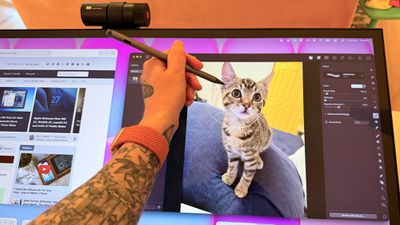
You can use all of the Mac gestures you're familiar with on the ProDesigner, but it's clear this is a display that wasn't built with the Mac in mind. The UPDD software requires per-app customization of touch gestures for some workflows. It's nice that the customization is available, but the software can be confusing. I don't know who is going to want to put in the work to get this running in a way that doesn't involve at least some frustration. In an app like Pixelmator Pro, I'd have to manually tweak the gestures to be able to use it efficiently, and the same goes for most apps. Apps on the Mac just weren't built for touch input.
With the UPDD software, touch input works, and works well. Finger taps are accurate, and Acer has a stylus that goes along with the display (that is a separate purchase). With the stylus, fine-line writing and drawing are supported, and features I'd expect with a stylus, like palm rejection and tilt, are available. Using the stylus is similar to using an iPad with an Apple Pencil that has hover. I can see the mouse cursor when the stylus is close to the screen so I can tell what I'm doing. Using touch or the stylus didn't seem laggy, and writing on the display was responsive.
Touch works on macOS, and I can tap with a finger to launch apps, change settings, adjust windows, and control on-screen elements, but it's not a feature I need or want. It would take me months, if not years, to get as fast with touch gestures as I am with a trackpad, and I'd never be able to replace the keyboard.
The display's touch feature is useful for drawing and sketching, and likely convenient for workflows like video editing, but I'm not sure it has appeal beyond that. There aren't many Mac tasks that are easier to do or more accessible with touch controls. Also, a display this big and this glossy really shows fingerprints.
Webcam and Speakers
There is a built-in 8-megapixel webcam, and it is higher quality than the camera in my MacBook Pro (not hard to achieve). Since I don't do a ton of video calls, it's not a super important feature for me, but someone who is often in video meetings might appreciate it more.
The camera can tilt for adjusting the angle depending on where you're positioned, but it is a wider angle than I'm used to with a webcam and the framing is awkward. When the camera is not in use, there's a physical cover for privacy purposes.
The speakers are fine, but nothing special. I wouldn't use them over standalone speakers or a Mac's speakers. Voice calls and short video content sound fine, but music sounds one-dimensional.
Bottom Line
Acer's ProDesigner PE320QXT wasn't built for the Mac, and it's obvious. It requires a lot of software to work, and it's software that Acer didn't even design. You can use it with the Mac, but the Mac was an afterthought.
The touch hardware works well, and if you want a 31.5-inch drawing surface, this display does that. You can make this work with a favorite creative app, and it's a lot of fun to have such a big digital canvas. There are rumors that Apple is working on a touchscreen OLED MacBook, so macOS could get more touch-friendly in the near future and that might change how useful the display is.
macOS wasn't built to be used with a touchscreen, and I would bet money that no Mac user is going to speed up an established and comfortable Mac workflow with Acer's display.
The only reason to choose this display over another 6K display is the touch feature. If you want a big touch surface, the ProDesigner is a good option and it's priced well for what it is. If you need a Mac display for any other purpose, you're probably better off getting something else.
















 Tim Cook will attend the screening for Apple's "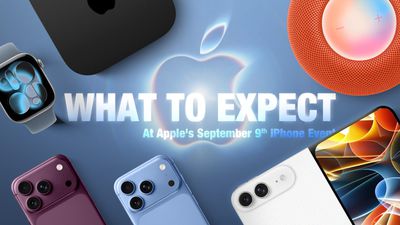

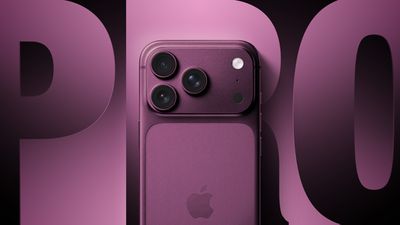

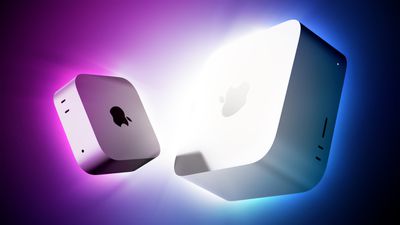
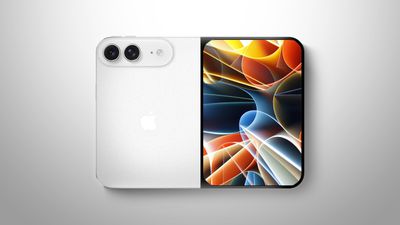
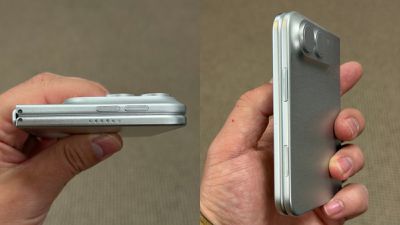 Image via
 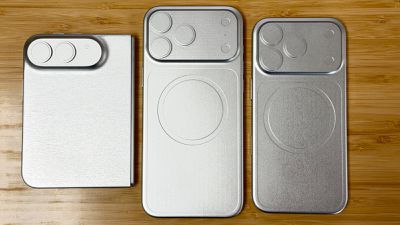 Image via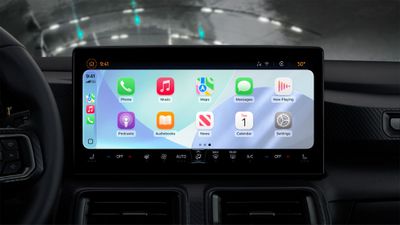
 Aspekt displays
 Clarity 6K display
 Vision displays
 FlashDock 5
 Crux mouse