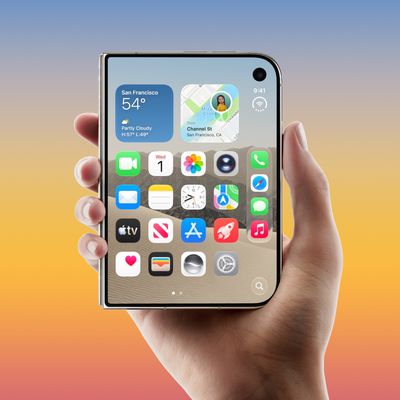
Apple released the iOS 27 public beta today, and if you've been curious about the new software, now's the time to try it out. iOS 27 brings Siri AI, performance improvements, and lots of new Apple Intelligence features. With the public betas, you don't need to wait until September to see what's new.

iOS 27 is one of Apple's most stable betas compared to prior years. We never recommend installing a beta on a main device, especially if you rely on important health apps, but if you have a secondary device or can live with a few bugs, the software is worth checking out.
Performance Improvements
Apple sped up a long list of features in iOS 27, and it's immediately noticeable when you download the software.
Everything feels snappier than it did in iOS 26. Animations are quicker, apps launch faster, and AirDrop transfers complete faster. You'll see improvements when taking photos, opening the keyboard, using the App Library, and swapping Home Screen pages. Your iMessages between devices sync more accurately, messages won't fail to send and will be automatically retried, and your iPhone can transition more smoothly between Wi-Fi and cellular.
The majority of new features in iOS 27 require Apple Intelligence and an iPhone 15 Pro or later, but the under-the-hood improvements are available on all iPhones, and even older iPhones will feel faster.
Siri AI
Siri got a total overhaul in iOS 27, and it's now "Siri AI." It's more like ChatGPT or Claude than the prior version of Siri, with support for back-and-forth conversations. Siri AI can do a lot of what other AI chatbots can do, but unlike other AI options, Siri has private access to your messages, emails, photos, apps, and other personal data so it can complete a wider range of tasks. Siri can also search the web, so it can answer all kinds of queries.
You can activate Siri with a wake word, swipe down from the middle of your screen to type a question to Siri, chat with Siri in the Siri app, or press the side button to activate Siri.
Some examples of what Siri is now able to do:
- Create home automations with a command like lock all the doors at midnight.
- Find specific emails, messages, photos, images, links, files, and other documents people have sent to you. You can ask based on person, time, location, and more.
- Delete files, emails, photos, or messages.
- Add all items from a recipe on a website to a shopping list.
- Recommend activities, places, and restaurants you might like based on what it knows about you.
- Look at something on your screen like a website and answer questions about it.
- Answer general knowledge questions.
- Add information about people to the Contacts app when asked, like birthdays or additional phone numbers.
- Find passwords for websites and apps that are stored in the Passwords app.
For more on some of the commands you can use with Siri, we have a dedicated Siri AI guide.
Visual Intelligence
Visual Intelligence is accessible through the Camera app with a new Siri mode that you can choose as an alternative to photo and video modes. It works the same as it did before, but it's easier to get to.
There are new Visual Intelligence features, and Siri can do things like tell you the nutritional value of something you're about to eat, or calculate what everyone owes from an image of a receipt. We have more examples in our iOS 27 Visual Intelligence guide.
Write with Siri
Siri can generate text from scratch in iOS 27, and there's a system-wide Write with Siri feature you can get to from the keyboard. Siri can help you write, give you feedback on what you've written, change the tone or wording of your writing, and even write in your style by analyzing your emails and messages.
Your iPhone also automatically suggests grammar fixes in addition to spelling fixes.
Photos Clean Up
The Clean Up tool that removes unwanted objects from images in the Photos app is much improved in iOS 27, and it does a better job cleanly removing what you don't want and filling in what's missing more convincingly.
There are also new image tools for extending the borders of a photo using AI, and changing the perspective or composition of an image.
Our full iOS 27 Photos guide goes through all of the new features.
Passwords
If you use the Passwords app, there's a new feature that uses Safari to automatically change weak and compromised passwords for you. It requires a device that supports Apple Intelligence.
Safari
You can create custom extensions with natural language commands in Safari, which is useful for when you want to do something specific but there isn't a good extension available. Some sample suggestions, from Apple:
- Create a citation for the current webpage and copy it to my clipboard
- Create a 3-minute focus timer for the page
- Set the minimum font size to 14pt
- Turn the page into pirate speak
- Style websites like 90s websites with bold colors and type
- Every time I open a new tab, draw me a different flower
- Highlight and show the dimensions of webpage elements when I tap on them
- Enter the design mode for a website so that I can edit the contents
Safari can also automatically organize your tabs into categories and watch a webpage and let you know if there are changes. For more, read our iOS 27 Safari guide.
Home App
Use HomeKit Secure Video cameras? They now support 2K and 4K recording. There's also a new AI feature that gives you text descriptions for what's happening in your home, and there's an option to search through videos using natural language to find something you're looking for.
The AI features will require a 2TB iCloud+ plan at launch, but the 4K streaming doesn't.
For more on what's new in the Home app, check out our iOS 27 Home guide.
AirPods EQ
If you've ever wanted to adjust the sound of your AirPods, you can do so with new AirPods customization options that let you tweak mids, highs, and lows. Custom EQ is available for AirPods 4, AirPods Pro 2, AirPods Pro 3, and AirPods Max 2.
Shortcuts
If you find the Shortcuts app intimidating, it's easier to use in iOS 27. You can tell the Shortcuts app what you want to be able to accomplish with a shortcut, and it'll make it using AI. You can then refine it with further natural language requests, or manually edit.
How to Install the Beta
You can sign up for the iOS 27 beta (and any other betas) using Apple's public beta website. Once you're signed up, you can go to Settings > General > Software Update and then choose the iOS 27 Public Beta to install the update.
Make sure to create a backup before you install the beta just in case you want to downgrade back to iOS 26 later.
Beta Reminders
iOS 27 is still very much a beta, and this is not the final version of the software we'll see in September. Apple is still refining Siri AI and Apple Intelligence features, as well as addressing bugs and tweaking features.
iOS 27 Discussion and App Info
The iOS MacRumors forums are a good place to discuss iOS 27 features and take a look at what people are saying about the software's stability.
There's a list of working and non-working apps on the forums if you want to see what you might miss out on, and a helpful discussion on how people are using Siri AI.
We also have a full iOS 27 roundup with more detail on what's new in the update.