

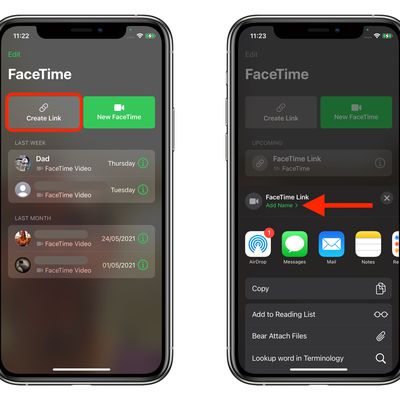
iOS 15: How to FaceTime Android Users
In iOS 15 and iPadOS 15, you can enable anyone, even if they don't have an Apple device, to join a FaceTime call with you by creating a link to a FaceTime conversation that can be shared anywhere.
Subscribe to the MacRumors YouTube channel for more videos.
Using this new link facility, friends and family members who do not have an Apple account can log into a FaceTime call with you using a...
Read Full Article • 69 comments
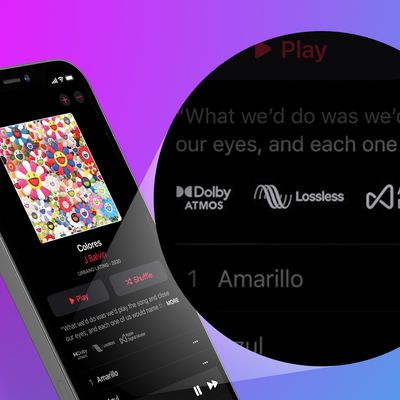
Apple Music: How to Enable Dolby Atmos Spatial Audio
Apple has rolled out a new spatial audio feature for Apple Music subscribers that uses Dolby Atmos to create a richer, more immersive soundstage when listening to songs in the Apple Music catalog.
With Spatial Audio and Dolby Atmos enabled, the subjective experience is that musical notes are coming from all around you. The steps below show you how to control the new audio feature on any iOS ...

How to Watch Apple's WWDC 2021 Keynote on June 7
Apple's 32nd Worldwide Developers Conference will be a digital-only event much like WWDC 2020, with developers worldwide able to participate for free. WWDC is aimed at and designed for developers who create apps for Apple's platforms, but Apple always holds a keynote event that's of interest to the general public.
Apple's keynote event will take place on Monday, June 7, and it will provide...

How to Check Your AirTags Firmware Version
Like most Apple products, AirTags are able to be updated with new software over the air, with Apple able to push new firmware when required.
Apple in June 2021 released the first AirTags firmware update with anti-stalking security enhancements that decreased the intervals in which an AirTag separated from its owner will play a sound. Additional firmware updates have been released since that...

How to Create and Manage Calendar Events on HomePod
There are several commands that Siri can understand on Apple's HomePod and HomePod mini that make it really easy to create and manage your calendar events, which sync to any iOS device signed into the same Apple ID as the smart speaker.
As long as you enabled Personal Requests during HomePod setup to let Siri access your messages, reminders, calendars, and more whenever your iOS device is on ...

How to Hide Like and View Counts on Instagram Posts
Instagram includes several options on the platform that allow users to hide the number of like and view counts on posts. This article explains where to find them and adjust them to your preferences.
The new options were originally introduced a few years ago to "depressurize people's experience" on the platform, the Meta-owned social media company said at the time.
Instagram said its...
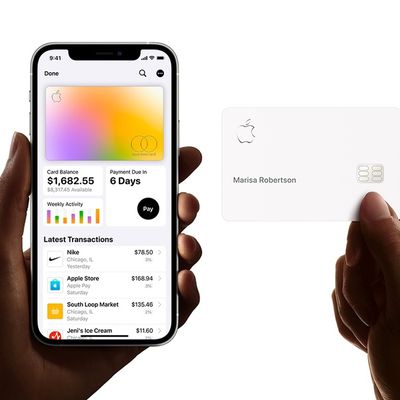
How to Add a Co-Owner to Apple Card
Apple Card enables couples to co-own a single Apple Card, allowing them to build their credit score together. The process is similar to sharing an Apple Card with your teenager or friend but requires that you share your spouse's annual income.
As co-owners, remember that the both of you share responsibility for all account activity, including the payment of balances.
The process for ...
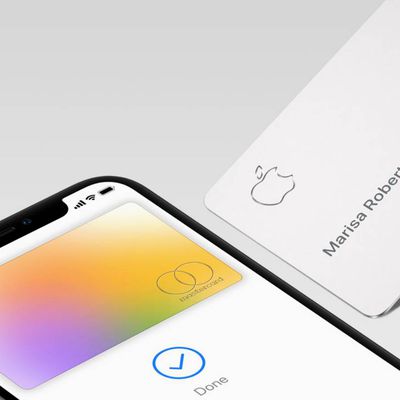
How to Share Your Apple Card With Family
Apple Card Family allows families and friends to share a single Apple Card with users above 13 years old, and includes the ability to set a spending limit.
The process for sharing an Apple Card with a friend or teenager is enabled on iPhones running iOS 14.6 or later and requires that you are in the same iCloud Family as the person you wish to share the card with.
The...
How to Turn Off Location Services on HomePod and HomePod Mini
Apple has designed HomePod and HomePod mini with privacy in mind. For example, nothing you say is sent to Apple servers until HomePod recognizes "Hey Siri." Moreover, all communication between your HomePod and Apple's servers is encrypted and anonymized.
Even so, Apple provides the ability for you to turn off "Hey Siri" on HomePod. Simply say, "Hey Siri, stop listening." When "Hey Siri" is ...

Apple TV: How to Customize the Clickpad on the New Siri Remote (2nd Gen)
Apple's second-generation redesigned Siri Remote features a touch-sensitive clickpad that can be used to navigate menus as well as fast-forward and rewind video.
When you first start using the Siri Remote, touch surface tracking is on by default, but if you can't get on with the sensitivity or you're just not comfortable using touch controls on a remote, you can always customize it or turn...
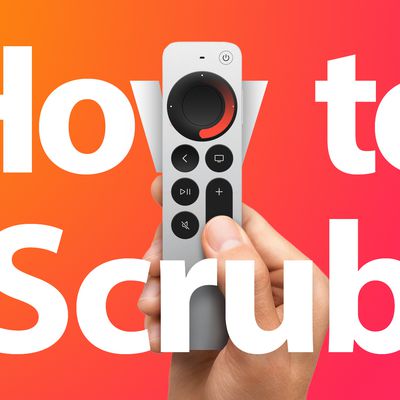
Apple TV: How to Scrub Through Video Using the New Siri Remote (2nd Gen)
With the new Apple TV 4K now in customers' hands, some users are reporting issues when trying to control video with the redesigned Siri Remote.
Specifically, some users are complaining that using the circular gesture on the new clickpad ring to fast-forward or rewind paused video isn't working as expected. Rather than scrubbing through video continually in the direction of the gesture, the...
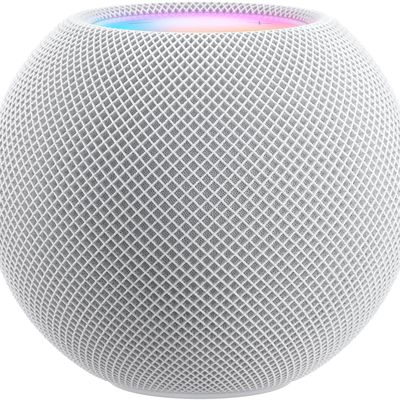
How to Factory Reset HomePod Mini
If you're having trouble with your HomePod mini, need to send it in for servicing, or want sell it or give it away, you'll want to return it to factory settings first. Keep reading to learn how.
There are three simple ways to reset a HomePod mini. The first can be done via the Home app on iPhone or iPad, the second uses the physical controls on the speaker, and the third involves a computer. ...
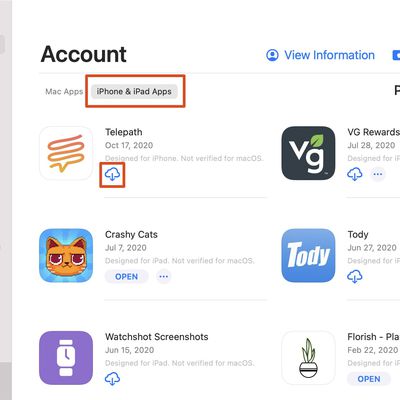
How to Uninstall iPhone and iPad Apps on an M1 Mac
If you own a Mac powered by Apple silicon, you can download and install iOS and iPadOS apps from the Mac App Store in macOS Big Sur. But how do you uninstall them? Keep reading to learn how.
Apple's M1 Macs, which are the first to be powered by an Apple-designed Arm-based chip, are able to run iOS and iPadOS apps because of the common architecture between the different operating systems....

How to Capture or Record Your Mac's Desktop With the Screenshot App
If you've ever wanted to screenshot your Mac's desktop or record a video of it but don't know quite how to do so, then you've come to the right place. Keep reading to learn how you can record any Mac desktop activity in just a few simple steps.
Recording the activity on your Mac's screen can be useful for a number of reasons. For example, if you want to teach someone how to perform a...

How to Prevent Emails From Tracking You in Apple Mail
Apple's App Tracking Transparency feature is designed to allow users to opt out of the surreptitious tracking that third-party apps have traditionally relied on for ad targeting purposes. But tracking can go on in your email inbox, too.
Unsolicited marketing emails will sometimes know whether you've opened their email, and if so, when you did so. They can even know where you were at the...

How to Back Up Your iPhone Photos
Backing up the photos you take on your iPhone might not sound like a thrilling prospect, but it's far from a thankless task. On the contrary, it's a crucial step in ensuring that your most precious pictures are never lost. Plus, once you have a system for backing up your photos in place, you can get on with enjoying taking pictures with your smartphone in the confidence that they're safe.
You...
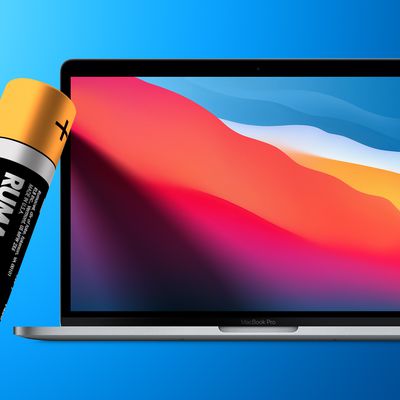
How to Check Your Mac's Battery Cycles
Apple's latest MacBooks offer some of the most impressive battery life seen on any notebook, with the company's adoption of Apple silicon taking power efficiency to a whole new level.
But like all rechargeable batteries, the actual lifespan of a battery is dictated by the number of charge cycles it's been through. Keep reading to learn how to check the battery cycle count on your MacBook.
...

How to Check iCloud Keychain Password Security
Using iCloud Keychain, Apple's Safari browser stores and syncs all the passwords you use for different websites and apps through iCloud. And in iOS 14 and later, Apple provides security recommendations that warn you if a password you're using is putting your accounts at risk.
Safari securely monitors your saved passwords using strong cryptographic techniques, and regularly checks derivations ...
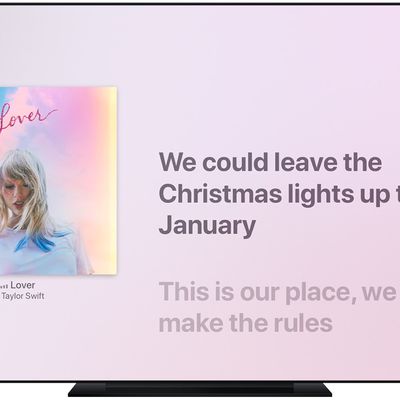
How to Enable Time-Synced Lyrics in Apple Music on Your Apple TV
If you're an Apple Music subscriber and own an Apple TV, you have everything you need to host a karaoke party. Thanks to Apple's time-synced lyrics feature, you can sing along as you listen to your favorite songs. This article explains how.
In September of 2020, Apple released the tvOS 14 update, which can be installed on the Apple TV 4K and Apple TV HD. If you own either model, you can...

How to Turn Off AirPods Max
If you recently acquired a pair of AirPods Max, you probably know that they have a battery life of up to 20 hours, but you may have looked at the physical controls and been left wondering how to turn off the headphones in order to preserve battery when they're not in use.
Well, the truth is that the title of this article is a bit of a misnomer, because Apple hasn't included an on/off...
