


iPhone 13 Pro: How to Shoot Macro Video
With the launch of the iPhone 13 Pro and Pro Max, Apple introduced Macro mode, a new camera feature that's exclusive to the Pro models and brings the immensely detailed world of close-up macro photography to iPhones for the first time. Keep reading to learn how it works.
With Macro mode enabled, you can take pictures or video of subjects that are as close as 2cm to your iPhone's camera lens, ...
Read Full Article
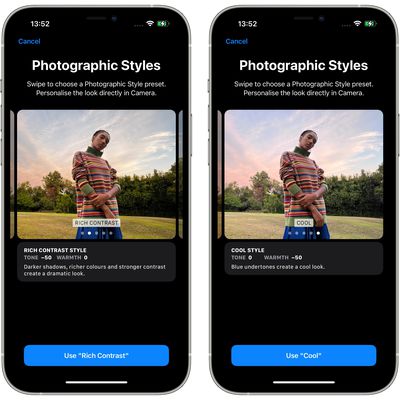
iPhone 13: How to Use Photographic Styles in the Camera App
When Apple announced the new iPhone 13 series, it also introduced several new camera features, including Photographic Styles for photos and Cinematic mode for shooting video. In this article, we take a look at what Photographic Styles are and how to use them.
Photographic Styles consist of a series of subtle filter-like adjustments that you can enable before you've taken any photos, allowing ...
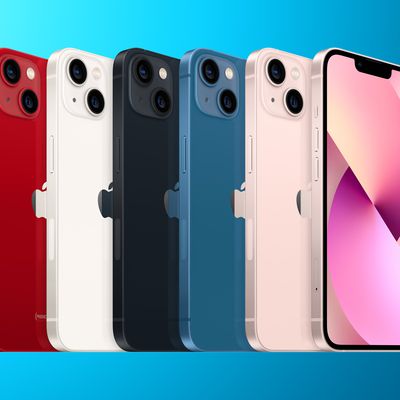
How to Hard Reset or Force Restart iPhone 13
Apple's iPhone 13 mini, iPhone 13, iPhone 13 Pro, and iPhone 13 Pro Max come in the same sizes as the previous iPhone 12 series, and they share the same design elements with Apple's 2020 models, such as an all-screen design and no Home button on the front.
If you're upgrading from a device with a Home button, keep reading to learn how to power on and off, force a restart, enter...
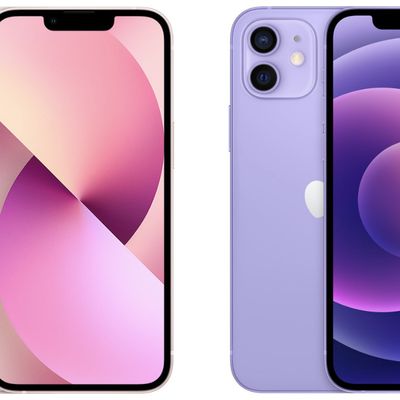
Best Way to Transfer Data From Your Old iPhone to a New iPhone 13
If you've got a new iPhone 13 to replace your current iPhone, there are a few ways you can migrate your data across to the new device. You can restore your apps, data, and settings from your most recent iCloud backup, restore from a backup on your computer, or you can use device-to-device migration to transfer your data directly from your previous iPhone to your new one. There are currently known ...
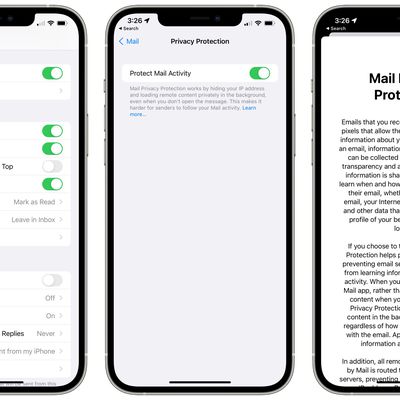
What to Do If You See 'Unable to Load Remote Content Privately' at the Top of an Email
Apple in iOS 15 introduced a new Mail Privacy Protection feature that's designed to obscure your IP address so email senders can't use it to determine your location or link it to your browsing activity.
To do this, Apple loads remote content using a relay server that hides your IP address, a feature that also has the benefit of preventing companies and people who email you from using...
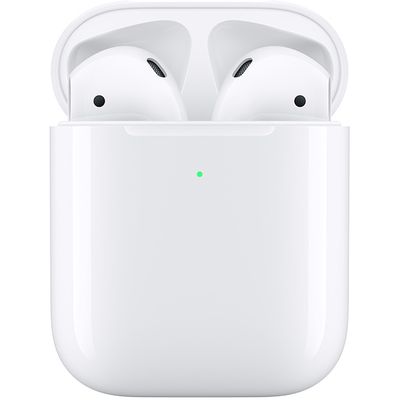
What to Do If You See an 'AirPods Mismatch' Alert
If you have a set of AirPods that accidentally get mixed up with AirPods owned by a friend or family member, you might get an "AirPods Mismatch" error when attempting to connect the AirPods to your iPhone.
When using your AirPods, if you see an "AirPods Mismatch alert, Apple recommends that you try to get your AirPod back from the person who you might have gotten your AirPods mixed up with....
How to Set Safari's Address Bar to the Top or Bottom of the Screen
During the beta phase of iOS 15, Apple added a new Safari design element that moves the URL and tab interface to the bottom of the screen, a decision that was immediately controversial with iPhone users.
After listening to a chorus of feedback from users who didn't like the change, Apple eventually added a toggle that sent the address bar to the top of the iPhone screen instead of the...
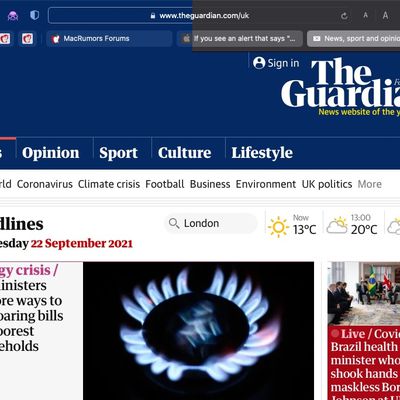
How to Turn Off Tab Bar Coloring / Tinting in Safari
In iOS 15 as well as Safari 15 for macOS Big Sur and macOS Catalina, Apple introduced some Safari interface design changes that haven't been universally welcomed. Fortunately, Apple has made some of these changes optional, such as the ability to disable tab bar coloring.
Tab bar coloring on (left) versus coloring off (right) in dark mode
Tab bar coloring, or website tinting, happens when the ...
iOS 15: How to Use Tab Groups in Safari
Tab Groups are a new Safari feature introduced in iOS 15 that aim to make organizing and preserving your open browser tabs more manageable without having to have those tabs active.
Tab Groups are a way to easily save and manage related tabs, such as those used when planning trips or shopping, or groups can be used to store the tabs you visit daily.
If you're planning a trip, for example,...
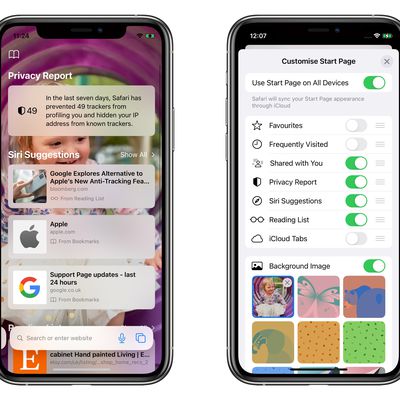
iOS 15: How to Customize Your Safari Start Page and Background
First seen in macOS Big Sur, Safari's redesigned Start Page in iOS 15 is a one-stop shop for all of your Bookmarks, Favorites, Frequently Visited sites, Siri Suggestions, iCloud Tabs, Reading List, and Privacy Report.
The Start Page also features several customizable options, such as the ability to choose your own Start Page wallpaper. You can even optionally sync your Start Page appearance...

How to Watch Apple's iPhone 13 Event on September 14, 2021
Apple is hosting an online streaming media event for the public and press on September 14, 2021 at 10:00 a.m. Pacific Time. Apple is expected to announce its new iPhone 13 lineup alongside an Apple Watch Series 7, and potentially other products during the event, dubbed "California Streaming." Here's how you can watch it and when, wherever you are in the world.
There are multiple ways to...
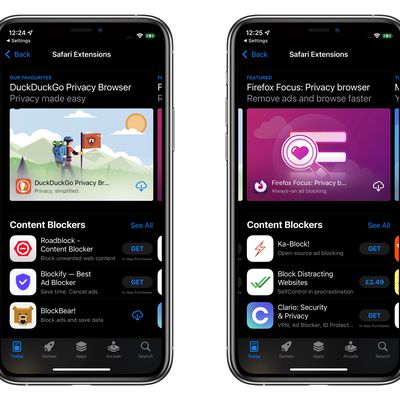
iOS 15: How to Download and Install Safari Web Extensions
In iOS 15, Safari now supports third-party web extensions, which can be downloaded and installed through the App Store. Extensions can change how Apple's Safari browser works in useful ways, or even add extra functionality to it.
For example, third-party Safari extensions can include content blockers, VPNs, and more that can make browsing more secure, more private and less intrusive.
In...
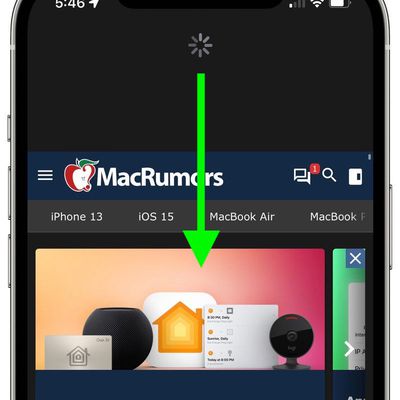
iOS 15: How to Quickly Refresh a Webpage in Safari
In iOS 15, Apple has completely redesigned Safari with easier-to-reach controls in mind when you're browsing the internet. For example, the URL address bar can optionally sit at the bottom of the screen instead of up top, which makes it easier to access when you're using your iPhone with one hand.
Within the address bar, Apple still includes a refresh icon that you can tap to reload the...

iOS 15: How to Turn Off Website Tinting in Safari
In iOS 15, Apple introduced a range of changes to its native iPhone web browser, Safari. Some of them were controversial, such as the decision to move the URL address bar to the bottom of the screen, but others were less so, and Apple eventually provided options so that users could customize the browser to suit their own preferences.
Website tinting off (left) versus tinting on
One of those...
iOS 15: How to Switch Back to the Original Safari Design
During the beta phase of iOS 15, Apple added a new Safari design element that moves the URL and tab interface to the bottom of the screen, a decision that was immediately controversial with iPhone users.
After listening to a chorus of feedback from users who didn't like the change, Apple eventually added a toggle that sent the address bar to the top of the iPhone screen instead of the...
iOS 15: How to Get Weather Notifications on Your iPhone
In iOS 15, Apple's stock Weather app received a major design overhaul, thanks in part to a number of features brought over from the popular weather app Dark Sky, which Apple acquired in 2020. One of those features is the ability to receive notifications when rain or snow is starting or stopping. This article explains how to enable them.
In Apple's revamped Weather app in iOS 15, you can sign ...
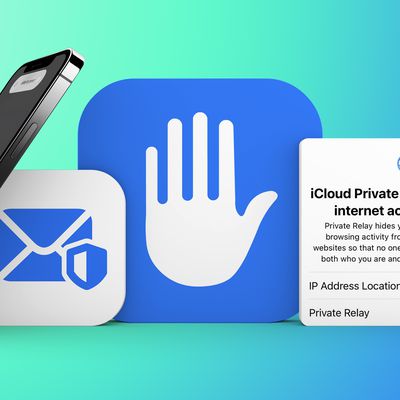
iOS 15: How to Hide Your IP Address From Trackers in Safari
In iOS 15, Apple updated its Intelligent Tracking Prevention feature in Safari to prevent trackers from accessing your IP address in order to build a profile about you.
Intelligent Tracking Prevention, which Apple began implementing in 2017, is a privacy-focused feature meant to make it harder for sites to track users across the web, preventing browsing profiles and histories from being...
iOS 15: How to Use Apple's New Weather Maps
In iOS 15, Apple's stock Weather app received a major design overhaul, in part thanks to a number of features brought over from the popular weather app Dark Sky, which Apple acquired in 2020. One of those features is the inclusion of weather maps, and this article explains what they are and how to use them.
There are three full-screen weather maps available in Apple's native Weather app....
iOS 15: How to Turn on Auto-Translate in the Translate App
Following its introduction in iOS 14, Apple's Translate app has received some functional improvements in iOS 15. Once of those improvements is Auto Translate.
The Translate app has always supported voice translation, which enables you to speak a phrase out loud and have it translated into the target language. For example, if you have English and Spanish selected as chosen languages and ask...
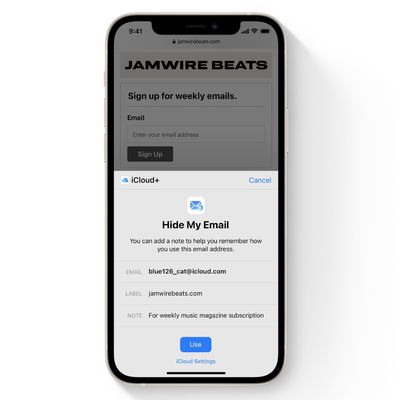
iOS 15: How to Create a 'Hide My Email' Private Address
With iOS 15 and Hide My Email, you can create unique, random email addresses that forward to your personal inbox whenever you want to keep your personal email address private.
This is especially useful if you think that a business or website is likely to share your email address with ad agencies or other third-parties for marketing purposes. Providing them with a dummy address means you can ...
