Skip to Content

iOS 27 Now Available: 10 Features to Try First

iOS 27 introduces Siri AI, tons of new Apple Intelligence features, Liquid Glass updates, and performance improvements to make your iPhone feel faster. There are plenty of new features, but here's a list of what you should check out first.

iOS 27 Now Available 10 Features to Try First Feature

Performance Improvements

Apple sped up a long list of features in ‌iOS 27‌, and it's immediately noticeable when you download the software.

Everything feels faster than it did in iOS 26. Animations are quicker, apps launch faster, and AirDrop transfers complete faster. You'll see improvements when taking photos, opening the keyboard, using the App Library, and swapping Home Screen pages. Your iMessages between devices sync more accurately, messages won't fail to send and will be automatically retried, and your iPhone can transition more smoothly between Wi-Fi and cellular.

The majority of new features in ‌iOS 27‌ require ‌Apple Intelligence‌ and an iPhone 15 Pro or later, but the under-the-hood improvements are available on all iPhones, so even older iPhones will feel faster. For more on what's new, we have a list of the best performance improvements in iOS 27.

Siri AI

‌Siri‌ AI is the new version of ‌Siri‌. It's more like ChatGPT or Claude ‌Siri‌ in ‌iOS 26‌, with support for back-and-forth conversations. ‌Siri‌ AI can do a lot of what other AI chatbots can do, but unlike other AI options, ‌Siri‌ has private access to your messages, emails, photos, apps, and other personal data so it can complete a wider range of tasks. ‌Siri‌ can also search the web, so it can answer all kinds of queries.

You can activate ‌Siri‌ with a wake word, swipe down from the middle of your screen to type a question to ‌Siri‌, chat with ‌Siri‌ in the ‌Siri‌ app, or press the side button to activate ‌Siri‌.

Some examples of what ‌Siri‌ is now able to do:

  • Create home automations with a command like lock all the doors at midnight.
  • Find specific emails, messages, photos, images, links, files, and other documents people have sent to you. You can ask based on person, time, location, and more.
  • Delete files, emails, photos, or messages.
  • Add all items from a recipe on a website to a shopping list.
  • Recommend activities, places, and restaurants you might like based on what it knows about you.
  • Look at something on your screen like a website and answer questions about it.
  • Answer general knowledge questions.
  • Add information about people to the Contacts app when asked, like birthdays or additional phone numbers.
  • Find passwords for websites and apps that are stored in the Passwords app.

For more on some of the commands you can use with ‌Siri‌, we have a dedicated Siri AI guide.

Visual Intelligence

Visual Intelligence is now in the Camera app, and you can get to it by swiping to a new ‌Siri‌ mode that's available as an alternative to the photo and video modes.

There are new ‌Visual Intelligence‌ features, and ‌Siri‌ can do things like tell you the nutritional value of something you're about to eat, or calculate what everyone owes from an image of a receipt. We have more examples in our iOS 27 Visual Intelligence guide.

Write with Siri

‌Siri‌ can generate text from scratch in ‌iOS 27‌, and there's a system-wide Write with ‌Siri‌ feature you can get to from the keyboard. ‌Siri‌ can help you write, give you feedback on what you've written, change the tone or wording of your writing, and even write in your style by analyzing your emails and messages.

Your iPhone also automatically suggests grammar fixes in addition to spelling fixes.

Photos Clean Up

The Clean Up tool that removes unwanted objects from images in the Photos app is much improved in ‌iOS 27‌, and it does a better job cleanly removing what you don't want and filling in what's missing more convincingly.

There are also new Extend and Reframe image tools for extending the borders of a photo using AI and changing the perspective or composition of an image.

Our full iOS 27 Photos guide goes through all of the new features.

Adjust Liquid Glass

There's a new Liquid Glass slider that lets you choose how clear or opaque you want your buttons, toolbars, and menus to be. Get to the new slider in the Settings app by choosing Appearance and then tapping on Liquid Glass.

Safari

You can create custom extensions with natural language commands in Safari, which is useful for when you want to do something specific but there isn't a good extension available. Some sample suggestions, from Apple:

  • Create a citation for the current webpage and copy it to my clipboard
  • Create a 3-minute focus timer for the page
  • Set the minimum font size to 14pt
  • Turn the page into pirate speak
  • Style websites like 90s websites with bold colors and type
  • Every time I open a new tab, draw me a different flower
  • Highlight and show the dimensions of webpage elements when I tap on them
  • Enter the design mode for a website so that I can edit the contents

Safari can also automatically organize your tabs into categories and watch a webpage and let you know if there are changes. For more, read our iOS 27 Safari guide.

Home App

Use HomeKit Secure Video cameras? They now support 2K and 4K recording. There's also a new AI feature that gives you text descriptions for what's happening in your home, and there's an option to search through videos using natural language to find something you're looking for.

The AI features require a 2TB iCloud+ plan for one camera and a higher plan for more cameras, but the 4K streaming doesn't.

For more on what's new in the Home app, check out our iOS 27 Home guide.

AirPods EQ

If you've ever wanted to adjust the sound of your AirPods, you can do so with new AirPods customization options that let you tweak mids, highs, and lows. Custom EQ is available for AirPods 4, AirPods 5, AirPods Pro 2, AirPods Pro 3, and AirPods Max 2.

Shortcuts

If you find the Shortcuts app intimidating, it's easier to use in ‌iOS 27‌. You can tell the Shortcuts app what you want to be able to accomplish with a shortcut, and it'll make it using AI. You can then refine it with further natural language requests, or manually edit.

More on Shortcuts is available in our Shortcuts guide.

How to Install iOS 27

You can install ‌iOS 27‌ the same way any iOS update is installed. Open the Settings app, go to General, tap on Software Update, and wait for the ‌iOS 27‌ update to pop up.

Apple will also send out prompts suggesting that users upgrade to the new operating system.

More iOS 27 Info

If you want to see a complete list of the features available in ‌iOS 27‌, you can find that information in our full iOS 27 roundup.
Related Roundups: iOS 27, iPadOS 27
Related Forum: iOS 27

Popular Stories

iphone duo yellow hand

Apple Adds Facial Unlock Option on iPhone Duo in iOS 27.3

Monday November 16, 2026 10:17 am PST by
Apple today added a new option for unlocking the iPhone Duo using the front-facing camera, giving device users multiple ways to access their content. The feature is available in the second iOS 27.3 beta. The option to unlock with facial recognition is only available on the Lock Screen, and authentication via Touch ID is still needed for Apple Pay purchases, adding passwords and logins, and...

bug security vulnerability issue fix larry

Here's What Apple Fixed in iOS 27.2.1 and macOS 27.2.1

Monday November 9, 2026 3:07 pm PST by
The iOS 27.2.1, iPadOS 27.2.1, and macOS 27.2.1 updates Apple released today fix a handful of security vulnerabilities. With the security fixes implemented, it's a good idea to update as soon as you can. A bug with iMessage could let a remote attacker join a group chat to receive its messages, and another could let users see messages sent before they joined a group chat. Most of the...
iOS 27

Apple Releases iOS 27.2.1 With Bug Fixes

Monday November 9, 2026 10:09 am PST by
Apple today released iOS 27.2.1, a minor update to the iOS 27 operating system. iOS 27.2.1 comes two weeks after the launch of iOS 27.2. iOS 27.2.1 includes addresses bugs and patches security vulnerabilities according to Apple's release notes for the update. You can download iOS 27.2.1 over the air by going to Settings > General > Software Update. Apple has also released iOS 26.7.3...

Top Rated Comments

headlessmike Avatar
11 weeks ago
Then there’s us rocking iOS 27 on iPhone 11’s that get none of these features except for the transparency slider!
Score: 14 Votes (Like | Disagree)
Qountdown Avatar
11 weeks ago
''Every time I open a new tab, draw me a different flower''


Attachment Image
Score: 12 Votes (Like | Disagree)
Jett0516 Avatar
11 weeks ago
You should mention Siri AI is still in beta and need to join waitlist
Score: 6 Votes (Like | Disagree)
B4U Avatar
11 weeks ago

Then there’s us rocking iOS 27 on iPhone 11’s that get none of these features except for the transparency slider!
I'd rather be like that on my 17 pro...
Strongly disliked 26's look for a whole year, yet dislike the AI junk even more.
Score: 6 Votes (Like | Disagree)
jdavid_rp Avatar
11 weeks ago

Then there’s us rocking iOS 27 on iPhone 11’s that get none of these features except for the transparency slider!
No need to limit to iPhone 11, us all EU users got the same 😂
Score: 5 Votes (Like | Disagree)
conmee Avatar
11 weeks ago

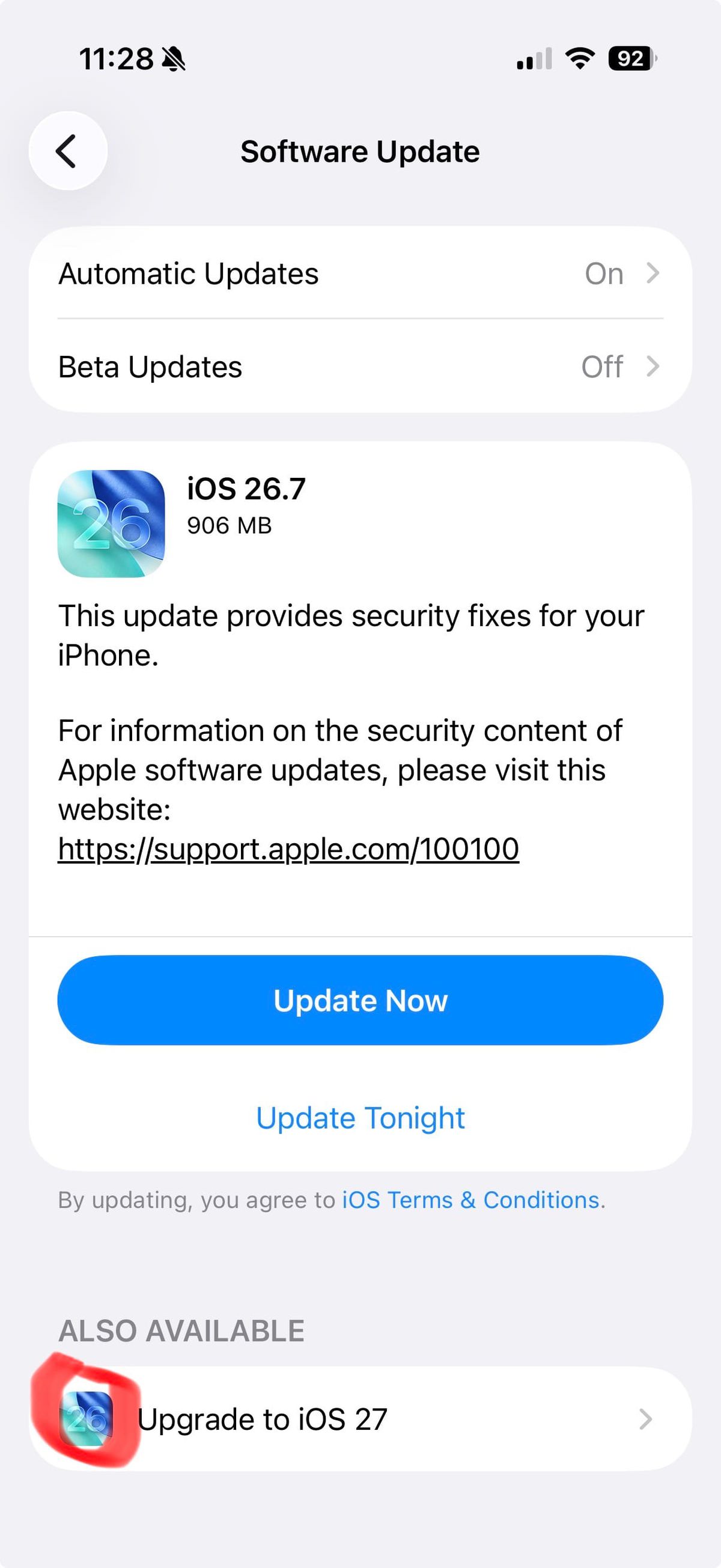
not showing up in Aus yet, but I do see 26.7
Sure it’s not the incorrectly labeled iOS 27 update? It told me the entire process it was 26.7 and after install completed and phone rebooted, it showed my phone was on iOS 27.


Attachment Image
Score: 4 Votes (Like | Disagree)
Latest Stories
The 50+ Best Apple Black Friday Deals Still Available on AirPods, iPads, and More
3 hours ago
HomePod Mini 2 in (RED) Seemingly Spotted Ahead of Announcement
5 minutes ago
Apple's M6 and PROLED MacBook Pro Reach New Low Prices for Black Friday
10 hours ago
The MacRumors Show: iPhone Air 2 and iPhone 18 Are Coming
11 hours ago
Apple Store in Brisbane Reopening Next Month With New Design
11 hours ago
The 60+ Best Black Friday Accessory Deals on iPhone Chargers, TVs, Headphones, and More
12 hours ago
GTA VI Now (Barely) Running on Apple Silicon Macs
12 hours ago
The Best Black Friday Streaming Deals on Apple TV, Disney+, and More
13 hours ago
Apple TV's 'Carême' Wins International Emmy for Best Drama
13 hours ago
iPhone 18 Production Delay Leaves Apple Little Time Before Launch
14 hours ago
The Best Black Friday AirPods Deals Still Available
6 hours ago
The Best Black Friday Deals on Apple Home Products
15 hours ago
The Best Black Friday iPhone Deals Still Available
6 hours ago
The Best Black Friday iPad Deals Still Available
6 hours ago
The Best Black Friday Apple Watch Deals Still Available
6 hours ago
The Best Black Friday AirTag Deals Still Available
6 hours ago
The Best Black Friday Mac Deals Still Available
6 hours ago
iPhone Share of US Smartphone Market Hits 57% as Rivals Slip
16 hours ago
iPhone 20 Pro Rumored to Feature 3D-Printed Titanium Frame
18 hours ago
Apple's Official 2026 Black Friday Offer Starts Rolling Out
1 day ago
Halide Adds Fill Light Feature for iPhone Duo
2 days ago
MacBook Air Black Friday Deals Now Live With Massive $399 Savings
2 days ago
Amazon Discounts All MacBook Neo Models by $99 for Black Friday
2 days ago
Kodak Launches Unique AirTag Rival With E-Ink Display
2 days ago
Here's Why the Apple Store is Going Down
2 days ago
Apple Still Working on Giant Foldable iPad That Could Cost $5,000
2 days ago
iPhones Dominate China's Weak Singles' Day Smartphone Sales
2 days ago
iPhone 20 Pro Could Feature Ceramic in Limited-Edition Model
2 days ago
Apple Faces Korean Regulator Review Over iPhone 16 AI Advertising
2 days ago
Apple Watch Ultra 4 Hits New Best-Ever Price of $649.99 for Black Friday
2 days ago
Related Apple News: Buyers Guide | Health | South Africa | Entertainment | Mac