

Juli Clover

Juli is the Managing Editor at MacRumors, and has been covering Apple news and rumors since 2010. She oversees MacRumors' guides, roundups, how tos, reviews, and giveaways in addition to covering daily news. Her work is regularly highlighted on Techmeme and cited by tech publications and news sites.
She is a voracious reader, cinephile, gardener, and gamer, and she resides in California with her carnivorous plants. Juli can be reached at juli@macrumors.com or on Twitter.
Juli Clover's Articles
Apple Releases Safari Technology Preview 228 With Bug Fixes and Performance Improvements
Apple today released a new update for Safari Technology Preview, the experimental browser that was first introduced in March 2016. Apple designed Safari Technology Preview to allow users to test features that are planned for future release versions of the Safari browser.
Safari Technology Preview 228 includes fixes and updates for Accessibility, CSS, DOM, Editing, Forms, JavaScript, Media,...
Read Full Article • 4 comments
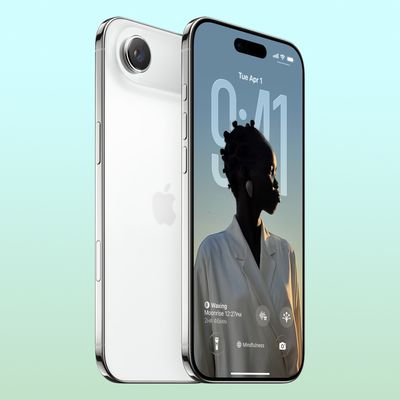
Apple to Fix Camera Glitch Affecting iPhone Air and iPhone 17 Pro
Apple is planning to release a fix for an iPhone Air and iPhone 17 Pro camera bug that causes black boxes to appear in photos. CNN Underscored's Henry Casey discovered the issue in an iPhone Air review when snapping photos at a concert.
He said that one out of every 10 images taken with the iPhone Air or the iPhone 17 Pro had "small blacked-out portions, including boxes and parts of white...
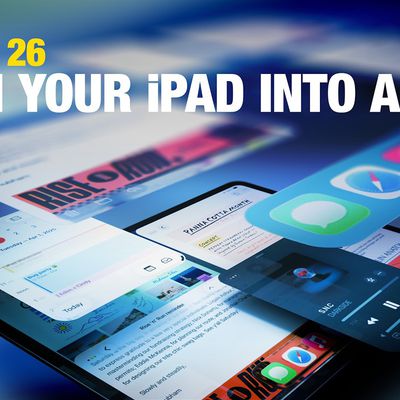
iPadOS 26 Multitasking Tips and Tricks
iPadOS 26 introduces a whole new multitasking system that provides a Mac-like experience on the iPad. You can open multiple app windows at once, arrange them how you like, and even use Mac-style buttons and features to get work done.
Subscribe to the MacRumors YouTube channel for more videos.
There are several useful tips that might be helpful if you're new to iPadOS 26 and aren't sure where...
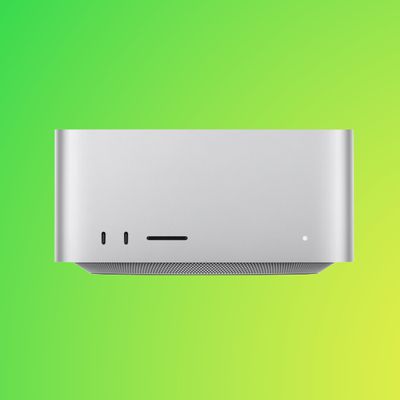
Bug Prevents M3 Ultra Mac Studios From Installing macOS Tahoe
If you have a Mac Studio with an M3 Ultra chip and can't get macOS Tahoe to install, you're not alone. There is a bug that is preventing the update from installing properly on machines that have the M3 Ultra.
Affected users go to install macOS Tahoe, wait through the installation process and see the Mac Studio reboot, and then end up with macOS Sequoia 15.7 still running instead of macOS...
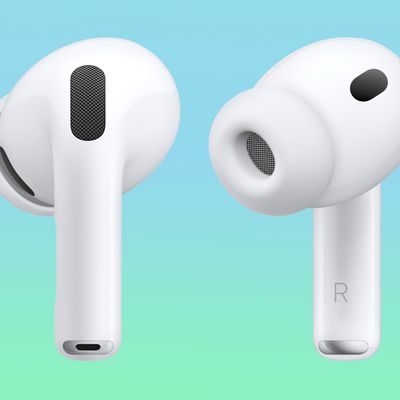
AirPods Pro 3 Use Acoustic Seal Test for Optimizing Sound Quality and ANC
The AirPods Pro 3 use an Acoustic Seal Test to check the fit of ear tips, according to a new Apple support document. Apple says that the Acoustic Seal Test will ensure that you're using the proper ear tip size for the best sound quality and noise cancellation.
The AirPods Pro 1 and the AirPods Pro 2 have an Ear Tip Fit Test, but Apple updated the process for the AirPods Pro 3. Apple suggests ...
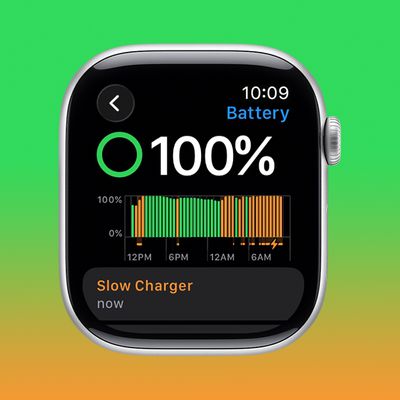
Apple Watch Gets Slow Charger Warnings in watchOS 26
watchOS 26 includes a feature that lets you know if you're using an Apple Watch charger that is not optimized for the fastest charging speeds.
According to a new Apple support document, if your Apple Watch detects a charging experience that could be improved, a Slow Charger message will be displayed in the Battery section of the Settings app. Instances of slow charging are shown in orange,...

Your Mac Can Auto-Join an iPhone Hotspot in macOS Tahoe
macOS Tahoe 26 includes support for automatically joining your iPhone's Personal Hotspot when no Wi-Fi network is available, so you no longer need to manually connect.
To set up automatic joining in macOS Tahoe, you can click on the Wi-Fi button in the menu bar or Control Center to open up Wi-Fi Settings. From there, scroll down to the bottom where it says "Ask to join hotspots" and click to ...
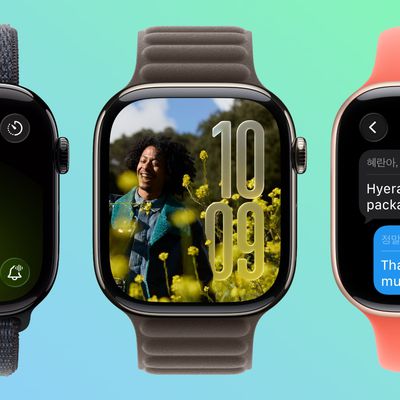
26 New Features to Try in watchOS 26
Apple released watchOS 26 yesterday, and if you have a Series 9 or later or an Ultra 2 or later, there are a surprising number of useful new features. Apple could have limited new additions like Sleep Score and Hypertension notifications to the newest Apple Watch models, but now you don't need to buy a new watch to get helpful features.
Design
Liquid Glass - watchOS 26 adopts Liquid...
iOS 26: The Top 100 New Features and Changes
Apple released iOS 26 on September 15, and it's now available for all iPhone users with a compatible device. There are a lot of changes and features to learn about, so if you want a quick, easy-to-read list that outlines what's new, we've got you covered.
Design
Liquid Glass design that reflects light and refracts what's underneath. It's system wide, with dynamic tab bars and toolbars...
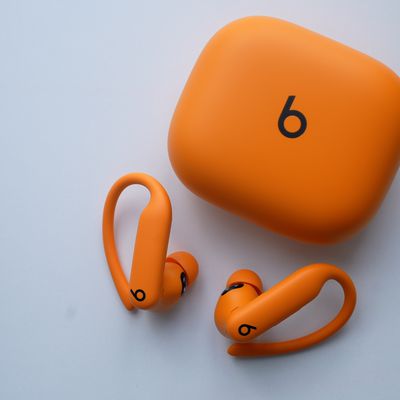
Apple Releases New Powerbeats Pro 2 Firmware With iOS 26 Features
Apple today released new firmware for the Powerbeats Pro 2 earbuds that came out earlier this year. The updated firmware has a version number of 8A353, an update to the prior 7B30 firmware that came out in March.
The updated firmware adds new functionality when combined with the iOS 26 update. The heart rate monitoring feature in the Powerbeats Pro 2 is now compatible with the Fitness app,...
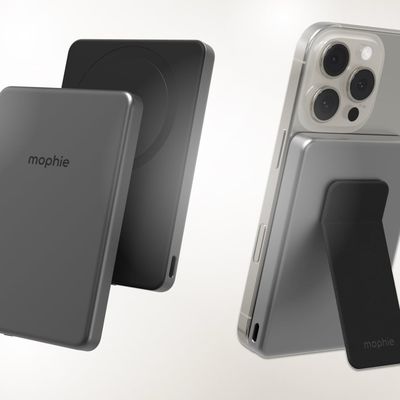
Mophie Launches New Qi2 Wireless Chargers
Mophie today announced the launch of four new Qi2 wireless chargers that can charge MagSafe-compatible iPhones at up to 15W.
The $60 Powerstation Wireless Slim has an ultra-thin design that's meant to provide extra power without adding too much bulk. It has a 5,000 mAh battery and also includes a 20W USB-C power delivery port for wired charging. It's just 9mm thick, so it pairs well with the ...

10+ macOS Tahoe Features You Should Check Out
Apple released macOS Tahoe on September 15, which means it's now available for all Macs that support it. If you didn't download the new software yet, here are some features that might entice you to upgrade.
Subscribe to the MacRumors YouTube channel for more videos.
Liquid Glass - macOS Tahoe has a whole new design, and it matches the Liquid Glass that Apple brought to iOS 26. Buttons,...
iOS 26 Features: The Ultimate Mega Guide
For the last several months, MacRumors has been working on a series of in-depth feature guides and how tos that walk you through the design changes and updates in Apple's new software.
Our ultimate guide includes all of our iOS 26 coverage, and it is a useful resource for iPhone and iPad users who haven't had a chance to test out iOS 26, or those who might want a recap on what's new. We've...

Apple Music Transfer Tool Launches in Nearly All Countries, Simplifying Switching From Spotify
Apple this month expanded its music transfer tool to almost all countries where Apple Music is supported, simplifying the transition from services like Spotify to Apple Music.
The transfer tool lets users import their playlists and libraries from competing streaming services into Apple Music.
Apple initially began testing the transfer tool in Australia and New Zealand in May, and then...
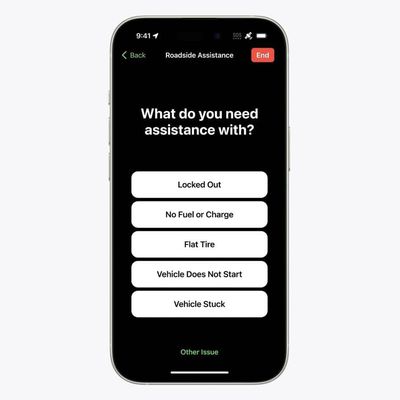
Roadside Assistance via Satellite Expands to Australia
Roadside Assistance via Satellite is now available in Australia, allowing Australian iPhone users to get help if their car breaks down in an area without Wi-Fi or cellular service.
According to Apple, Roadside Assistance via Satellite can be used in Australia to get help from NRMA, RACV, RACQ, RAA, RAC, RACT, and AANT.
Using the feature requires an iPhone 14 or later with satellite...
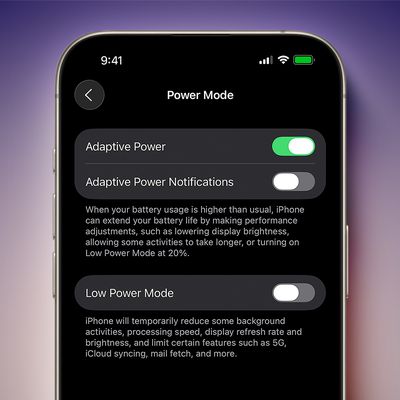
iPhone 17 Series Ships With iOS 26's Adaptive Power Mode Enabled by Default
The iPhone Air, iPhone 17, iPhone 17 Pro, and iPhone 17 Pro Max have the iOS 26 Adaptive Power option enabled by default, Apple said today in a support document that explains the feature.
Adaptive Power is meant to adjust the iPhone's power draw on days when you are using more battery power than normal. It can adjust power draw, lower screen brightness by three percent, and limit background...

iOS 26 Setup Guide: 10 Things You Should Do First
iOS 26 is now available for everyone to download, and it's a big update. There are significant design changes, and many new features to learn about. Some of the additions need some setup so you can get started, so we've created an iOS 26 tutorial that covers what you should do first after installing iOS 26.
Set Up Your Lock Screen
You'll see the new Liquid Glass design from the first moment ...

Apple Drops iCloud Support for iOS 10 and macOS Sierra
Apple devices that are running iOS 10 or macOS Sierra no longer meet the minimum system requirements for iCloud, according to Apple's updated iCloud support document.
All iCloud features now require iOS 11 or macOS High Sierra at minimum. iCloud services like Keychain, iCloud Photos, iCloud backups, Find My, and iCloud Drive will no longer work on devices that are running iOS 10 or macOS...

Affirm and Klarna Pay Later Options Now Available for In-Store Apple Pay Purchases
Affirm and Klarna today announced that their pay later options are now available for in-store Apple Pay purchases.
With the new feature, approved Apple Pay users can use Affirm to opt to split eligible in-person purchases into biweekly or monthly payments from 0% APR to 36% APR.
Those that choose Klarna in the U.S. can use Pay in 4 to split the cost into four interest-free installments,...
Apple Says Installing iOS 26 Might Impact Battery Life
In the iOS 26 release notes, Apple is warning iPhone users that installing the new software might have a temporary impact on battery life, which is normal.
A new support document explains that major iOS updates require background setup like indexing data and files for search, downloading new assets, and updating apps.
Further, Apple says that new features could require more resources,...
