Skip to Content

10+ macOS Tahoe Features You Should Check Out

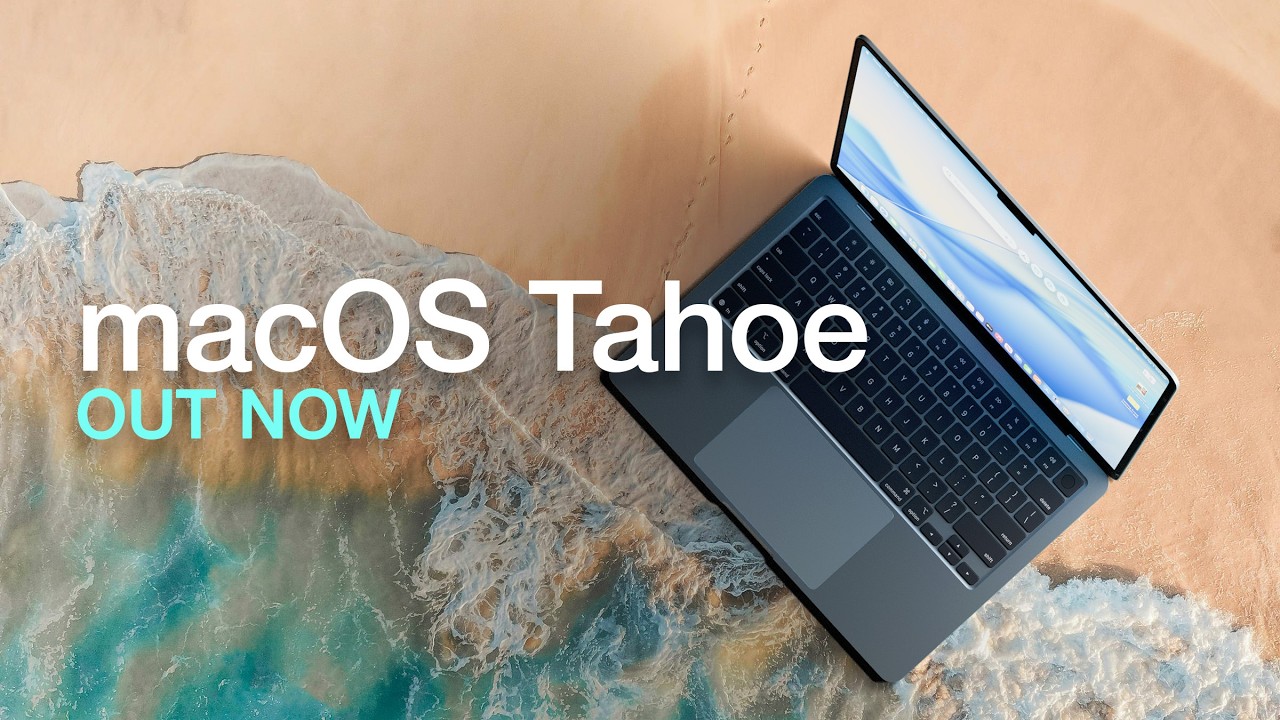
Apple released macOS Tahoe on September 15, which means it's now available for all Macs that support it. If you didn't download the new software yet, here are some features that might entice you to upgrade.

  • Liquid Glass - ‌macOS Tahoe‌ has a whole new design, and it matches the Liquid Glass that Apple brought to iOS 26. Buttons, navigation bars, widgets, the Dock, menus, side bars, and more all have a more translucent look that reflects the background underneath and refracts light. There are new icon options, including tinted and entirely clear.
  • Customizable Control Center - You can rearrange the Control Center in ‌macOS Tahoe‌, putting what you access most often front and center. You're also able to use multiple Control Center pages, and add third-party app controls like on iOS.
  • Customizable Menu Bar - You can also rearrange the Menu Bar, plus add Control Center controls to it. Live Activities from the iPhone will also show up in the Menu Bar now through iPhone Mirroring.
  • Spotlight Redesign - Spotlight is very different in ‌macOS Tahoe‌, and it might take some getting used to. There's no more Launchpad, because the new Spotlight functionality has replaced it. There are four main Spotlight options to access apps, files, complete actions, and access the Clipboard History.
  • Clipboard - Spotlight now saves what you copy and paste, so you have a log of what you've been doing that you can go back and reference. You can see your entire history for the day, but it is limited to 24 hours.
  • Spotlight Actions - You can use Spotlight Actions to do all kinds of things without opening an app. You can send texts, emails, create shortcuts for features in apps, set timers, create Calendar events, make reminders, and much more, plus there's integration with the Shortcuts app to take things even further. There are quick access phrases you can assign to launch tasks quickly, like CH for bringing up ChatGPT.
  • Folder Customization - You can assign colors to folders, and also add an emoji or character to help you better organize your files. Folders get a color tag, which is a useful way to group things together.
  • Widgets - You can move widgets from the Notification Center to the desktop for quicker access. This works with widgets from Apple apps and from third-party apps.
  • Shortcuts - The macOS Shortcuts app supports creating automations, much like the Shortcuts app in ‌iOS 26‌. You can make Shortcuts that run at a specific time of day, with a trigger action, when an accessory connects, when an action in an app takes place, when the battery drains to a certain level, when activating a Focus mode, and more. It's super powerful when paired with Spotlight's new functionality.
  • Phone App - Apple brought the Phone app to the Mac, so you can make calls, accept calls, and use features like Hold Assist and Call Screening. You still need a connected iPhone with Wi-Fi Assist turned on.
  • Journal App - The Journal app is new to the Mac, and it makes a lot of sense on a platform that has a full keyboard. It works just like the iOS version of the app, but there are also some added features like the option to create multiple journals.
  • Games App - The Games app is also new to the Mac. It's a cross-platform app that aggregates Mac App Store games and Apple Arcade games with your own games library, plus it provides options for playing with friends. There's a new Game Overlay that lets you adjust game settings and connect with friends without exiting the game, and if you're on battery, there's a Low Power Mode so you can play longer.

Read More

For more on the new features in ‌macOS Tahoe‌, make sure to check out our roundup.

Related Roundup: macOS Tahoe
Related Forum: macOS Tahoe

Popular Stories

apple design award 2025

Apple Announces 2025 Design Award Winners Ahead of WWDC 2025

Tuesday June 3, 2025 10:14 am PDT by
As we wait for WWDC to kick off next Monday, Apple today announced the winners of its annual Apple Design Awards, recognizing apps and games for their innovation, ingenuity, and technical achievement. The 2025 Apple Design Award winners are listed below, with one app and one game selected per category: Delight and Fun - CapWords (App) and Balatro (Game) Innovation - Play (App) and PBJ -...
1password deal blue

1Password Security Breach: What Was Accessed and What Wasn't

Wednesday November 25, 2026 1:09 pm PST by
Popular password management app 1Password today said it experienced a security breach earlier this month. 1Password says some customer names and email addresses were accessed, but no customer vault contents were compromised. On November 19, 1Password saw indications that an employee's GitHub account had been breached and began investigating. The company says the breached GitHub account was...
apple store down feature

Here's Why the Apple Store is Going Down

Thursday November 26, 2026 5:49 am PST by
Apple's online store is going down for a few hours on a rolling country-by-country basis right now, but do not get your hopes up for new products. Apple takes its online store down for a few hours ahead of Black Friday every year to tease its annual gift card offer with the purchase of select products. The store is down in Australia, New Zealand, and Thailand, right now, and it will...

Top Rated Comments

16 months ago


* Liquid Glass - macOS Tahoe has a whole new design, and it matches the Liquid Glass that Apple brought to iOS 26. Buttons, navigation bars, widgets, the Dock, menus, side bars, and more all have a more translucent look that reflects the background underneath and refracts light. There are new icon options, including tinted and entirely clear.

After updating one of my iPhones to iOS 26, and reading the above, I can confidently say I'm skipping MacOS 26 until I'm confident all this liquid glass UI "enhancements" can be completely disabled.

This has been one of the worst aesthetic design choices I've seen Apple make. It reminds me of when Microsoft rolled out Windows Vista.
Score: 35 Votes (Like | Disagree)
AAPLGeek Avatar
16 months ago
The fact that someone at Apple is getting paid for this is beyond laughable


Attachment Image
Score: 24 Votes (Like | Disagree)
16 months ago
I find Liquid Glass to be bloated and horribly distracting on iOS, and almost as bad on Mac. Oversized tool icons, folders that adopt a color from the first tag, rounded corners that cramp toolbars. None of this is necessary and almost all of it is ugly.
Score: 22 Votes (Like | Disagree)
16 months ago
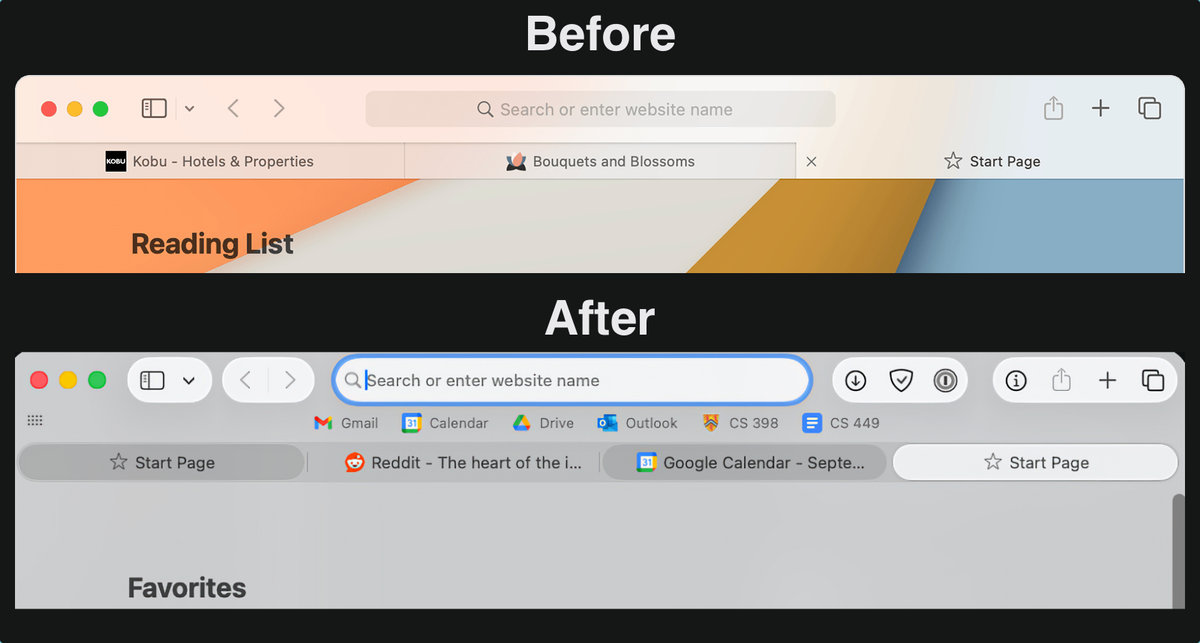
I really hate the new safari look, and also not a fan of the new app drawer. As much as I want to use the new spotlight, I might revert back to the last macos installation
Score: 22 Votes (Like | Disagree)
Will Co Avatar
16 months ago
I've just completed my updates and I'm starting to get familiarised with the new look and feel. I know that I will eventually get used to stuff, but my first impression is that Liquid Glass is dreadful. Pretty much everything that everyone else has complained about I completely agree with. Visually it is an absolute mess and a disaster. Such poor design choices from Apple, and they really do spoil the UI's in their entire range of devices.

My main gripe on iOS/iPadOS is the silly "glassy" bubble effect that attempts to simulate curved glass sliding over text, particularly on the navigator bar in most apps. Why? Just Why? It serves absolutely no useful purpose and doesn't just look bad - it's irritating. My list of other gripes is a long one.

For macOS, it's just as long. Let's start with the missing compact tabs in Safari. WTF?

I'm normally pretty laid back about this kind of stuff, but the number of bad decisions is just monumental.

Apple - please remind your designers "Just because we can do a thing - it doesn't mean we should".

Is this the worst UI I've ever seen? I think it might be. It's definitely the worst thing I've ever seen Apple do an I've been using their kit a long time.
Score: 20 Votes (Like | Disagree)
klasma Avatar
16 months ago
The best macOS feature is that you can downgrade without issues.
Score: 18 Votes (Like | Disagree)
Latest Stories
The 50+ Best Apple Black Friday Deals on AirPods, iPads, MacBooks, and More
4 hours ago
Apple's M6 and PROLED MacBook Pro Reach New Low Prices for Black Friday
4 hours ago
The MacRumors Show: iPhone Air 2 and iPhone 18 Are Coming
4 hours ago
Apple Store in Brisbane Reopening Next Month With New Design
4 hours ago
The 60+ Best Black Friday Accessory Deals on iPhone Chargers, TVs, Headphones, and More
5 hours ago
GTA VI Now (Barely) Running on Apple Silicon Macs
5 hours ago
The Best Black Friday Streaming Deals on Apple TV, Disney+, and More
6 hours ago
Apple TV's 'Carême' Wins International Emmy for Best Drama
7 hours ago
iPhone 18 Production Delay Leaves Apple Little Time Before Launch
7 hours ago
The Best Black Friday AirPods Deals
8 hours ago
The Best Black Friday Deals on Apple Home Products
8 hours ago
The Best Black Friday iPhone Deals
8 hours ago
The Best Black Friday iPad Deals
8 hours ago
The Best Black Friday Apple Watch Deals
8 hours ago
The Best Black Friday AirTag Deals
8 hours ago
The Best Black Friday Mac Deals
8 hours ago
iPhone Share of US Smartphone Market Hits 57% as Rivals Slip
9 hours ago
iPhone 20 Pro Rumored to Feature 3D-Printed Titanium Frame
11 hours ago
Apple's Official 2026 Black Friday Offer Starts Rolling Out
1 day ago
Halide Adds Fill Light Feature for iPhone Duo
1 day ago
MacBook Air Black Friday Deals Now Live With Massive $399 Savings
1 day ago
Amazon Discounts All MacBook Neo Models by $99 for Black Friday
1 day ago
Kodak Launches Unique AirTag Rival With E-Ink Display
1 day ago
Here's Why the Apple Store is Going Down
1 day ago
Apple Still Working on Giant Foldable iPad That Could Cost $5,000
1 day ago
iPhones Dominate China's Weak Singles' Day Smartphone Sales
1 day ago
iPhone 20 Pro Could Feature Ceramic in Limited-Edition Model
1 day ago
Apple Faces Korean Regulator Review Over iPhone 16 AI Advertising
1 day ago
Apple Watch Ultra 4 Hits New Best-Ever Price of $649.99 for Black Friday
1 day ago
New Apple Store Opening in India, Download the Special Wallpaper Now
2 days ago
Related Apple News: Local News | News | Iphone | Entertainment | Mac