

How to Stop Websites From Asking For Your Location in Safari
Quite often when browsing the web in Safari, you'll see pop-ups asking you for permission for websites to use data about you, such as your location. There can be good reasons for this – if you're searching for local information such as the nearest grocery store or restaurant, then it makes sense for you to share your location data to get the most relevant results for your area.
On the other ...
Read Full Article

How to Get Replacement AirPods Max Ear Cushions and Change Them Out
If you need replacement ear cushions for your AirPods Max either due to damage to the existing cushion or to have another color option, there's good news -- as of January, Apple is selling replacements.
Subscribe to the MacRumors YouTube channel for more videos.
How to Buy New Ear Cushions
Ear cushions can be purchased from Apple's online site for $69, and that price point includes both the...

How to Import WhatsApp Chats into Telegram on iPhone
Over 100 million new users joined encrypted messaging app Telegram in January 2021. The stunning growth in the platform's user base was linked to an exodus from rival chat app WhatsApp, which concerned many of its users with a confusing privacy policy update that seemed to imply that more of their data would be shared with Facebook.
WhatsApp tried to deal with the fallout by clarifying that...

How to Create a New Group in Signal Encrypted Messenger
Signal Encrypted Messenger has become increasingly popular among smartphone users, thanks above all else to its emphasis on privacy and security. Signal chats are end-to-end encrypted, meaning no one – not even the Signal service – can see the messages that you send and receive to other users.
In addition, Signal supports the creation of group chats, and like regular conversations in the...
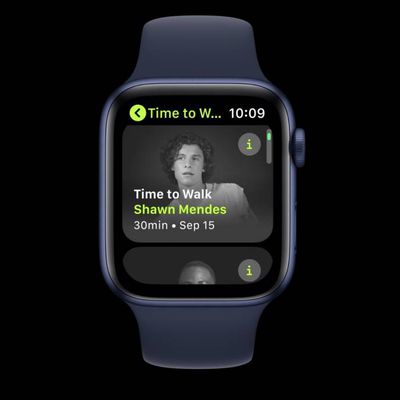
How to Use Time to Walk on Apple Fitness+
Time to Walk is a feature for Apple Fitness+ subscribers that offers audio stories from influential people that Apple Watch users can listen to with AirPods or other wireless headphones while walking.
During Time to Walk episodes, you can listen to stories from guests, hear songs they've chosen, and see photos that are meaningful to them on your Apple Watch. The following explains how Time...
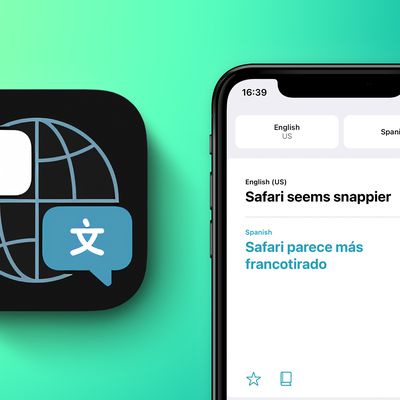
How to Delete Your Translation History in Apple's Translate App
Apple's built-in Translate app is a useful way to translate to and from supported languages, and also to hold conversations with people who speak different languages.
When you've finished with a translation, you may be wondering if there's a way to clear it or to delete your translation history, and the good news is that yes, Apple has a built-in delete function.
There is no way to delete ...
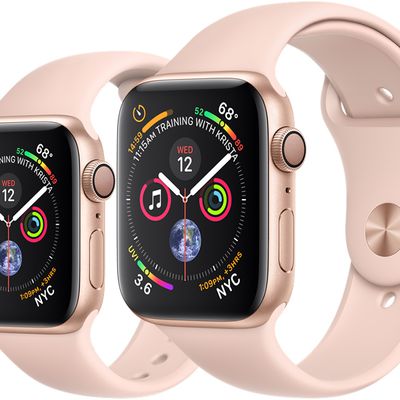
How to Increase the Text Size on Your Apple Watch
Apple Watch models are available in 40mm and 44mm sizes to compensate for different wrist shapes and to offer customers the choice of a smaller or bigger screen. Whichever model size you go for, both feature clear and bright OLED screens that are designed to display text as clearly as possible.
However, if you're longsighted or you regularly suffer from eyestrain, no amount of backlighting...

How to Use the Zoom Accessibility Feature on Apple Watch
Apple Watch models are available in 40mm and 44mm sizes to compensate for different wrist shapes and to offer customers the choice of a smaller or bigger screen. Whichever model size you go for, both feature clear and bright high-resolution OLED screens that are designed to display text as clearly as possible.
On the other hand, if you're longsighted or you regularly suffer from eyestrain,...
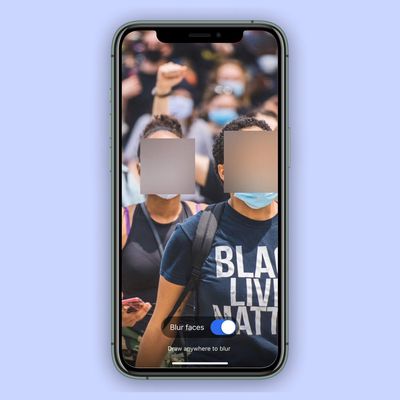
How to Use Signal Messenger's Face Blurring Photo Feature
Encrypted messaging app Signal features a face-blurring feature that automatically locates and blurs faces in images shared over the chat platform.
It's a neat tool to help protect the privacy of the people in the photos you share, and all processing involved in the blur feature happens locally on the device to maintain privacy.
Not only does it make it easy to give every face a hiding...

How to Save Files Received in Messages on iPhone and iPad
Apple's Messages app offers one of the most convenient ways of having a text-based conversation with your contacts on iPhone and iPad, but messages aren't the only things you can send and receive. Apple's iMessage service enables all manner of files and attachments to be shared, such as photos, links, documents, audio messages, and more.
Files that are sent to you can of course be accessed...

How to Use Fast User Switching in macOS Big Sur
In macOS Big Sur, Apple includes a feature that will be familiar to Windows users, called Fast User Switching. As the name suggests, it lets you switch user accounts quickly and easily, without having to log out or restart your Mac.
As you'd expect, multiple user accounts are kept completely separate, and backgrounded accounts still require user authentication to switch between them. So if...
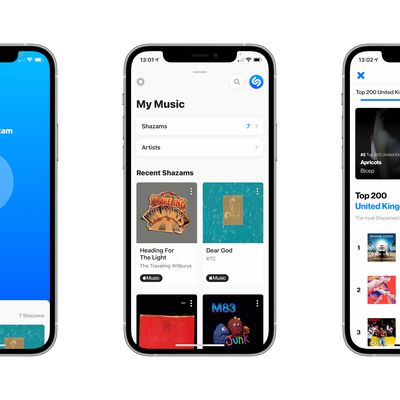
How to Link Shazam to Your Spotify Account
Shazam is an Apple-owned popular service that can identify the names and lyrics of songs, music videos, TV shows, and more, simply by listening to and deciphering whatever is playing.
After you've identified songs in the Shazam app by pressing the big Shazam button, you can use streaming services like Spotify and Apple Music to listen to them. In this article, we're going to show you how to ...

How to Control the Active Noise Cancellation Feature on AirPods Max
This article explains how to control the Active Noise Cancellation feature on Apple's AirPods Max headphones. Bear in mind that iOS devices need to be running iOS 14.3 or later in order to support AirPods Max. You can check that your device is updated by launching the Settings app and going to General -> Software Update.
What is the Active Noise Cancellation Feature on AirPods Max?...
How to Control the Transparency Feature on AirPods Max
This article explains how to control the Transparency feature on Apple's AirPods Max headphones. Bear in mind that iOS devices need to be running iOS 14.3 or later in order to support AirPods Max. You can check that your device is updated by launching the Settings app and going to General -> Software Update.
What is the Transparency Feature on AirPods Max?
AirPods Max are Apple's first...

How to Use Apple's Live Listen Feature With AirPods Max
Since 2014, Apple has included a little-known feature in iOS called Live Listen that allows an iPhone or iPad to serve as a remote microphone for an MFI-compatible hearing aid.
In iOS 14 and later, Live Listen supports AirPods Max, Apple's premium luxury headphones, making it possible to use your iOS device as a directional mic and have the audio it picks up relayed to your ears.
As an...

How to Change the Name of Your AirPods Max
When you've successfully paired new AirPods Max to an iPhone or iPad, Apple's over-ear headphones are given the default label "[Your Name]'s AirPods Max" in Bluetooth device lists. If you want, you can change this name by following these simple steps.
How to Change the Name of AirPods Max on iOSOn your iPhone or iPad, launch the Settings app.
Tap Bluetooth.
Tap the "i" icon next to your...

How to Unpair AirPods Max From iPhone, iPad, Apple TV, Apple Watch, or Mac
This article explains how to unpair AirPods Max from a number of different Apple devices. If you're sending AirPods Max back to Apple for return or passing them on to someone else, then you'll want to unpair the headphones with your Apple hardware before you part ways with them.
Bear in mind that when you unpair AirPods from an iPhone, Mac, or Apple TV (fourth-generation or later),...

How to Check AirPods Max Battery Life
Apple's AirPods Max headphones offer around 20 hours of listening time or talk time on a single charge when you have Active Noise Cancellation and spatial audio turned on. If you pop AirPods Max in their Smart Case for five minutes, you can get enough charge for around 1.5 hours of listening time.
During use, you'll hear a tone when your AirPods Max battery charge is 10%, and a second...

How to Connect AirPods Max to Apple TV
When you pair AirPods Max headphones to your iPhone, iPad, Apple Watch, or Mac, the pairing information is synced across all the devices linked to your iCloud account. That means if you've already paired your AirPods Max to one of your devices, then you won't need to go through the process again when it comes to connecting them to your Apple TV.
However, even if your AirPods Max...

How to Get AirPods Max to Announce Your Calls
If you receive a call on your iPhone (or an Apple Watch with cellular) when your AirPods Max are connected, you'll notice the ringing tone interrupt whatever it is you're listening to.
To find out who's calling, normally you'd have to take out your iPhone or look at your Apple Watch, but you can actually make your AirPods Max (or any connected headphones) announce who it is,...
