


How to Check for COVID Exposure Notifications on iPhone
Apple in May 2020 introduced an Exposure Notification System, which lets public health authorities and governments worldwide help people figure out if they've been exposed to COVID-19, and if so, what steps to take next to minimize the spread of the virus.
Apple and Google developed the underlying APIs and Bluetooth functionality, and that technology has been incorporated into apps designed...
Read Full Article

How to Watch YouTube Without Ads
YouTube in recent years has been increasing the number of ads that viewers see in and between videos, all in an attempt to get more people to subscribe to its YouTube Premium plan, which removes all ads for a monthly fee, amongst other benefits.
If you're a regular user of YouTube, paying a few dollars a month to enjoy an ad-free experience is probably worth the outlay, especially if you...

How to FaceTime a Windows PC User From Mac
In macOS Monterey, you can enable anyone, even if they don't have an Apple device, to join a FaceTime call with you by creating a link to a FaceTime conversation that can be shared anywhere.
Using this new link function, friends and family members who do not have an Apple account can log into a FaceTime call with you using a web browser opened on any non-Apple device, whether...

How to Listen to Spatial Audio on a MacBook Pro
Spatial audio is a sonic feature exclusive to AirPods (3rd generation), AirPods Pro, Beats Fit Pro, and AirPods Max that adds surround sound to Apple's premium audio wearables. By utilizing dynamic head tracking, it brings a theater-like audio experience to the movie or video you're watching, so that it seems as if the sound is coming from all around you. This article explains how to listen to...
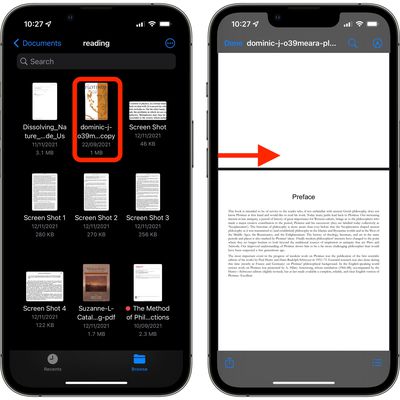
iOS 15: How to Edit PDF Documents in the Files App
In iOS, Apple's stock Files app is a handy place for keeping PDF documents on your iPhone or iPad. Not only can you view and organize your documents in the Files app, but it also provides you with editing tools that go beyond the usual Markup features like highlighting passages and adding your signature.
It's not immediately obvious, but when viewing PDF documents in the Files app, there are ...
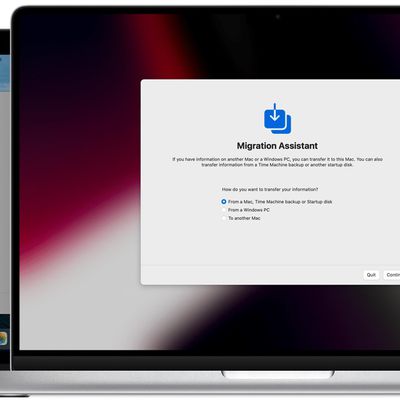
How to Transfer Data From Your Old Mac to a New Mac
When you want to move data from an old Mac to a new one, the most reliable method is to use Apple's Migration Assistant. Found in the Utilities folder of your Applications folder, Migration Assistant copies all of your files from your old Mac to your new Mac, so you don't have to transfer them manually.
The first set of steps in this article assume that you have both the old Mac and the new...
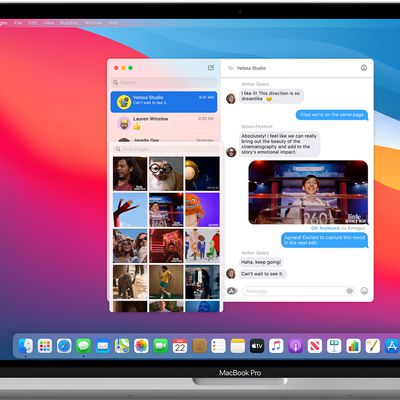
How to Share Your Screen Using Messages on Mac
When you're chatting in Messages, you can share your Mac's screen with the person you're messaging, or they can share theirs with you. You can also let someone control your screen, and vice versa. It's a great way to give a friend or family member some remote tech support, or you can use it to work collaboratively on a project. Here's how it works.
In the Messages app on your Mac, select a...

How to See 'Spotify Wrapped' for Apple Music
At the end of each year, streaming music service Spotify provides a "Spotify Wrapped" recap of each user's listening habits and favorite songs. Spotify Wrapped is a highly anticipated year-end feature that Spotify users love, and Apple Music listeners may be wondering how to get their own "Wrapped" rundown.
Apple does not have a year-end wrap up that's equivalent to what Spotify has, but the ...

How to Reset Beats Fit Pro
Apple's Beats-branded Beats Fit Pro have a useful reset function that returns them to their factory settings. This can come in handy if you're handing down the wireless earbuds to someone else or you're having any sort of problem with them.
How to Reset Beats Fit Pro
Place both earbuds in the charging case and leave the case open.
Press and hold the system button inside the case for 15...
How to Use Apple's Live Listen Feature With Beats Fit Pro
Since 2014, Apple has included a little-known feature in iOS called Live Listen that allows an iPhone or iPad to serve as a remote microphone for an MFI-compatible hearing aid.
In iOS 14.3 and later, Live Listen supports Beats Fit Pro, Apple's sporty Beats-branded earphones, making it possible to use your iOS device as a directional mic and have the audio relayed to your ears.
As an...

How to Use Spatial Audio on Beats Fit Pro
Spatial audio is a sonic feature of Beats Fit Pro that adds surround sound to Apple's audio wearables. By utilizing dynamic head tracking, it brings a theater-like audio experience to the movie or video you're watching, so that it seems as if the sound is coming from all around you.
Spatial audio uses the gyroscope and accelerometer in your Beats Fit Pro and iOS device to track...
How to Get a List of Directions in Apple Maps
After several years of iterations and improvements, Apple Maps has become a solid app and a viable Google Maps alternative for getting GPS-based directions to navigate journeys by car, public transport, bicycle, and on foot.
Depending on the journey though, you may want to print off a list of turn-by-turn directions to refer to instead of relying on your iPhone and draining the battery. Or...

iOS 15.2 Beta: How to Use Find My to Locate Items That Can Track You
Update December 13: This change did not make it into the final release of iOS 15.2, but may reappear in a future update.
In iOS 15.2, which is available in beta right now, Apple introduced new features for the Find My app, including a way to search for items that might be used to track your location.
The new Unknown Items feature is called "Items That Can Track Me," and when activated,...

iOS 15.2 Beta: How to Use the Hide My Email Feature in the Mail App
With iOS 15 and the Hide My Email feature exclusive to iCloud+ subscribers, you can create unique, random email addresses that forward to your personal inbox whenever you want to keep your personal email address private. In iOS 15.2, which is in beta right now, you can use Hide My Email directly from the Mail app.
When you use Hide My Email, all the emails sent to the random Apple-created...
iOS 15.2 Beta: How to Help Return Lost Find My Items
Update December 13: This change did not make it into the final release of iOS 15.2, but may reappear in a future update.
In iOS 15.2, which is available in beta right now, Apple introduced new features for the Find My app, including a new way to search for items that might be lost so that you can help return them to their rightful owner.
The new Unknown Items feature is called "Help...
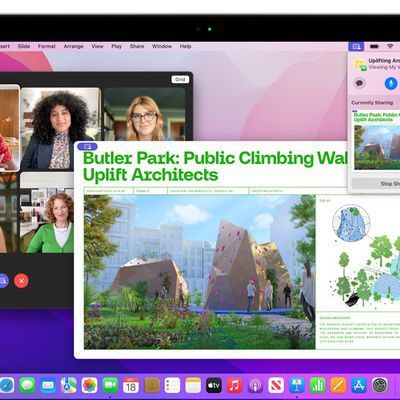
macOS Monterey 12.1 Beta: How to Share Your Screen on a FaceTime Call
In macOS Monterey 12.1, which is available in a beta capacity right now, Apple introduced its new SharePlay feature to FaceTime. Previously only available on iPhone and iPad, SharePlay allows you to share your Mac's screen with other people on a FaceTime call, which opens up new possibilities for sharing experiences with friends, family, and co-workers.
Thanks to SharePlay, you and others on ...

How to Use WhatsApp on Mac Without a Connected iPhone
WhatsApp has rolled out multi-device support to all users on iOS and Android, allowing WhatsApp to be used on up to four linked devices without users needing to be connected via a smartphone.
Previously, the WhatsApp mobile app was required to authenticate an account used on another device, such as a computer, and used a QR code to link a user account to a web browser or desktop app. While...
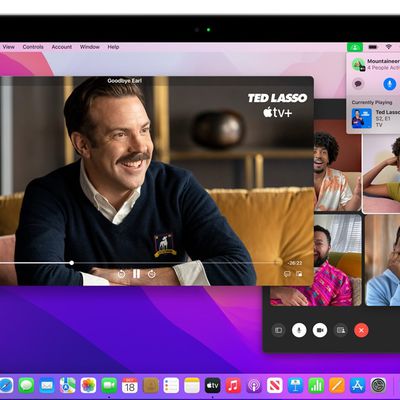
How to Use FaceTime's SharePlay Feature on Mac to Watch Movies and TV Shows Together
Note: The SharePlay feature in FaceTime requires macOS Monterey 12.1, which is only available to beta testers at the time of writing. Expect Monterey 12.1 to be released to all users in late fall 2021.
In macOS Monterey, FaceTime received some major enhancements on the Mac, including the ability for you to share your screen with other people on a video call.
Officially called SharePlay,...

How to Use High Power Mode on MacBook Pro
Apple's 16-inch MacBook Pro with the M1 Max chip was the first Apple silicon laptop to feature a High Power Mode for intensive, sustained workloads, and now both the 14-inch and 16-inch models with M3 Max support the feature. This article explains what it does and how to enable it.
Both of Apple's latest 14-inch and 16-inch MacBook Pro models with M3 Max chip include a High Power Mode that...

How to Change the Refresh Rate on Your MacBook Pro Display
Like the Apple Pro Display XDR, Apple's 2021 14-inch and 16-inch MacBook Pro models offer professional-level display performance and customization options. This article focuses on how to change the refresh rate of the display on the new MacBook Pro.
For its redesigned MacBook Pro models, Apple pulled out all the stops to make the new Macs more attractive to professional users. In doing so,...
