Skip to Content

Universal Control vs. Sidecar: What's the Difference?

Apple's Macs and iPads include support for two separate features called Sidecar and Universal Control that allow the devices to be used together, but in different ways.


In this guide, we'll go over everything you need to know about Universal Control and how it differs from the Sidecar feature that's been available since 2019.

What is Universal Control?

As of iPadOS 15.4 and macOS Monterey 12.3, both currently in beta, Apple has introduced support for Universal Control, the long-awaited feature that's designed to allow multiple Macs and iPads to be controlled with a single mouse and keyboard.


With Universal Control, you can use the same cursor and keyboard on any nearby Mac or ‌iPad that's signed into your iCloud account, and it works between multiple Macs and between multiple Macs and iPads positioned within 10 meters (30 feet) of each other.

How is Universal Control Different from Sidecar?

With Universal Control, if you have a Mac and an ‌iPad‌ next to each other, or even multiple Macs and iPads, you can use the keyboard and cursor on one device across all of them. So, for example, if you have a MacBook Pro and an iPad on your desk, the MacBook Pro's trackpad can be used over on the ‌iPad‌ just by swiping across, and the Mac's keyboard will become the iPad's input device. The same is also true of the ‌iPad‌ if you have a keyboard attached to it.
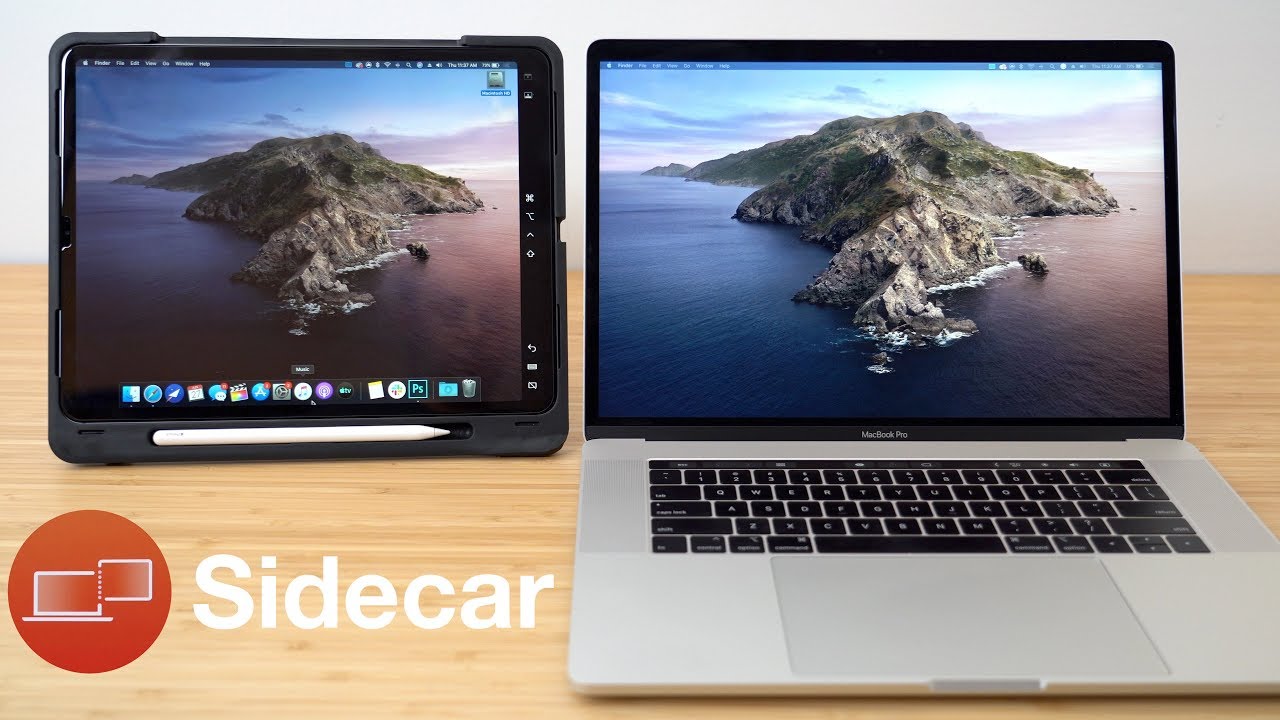

Sidecar works quite differently. Announced in 2019 as part of macOS Catalina, Sidecar is designed to let you use an iPad as a secondary display for your Mac. Up to one iPad can be used to either mirror the content on your Mac's display or turn it into a secondary display for extra screen real estate in macOS. Universal Control does not extend your Mac's display to the iPad, so if you want your Mac's content displayed on the iPad, you'll need to use Sidecar.

Note that while Universal Control lets you use your Mac's keyboard and trackpad to navigate your iPad, it functions over two different operating systems – macOS and iPadOS – so some quirks are to be expected. For example, if you drag a photo from Mac to iPad, you first need to open the Photos app in iOS to transfer it across – it can't be placed on the Home screen.

In contrast, Sidecar is designed as a secondary Mac display, so it works like any other secondary display you might use with your Mac to bring greater desktop screen space to macOS. Using Sidecar, you can drag windows from the Mac to the ‌iPad‌ and vice versa, and interact with both using your Mac's trackpad.

Notable Features and Limitations

Universal Control doesn't require any complicated setup and works pretty much automatically, although there are a few controls you can adjust and you can also disable it completely. In the current beta, for example, you can disable the function that lets your Mac's cursor connect to a nearby Mac or iPad by pushing against the edge of the display. You can also stop your Mac from automatically reconnecting to any nearby Mac or iPad you've previously connected to.
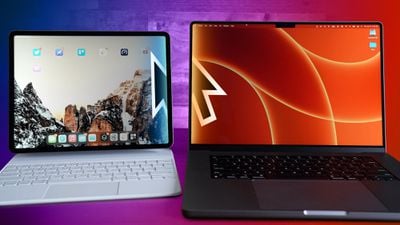
Universal Control Colored Feature
Note that Universal Control requires at least one Mac to use. For example, you can't just use it between two iPads. However, you can use Universal Control between Macs, with no iPads involved. Apart from the at-least-one-Mac caveat, there doesn't appear to be a limit to how many devices you can control using just the one keyboard and trackpad/mouse. Universal Control is limited to mouse/trackpad and keyboard support. You can't, for example, use an Apple Pencil with Universal Control.

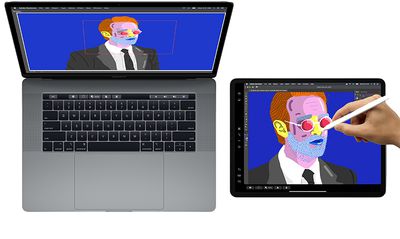
With Sidecar, you can use an Apple Pencil (first or second generation depending on your ‌iPad‌) as a mouse alternative for clicking, selecting, and other on-screen macOS control tasks. Think of the ‌Apple Pencil‌ as a mouse or trackpad when using it with Sidecar.
sidecarmacoscatalina
In apps like Photoshop and Illustrator, the ‌Apple Pencil‌ does even more. You can draw right in Photoshop or other similar Mac apps, which transforms the ‌iPad‌ into a graphics tablet for your Mac, not unlike a Wacom graphics tablet.

Sidecar also optionally adds a Touch Bar to the bottom of the ‌iPad‌, which is the same as the Touch Bar on the Touch Bar MacBook Pro models. Even if your Mac doesn't naturally have a Touch Bar, these Touch Bar controls can be displayed on the iPad screen.

  • Sidecar:
  • Acts as secondary Mac display
  • Can mirror content from Mac
  • Extends macOS desktop real estate
  • Supports Apple Pencil as input device
  • Offers optional Touch Bar controls
  • Requires manual setup
  • Connects wired or wirelessly
  • Is limited to one connected iPad

  • Universal Control:
  • Controls multiple Macs and iPads
  • Works across macOS and iPadOS
  • Has some drag-and-drop limitations
  • Doesn't support Apple Pencil
  • Requires at least one Mac
  • Doesn't support macOS trackpad gestures on iPad
  • Works automatically
  • Connects wirelessly only

Should I Use Sidecar or Universal Control?

Should you use Sidecar or Universal Control on your Macs and iPads? The question really comes down to your personal use case.

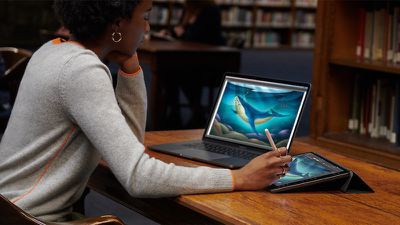
If you'd like to extend your macOS desktop space to your iPad's screen, and you don't intend to use iPadOS, then the simple answer is to use Sidecar. If you want to use your iPad and Apple Pencil to draw or illustrate something that you're working on in a Mac app, then Sidecar is the option to take.
macos catalina sidecar
If you want to control multiple Macs and iPads with the same input devices, and you're happy to live with some interoperability limitations between macOS and iPadOS (drag-and-drop, for example) then Universal Control is the ideal solution.

Can I Use Universal Control and Sidecar at the Same Time?

Provided you have enough iPads and Macs, you can actually use Sidecar and Universal Control at the same time and enjoy the best of both worlds.

For example, you could connect your Mac to one iPad via Sidecar for some extra macOS screen space, and on the other side of your Mac you could control a second iPad or Mac using the Mac's keyboard and trackpad.

How to Use Sidecar and Universal Control

For full instructions on how to set up and use Sidecar and Universal Control, including device compatibility information for the two features, be sure to check out our dedicated guides by following the above hyperlinks.


Related Forum: iOS 15

Popular Stories

1password deal blue

1Password Security Breach: What Was Accessed and What Wasn't

Wednesday November 25, 2026 1:09 pm PST by
Popular password management app 1Password today said it experienced a security breach earlier this month. 1Password says some customer names and email addresses were accessed, but no customer vault contents were compromised. On November 19, 1Password saw indications that an employee's GitHub account had been breached and began investigating. The company says the breached GitHub account was...
apple design award 2025

Apple Announces 2025 Design Award Winners Ahead of WWDC 2025

Tuesday June 3, 2025 10:14 am PDT by
As we wait for WWDC to kick off next Monday, Apple today announced the winners of its annual Apple Design Awards, recognizing apps and games for their innovation, ingenuity, and technical achievement. The 2025 Apple Design Award winners are listed below, with one app and one game selected per category: Delight and Fun - CapWords (App) and Balatro (Game) Innovation - Play (App) and PBJ -...
ipad pro prime

Apple Has iPads Running macOS Internally, Says Gurman

Wednesday November 25, 2026 4:55 am PST by
Apple has iPads running macOS internally and has had them "for some time," according to Bloomberg's Mark Gurman, although he says no work is currently being done to bring the Mac operating system to iPads. Speaking on his latest Power On podcast, Gurman said there is "no work being done to consumerize macOS on the iPad." Rather, Apple will continue to bring Mac features and apps like Final Cut ...

Top Rated Comments

Infinite Vortex Avatar
63 months ago
I have to say, I still don't get it. What it is I'm going to do on an iPad with the keyboard and mouse of a MacBook (for instance) that I wouldn't, let alone prefer, to do on the MacBook itself. Hmmmmm! I'm sure this is something to have in front of me to see its value but looking from the outside I straight don't get it.
Score: 13 Votes (Like | Disagree)
63 months ago
I don't think this feature will be used much. The initial THATS COOL will wear out.

I would be more excited to run IOS Apps on my Mac. downloaded and installed from anywhere.

Like Android apps and Windows 11.
Score: 10 Votes (Like | Disagree)
TheYayAreaLiving 🎗️ Avatar
63 months ago
Well explained! Universal Control + Sidecar = Total Awesomeness.

I have no idea how it’s 2022, and we manage to live without it. Can’t wait till it’s officially out to the public.
Score: 8 Votes (Like | Disagree)
Westside guy Avatar
63 months ago
Technically interesting, for sure. But it seems like a rather niche feature. I suspect the majority people will try it a few times and then forget about it completely.
Score: 5 Votes (Like | Disagree)
TracesOfArsenic Avatar
63 months ago
Two half cooked features makes a whole feature! Yay!
Score: 5 Votes (Like | Disagree)
Leon Ze Professional Avatar
63 months ago
Great explanation in the video. Much appreciated. Thanks!
Score: 4 Votes (Like | Disagree)
Latest Stories
The 50+ Best Apple Black Friday Deals on AirPods, iPads, MacBooks, and More
5 hours ago
Apple's M6 and PROLED MacBook Pro Reach New Low Prices for Black Friday
1 minute ago
The MacRumors Show: iPhone Air 2 and iPhone 18 Are Coming
7 minutes ago
Apple Store in Brisbane Reopening Next Month With New Design
35 minutes ago
The 60+ Best Black Friday Accessory Deals on iPhone Chargers, TVs, Headphones, and More
1 hour ago
GTA VI Now (Barely) Running on Apple Silicon Macs
2 hours ago
The Best Black Friday Streaming Deals on Apple TV, Disney+, and More
2 hours ago
Apple TV's 'Carême' Wins International Emmy for Best Drama
3 hours ago
iPhone 18 Production Delay Leaves Apple Little Time Before Launch
4 hours ago
The Best Black Friday AirPods Deals
4 hours ago
The Best Black Friday Deals on Apple Home Products
4 hours ago
The Best Black Friday iPhone Deals
5 hours ago
The Best Black Friday iPad Deals
5 hours ago
The Best Black Friday Apple Watch Deals
5 hours ago
The Best Black Friday AirTag Deals
5 hours ago
The Best Black Friday Mac Deals
5 hours ago
iPhone Share of US Smartphone Market Hits 57% as Rivals Slip
6 hours ago
iPhone 20 Pro Rumored to Feature 3D-Printed Titanium Frame
7 hours ago
Apple's Official 2026 Black Friday Offer Starts Rolling Out
1 day ago
Halide Adds Fill Light Feature for iPhone Duo
1 day ago
MacBook Air Black Friday Deals Now Live With Massive $399 Savings
1 day ago
Amazon Discounts All MacBook Neo Models by $99 for Black Friday
1 day ago
Kodak Launches Unique AirTag Rival With E-Ink Display
1 day ago
Here's Why the Apple Store is Going Down
1 day ago
Apple Still Working on Giant Foldable iPad That Could Cost $5,000
1 day ago
iPhones Dominate China's Weak Singles' Day Smartphone Sales
1 day ago
iPhone 20 Pro Could Feature Ceramic in Limited-Edition Model
1 day ago
Apple Faces Korean Regulator Review Over iPhone 16 AI Advertising
1 day ago
Apple Watch Ultra 4 Hits New Best-Ever Price of $649.99 for Black Friday
1 day ago
New Apple Store Opening in India, Download the Special Wallpaper Now
2 days ago
Related Apple News: Local News | Iphone | Politics | Opinion | Travel





























