Skip to Content

iOS 14: How to Use Picture in Picture Mode on iPhone

With iOS 13, Apple added a Picture in Picture Mode to the iPad, and with iOS 14, that Picture in Picture functionality is available for the iPhone too, letting users do things like watch videos and take FaceTime calls while doing other things on their device.

This guide covers everything that you need to know about using Picture in Picture on the iPhone.
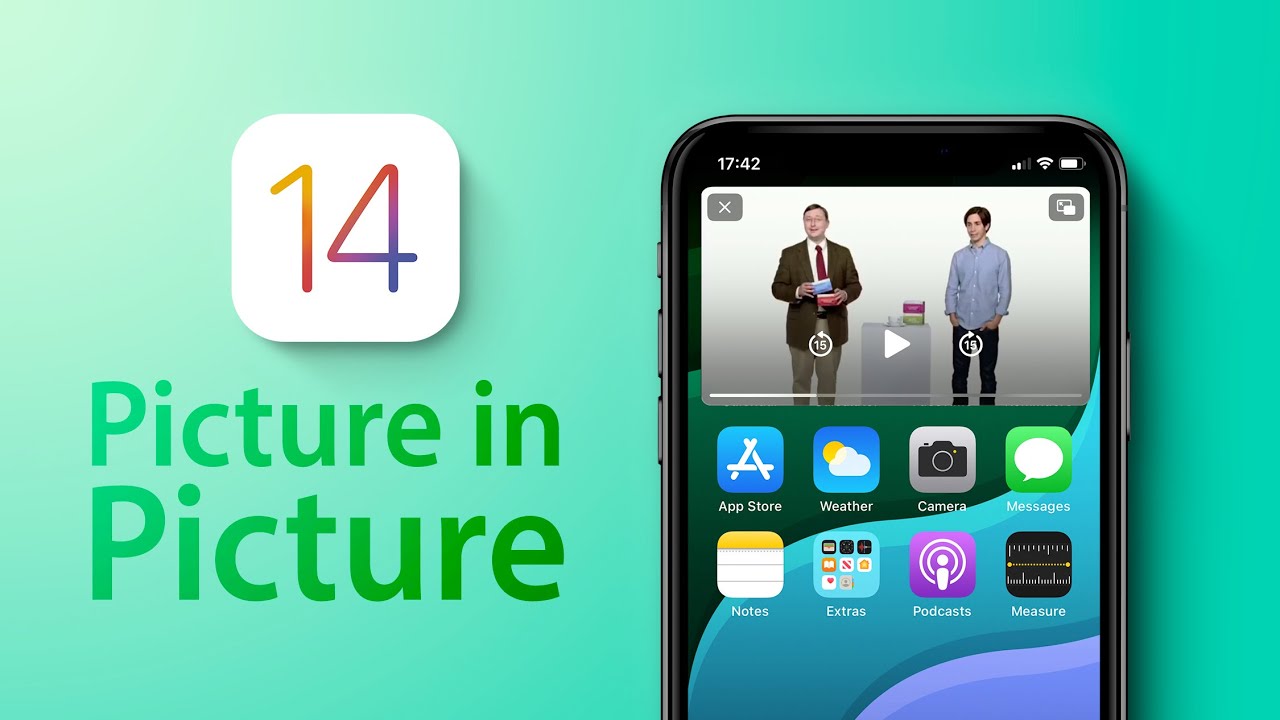

Using Picture in Picture With Apps

Picture in Picture works with apps that play video content, but when it comes to third-party apps, app developers have to implement support for the feature.
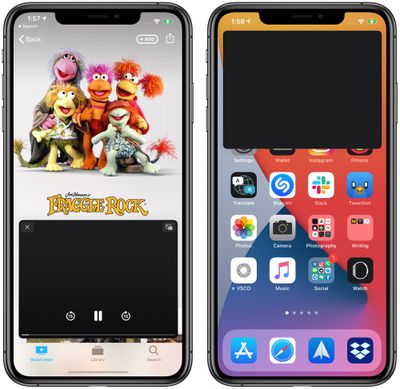
pictureinpictureappletv

Picture in Picture in the Apple TV app. Content is black because Apple does not allow screenshots of movies and TV shows.

In a compatible app, which includes Apple's apps such as ‌Apple TV‌, you can tap on the Picture in Picture icon available at the top of the app to activate Picture in Picture mode, double tap on the video with two fingers, or swipe upward from the bottom of the iPhone's display to activate Picture in Picture mode.

Exiting out of Picture in Picture Mode and returning to full screen mode with the app reopened can be done by tapping on the same icon in the upper right corner of the Picture in Picture window or double tapping with two fingers. Closing the Picture in Picture window and existing out of the app can be done by tapping on the X in the left corner.
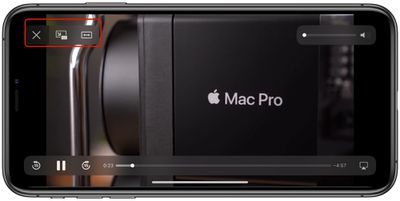
pictureinpicturecontrols
Picture in Picture mode controls for apps that play television and movie content include play/pause and an option to tap to skip 15 seconds forward and 15 seconds back.

Apple's apps that work with Picture in Picture include anything with a video feed, such as ‌Apple TV‌+ or video footage from HomeKit-enabled cameras in the Home app.

YouTube Picture in Picture

YouTube, unfortunately, has not implemented Picture in Picture support yet, so the YouTube app doesn't work with the feature. There are some doubts that YouTube will ever support this feature, but YouTube has been testing it on the ‌iPad‌. Fortunately, there is a workaround for now, using YouTube on the web.

Using Picture in Picture on the Web

Picture in Picture with the Safari app works with almost any video and website developers don't need to implement support. On a site with a video, tap to play the video and then tap the Picture in Picture icon or do a two finger double tap on the video. You can also swipe upwards from the bottom of the iPhone to activate Picture in Picture.
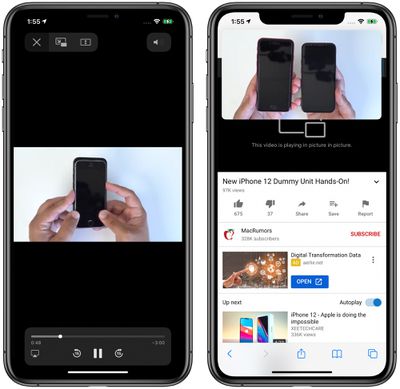
pictureinpicturesafari2
There are some video types that don't work, such as the videos that some sites embed in webpages, so there may need to be some tweaks to some websites before those kinds of videos can be used in Picture in Picture mode. It is compatible with videos from sites like YouTube and Vimeo, however, so websites that use these embeds will have content compatible with Picture in Picture.
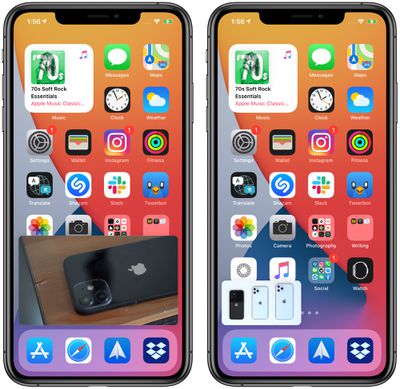
pictureinpicturesafari
Note that to use Picture in Picture mode with Safari, if you want to continue browsing another website while a video plays, you need to open a new Safari tab.

Using Picture in Picture with FaceTime

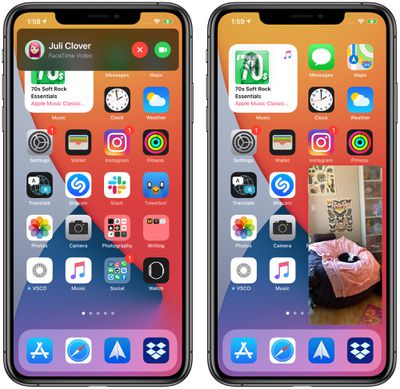
Picture in Picture works with ‌FaceTime‌ in iOS 14, and that's perhaps the most useful way to take advantage of it. In iOS 13, if you need to do something on your phone, you have to swipe out of the ‌FaceTime‌ window, which pauses your video for the person you're speaking with.
pictureinpicturefacetime
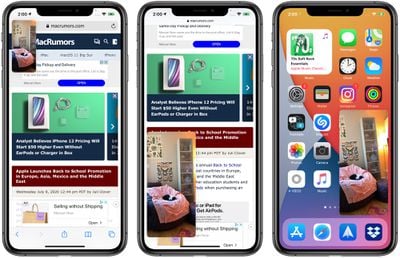
In iOS 14, if you swipe out of a ‌FaceTime‌ call it automatically minimizes into a Picture in Picture window that continues to be visible even while you access other apps so you and the other person you're talking to can continue your conversation without the iPhone being otherwise unusable.

You can double tap on the ‌FaceTime‌ window to change its size from large to medium or small and then back again, and if you just single tap the Picture in Picture window expands back to the full size of the iPhone's display. You can also move the Picture in Picture window to the optimal spot on the screen.
pictureinpicturefacetime2

Customizing Picture in Picture Window Size and Position

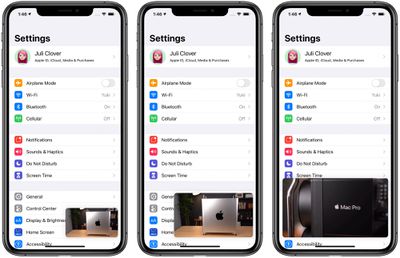
You can double tap on any Picture in Picture window or use pinch gestures to change the Picture in Picture window size. There are three sizes to choose from: small, medium, and large.
pictureinpicturesizes
The small window is about the size of two app icons, the medium is as wide as about three app icons and as tall as one and a half, while the largest window is the size of eight app icons.

All of the windows are shown in a landscape orientation on the iPhone's Home Screen with the exception of ‌FaceTime‌, which is shown in portrait mode.

Picture in Picture windows can be used with almost any app or while on the ‌Home Screen‌. The small and medium windows can be moved to any corner of the iPhone's display, while the large Picture in Picture window can be placed at the top or the bottom of the screen.

Moving the Picture in Picture Window Off Screen

You can pull a Picture in Picture window of any size over to the side of the iPhone with drag and drop gestures, moving it off of the screen.
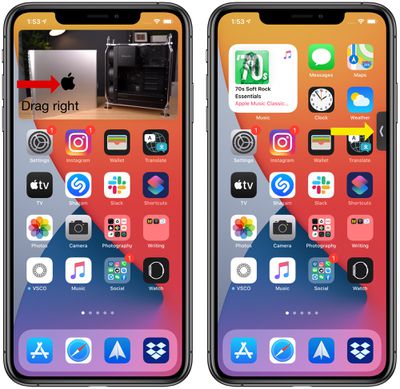
pictureinpicturecollapse
With the Picture in Picture window off screen, you will continue to hear the audio from the video or ‌FaceTime‌ call, but it won't be visible on the iPhone's display.

Guide Feedback

Have questions about the Picture in Picture mode on the iPhone, know of a feature we left out, or want to offer feedback on this guide? Send us an email here.


Related Forum: iOS 14

Popular Stories

apple design award 2025

Apple Announces 2025 Design Award Winners Ahead of WWDC 2025

Tuesday June 3, 2025 10:14 am PDT by
As we wait for WWDC to kick off next Monday, Apple today announced the winners of its annual Apple Design Awards, recognizing apps and games for their innovation, ingenuity, and technical achievement. The 2025 Apple Design Award winners are listed below, with one app and one game selected per category: Delight and Fun - CapWords (App) and Balatro (Game) Innovation - Play (App) and PBJ -...
1password deal blue

1Password Security Breach: What Was Accessed and What Wasn't

Wednesday November 25, 2026 1:09 pm PST by
Popular password management app 1Password today said it experienced a security breach earlier this month. 1Password says some customer names and email addresses were accessed, but no customer vault contents were compromised. On November 19, 1Password saw indications that an employee's GitHub account had been breached and began investigating. The company says the breached GitHub account was...
Apple 2026 Black Friday Event Hero

Apple's Official 2026 Black Friday Offer Starts Rolling Out

Thursday November 26, 2026 8:37 am PST by
Apple's annual four-day Black Friday through Cyber Monday shopping event is now live in Australia, New Zealand, and Thailand, and it will continue to roll out across Europe, the U.S., and Canada as the calendar turns to Friday, November 27 around the world. In the U.S., Apple's terms and conditions say the promotion begins on November 27 at 12 a.m. Pacific Time and ends on November 30 at...

Top Rated Comments

BulkSlash Avatar
83 months ago
Not to be that guy, but picture-in-picture has been available on the iPad since iOS 9 not iOS 13. I‘m pleased we’re finally getting it on iPhone.

I’ve now deleted the YouTube app and am just using the website because you can do picture-in-picture with that. It even seems to support auto-playing the next video so you don’t have to keep switching back to Safari to start the next video, which is really good.
Score: 10 Votes (Like | Disagree)
Rogifan Avatar
83 months ago
Apple needs to mandate that video apps support PIP. It’s ridiculous that Google doesn’t have to support an OS feature because they want to charge you for it.
Score: 9 Votes (Like | Disagree)
Apple_Robert Avatar
83 months ago

Hope they introduce the corresponding feature for people on the other end -- Auto Disconnect if more than one thing is showing on the other person's phone!

Just what we need. Calling someone up and they're watching a video, playing a game, and saying "Uh-huh", "uh-huh" every now and then!

No, thank you! It'll be as bad as people who put you on hold to take the other call!
All of the responders to your post are busy assisting other forum members. Your post is very important to us. Please remain on MacRumors constantly refreshing the page and someone will be with you shortly. We appreciate your patience and thank you for choosing MacRumors.
Score: 6 Votes (Like | Disagree)
arn Avatar
83 months ago

Actually Video overlay, can two videos be played at once?
In some situations yes. YouTube safari and YouTube app didn’t work. But YouTube video and Instagram video with both audio works!

[Click to view video attachment]
Score: 6 Votes (Like | Disagree)
Apple_Robert Avatar
83 months ago
This works the same on iPadOS. I have used the feature more than I thought I would on my iPad Pro. My SE is too small for such a feature to be practical.
Score: 5 Votes (Like | Disagree)
jclo Avatar
83 months ago

This works the same on iPadOS. I have used the feature more than I thought I would on my iPad Pro. My SE is too small for such a feature to be practical.
Yeah, makes more sense on the iPad's larger display, but it's especially handy for FaceTime on all devices.
Score: 4 Votes (Like | Disagree)
Latest Stories
The 50+ Best Apple Black Friday Deals Still Available on AirPods, iPads, and More
12 hours ago
HomePod Mini 2 in (RED) Seemingly Spotted Ahead of Announcement
9 hours ago
Apple's M6 and PROLED MacBook Pro Reach New Low Prices for Black Friday
20 hours ago
The MacRumors Show: iPhone Air 2 and iPhone 18 Are Coming
20 hours ago
Apple Store in Brisbane Reopening Next Month With New Design
20 hours ago
The 60+ Best Black Friday Accessory Deals on iPhone Chargers, TVs, Headphones, and More
21 hours ago
GTA VI Now (Barely) Running on Apple Silicon Macs
21 hours ago
The Best Black Friday Streaming Deals on Apple TV, Disney+, and More
22 hours ago
Apple TV's 'Carême' Wins International Emmy for Best Drama
23 hours ago
iPhone 18 Production Delay Leaves Apple Little Time Before Launch
23 hours ago
The Best Black Friday AirPods Deals Still Available
15 hours ago
The Best Black Friday Deals on Apple Home Products
1 day ago
The Best Black Friday iPhone Deals Still Available
15 hours ago
The Best Black Friday iPad Deals Still Available
15 hours ago
The Best Black Friday Apple Watch Deals Still Available
15 hours ago
The Best Black Friday AirTag Deals Still Available
15 hours ago
The Best Black Friday Mac Deals Still Available
15 hours ago
iPhone Share of US Smartphone Market Hits 57% as Rivals Slip
1 day ago
iPhone 20 Pro Rumored to Feature 3D-Printed Titanium Frame
1 day ago
Apple's Official 2026 Black Friday Offer Starts Rolling Out
2 days ago
Halide Adds Fill Light Feature for iPhone Duo
2 days ago
MacBook Air Black Friday Deals Now Live With Massive $399 Savings
2 days ago
Amazon Discounts All MacBook Neo Models by $99 for Black Friday
2 days ago
Kodak Launches Unique AirTag Rival With E-Ink Display
2 days ago
Here's Why the Apple Store is Going Down
2 days ago
Apple Still Working on Giant Foldable iPad That Could Cost $5,000
2 days ago
iPhones Dominate China's Weak Singles' Day Smartphone Sales
2 days ago
iPhone 20 Pro Could Feature Ceramic in Limited-Edition Model
2 days ago
Apple Faces Korean Regulator Review Over iPhone 16 AI Advertising
2 days ago
Apple Watch Ultra 4 Hits New Best-Ever Price of $649.99 for Black Friday
2 days ago
Related Apple News: Sport | Health | Politics | Iphone | Education





























