WhatsApp Desktop App Gains Support for Voice and Video Calls
WhatsApp is today updating its desktop app for Mac and PC with voice and video calling support, the company announced.

Like WhatsApp's mobile app, voice and video calls on the desktop equivalent are end-to-end encrypted, ensuring only the people conversing have access to the contents of a call.
WhatsApp has been in the process of testing the new desktop call functions over the last few months, so today marks the full rollout of what were previously only experimental features accessible by a select few.
As it stands, one important difference on desktop from the mobile experience is that it isn't yet possible to participate in group calls. Only one-to-one calling is currently supported, although WhatsApp says it intends to add group voice and video calling to desktop in the future.
To use the new video and voice calling features on WhatsApp Desktop, users need to have a mobile WhatsApp account. To learn how to set up WhatsApp on your Mac, be sure to check out our step-by-step guide.
Popular Stories
WhatsApp is rolling out its first-party cloud backup service to some users on the beta version of the app for iOS, reports WABetaInfo.
WhatsApp cloud backup options in iOS beta (image: WABetaInfo)
The option is said to be appearing to some users on WhatsApp beta version 26.45.10.71, currently in TestFlight, providing users with an alternative to iCloud chat backup for the first time.
Code...
WhatsApp is allowing group chats to have up to 1,500 members on iPhone and Android, up from the previous limit of 1,024 participants, according to WABetaInfo.
The increase means group chat admins have room for another 476 people in a single conversation. The jump should make it easier for schools, clubs, and other large organizations to communicate with their members, rather than having to...
Wednesday November 25, 2026 12:38 pm PST by
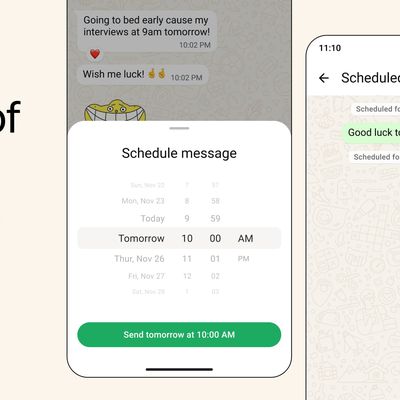
Juli CloverPopular messaging app WhatsApp was today updated with an option to schedule messages, which the company says was one of its most requested features.
WhatsApp users can create a message and schedule it to arrive from 10 minutes to 14 days later in one-to-one chats and group chats. Scheduling a message can be done by pressing and holding the send button after composing and then choosing a date ...