

Satechi this summer launched its first HomeKit-compatible product, the Dual Smart Outlet, a HomeKit plug that turns dumb appliances and electronics into smart electronics that can work alongside other HomeKit products.
There are quite a few HomeKit-enabled smart plugs on the market, but Satechi's version is relatively compact and offers some bells and whistles that not all HomeKit plugs provide.
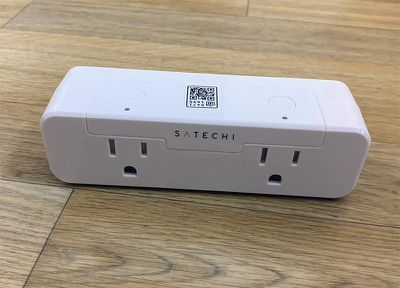
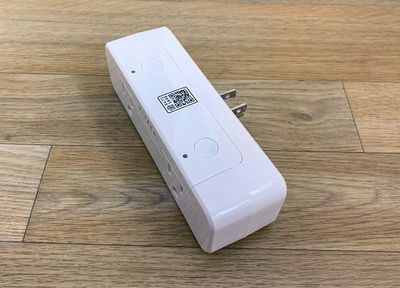
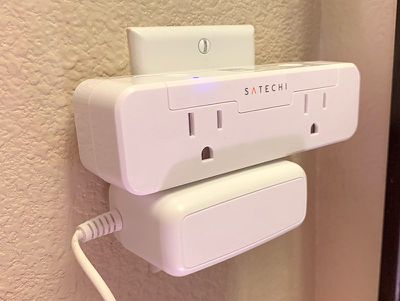
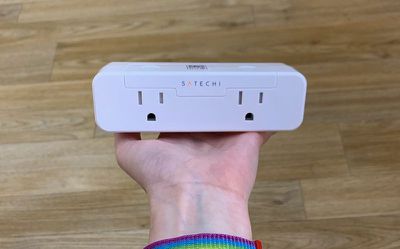
Design wise, the Dual Smart Outlet is made from an unobtrusive white plastic, and it offers two separate HomeKit plugs. It plugs into a standard socket horizontally, leaving the other socket of your standard dual socket outlet free to use. Satechi's Smart Outlet is one of the better space saving plugs on the market, even though it's not exactly small.
Other options from companies like iHome or Wemo take up similar amounts of space, but offer just one smart outlet. There are some smaller single plug options on the market that are better picks if you only need a single smart outlet, but Satechi's is a good way to connect two devices.
There's an LED light at the top of each socket that lights up when something is plugged in, so you know that the device or appliance is receiving power. The lights also activate for the HomeKit pairing process.
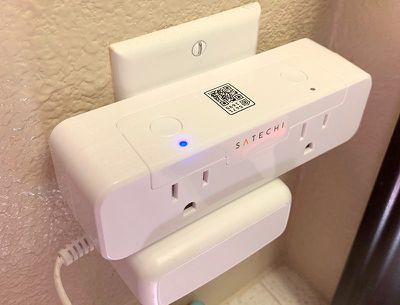
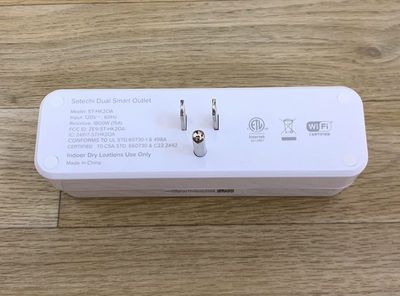
Satechi says that the Dual Smart Outlet's Max AC output is 15A 1800W, so it will work with devices like lights, fans, space heaters, humidifiers, coffee makers, and more.
Setting up the Dual Smart Outlet is as simple as plugging it in and then scanning the HomeKit code, though it's worth noting that this can only connect to a 2.4GHz Wi-Fi network. Limiting a connection to 2.4GHz is always a hassle and can be confusing for some users. Just make sure your iPhone is connected to your 2.4GHz Wi-Fi network to get the Dual Smart Outlet set up, which may involve delving into router settings.
The Dual Smart Outlet can be controlled via Siri voice commands, through the Satechi app, or through the Home app available on iOS devices and Macs. Through Siri, you can turn it on, turn it off, check its status, or activate HomeKit scenes or automations that the Smart Outlet is used in.
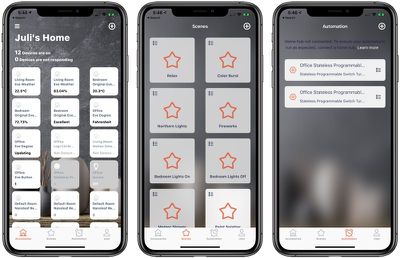
As with any other HomeKit product, you can use scenes to pair the devices plugged into the Smart Outlet with other HomeKit devices, and with automations, you can have the Smart Outlet turn on or turn off at certain times or when certain conditions are met.
With scenes, for example, you can set up a "Good Night" option that does something like turn on the fan connected to the Smart Outlet, turn off the lights, turn down the temperature, and more. Automations, meanwhile, can do things like have a coffee maker come on at a certain time each morning or have a light turn off at a specific time of day.
Paired with HomeKit products that can activate triggers, such as motion detectors, you can set up devices plugged into the Smart Outlet to do activate or deactivate based on motion or other parameters.
This review is aimed at people who have some understanding of HomeKit already, but if you're new to HomeKit entirely, make sure to check out our HomeKit guide for more information on just how scenes, automations, and triggers work. You can set up scenes and automations in the Home app or in the Satechi app -- both work.
One of the useful features of the Dual Smart Outlet is its power monitoring. It monitors and tracks how much power each device plugged into it is using, so you can get a clear idea of how much energy a fan, heater, light, or other product is using up.
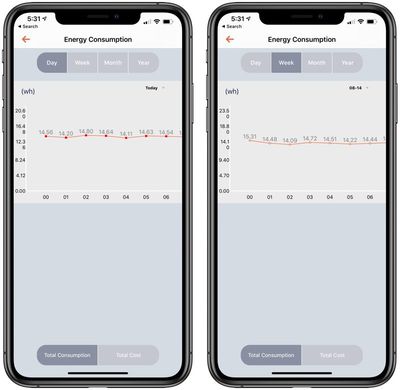
Power monitoring options can be viewed in the Satechi app and are not available in the Home app. Like many other apps for HomeKit devices, Satechi's app shows your entire HomeKit setup rather than just your Satechi plug. From the app, you can control all of your devices, create scenes, create automations, and adjust HomeKit settings.
The Satechi app has a simple layout, but it doesn't let you set filters or favorites so it can be a little bit hard to find what you're looking for if you just want to get to your Satechi Smart Outlet but have a lot of HomeKit products.
Getting to the power information requires locating the two outlets in your list of HomeKit devices, long pressing on the icon (and not just tapping, because that's an on/off control) and then selecting the "Detail" option. It's not exactly streamlined, and hopefully something Satechi will improve in the future.
In the app, you can see the current power usage for what's plugged in, the total consumption in kilowatt hours, and the total cost, provided you've added the electricity costs for your area into the app. Beyond total cost and total consumption, you can also set schedules and timers from this interface, though you can also use HomeKit scenes in other areas for this purpose as well.
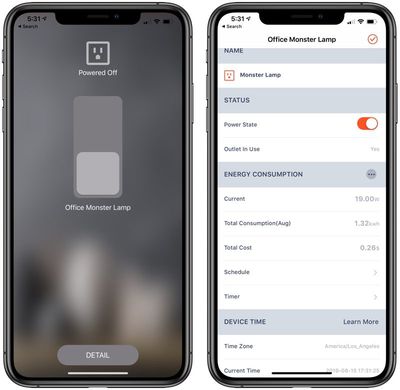
Power monitoring does not appear to be separated by outlet, so you can't see different power metrics for each item plugged in. It's all combined.
I had a problem with my original Dual Smart Outlet that resulted in power monitoring not working at all. A second unit worked fine, so I'm not sure what the issue was. I will note, though, that I still can't see specific metrics for cost over time (though I can see total cost), which is a bug that may be worked out in a future version of the app.
Since I can see total lifetime power cost estimates, it's not a major problem not to be able to see the cost over time metric, but some people may miss this feature if it's not working. The energy consumption over time graph works well, showing me power usage for the devices plugged in sorted by day, week, month, or year.
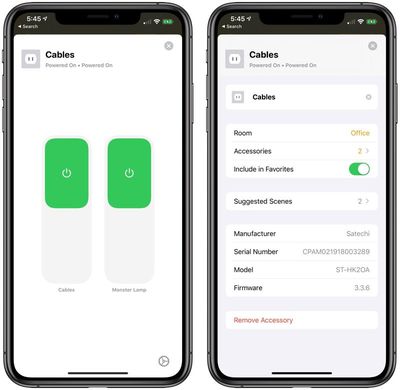
The Home app limits you to turning the Dual Smart Outlets on and off, so the Satechi app needs to be used for power monitoring purposes. You're limited to turning your outlets on and off in the Home app.
Bottom Line
Satechi's new to HomeKit devices, but this is a solid first offering. The Dual Smart Outlet is competitively priced at $60, and it offers two HomeKit plugs that add connectivity to non-HomeKit products.
Because the outlet can be placed horizontally, it doesn't take up too much space, and during my testing, it worked well with no disconnects or other issues. I did have problems with the power monitoring features, though, and the app could use some refining and updating. I wouldn't specifically buy the Smart Outlet for the power monitoring function, but it has the potential to be a useful bonus if it's not something that you specifically need.
How to Buy
Satechi's Dual Smart Outlet can be purchased from Amazon.com or from the Satechi website for $60.
Note: Satechi provided MacRumors with a Dual Smart Outlet for the purpose of this review. No other compensation was received. MacRumors is an affiliate partner with Satechi. When you click a link and make a purchase, we may receive a small payment, which helps us keep the site running.

































Top Rated Comments
Wait, what?!
https://www.amazon.com/Koogeek-Protector-Assistant-Charging-Individual/dp/B074PV2MT3
VOCOlinc makes essentially the same product as the Koogeek for $60:
https://www.amazon.com/VOCOlinc-PM2-Protector-HomeKit-Assistant/dp/B074Z6HGXD
I've been using the Koogeek power strip for over a year, switching outlets several times a day. It's great. No affiliation, just a customer.
[doublepost=1565991207][/doublepost]I have dozens of HomeKit devices that I use all day daily. No solution is perfect, but HomeKit doesn't sell me out for ads (or worse).