Skip to Content

Review: Nanoleaf's Fun $49 'Rhythm' Add-On Lets Your Aurora Light Setup Respond to Music

by

Nanoleaf, the company behind the HomeKit-enabled Aurora smart modular lighting system, recently introduced a $49 accessory that allows the Aurora lights to respond to music, adding a whole new sound-based dimension to an already great product.


Called the Nanoleaf Aurora Rhythm, the add-on module is a small three-triangle accessory that snaps right in to an existing Nanoleaf setup using the same plastic connector tabs that connect the Aurora lights together.
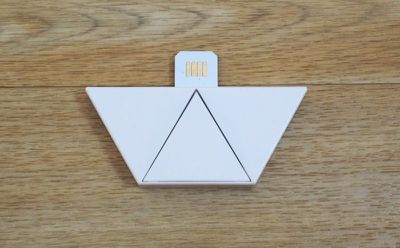
aurorarrhythmunboxed
It can be plugged in to any of the triangle-shaped lights in an Aurora setup, because all of them are able to provide power to the accessory. Setting up the Rhythm is as simple as attaching it to an Aurora setup -- there are no other steps involved.
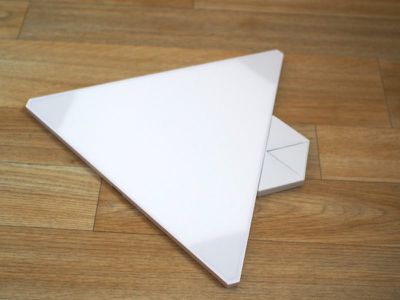
nanoleafpanelconnection
I had a little bit of an issue with the first Rhythm I tested, which killed my WiFi connection after plugging it in. I'm not sure if this was the Rhythm or a quirk of my WiFi setup, but Nanoleaf sent out a replacement Rhythm and the second version worked perfectly with no interference.
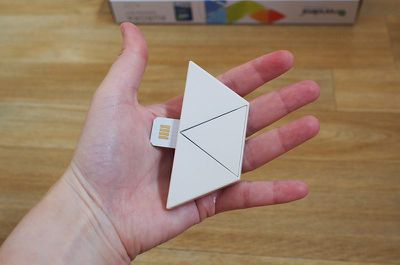
aurorarhythmsize
Once the Rhythm is plugged in, the Rhythm mode can be selected on the Aurora through the Nanoleaf app. Though the Aurora has HomeKit support, the Rhythm feature is not compatible and needs to be manually enabled in the app.
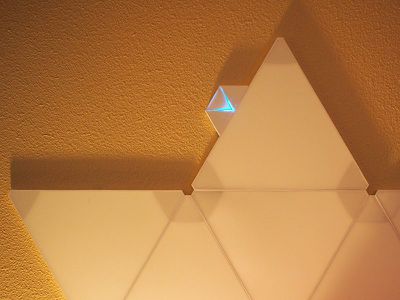
rhythmnanoleafconnected
When activated, the Rhythm module itself has a blue light that lets you know it's working, and the Aurora lights will begin responding to sound. With the Rhythm, the Aurora lights are in the off position until a sound is detected.

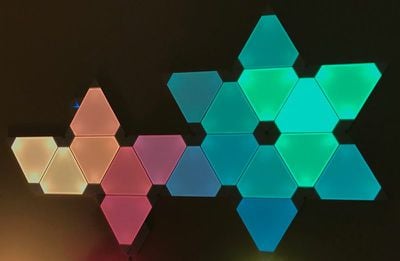
The Rhythm has a sound sensor (and a 3.5mm jack) and is able to detect all noise, whether it be a song, the television, a conversation, a cat meowing, a door slamming, or a baby crying, and when it hears a noise, it activates the attached Aurora lights in various patterns, colors, and brightness levels.
aurora3
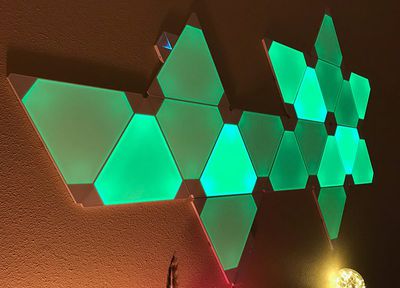
It's sensitive enough that it picks up most sounds nearby, and the light reaction to the sound is tied to both the volume and the duration of the sound. A quiet "hello" spoken in the vicinity of the Rhythm activates just a couple of the triangle lights because it's a soft sound, while something like the slam of a door activates all of the lights in a crescendoing pattern with each one flaring brightly before fading out.
nanoleafrhythm
Though the Rhythm will respond to any noise, it's meant to be used with music that's playing aloud because it can detect the beat of what's playing to match the pattern of the lights to the song. The Rhythm paired well with all of the songs that I tested, from pop and EDM to hip hop and rock, though I do wish it was better at identifying bass and treble. I liked it best with songs with a fast beat, because that's where it really shines. There is a small delay between the music and the reaction of the Aurora, but it's hardly noticeable.

Proper dance party going on in my office tonight with Aurora Rhythm.

A post shared by Juli C (@julipuli) on

It does well matching the beat and the tone of the music with the light accompaniment, and while it's great even when alone, this is an amazing setup for parties. For someone who has an Aurora setup already and often does parties or get togethers where music is played, the Rhythm add-on is a no brainer because it adds such a wow factor.

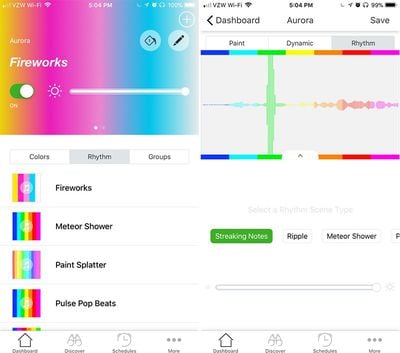
In the Aurora app, there are several different light patterns to choose from that work with the Rhythm, and all of the patterns can be combined with customized user-picked colors for an endless number of options. You can create your own color palettes, pair them with patterns, choose a brightness, and save the scene for future use.
aurorarhythmappsettings
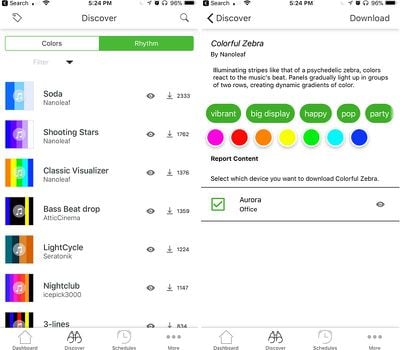
Nanoleaf also lets users upload their light creations so there are dozens of Rhythm mixes downloadable from the app.

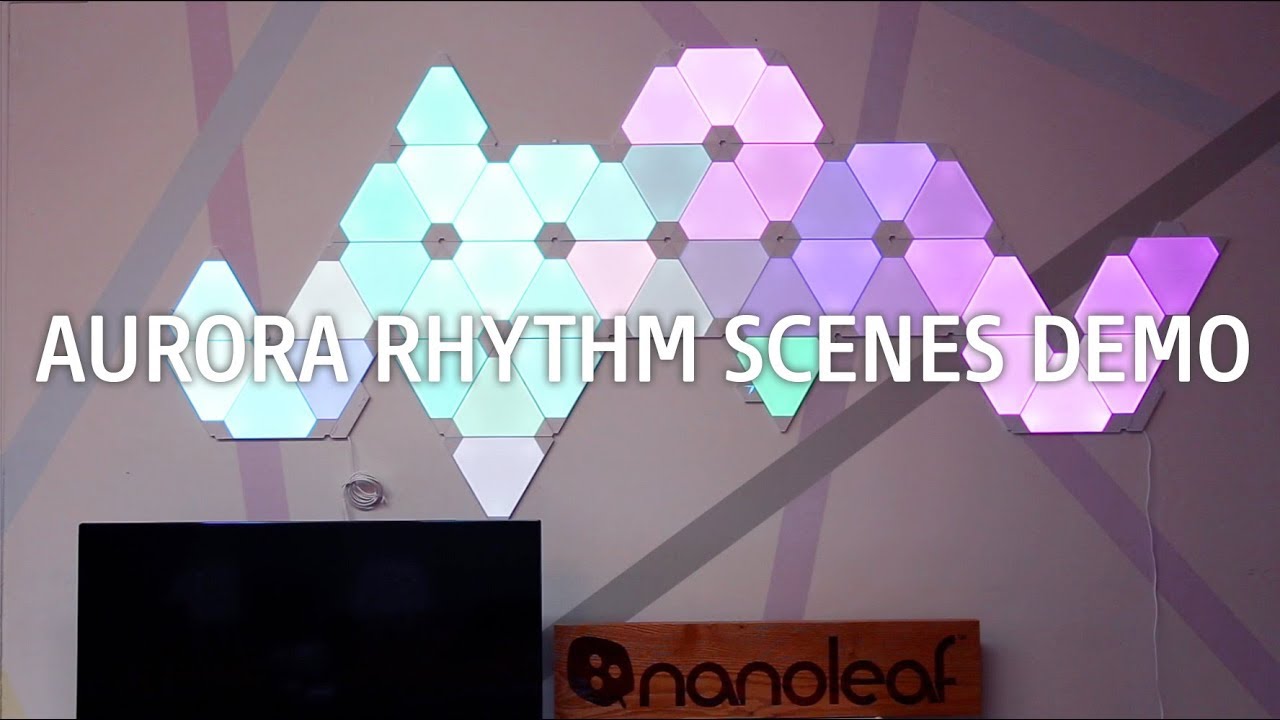
While colors are customizable, patterns are not. Rhythm comes with eight lighting "scenes" that dictate how the lights are activated when sound is detected. Fireworks, for example, lights up a handful of tiles at a time in rapid succession with no fade, like a firework.
auroraappdownloadscenes
Meteor Shower flows from color to color in a linear pattern with the pace of the song setting the shifts between color, while Paint Splatter is more random. Pulse Pop Beats changes colors more slowly while also dimming and brightening tiles with the beat of the music, and Rhythmic Northern Lights keeps the lights on full brightness but shifts between colors rapidly. Streaking Notes, Sound Bar, and Ripple are other options, and each one is unique.

For every Rhythm mix, the brightness is customizable, a nice touch because depending on the number of panels, the ambient lighting in the room, and the song playing, it can get a little chaotic if it's too bright.

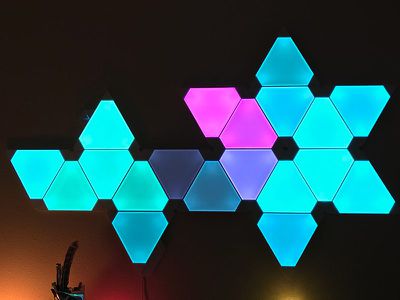
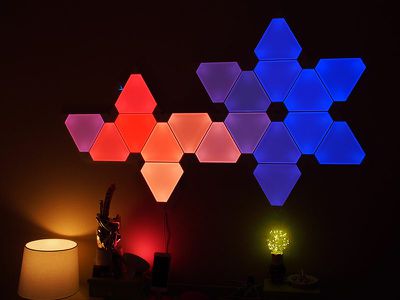
It's worth noting that the Rhythm is going to look different depending on the number Aurora panels you have set up and their arrangement. I have 21 panels in a kind of key/flower shape and the Rhythm looks great with this setup. I can't pull my panels off the wall to test other configurations because they're up there with adhesive and it's an insane hassle to get them down, but I suspect the different Rhythm patterns look great on any Aurora configuration.

The Rhythm feature is something you'll probably want to only turn on occasionally when listening to music, though I did find it very satisfying to watch my lights flare up when I slammed my door. I also found it fun to have on when I was having a conversation with someone.
aurorarhythm1
I tried the Rhythm with TV, but in general, the color transitions and patterns were a little too chaotic. Your mileage may vary, though - it's really based on setup and personal preference.

In the future, I'd love to see Nanoleaf do partnerships like Philips Hue has done with Syfy for Sharknado and Twelve Monkeys, pairing the lights with TV shows or movies in carefully selected patterns to enhance what you're watching. I'd also like to have more options for customizing and creating the patterns themselves.

Bottom Line

If you've already invested in a Nanoleaf Aurora setup and listen to music, the $50 Rhythm add on is a fun and inexpensive way to add utility and interactivity to the Aurora lights. And if you throw parties, it's a must.

If you don't already have Aurora lights but do a lot of entertaining or want to spice up a room, it's worth considering picking up a set. Aurora is not cheap at $200 for the starter pack (which comes with nine tiles) and $60 for each additional pack of three tiles, but it's one of the neatest modular lighting systems available. The only real downsides are the cost and the fact that they stick to the wall using adhesive.
aurorarhythm6
I've had Aurora lights in my office since the beginning of the year, and I have no complaints. I still love to set the colors to match my mood, the game I'm playing, or the show I'm watching, and they've worked reliably with no issues. I've been steadily adding to my Aurora design and I'm up to 21 panels. Aurora is hard not to love, and the Rhythm makes a good product even better.

How to Buy

The Aurora Rhythm can be purchased from the Nanoleaf website for $49.99. The Nanoleaf Aurora itself is currently on sale from Best Buy for $187.99.

Note: Nanoleaf provided MacRumors with an Aurora Rhythm for the purpose of this review. No other compensation was received. This post contains an affiliate link to Best Buy.


Top Rated Comments

az431 Avatar
120 months ago
Look nice when turned on, but when turned off it's cheap white plastic on your wall.
Score: 2 Votes (Like | Disagree)
120 months ago
Lots of Hue competition starting to appear.
Score: 2 Votes (Like | Disagree)
jclo Avatar
120 months ago
When I got the Rhythm module in I thought it was "killing" my wifi too. After playing around with it a little bit a found out it was only affecting my router's 5GHz connection and not my 2.4GHz connection. Not until I connected my iPhone to my 2.4GHZ wifi to set up the Rhythm through the Nanoleaf app did my 5GHz wifi start working again.

Btw, I figured this out after I had already reset my router to "factory default" settings and try to reconfigure the router first (facepalm).

Just letting people know that the issue with wifi fixes itself once the Rhythm is properly set up... if you even have the issue in the first place.
Yes, this is exactly the problem that I had. It killed the 5GHz network. Problem is my WiFi didn't start working again after setup. No issues with the second one though.
[doublepost=1506719070][/doublepost]
Look nice when turned on, but when turned off it's cheap white plastic on your wall.
It's not too bad. But mine's on a lot of the time. No real reason these can't be running at different settings all the time. Dimmed for a nightlight, brighter in the daytime, etc.
Score: 1 Votes (Like | Disagree)

Popular Stories

apple design award 2025

Apple Announces 2025 Design Award Winners Ahead of WWDC 2025

Tuesday June 3, 2025 10:14 am PDT by
As we wait for WWDC to kick off next Monday, Apple today announced the winners of its annual Apple Design Awards, recognizing apps and games for their innovation, ingenuity, and technical achievement. The 2025 Apple Design Award winners are listed below, with one app and one game selected per category: Delight and Fun - CapWords (App) and Balatro (Game) Innovation - Play (App) and PBJ -...
1password deal blue

1Password Security Breach: What Was Accessed and What Wasn't

Wednesday November 25, 2026 1:09 pm PST by
Popular password management app 1Password today said it experienced a security breach earlier this month. 1Password says some customer names and email addresses were accessed, but no customer vault contents were compromised. On November 19, 1Password saw indications that an employee's GitHub account had been breached and began investigating. The company says the breached GitHub account was...
apple store down feature

Here's Why the Apple Store is Going Down

Thursday November 26, 2026 5:49 am PST by
Apple's online store is going down for a few hours on a rolling country-by-country basis right now, but do not get your hopes up for new products. Apple takes its online store down for a few hours ahead of Black Friday every year to tease its annual gift card offer with the purchase of select products. The store is down in Australia, New Zealand, and Thailand, right now, and it will...
Latest Stories
The 50+ Best Apple Black Friday Deals Still Available on AirPods, iPads, and More
57 minutes ago
Apple's M6 and PROLED MacBook Pro Reach New Low Prices for Black Friday
5 hours ago
The MacRumors Show: iPhone Air 2 and iPhone 18 Are Coming
5 hours ago
Apple Store in Brisbane Reopening Next Month With New Design
6 hours ago
The 60+ Best Black Friday Accessory Deals on iPhone Chargers, TVs, Headphones, and More
6 hours ago
GTA VI Now (Barely) Running on Apple Silicon Macs
7 hours ago
The Best Black Friday Streaming Deals on Apple TV, Disney+, and More
7 hours ago
Apple TV's 'Carême' Wins International Emmy for Best Drama
8 hours ago
iPhone 18 Production Delay Leaves Apple Little Time Before Launch
9 hours ago
The Best Black Friday AirPods Deals Still Available
52 minutes ago
The Best Black Friday Deals on Apple Home Products
9 hours ago
The Best Black Friday iPhone Deals Still Available
52 minutes ago
The Best Black Friday iPad Deals Still Available
52 minutes ago
The Best Black Friday Apple Watch Deals Still Available
51 minutes ago
The Best Black Friday AirTag Deals Still Available
51 minutes ago
The Best Black Friday Mac Deals Still Available
50 minutes ago
iPhone Share of US Smartphone Market Hits 57% as Rivals Slip
11 hours ago
iPhone 20 Pro Rumored to Feature 3D-Printed Titanium Frame
12 hours ago
Apple's Official 2026 Black Friday Offer Starts Rolling Out
1 day ago
Halide Adds Fill Light Feature for iPhone Duo
1 day ago
MacBook Air Black Friday Deals Now Live With Massive $399 Savings
1 day ago
Amazon Discounts All MacBook Neo Models by $99 for Black Friday
1 day ago
Kodak Launches Unique AirTag Rival With E-Ink Display
1 day ago
Here's Why the Apple Store is Going Down
1 day ago
Apple Still Working on Giant Foldable iPad That Could Cost $5,000
1 day ago
iPhones Dominate China's Weak Singles' Day Smartphone Sales
1 day ago
iPhone 20 Pro Could Feature Ceramic in Limited-Edition Model
1 day ago
Apple Faces Korean Regulator Review Over iPhone 16 AI Advertising
1 day ago
Apple Watch Ultra 4 Hits New Best-Ever Price of $649.99 for Black Friday
1 day ago
New Apple Store Opening in India, Download the Special Wallpaper Now
2 days ago
Related Apple News: Education | News | Buyers Guide | Iphone | Ipad






























