

LIFX, a company that makes a range of smart light bulbs and other lighting products, recently embraced HomeKit and introduced several HomeKit-compatible lights that are an alternative to the popular Philips Hue line of smart lights.
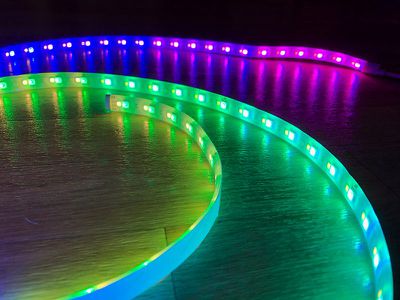
One of the new products that's been updated with HomeKit support is the LIFX Z, a $90 light strip that's comparable to the LightStrip Plus from Philips, which I was able to test this week. The LIFX Z is a multi-zone light strip that supports up to 16 million colors, and like the Philips Hue LightStrip Plus, it measures in at 6.6 feet. You can buy extensions to make it longer.
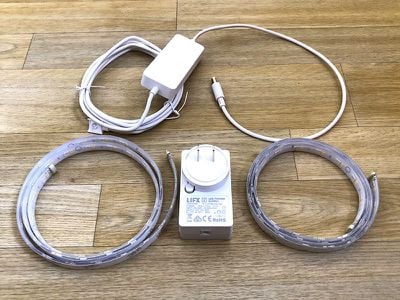
I'm deep in the Hue ecosystem with seven Hue lights in my office alone, so it was interesting to try an alternate solution. LIFX products, unlike Hue, connect directly to WiFi and thus don't require a bridge for functionality. This is nice because it means there's nothing to connect to your home router, but I did notice that the LIFX Z can be slower to respond to input than the Hue products.
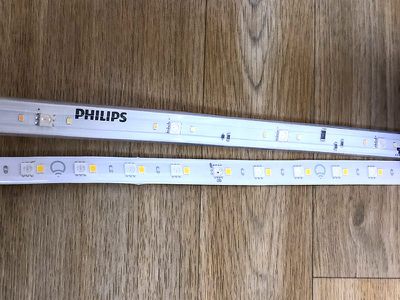
Design wise, the LIFX Z looks a lot like the Hue LightStrip Plus. It's a strip of LED lights with an adhesive backing that can be attached to cabinets, desks, walls, and more. At one end, there's what I assume is a controller for HomeKit, which can also be attached next to the lights with adhesive, and a power adapter that needs to be plugged in.
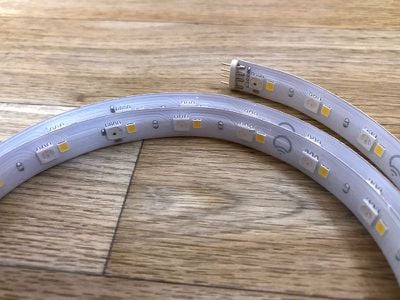
The LIFX Z light strip is thinner than the Philips version, and it comes in two pieces that attach together with thin metal prongs. The Hue LightStrip is all one piece and is thicker, so it feels sturdier. I'm worried about the longevity of the LIFX Z, especially if I choose to move it sometime in the future because of the delicate prongs and the thinner design.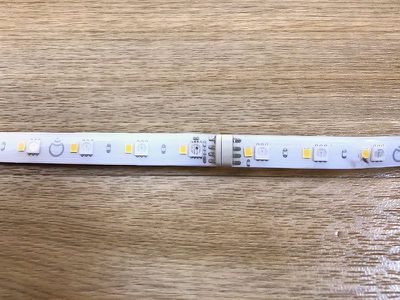
LIFX Z has two LEDs that are close together, a design that repeats, while Hue uses three repeating LEDs. In actual usage, both seem to output the same general shades with the same level of accuracy. Purple, for example, is a struggle for both, but most other colors work well. I didn't see a huge difference between the two, color for color.
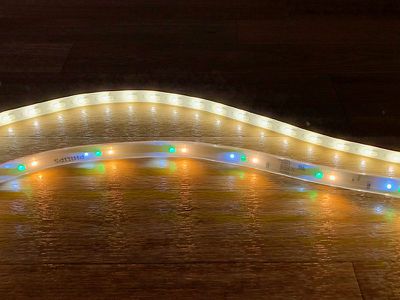
As a light strip, the LIFX Z is an accent light and it isn't going to replace traditional lighting in a room, but it can get fairly bright at 1400 lumens per two meters. Comparatively, I think it's just a bit less bright than the LightStrip Plus from Philips, but it's close.
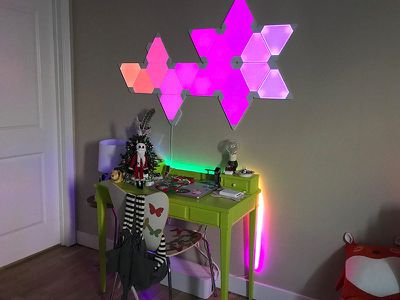
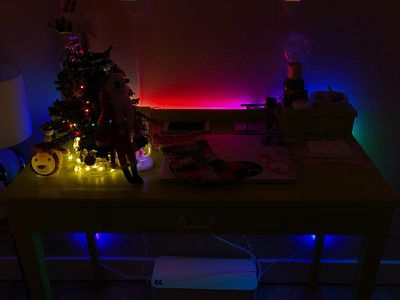
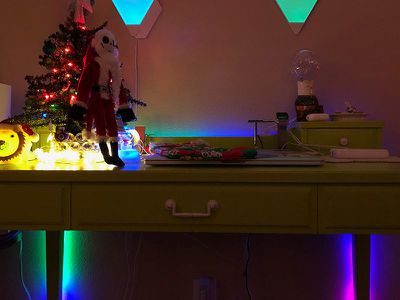
I attached the LIFX Z to my desk, across the back of it and down each leg. The adhesive works fairly well, but there is one section that keeps coming unstuck, so I'll need to secure it with new adhesive. There's no easy way to get the light strip to go around corners, so that's a bit of an awkward setup, but since my desk is against the wall, it's not visible.
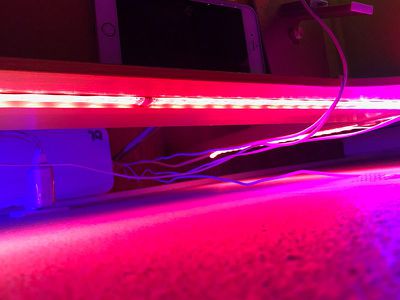
It's difficult to capture the look of the LIFX Z on camera, but it adds a very neat backlighting effect to my desk that complements the Nanoleaf Aurora I have on the wall above it. People use these light strips under counters, behind TVs, on shelving, and anywhere else six feet of lights can manage to fit. At maximum brightness, the LIFX Z can be a little distracting, but at about 50%, it's a great accent light.
I've noticed a slight buzzing sound coming from the LIFX Z's power adapter, which is especially noticeable when it's set to red or yellow. Since the power adapter is across the room and in a cable organizer box, it's not noticeable to me unless I'm sitting next to it, but if other units suffer from the same problem, it could be irritating to some people.
Setting up the LIFX Z was a little bit of a hassle. It needs a 2.4GHz Wi-Fi network, so I had to disconnect my phone from 5GHz and connect to 2.4GHz to get it set up, but it's worked fairly well since then. I've seen it lose connectivity once since I've been testing it, but it was fixed with a restart. Otherwise, it's worked fine for me with one exception, which I'll detail in just a bit.
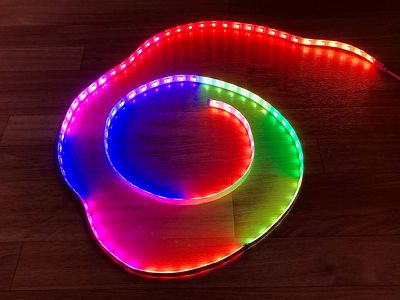
LIFX Z's major draw over the Philips Hue LightStrip Plus is its support for color zones. There are 8 zones per strip, for a total of 16 zones that can each be set to a different color. The LightStrip Plus, meanwhile, can only be set to a single color at a time.
The main point of control for the LIFX Z is the LIFX app, which I have mixed feelings about. It has a somewhat confusing interface with three separate areas for changing the color of the lights, and every time I open it, it seems to turn off my music even with its access to the microphone disabled.
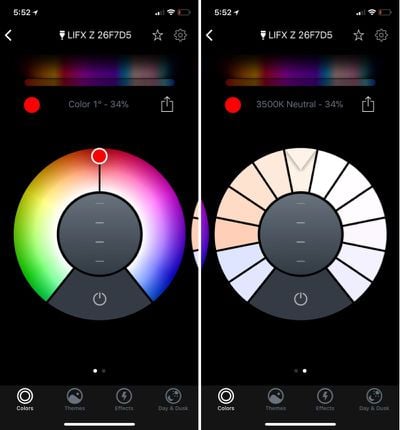
There's a main "colors" section in the app for setting the light strip to a single color, with the color wheel separated into colors and whites. There are a lot of white presets, which is nice, and the color wheel setup is easy enough to use. If you swipe in the middle, it brightens or dims the LIFX Z, which isn't super intuitive.
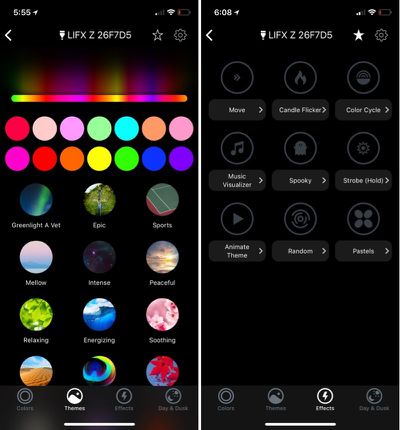
A separate "Themes" section is where you can take advantage of the different zones. There are several multi-colored presets, and you can also use the 14 colors in a color palette at the top of the section to "paint" colors onto the light strip. This is neat, but the interface could be improved to allow for more precise color choices, and it would be nice if all the colors were available. If you accidentally tap a color instead of dragging it into the painting interface, it also ruins all your work, which is a point of frustration.
With the Themes section, for some reason, whenever I tap on one of the pre-sets, one section of the LIFX Z refuses to respond, which is bizarre. I can paint on it using the included tools, and it responds to full color changes, but not the pre-set Themes. LIFX tells me that this is a known bug and that a firmware update is coming soon to fix the problem.
You can set Themes and specific light setups as "Scenes," in the LIFX app, but the scenes I create here don't seem to translate to HomeKit, so I can't activate them via voice. I can use Siri to turn the LIFX Z on and off, and I can dim it and turn it to specific colors like "purple" or "red," but it is disappointing that I can't create voice-activated scenes.
LIFX Z can be paired up with other accessories, but that can't be done in the LIFX app. You'll need to use the Home app or another third-party HomeKit app.
Along with themes for painting specific colors onto the LIFX Z, there's an "Effects" feature and an option for automating it to come on at dawn and dusk. Effects, like multiple color zones, are not supported by Hue. Hue does, however, support automation for turning the lights on and off at specific times.
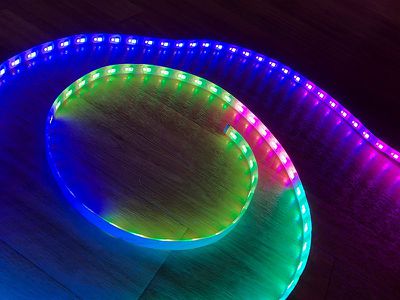
With Effects, you can set animations like "Candle Flicker," "Color Cycle," or "Animate Theme" to cause the colors to shift in accordance with the effect selected. The LIFX app needs to run in the background for these effects to work. There's also a Music Visualizer option that listens to ambient sound to animate the lights, similar to the Nanoleaf Aurora Rhythm.
Bottom Line
I love all the LIFX Z features that I can't get with the LightStrip Plus from Philips, but I do wish there was more complete HomeKit integration. Being able to paint the colors I want onto the LIFX Z is fun, and there's a good selection of themes to choose from. I also appreciate being able to set animating effects, something I've never been able to do with my Hue lights.
This would make a great nightlight for a child's room, and it's also nice accent lighting anywhere else.
Ultimately, I think the LIFX Z is neater and more versatile than the Philips Hue LightStrip Plus, and people who are bridge adverse will appreciate the Wi-Fi connectivity. I like the look of the LIFX Z's multi-colored capabilities behind furniture, though it could potentially be distracting as backlighting for a television set. Luckily, solid colors are an option too.
I am concerned that one section of the LIFX Z is sometimes unresponsive and that it has lost its Wi-Fi connection at least once. If you buy one of these and get a section that's unresponsive to themes, I'd definitely recommend returning it for a new one, and potential connectivity problems are something to be aware of.
There's one other consideration - LIFX Z is $90, which is expensive for an accent light. The pricing is competitive with Hue, but Hue goes on sale pretty often now (I picked up a LightStrip Plus for $50 recently). I haven't seen the same sales on this product, as it's relatively new.
It's pricey, but if you're looking for a highly-customizable accent lighting option that can connect to HomeKit systems and comes with some bonus features, it's worth taking a look at the LIFX Z. LIFX also has some other intriguing products on the horizon like the Beam and the Tile, and I'm interested to see how these interact with existing products and compare with other decorative options like the Nanoleaf Aurora.
How to Buy
The LIFX Z light strip with HomeKit compatibility can be purchased from the LIFX website for $89.99 or from Amazon.com.
Long term usage update: After using the LIFX Z for several months, I was forced to remove it from my HomeKit setup. It continually disconnected from WiFi despite the fact that other WiFi-based HomeKit products nearby had no issues staying connected, and the adhesive on the back kept failing, making it impossible for it to stay in place.
Note: LIFX provided MacRumors with a LIFX Z for the purpose of this review. No other compensation was received.


































Top Rated Comments
[doublepost=1512673896][/doublepost]Yes, Hue does absolutely support automation. What I meant here was that it doesn't support themes and effects, and you're right that this should be worded a bit more clearly. I'll fix it up. Thanks!