

Eve (formerly known as Elgato) was one of the first companies to come out with HomeKit accessories when HomeKit was announced in 2014, and since then, Eve has been expanding its portfolio of HomeKit-connected products.
The newest addition to the Eve HomeKit lineup is the Eve Light Strip, first introduced at CES and launched in February. The Eve Light Strip is one of several HomeKit-connected LED-based light strip options on the market, but Eve has a few new innovations worth noting.
Design
Design wise, the Eve Light Strip looks similar to many other light strips on the market, including the Philips Hue version, which is probably one of the closest competitors in terms of price and functionality.
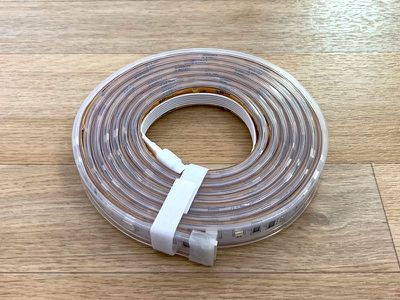
The Eve Light Strip measures in at 6.6 feet, though it can be cut at one foot intervals. It also includes a connector at the end which is designed to allow for extension strips to be attached, and the extension strips are more affordable. A single Eve Light Strip can be extended to 32.8 feet via the extension options.
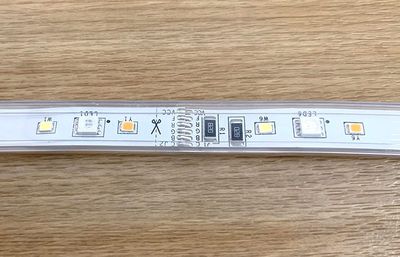
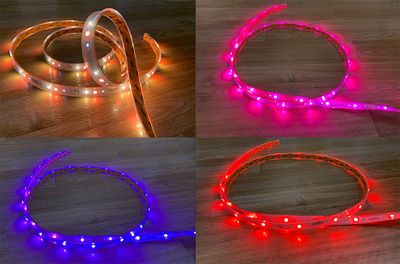
As with all light strip-style products, this is a thin, flexible strip that has interspersed LEDs in different colors along the strip that are used to make up different color shades when it's turned on.
Colors are accurate, with the Light Strip able to reproduce red, pink, orange, yellow, green, and blue accurately, along with in-between shades. Purple is more of a blue or a pink, but that's true of most LED lights.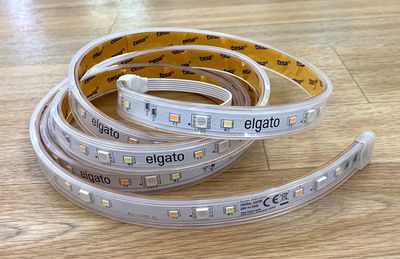
The Eve Light Strip, like the Hue Lightstrip Plus, can be set to a single color at a time. LIFX, another competitor, allows for multiple colors at once, but you're limited to just one with the Eve Light Strip.
At the back of the Eve Light Strip, there's adhesive so you can attach it underneath a cabinet, underneath a desk, behind a TV, or in similar places. It needs to be placed behind or under something because no one is going to want to look at exposed LEDs, and there's no diffuse covering.

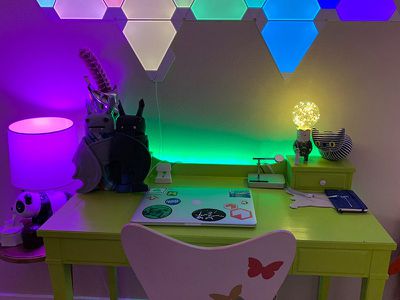
I put the light strip along the back of my desk to provide accent lighting behind my desk. The adhesive held up relatively well and I didn't have issues with it randomly falling off, which has been a problem with some similar products.
It does have a rather large power adapter, so expect it to take up a decent amount of space when used with a power strip, and there's a little power pack add-on that's designed to be stuck behind the desk or the TV or wherever it's placed.
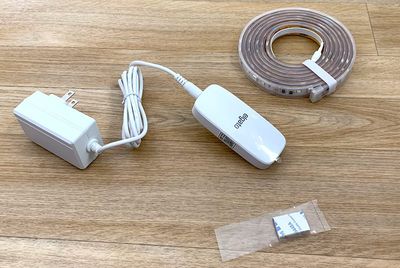
There are no physical buttons or controls on the light strip because it's designed to be controlled through a smartphone. There's also no hub because it connects directly to Wi-Fi.
Brightness
Eve says the Light Strip is 1800 lumens, which is brighter than other HomeKit LED lighting strips on the market. The Philips Hue Lightstrip Plus, for example, is 1600 lumens, so still bright but not as bright as the Eve version on paper.
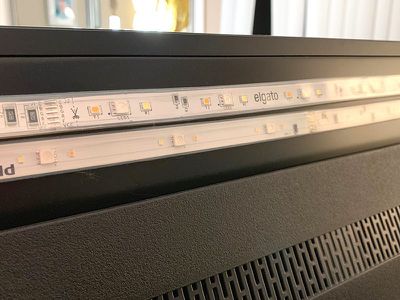
In practice, I couldn't tell the difference between the Hue Lightstrip Plus and the Eve Light Strip. Both seemed close to the same brightness side by side across a range of colors.
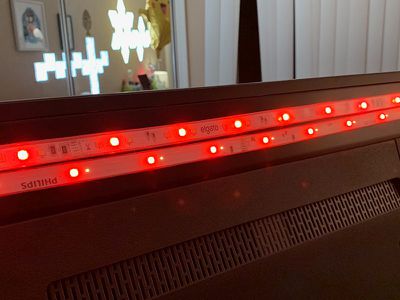
The Eve Light Strip provides a good amount of light, but it's not quite enough to replace a traditional lamp, especially because light strips like this are designed to be used as accent lighting.

Out in the open, the light output would be similar to your standard 60W lamp as far as brightness and light spread. I don't often use my light strips at maximum brightness because they can almost be too bright as accent lighting, but it is nice to have the option when it's needed.
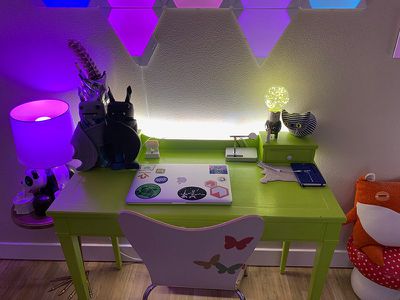
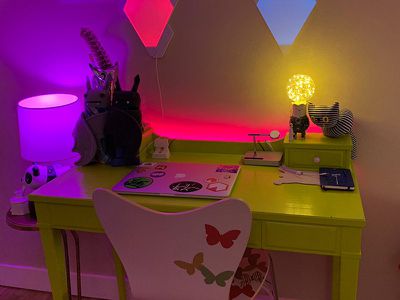
Behind my desk, the Eve Light Strip provides some nice ambient lighting that complements the rest of the lighting in my office. As a note, when you put this Light Strip close to the wall, you're going to get less light spread than if it's further away. That's why these work best on TVs several inches from the wall or under counters, but you can use them close to walls as well for a less diffused look.
Setup
All HomeKit products are super easy to set up, and the Eve Light Strip is no exception. I just opened up the box, opened the Eve app (I also could have used the Home app) and then chose to add an accessory.
From there, I scanned the HomeKit code with my iPhone's camera, entered my Wi-Fi network information, added it to a room, and it was set up and ready to go. I did need to download a firmware update out of the box, but that's not unusual with HomeKit products.
You do need to make sure that you connect the Eve Light Strip to a 2.4GHz Wi-Fi network, because it does not work over 5GHz. That requires making sure your iPhone is on a 2.4GHz network before initiating the setup process, or you'll get an error.
App
The Eve app for the Light Strip is decent, but it's not as comprehensive as something like the Hue app for the Hue lights, probably because the Light Strip is the only lighting product that Eve offers.
There are a limited number of preset colors like green, blue, and various whites that are already within the app, and you can choose additional colors and save your favorites.
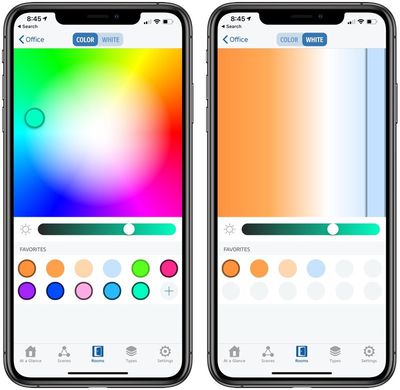
You can select a shade and then adjust the hue using the brightness setting within the app, but as far as selecting colors, that's about the extent of the available tools.
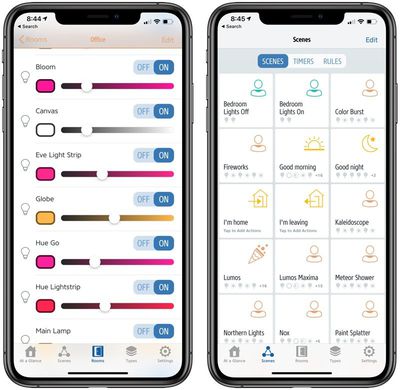
You can add the Eve Light Strip to scenes in the Eve app, set timers to control when it turns on and off, or create rules for having it activate when motion is detected or an accessory like the Eve Button is pressed.
The app also facilitates firmware updates and general HomeKit control like adding items to rooms, viewing accessories by type, editing guest access, adding new HomeKit products, and more. You can also control your other HomeKit products through the Eve app if so desired.
Because the Eve Light Strip is competing with other light strip options on the market, I want to point out that it doesn't have the same integrations that Hue does. Hue has a Hue Sync app that lets you sync your lights with movies, music, and games on PC and Mac.
This is one of Eve's first lighting products so Eve doesn't have anything similar at the current time.
HomeKit Integration
In the Home app, you can change the color of the Eve Light Strip, adjust its brightness, and incorporate it into scenes and automations. The Home app basically mirrors the functionality of the Eve app, so you can use either app for controlling the light strip.
HomeKit integration also adds Siri support, so you can ask Siri to do things like change the color of the light strip, dim it, or turn it on or off. Siri can also be used to activate scenes that incorporate the Eve Light Strip.
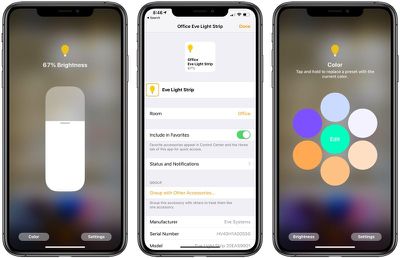
I use HomeKit most often for adjusting the brightness of my lights or changing the colors. With Eve Light Strip, asking Siri to change the color to red, blue, pink, or any other shade is a quick way to get the accent lighting that you want.
Reliability
During my testing, the Eve Light Strip performed well. I had no connectivity issues and ran into no problems using it. It was as quick to respond to Siri voice commands as any other HomeKit product, and when changing the light colors in the app, the strip responded quickly.
Bottom Line
If you're looking for a reliable HomeKit-enabled light strip option that's bright, consistent, and doesn't require a hub, the Eve Light Strip is a great choice.
I wouldn't recommend this one to someone who is already in the Hue ecosystem because of its similarities to the Hue Lightstrip Plus and the benefits that come with having lights that are all the same brand, but for those who don't already have a connected lighting system, the Eve Light Strip is great.
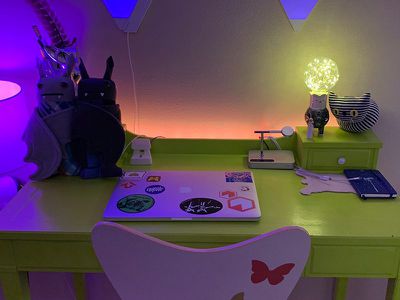
It puts off a lot of light, it's easy to set up, it works without issues, it has good adhesive, and it has an adjustable size with support for cutting between LEDs and adding extensions.
As far as HomeKit-enabled light strips go, I'd say Eve's is just as good as the Philips Hue option and one of the better products on the market. It is priced at $80, which is a bit high, so I'd recommend looking for sales. On the plus side, if you need a lot of light strip, the extensions are discounted at $50 each.
How to Buy
The Eve Light Strip can be purchased from the Eve website for $79.95. Extensions are available at a discounted price of $49.95.
Note: Eve provided MacRumors with an Eve Light Strip for the purpose of this review. No other compensation was received.


































Top Rated Comments
Transition duration is very limited: a duration called "calm" is just about a second. It would be nicer to have transitions from a fraction of a second to several minutes.
Transition between colours are not very smooth, there can be bright flashes during the transition depending on the begin and end colour. This can be annoying for some light scenes.
Firmware 1.09 still has problems with transitions. After powerup everything is normal for week or 2, then all of sudden transitions stutter extremely. Pulling the power for a few seconds, resetting the strip, help but the problem returns after a while.
Currently, no HomeKit iOS14 NightShift support.
[doublepost=1550897514][/doublepost]Yeah, the 2.4GHz thing is always frustrating. I have my networks named separately just so I don't have to struggle with the smart home products. I haven't noticed much of a delay, though. Mine seem to be pretty quick and pretty similar in response time to my other lights.
Thanks for adding your experience :)