Skip to Content

How to Install the macOS Monterey Public Beta

by

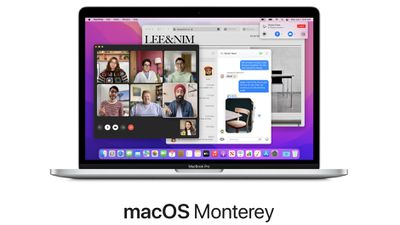
Apple has made a macOS 12 Monterey beta available for its public beta testing group, letting public beta testers try out the software before it launches this fall.
macos monterey beta
The ‌macOS Monterey Public Beta is available to anyone with a compatible Mac and it does not require a developer account. This guide walks you through some simple steps on installing the beta software.

Before downloading the update, it's worth noting that Apple does not recommend installing the macOS Monterey Public Beta on your main Mac, so if you have a secondary machine, use that. This is beta software, and there are often bugs and issues that pop up that can prevent software from working properly or cause other problems.

It's also worth noting that there are some major design changes to Safari that take some adjusting to, so you may want to avoid committing to the beta usage experience until you've tried it out.

macOS Monterey Compatibility

macOS Monterey is compatible with many of the Macs that were able to run macOS Big Sur, but it drops support for some older MacBook Air and iMac models from 2013 and 2014. The Macs below can run the software.

  • ‌iMac‌ - Late 2015 and later
  • ‌iMac‌ Pro - 2017 and later
  • ‌MacBook Air‌ - Early 2015 and later
  • MacBook Pro - Early 2015 and later
  • Mac Pro - Late 2013 and later
  • Mac mini - Late 2014 and later
  • MacBook - Early 2016 and later

Make a Time Machine Backup

Before you upgrade to the Monterey beta, you should make sure to make a backup using Apple's Time Machine backup feature with an external drive.

If you want to revert back to your previous setup after testing macOS Monterey or if you run into a bug and need to backtrack, you'll need to reinstall macOS Big Sur (or your prior OS) and a backup can be helpful for reverting.

Enroll in the Beta Software Program

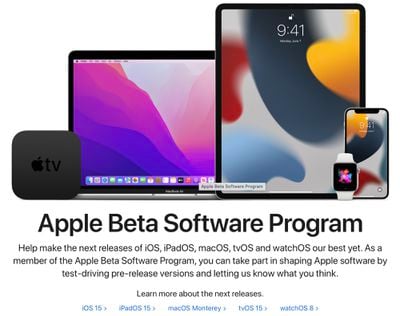
Installing macOS Big Sur requires enrolling your Mac in Apple's free Apple Beta Software Program. Follow these steps to do so.
apple beta program

  1. Visit the Apple Beta Software Program website in a browser on your Mac.
  2. Click on the blue Sign up button or, if you're already a member, click sign in.
  3. Enter your Apple ID and password and then a two-factor authentication code if verification is required.
  4. Agree to the Apple Beta Software Program terms and conditions.
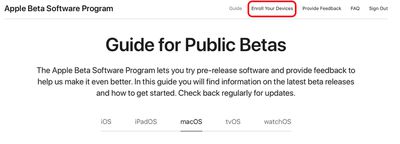
  5. Once signed in and at the Guide for Public Betas page, scroll up to the top and click on "Enroll Your Devices" then click on "macOS." publicbetaenrolldevices

Downloading and Installing the macOS Monterey Beta

After you've enrolled in the public beta testing program, you're able to download macOS Monterey.

  1. After selecting the macOS section on the beta website, scroll down to "Enroll your Mac" and click on "Download the macOS Public Beta Access Utility option."
  2. If you get a popup asking if you want to allow downloads on "beta.apple.com" click on "Allow."
  3. Unless you've changed where files download, the beta installer (macOSPublicBetaAccessUtility.dmg) will show up in your downloads folder. Locate it and double click on it to open it up.
  4. Double click on the .pkg file inside to run the installer.
  5. You may see a warning advising you to back up your Mac with Time Machine. Either stop here and back up, or, if you've already done so, Click OK and then click Continue.
  6. Click Continue again and then click on Agree to accept Apple's software license agreement, then click on "Install." Enter your admin password if prompted.
  7. Once the installer has completed the download, the System Preferences Software Update panel will open automatically and display the ‌macOS Monterey‌ Beta download. Click on Upgrade Now to download the public beta software when prompted. It will take some time to download the file, and when the download is complete, your Mac should restart.
  8. After a restart, the macOS Monterey installer should launch automatically. If it does not, it can be found in the applications folder.
  9. From here, click "Continue" and walk through the steps as instructed, agreeing to the terms and conditions and making sure you've performed a backup.
  10. Select the drive that you want to install the public beta on. You can choose your main drive or a partition that you've created.
  11. Click Install, enter your administrator password, and click OK, then click Restart or wait for your Mac to reboot automatically.

After your Mac restarts, the Monterey installation process will begin. It takes some time for the update to install, but when the installation is finished and your Mac boots up again, it will be running the Monterey public beta.

macOS Monterey introduces a long list of new features like Universal Control for using a mouse across multiple iPads and Macs and a new FaceTime experience with sharing features for watching movies and listening to music with friends. We have a full list of everything new in macOS Monterey in our dedicated roundup.


Related Forum: macOS Monterey

Top Rated Comments

PowerMacBook Avatar
71 months ago
Not on my FANTASTIC mid-2012 MacBook Pro (just like Big Sur btw).
So please ship the new Mx MacBook Pro soonest!
Like this mid 2012 - I'll buy the most expensive biggest best etc and then see you again in 2030...
I'm almost thinking about suggesting they should make a kind of movie about this one: has been in over 30 countries, and still going strong! Should be a heck of advertisement.
But then again, maybe they don't want customers like me, only buying a laptop every 9-10 years?
Score: 7 Votes (Like | Disagree)
71 months ago

Wondering if this is the last Intel macOS. :rolleyes:
They are still selling computers with Intel chips, so I would hope that the next few OSs will also run on them. If I bought a new computer today and next year's operating system update didn't work on it I'd be pretty upset....
Score: 6 Votes (Like | Disagree)
GadgetBen Avatar
71 months ago
I've had the Dev Beta on my secondary Intel MacBook Air since release and it runs everything without a crash, restart on wake, or a bounce in the dock.

I'm taking the jump and putting this on my main Intel Mac.

Yes, this early Beta really is that good. By far the most stable release I have encountered.
Score: 6 Votes (Like | Disagree)
PsykX Avatar
71 months ago

Wondering if this is the last Intel macOS. :rolleyes:
Of course not.

They're just about to release a new Intel Mac Pro apparently. People will shell out thousands to get their hands on it, so it better be supported all the way up to 2028.
Score: 4 Votes (Like | Disagree)
ivan86 Avatar
71 months ago

Ill try this in a Parallels VM. I want to see what it’s like to use the new Safari. Not a fan!
You can change it back to “old” look in settings.
Score: 4 Votes (Like | Disagree)
71 months ago

They are still selling computers with Intel chips, so I would hope that the next few OSs will also run on them. If I bought a new computer today and next year's operating system update didn't work on it I'd be pretty upset....
Last time around, Apple shipped the final PowerPC Macs with Tiger 10.4.2. They got Leopard 10.5.x and that was their lot. Snow Leopard 10.6 was Intel only.

The difference then was Apple wasn't on a yearly schedule for new major OS releases. The final PowerPCs shipped in 2005 and Snow Leopard shipped in 2009. It's anyone's guess whether Apple sticks to 4 years or one more major release over that, which the final hardware shipped with.
Score: 4 Votes (Like | Disagree)

Popular Stories

apple design award 2025

Apple Announces 2025 Design Award Winners Ahead of WWDC 2025

Tuesday June 3, 2025 10:14 am PDT by
As we wait for WWDC to kick off next Monday, Apple today announced the winners of its annual Apple Design Awards, recognizing apps and games for their innovation, ingenuity, and technical achievement. The 2025 Apple Design Award winners are listed below, with one app and one game selected per category: Delight and Fun - CapWords (App) and Balatro (Game) Innovation - Play (App) and PBJ -...
Apple 2026 Black Friday Event Hero

Apple's Official 2026 Black Friday Offer Starts Rolling Out

Thursday November 26, 2026 8:37 am PST by
Apple's annual four-day Black Friday through Cyber Monday shopping event is now live in Australia, New Zealand, and Thailand, and it will continue to roll out across Europe, the U.S., and Canada as the calendar turns to Friday, November 27 around the world. In the U.S., Apple's terms and conditions say the promotion begins on November 27 at 12 a.m. Pacific Time and ends on November 30 at...
1password deal blue

1Password Security Breach: What Was Accessed and What Wasn't

Wednesday November 25, 2026 1:09 pm PST by
Popular password management app 1Password today said it experienced a security breach earlier this month. 1Password says some customer names and email addresses were accessed, but no customer vault contents were compromised. On November 19, 1Password saw indications that an employee's GitHub account had been breached and began investigating. The company says the breached GitHub account was...
Latest Stories
The 50+ Best Apple Black Friday Deals Still Available on AirPods, iPads, and More
2 hours ago
Here Are the Best Apple Black Friday Leftover Deals You Can Get Today
1 hour ago
HomePod Mini 2 in (RED) Seemingly Spotted Ahead of Announcement
12 hours ago
Apple's M6 and PROLED MacBook Pro Reach New Low Prices for Black Friday
23 hours ago
The MacRumors Show: iPhone Air 2 and iPhone 18 Are Coming
23 hours ago
Apple Store in Brisbane Reopening Next Month With New Design
23 hours ago
The 60+ Best Black Friday Accessory Deals on iPhone Chargers, TVs, Headphones, and More
56 minutes ago
GTA VI Now (Barely) Running on Apple Silicon Macs
1 day ago
The Best Black Friday Streaming Deals on Apple TV, Disney+, and More
1 day ago
Apple TV's 'Carême' Wins International Emmy for Best Drama
1 day ago
iPhone 18 Production Delay Leaves Apple Little Time Before Launch
1 day ago
The Best Black Friday AirPods Deals Still Available
18 hours ago
The Best Black Friday Deals on Apple Home Products
1 day ago
The Best Black Friday iPhone Deals Still Available
18 hours ago
The Best Black Friday iPad Deals Still Available
18 hours ago
The Best Black Friday Apple Watch Deals Still Available
18 hours ago
The Best Black Friday AirTag Deals Still Available
18 hours ago
The Best Black Friday Mac Deals Still Available
18 hours ago
iPhone Share of US Smartphone Market Hits 57% as Rivals Slip
1 day ago
iPhone 20 Pro Rumored to Feature 3D-Printed Titanium Frame
1 day ago
Apple's Official 2026 Black Friday Offer Starts Rolling Out
2 days ago
Halide Adds Fill Light Feature for iPhone Duo
2 days ago
MacBook Air Black Friday Deals Now Live With Massive $399 Savings
2 days ago
Amazon Discounts All MacBook Neo Models by $99 for Black Friday
2 days ago
Kodak Launches Unique AirTag Rival With E-Ink Display
2 days ago
Here's Why the Apple Store is Going Down
2 days ago
Apple Still Working on Giant Foldable iPad That Could Cost $5,000
2 days ago
iPhones Dominate China's Weak Singles' Day Smartphone Sales
2 days ago
iPhone 20 Pro Could Feature Ceramic in Limited-Edition Model
2 days ago
Apple Faces Korean Regulator Review Over iPhone 16 AI Advertising
2 days ago
Related Apple News: Ipad | Technology | Business | Health | Iphone