Skip to Content

How to Install iPhone or iPad Apps on an M1 Mac

by

Apple's M1 Macs, which are the first to be powered by an Apple-designed Arm-based chip, are able to run iOS and iPadOS apps because of the common architecture between the different operating systems.
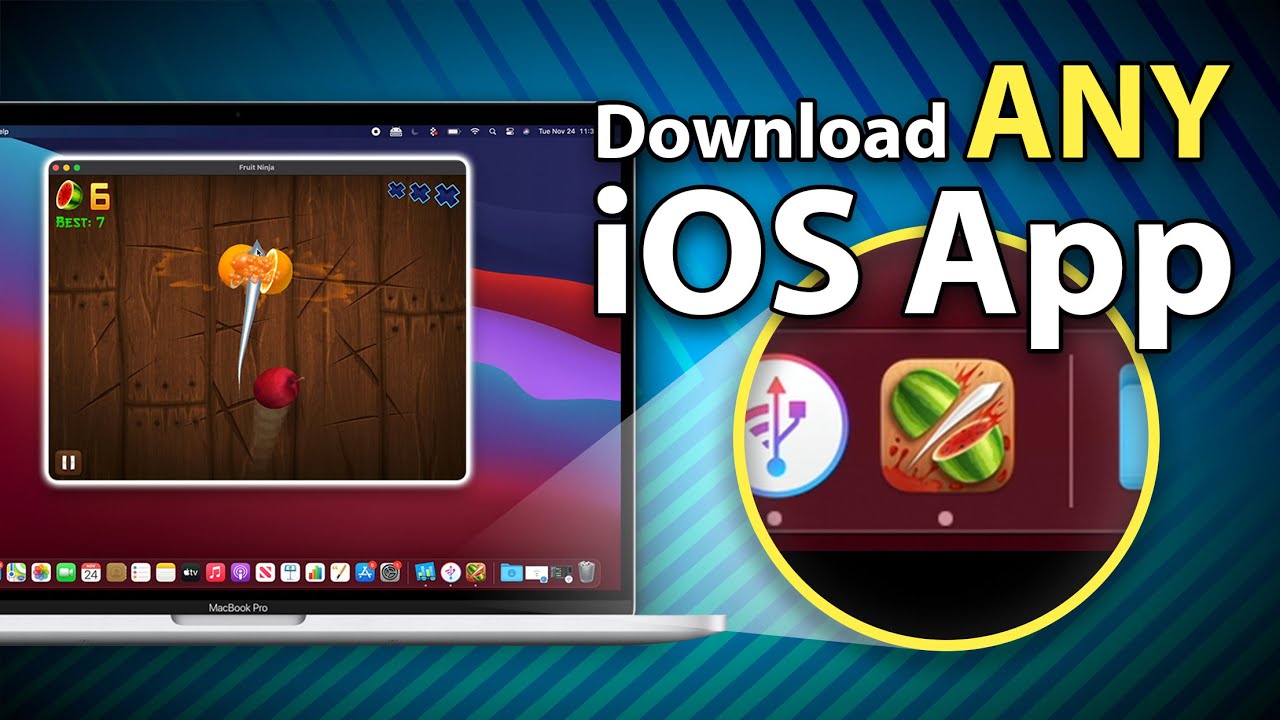

Some iOS developers have been updating their apps to make them compatible with macOS, but there are ways to download apps that haven't been optimized and even apps that developers have prevented from being available on macOS. Watch our YouTube video for instructions, or read through the steps below.

Installing iOS and iPadOS Apps From the Mac App Store

In the Mac App Store, you can download many of the apps you've previously purchased on your iPhone or your iPad.

  1. Open the ‌Mac App Store‌.
  2. Click on your profile in the bottom left of the app. mac app store profile
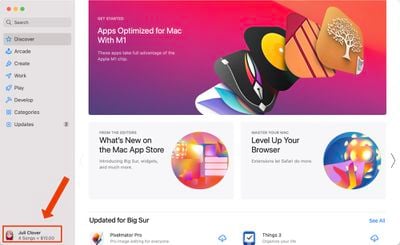
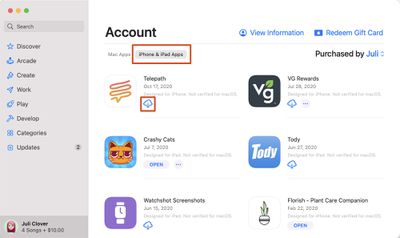
  3. Under account, choose "iPhone & ‌iPad‌ Apps."
  4. Next to any app in the list, click on the download button. mac app store iphone ipad apps
  5. The iOS app will be installed like any other Mac app and can be opened up from Launchpad or the Applications folder.
Note that you can also search for iPhone and ‌iPad‌ app names in the ‌Mac App Store‌ and click on the "iPhone & ‌iPad‌ Apps" tab under the results list to see apps that were originally designed for iOS devices.
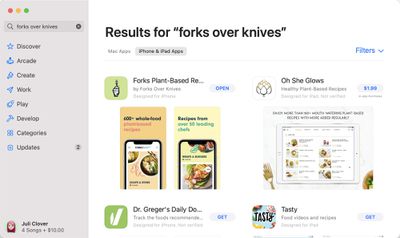
ios apps m1 search results macos
Some of the apps that you see in the ‌Mac App Store‌ are labeled with a warning that says "Not Verified for macOS," which means it is not optimized for use on a Mac.
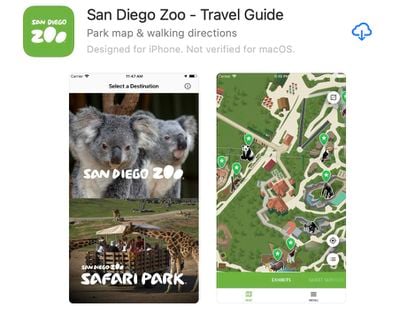
ios app not optimized macos
Other apps that do not have this wording have been checked over by the developer and should work well on an ‌M1‌ Mac, even if the design isn't perfect because it's iOS first and not Mac first.

Installing Apps Not Available Through the Mac App Store

App developers can choose not to make their iPhone and ‌iPad‌ apps available on ‌M1‌ Macs through the ‌Mac App Store‌, and many popular apps like Netflix, Hulu, and others have made this choice. There used to be a workaround for installing these apps using third-party software, but in January 2021, Apple disabled the sideloading of iPhone and iPad apps. The instructions below no longer work, but we've left them available in case Apple's policies change in the future. Here's how sideloading used to work with a third-party app like iMazing, which could be used to download app .ipa files.

  1. Download and launch iMazing.
  2. Plug your iPhone or ‌iPad‌ into your Mac.
  3. Select your device and then choose the Manage Apps feature.
  4. Select Library and then you'll see a list of all the apps that you own.
  5. Right click on an app and choose the Download option to download it to your Library.
  6. Right click on the same app again and then choose the Export .ipa option.
  7. Choose a destination for the export like the Applications folder.
  8. From the Applications folder, click on the app icon to install the app.

Apps installed this way are not optimized for ‌M1‌ Macs and macOS in any way and are designed for touchscreen devices, so expect to run into some bugs and issues when using them. For the most part, iOS apps seem to work well on the Mac even when not optimized.

If you're planning to download and use apps like Hulu and Netflix, be warned that there's no option to put these apps in fullscreen mode to watch content, but there is an option to download content for offline usage just like on an iPhone or ‌iPad‌.

In the future, we'll likely have far more iOS apps that are also designed with Macs in mind, but for now, these options provide ways to access and use your favorite iOS apps on Mac devices.


Top Rated Comments

Apple Knowledge Navigator Avatar
79 months ago
Oh no!
Now Cultured Code can’t charge us $50 for a Mac app (Things) that’s identical to the $10 iOS app!
:eek:
Score: 16 Votes (Like | Disagree)
78 months ago
my fart app seems to be working fine but for some reason my flashlight app doesn't work
Score: 11 Votes (Like | Disagree)
whyamihere Avatar
78 months ago
I miss the good old days of iTunes saving your app files on the Mac automatically during backups. Thanks for removing that functionality, Apple!
Score: 10 Votes (Like | Disagree)
79 months ago
I much prefer using Apple Configurator 2 to iMazing - it's both first party and works very quickly, downloading apps directly from Apple's servers.
Score: 8 Votes (Like | Disagree)
arn Avatar
79 months ago
Free trial worked for me. It did need my Apple ID login, though that made me uncomfortable, but now I have instagram on my Mac


Attachment Image
Score: 8 Votes (Like | Disagree)
78 months ago

whatsapp still doesn't run. says not supported.
WhatsApp has a Mac app why would you want the iOS version on your computer when you have an optimized app available in the Mac App Store?
Score: 7 Votes (Like | Disagree)

Popular Stories

grand theft auto iv

GTA VI Now (Barely) Running on Apple Silicon Macs

Friday November 27, 2026 7:46 am PST by
"Grand Theft Auto VI" can theoretically now run on Apple silicon Macs via unofficial community projects, despite Rockstar Games offering no official Mac version. Developers have adapted the Xbox Series version of the game to work on macOS unofficially, with some reporting that they can explore scenes and control the camera. Unfortunately, the projects remain experimental and performance is...
apple design award 2025

Apple Announces 2025 Design Award Winners Ahead of WWDC 2025

Tuesday June 3, 2025 10:14 am PDT by
As we wait for WWDC to kick off next Monday, Apple today announced the winners of its annual Apple Design Awards, recognizing apps and games for their innovation, ingenuity, and technical achievement. The 2025 Apple Design Award winners are listed below, with one app and one game selected per category: Delight and Fun - CapWords (App) and Balatro (Game) Innovation - Play (App) and PBJ -...
1password deal blue

1Password Security Breach: What Was Accessed and What Wasn't

Wednesday November 25, 2026 1:09 pm PST by
Popular password management app 1Password today said it experienced a security breach earlier this month. 1Password says some customer names and email addresses were accessed, but no customer vault contents were compromised. On November 19, 1Password saw indications that an employee's GitHub account had been breached and began investigating. The company says the breached GitHub account was...
Latest Stories
The 50+ Best Apple Black Friday Deals Still Available on AirPods, iPads, and More
8 hours ago
HomePod Mini 2 in (RED) Seemingly Spotted Ahead of Announcement
6 hours ago
Apple's M6 and PROLED MacBook Pro Reach New Low Prices for Black Friday
16 hours ago
The MacRumors Show: iPhone Air 2 and iPhone 18 Are Coming
16 hours ago
Apple Store in Brisbane Reopening Next Month With New Design
17 hours ago
The 60+ Best Black Friday Accessory Deals on iPhone Chargers, TVs, Headphones, and More
17 hours ago
GTA VI Now (Barely) Running on Apple Silicon Macs
18 hours ago
The Best Black Friday Streaming Deals on Apple TV, Disney+, and More
18 hours ago
Apple TV's 'Carême' Wins International Emmy for Best Drama
19 hours ago
iPhone 18 Production Delay Leaves Apple Little Time Before Launch
20 hours ago
The Best Black Friday AirPods Deals Still Available
12 hours ago
The Best Black Friday Deals on Apple Home Products
20 hours ago
The Best Black Friday iPhone Deals Still Available
12 hours ago
The Best Black Friday iPad Deals Still Available
12 hours ago
The Best Black Friday Apple Watch Deals Still Available
12 hours ago
The Best Black Friday AirTag Deals Still Available
12 hours ago
The Best Black Friday Mac Deals Still Available
12 hours ago
iPhone Share of US Smartphone Market Hits 57% as Rivals Slip
22 hours ago
iPhone 20 Pro Rumored to Feature 3D-Printed Titanium Frame
23 hours ago
Apple's Official 2026 Black Friday Offer Starts Rolling Out
2 days ago
Halide Adds Fill Light Feature for iPhone Duo
2 days ago
MacBook Air Black Friday Deals Now Live With Massive $399 Savings
2 days ago
Amazon Discounts All MacBook Neo Models by $99 for Black Friday
2 days ago
Kodak Launches Unique AirTag Rival With E-Ink Display
2 days ago
Here's Why the Apple Store is Going Down
2 days ago
Apple Still Working on Giant Foldable iPad That Could Cost $5,000
2 days ago
iPhones Dominate China's Weak Singles' Day Smartphone Sales
2 days ago
iPhone 20 Pro Could Feature Ceramic in Limited-Edition Model
2 days ago
Apple Faces Korean Regulator Review Over iPhone 16 AI Advertising
2 days ago
Apple Watch Ultra 4 Hits New Best-Ever Price of $649.99 for Black Friday
2 days ago
Related Apple News: News | Health | Opinion | Education | Culture






























