

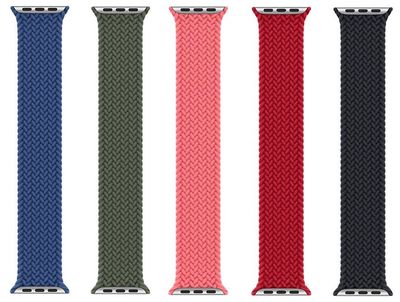
With the unveiling of Apple Watch Series 6 and Apple Watch SE, Apple introduced two new styles of band called the Solo Loop and the Braided Solo Loop. Compatible with Apple Watch Series 4 and later watches, these new bands have no clasp, buckle or other fastener. Instead, they use a single strap of material with a stretchy design that allows them to be pulled on and off your wrist over your hand.
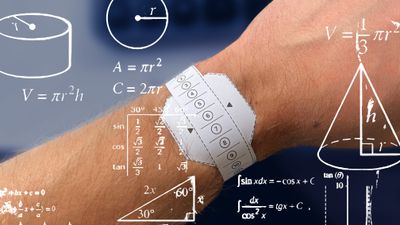
As a consequence of the "Solo" design, Apple offers customers 18 different size options to find a perfect fit. The company also provides a printable tool that can be printed out and used to measure your size before buying one of the bands. The tool is the easiest way to check which size is right for you, but you do still need to take care when using it.
Many MacRumors readers have found that their band orders don't quite fit. A lengthy discussion thread shows many users ending up with the wrong size loop, due to measuring errors, in-between sizing, and fit preference. The experience was also complicated by the fact that returns were difficult. Fortunately, Apple does now allow you to return just the band if needed, but it's still an avoidable hassle, which is why we're providing this guide.
If you don't have a printer handy, Apple recommends that you measure your wrist the old-school way, with a flexible tape measure, or using paper and a ruler. We've included separate sets of instructions to help you out with that, too.
How to Measure Your Wrist Using Apple's Printable Tool
If you don't have a tape measure available, you can use Apple's printable tool to determine your Solo Loop size. Let's take you through the procedure step by step.
- At Apple's order page for Apple Watch or individual bands, select either the Solo Loop or Braided Solo Loop option.
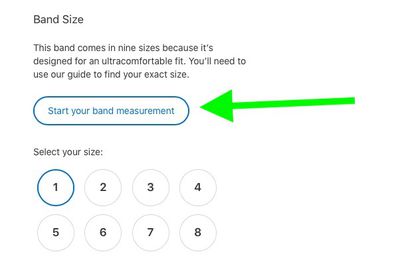
- Under "Band Size," select Start your band measurement.

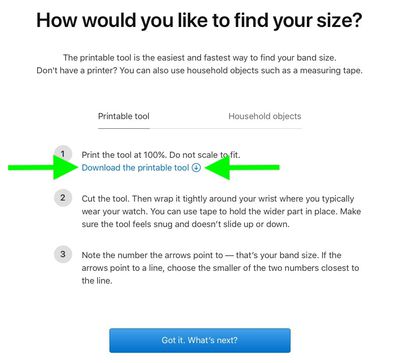
- Tap or click Download the printable tool.
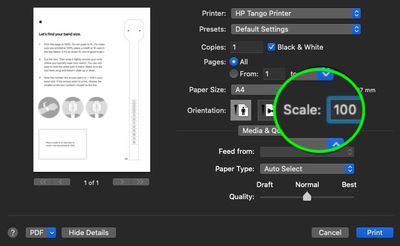
- In your printer options, make sure the page is set to print at 100% and NOT scaled to fit.
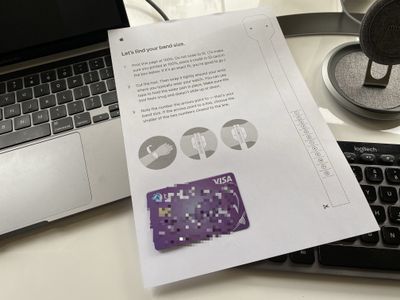
- Print the printable tool.
- Place a credit card in the sizing area on the printed page to make sure it has been printed at the correct size.
- Take a pair of scissors and carefully cut out the wrist sizing tool.
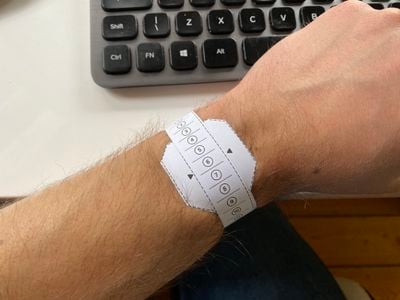
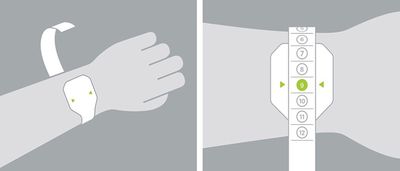
- Place the case shape on your wrist where you would normally have the watch face, then wrap the paper tool tightly around your wrist. (If it helps, use some tape to hold the wider part in place.) Make sure the tool feels snug and doesn't slide around.
- The number the arrows point to is your band size. If the arrows point to a line, choose the smaller of the two numbers closest to the line.
Tool Tip: Use a Sport Band to Convert Your Size
Daring Fireball's John Gruber discovered that the holes on Apple's Sport Bands correspond exactly to the new Solo Loop sizes. That means if you have a Sport Band, you can use a simple conversion to work out your Solo Loop size.
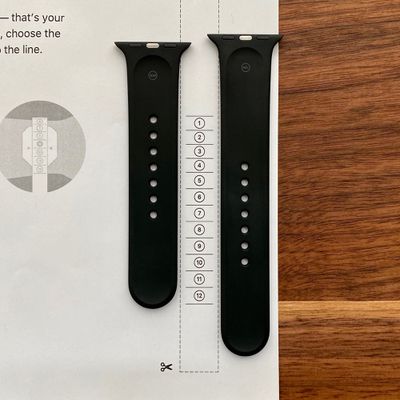
For example, if you have a 38mm or 40mm Watch and use the smaller Sport Band on the innermost hole, that converts to a size 1 for the Solo Loop. At the other extreme, if you have a 42mm or 44mm Watch and use the larger Sport Band on the outermost hole, you need to order your Solo Loop in size 12.
How to Measure Your Wrist Using a Tape Measure
If you don't have a printer available to use Apple's printable tool, you can use a common household measuring tape instead. Here's what you need to do to make sure you order the right size Solo Loop for your wrist.
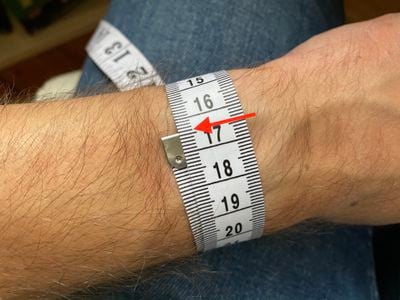
- Tightly wrap the tape measure around where you usually wear your watch. Make sure it's not loose but remains comfortable.
- Make a note of the measurement.
- At the order page for an Apple Watch or individual bands, select either the Solo Loop or Braided Solo Loop option.
- Under "Band Size," select Start your band measurement.
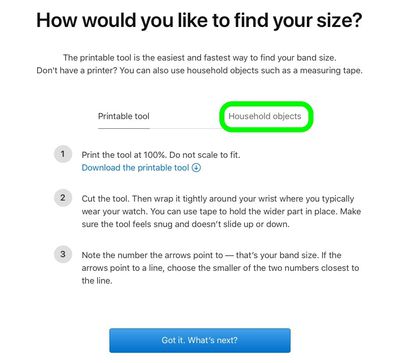
- Tap or click the Household objects tab in the size guide window that appears.
- Click or tap Got it. What's next?
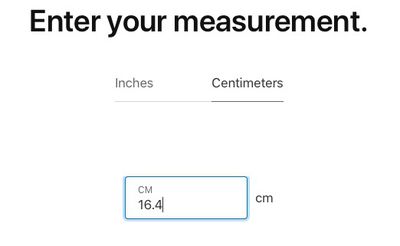
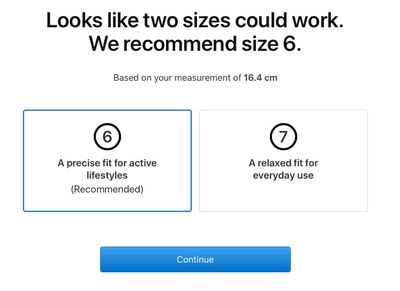
- Enter the measurement you noted down: You can enter it in inches and fractions of an inch, or in centimeters.
- Click or tap Get your band size.
- When your band size options appear, select the recommended size, then tap or click Continue.
How to Measure Your Wrist With a Ruler, Paper, and Pen
If you can't print out Apple's measuring tool and you don't have a tape measure, there's still a way you can work out your band size. All you need is some paper and scissors, a ruler, and a pen or pencil.
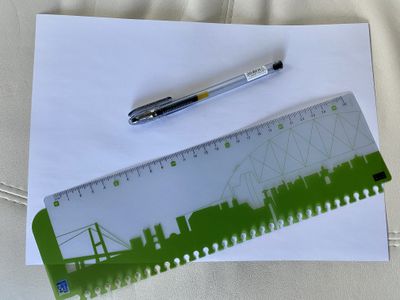
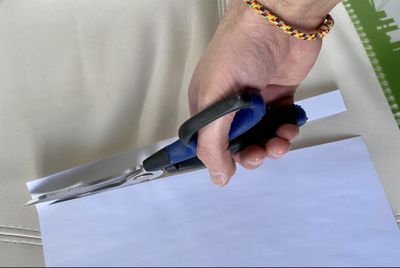
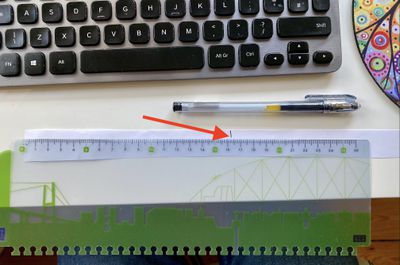
- Using the scissors, cut out a narrow strip of paper about one-half inch wide using the length of the paper.
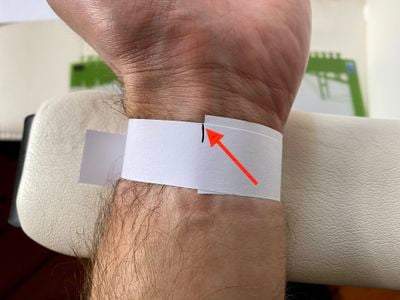
- Wrap the strip of paper around your wrist, but not too tightly. It should feel comfortable but not loose.
- Using pen or pencil, mark the point on the paper where the end of the strip overlaps the other end of the strip. (If it helps, use some tape to hold the paper in place.)
- Lay the strip of paper on a flat surface and use the ruler to measure the distance between the end and the part you marked. Note the exact measurement.
- At Apple's order page for an Apple Watch or individual bands, select either the Solo Loop or Braided Solo Loop option.
- Under "Band Size," select Start your band measurement.
- Tap or click the Household objects tab in the size guide window that appears.
- Click or tap Got it. What's next?
- Enter the measurement you noted down: You can enter it in inches and fractions of an inch, or in centimeters.
- Click or tap Get your band size.
- When your band size options appear, select the recommended size, then tap or click Continue.
Returning an Ill-Fitting Solo Loop Band
Despite your best efforts at measuring your wrist, you may still find yourself unhappy with the fit of the Solo Loop or Braided Solo Loop band you ordered. All is not lost, however, as Apple is now allowing bands to be returned without the need to return the entire watch, which wasn't the case previously.
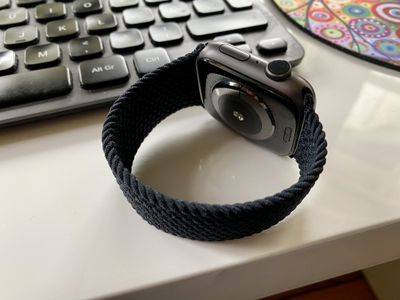
Apple will do an in-store band swap for anyone who got an ill-fitting band, but if you don't live near a store or your local store isn't open at this time, you can contact Apple and request a swap. Apple's online support staff are not able to initiate this return process, however, so you'll need to call them. Once you've done that, send back the poorly-fitting band and you'll be sent a new one when the old one is received.


































Top Rated Comments
1. Cut off wrist.
2. Send to Apple
3. Using AI, ML, UWB, T2, Secure Enclave, an AfterBurner card, Siri, and an old tape measure from Granny's sewing kit, your Solo Loop Band will be precisely fit to your wrist and sent back to you in 6-8 weeks. To comply with our environmental initiatives, we will forego a shipping box and just wrap it in old newspapers.
"You're measuring it wrong"
Scheduled a shopping session at the Apple Store across the street for Thursday and verified 30 mins prior all the smaller sizes are in stock in store. Got there said I had an appointment. Took my temperature told to stand in a line. Then they had someone else come and confirm my appointment. Go stand in the other line and get my temperature taken again. They take me inside. Stand on the other side of the table. Tell them the situation and that I want my arm measured. Guy get the one time use measuring thing. Says I am a size 7 or maybe even an 8!
So at this point I am highly entertained thinking about all the Macrumors folks that say its so easy/accurate. Take out the size 7 band and put it on for the Apple dude. He was totally shocked. So he gets a size 5 and 6 to try on. Size 5 ends up being my size. I wish I could try a size 4 but they didn't have one to try. So then he says they have to do the whole refund rebuy thing and I was like I know lets get it done. Says let me check inventory before we start. Sold the last size 5 in the session before mine. So I ask if any other stores have size 5. He fidgets with his phone and says I don't think so.
So I leave with my size 7 band and have wasted my lunch. At least I know what size I need. So I get back to work and schedule a session with another Apple store I can go to on my way home that shows size 5 in stock. Get to the second store. They take my temperature then say they got new instructions this morning that I can't wear my facemask into the store because it has a filter. They make me take my mask off and switch to a regular paper surgical mask. Whatever. Get inside this store and say that I've already done the song and dance earlier in the day. Ask if they have a size 4 I can try on. They don't (granted its more pure curiosity). So I just tell them I want a size 5. They say they think they have a way to take care of it without a return rebuy. They scan the band as a no receipt return with manager authorization and then give me the new band.
It is very comfortable. But what a pain in the rear even with stores open here. After the whole ordeal I think people should absolutely not get the solo loop without trying it on first.