

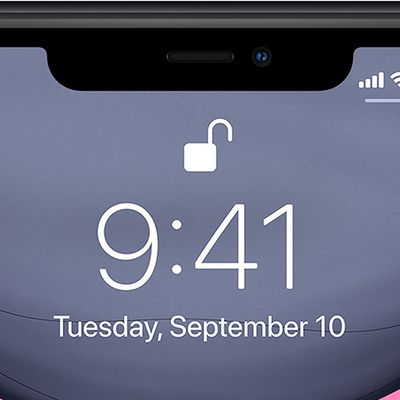
How to Easily Unlock Your iPhone with a Mask
In the current health climate, many people are wearing masks that cover their faces when going outside, visiting stores, and other tasks, and Apple's iPhones that use Face ID do not unlock when the user's face is obscured by a mask.
With this in mind, in iOS 13.5, Apple has streamlined the speed with which the passcode pops up when a mask on the face is detected, making it easier to get into ...
Read Full Article • 58 comments
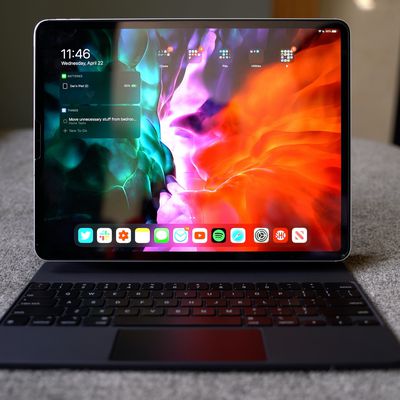
How to Use the On Screen Keyboard on an iPad Pro With Keyboard Connected
Anyone who has used an iPad Pro with a Magic Keyboard will know just how much better the typing experience is compared to tapping away on the virtual keyboard. Once you've tried it, you'll never want to go back to using the onscreen keyboard for any extensive document work.
However, occasionally there might be times when you need to use the onscreen virtual keyboard to do things like type...

How to Turn off Moving Faces in Group FaceTime
In iOS 13.5, Apple introduced a new Group FaceTime feature that's disables the option that automatically enlarges the tile of the person who is speaking.
By default, FaceTime has a dynamic view with a tile for each person. The person who is speaking at the current time has a larger tile, while tiles for people who are not talking fade into the background. Apple refers to this as Automatic...

iPhone SE: How to Hard Reset or Enter DFU Mode
This tutorial explains how to force restart or hard reset Apple's second-generation iPhone SE (2020) and third-generation iPhone SE (2022), and how to activate Device Firmware Upgrade (DFU) mode to troubleshoot your device if needed.
A hard reset basically force-reboots your iPhone, which is useful if the device is freezing, throwing up errors, or has stopped responding completely. DFU ...
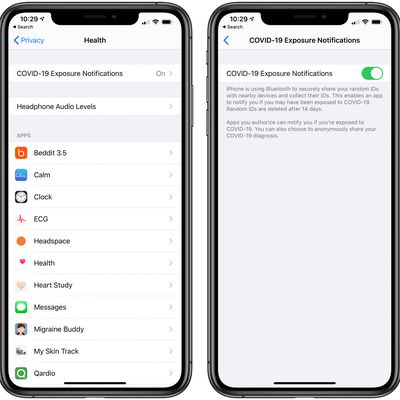
How to Disable COVID-19 Exposure Notifications in iOS 13.5
Apple in iOS 13.5 is introducing an exposure notification API designed to allow apps created by public health authorities worldwide to notify people who come into contact with someone who has COVID-19 about their exposure to the virus.
Apple's Exposure Notification feature is privacy focused and shares no personally identifiable information or location data with the public health authorities ...

How to Group Video Chat With Up to Eight People in WhatsApp
WhatsApp has upgraded its end-to-end encrypted video call feature, which now allows groups of up to eight participants to chat together, up from the previous limit of four.
WhatsApp has been gradually developing its group video call capabilities through beta builds, as rival video call services like Zoom, FaceTime and Skype have exploded in popularity amid the ongoing stay-at-home measures....

How to Control an iPad With an External Keyboard Using Accessibility Shortcuts
If you have difficulty using the touchscreen on an iPad, you can control one via a connected keyboard using Apple's range of accessibility shortcuts. To learn how to connect a Bluetooth keyboard to iPad, click here, or keep reading to learn how to enable full keyboard access.
Before you follow the steps below for remapping keys, make sure your keyboard is connected to your iPad.Launch the Set...

How to Remap Modifier Keys on iPad When Using a Keyboard
With the release of iPadOS 13.4, Apple expanded its support for keyboards by allowing users to remap certain modifier keys so that they serve different functions.
This ability is especially useful if you're using a third-party Bluetooth keyboard, because its keyboard layout may be different from Apple's own Smart Keyboard. But even if you own an Apple external keyboard or the Magic Keyboard...
How to Adjust Backlight Key Brightness on a Magic Keyboard for iPad Pro
Apple's Magic Keyboard for iPad Pro offers one of the best typing experiences available for Apple's most powerful tablets. It even includes a built-in trackpad that takes advantage of cursor support in iPadOS 13.4 and later.
The only real drawback of the Magic Keyboard is that the layout lacks a row of function keys. That means users have no dedicated key for adjusting some system settings,...

How to Use Custom Virtual Backgrounds in Skype Video Calls
Skype has introduced support for custom backgrounds in video calls, following the recent popularity of an equivalent feature in Zoom.
The option to use custom backgrounds is part of the version 8.59.0.77 update for Mac, Windows, Linux, and Web, which began rolling out on April 16. As Skype's release notes describe the feature:
"Want to look like you're calling from the beach, or from space?...

How to Connect a Bluetooth Mouse or Trackpad to Your iPad
With the release of iPadOS 13.4, Apple brought official Bluetooth mouse and trackpad support to its iPads. This article explains how to connect your chosen input device from your iPad. To learn more about how to use a connected mouse or trackpad with iPad, click here.
You can check that your device has been updated to iPadOS 13.4 by launching the Settings app and going to General -> Software ...
How to Use a Bluetooth Mouse or Trackpad With Your iPad
With the release of iPadOS 13.4, Apple brought official Bluetooth mouse and trackpad support to its iPads. This article explains how to use your chosen input device with your iPad. To learn how to connect a mouse or trackpad to iPad, click here.
Navigating and controlling your iPad with a Bluetooth mouse or trackpad is similar to using one on a desktop or notebook computer. However, there...

How to Hide Songs In Curated Spotify Playlists
Spotify lets you make your own playlists, but it also allows you to enjoy millions of others created by Spotify, artists and other listeners worldwide.
Not only that, it makes bespoke playlists just for you, such as Discover Weekly and Release Radar, which are based on your listening habits (what you like, share, save, skip) and the listening habits of others with similar taste.
Of course,...

How to Turn Off Battery Health Management in macOS Catalina 10.15.5
Apple in the second macOS Catalina 10.15.5 beta added a new Battery Health Management feature for Macs, which is designed to prolong the battery life and battery health of modern Mac notebooks (aka those with Thunderbolt 3 ports) by reducing the rate of chemical aging.
Battery Health Management is an intelligent feature that analyzes the battery status of a Mac notebook and its charging...

How to Reply to Messages on AirPods Without Siri Reading Back Your Responses
Apple's Announce Messages with Siri feature allows you to listen to and respond to incoming text messages when you're wearing connected AirPods or Powerbeats Pro headphones.
Once you've enabled the feature, when you receive a message, Siri will transcribe it to you so you don't have to look at your iPhone or Apple Watch.
In case you want to reply instantly, Siri will avoid interrupting...

How to Protect Your Netflix Profile With a PIN Code
As part of its updated parental controls, Netflix now includes an option that lets account holders PIN protect individual profiles to help prevent kids from using them.
Even if you're not a parent or guardian, so long as you're the account holder you can still use the PIN feature to prevent other people in the same household from watching stuff on your Netflix profile and messing up your...
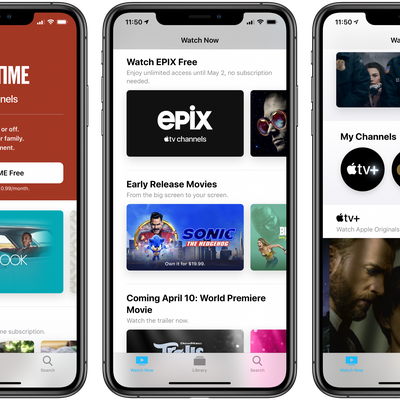
How to Subscribe to Apple TV Channels Using the Apple TV App
Apple's official TV app is designed to bring together all the ways to watch TV on your device in a single app. The idea behind it is that you can subscribe to just the channels you want, without downloading any apps, and then watch the content on demand and across all your devices.
In other words, you don't need a subscription to Apple TV+, Apple's streaming television service, to be able to ...

How to Use iCloud Email Address Aliases
Apple enables iCloud account holders to use email aliases, which allow you to send and receive emails without disclosing your true email address.
Using an email alias to log in to websites and online services can help protect your genuine email address by hiding it from spammers and other sources of unsoliticted messages.
In addition, email aliases make it easy to filter messages, because...
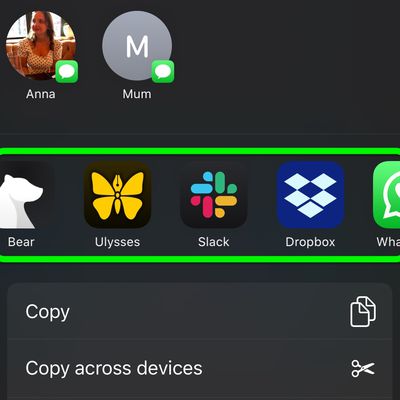
How to Customize the Apps in Your iOS Share Sheet
In iOS, the ubiquitous Share Sheet is a powerful feature that lets you share the content you're viewing in an app with people in your contacts or with other apps on your iPhone or iPad.
The first row of icons in the Share Sheet shows suggestions for conversations that you might want to share something to, while the second row offers a quick way to export what you're viewing to other apps,...

How to Get Siri to Respond to Your Voice When Your iPhone's Screen is Covered
Normally your iPhone will stop listening for the "Hey Siri" command when you place your device face down on a surface or the screen is otherwise covered. In these circumstances "Hey Siri" is automatically disabled until the situation changes.
If you find this automated behavior inconvenient for your purposes, you'll be happy to learn that in iOS 13.4, Apple has added an option to always...
