

iOS 16: How to Unsend a Sent iMessage
In iOS 16, Apple has added some major updates to the Messages app, introducing some features that rival third-party messaging platforms have had for years. One of these changes is the ability to unsend sent iMessages in iOS 16. Keep reading to learn how it works.
Have you ever sent a text message only to immediately wish that you hadn't? In previous versions of iOS, if you sent a message...
Read Full Article
iOS 16: How to Silence Notifications From Specific Apps When in a Focus Mode
In iOS 16, Apple has made several improvements to Focus Mode, a feature that aims to help reduce distractions and let you zone in on a single thing. Part of the way Focus does this is by filtering notifications based on what you're doing, and in iOS 16, Apple has added even more control in this area.
In iOS 15, you could only choose the allowed apps and allowed people that could break...
iOS 16: How to Silence Notifications From Specific People When in a Focus Mode
In iOS 16, Apple has made several improvements to Focus Mode, a feature that aims to help reduce distractions and let you zone in on a single thing. Part of the way Focus does this is by filtering notifications based on what you're doing, and in iOS 16, Apple has added even more control in this area.
In iOS 15, you could only choose the allowed apps and allowed people that could break...
iOS 16: How to Associate a Mail Account With a Focus
Apple in iOS 15 introduced Focus mode, an expansion of Do Not Disturb that allows you to set up different permissions for apps, contacts, and more depending on what you're doing. In iOS 16, Apple has expanded what Focus modes can do with new features, including the ability to add Focus Filters. This article explains how Focus Filters can be used to associate a Mail account with a Focus....
How to Disable Instagram Feed Suggestions
With TikTok in continual ascendency in the social media space, Instagram is constantly adjusting the way its platform works to make it more competitive. However, the Meta-owned network has come under criticism with some of the design and algorithm changes it has tested on the platform, and one of the things that users have voiced displeasure about most is the number of recommendations that appear ...
iOS 16: How to Limit Browsing to a Specific Safari Tab Group in Focus Mode
Apple in iOS 15 introduced Focus mode, an expansion of Do Not Disturb that allows you to set up different permissions for apps, contacts, and more depending on what you're doing. In iOS 16, Apple has expanded what Focus modes can do with new features, including the ability to add Focus Filters. This article explains how Focus Filters can be used to associate a Safari Tab Group with a Focus....
iOS 16: How to Stop Focus Modes From Sharing Your Status
In iOS 16, Apple has made it easier to control whether apps can let people know that you have a Focus mode activated and are silencing notifications. Keep reading to learn how it works.
Focus mode is an expansion of Do Not Disturb that allows you to set up different permissions for apps, contacts, and more depending on what you're doing. For example, you can have separate focus modes for...
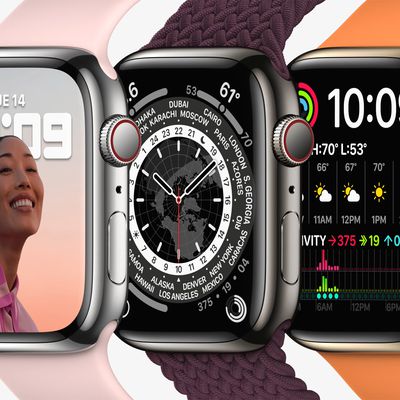
iOS 16: How to Link an Apple Watch Face to a Focus Mode
Introduced in iOS 15, Focus mode is an expansion of Do Not Disturb that allows you to set up different permissions for apps, contacts, and more depending on what you're doing. In iOS 16, Apple has expanded what Focus modes can do with new features, including the ability to activate a specific Apple Watch face when a specific Focus in enabled. Here's how it works.
With iOS 16, you can...
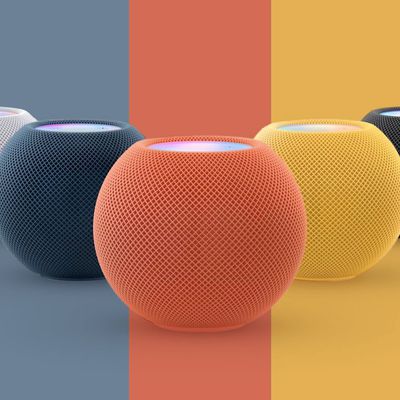
How to Install HomePod Public Beta Software
Alongside iOS public betas, Apple often releases beta HomePod software. The HomePod software updates that are beta tested are usually limited to a select group of invite-only testers, but that changed after HomePod Software 16. This article explains how you can install it on your HomePod mini devices.
Apple doesn't always reveal new features coming to HomePod devices in a beta, but that's...
iOS 16: How to Switch On Dark Mode With a Focus
Apple in iOS 15 introduced Focus mode, an expansion of Do Not Disturb that allows you to set up different permissions for apps, contacts, and more depending on what you're doing. In iOS 16, Apple has expanded what Focus modes can do with new features, including the ability to activate Dark Mode on your device when a specific Focus in enabled. Here's how it works.
In iOS 16, the Focus options ...
iOS 16: How to Use Focus Filters to Hide Content in Apps
Apple in iOS 15 introduced Focus mode, an expansion of Do Not Disturb that allows you to set up different permissions for apps, contacts, and more depending on what you're doing. In iOS 16, Apple has expanded what Focus modes can do with new features, including the ability to add Focus Filters. This article explains what Focus Filters are and how to set them up.
Focus Filters are a...
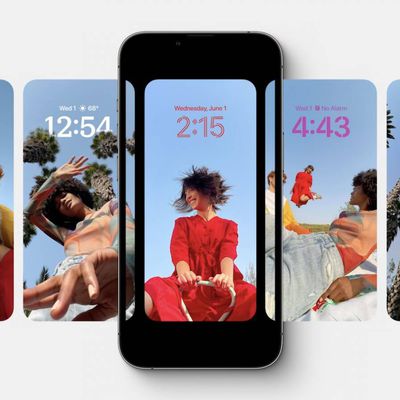
iOS 16: How to Crop a Lock Screen Wallpaper
In iOS 16, Apple has added several personalization options to the Lock Screen that have not been seen before on iPhone, allowing users to build a gallery of easy-to-swap wallpapers with uniquely customized designs.
To make photographs look better on Lock Screens, Apple has also built a number of photo editing options into the gallery interface, including a quick and simple way to crop photos ...
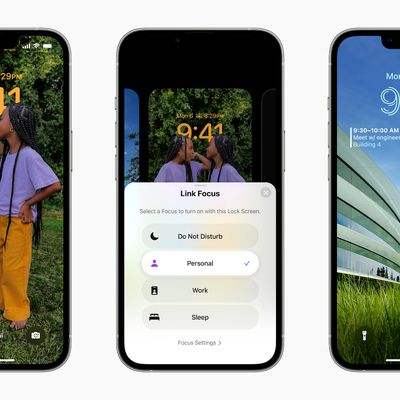
iOS 16: How to Automatically Switch Lock Screens at a Set Location
Apple has introduced several improvements to Focus modes in iOS 16, and one of them is the ability to link a custom Lock Screen to a particular Focus mode. With the wealth of personalization options that can now be applied to Lock Screens, this means you can customize them specifically to better reflect your Focus.
One of the great things about iOS 16 is that it allows you to make Lock...
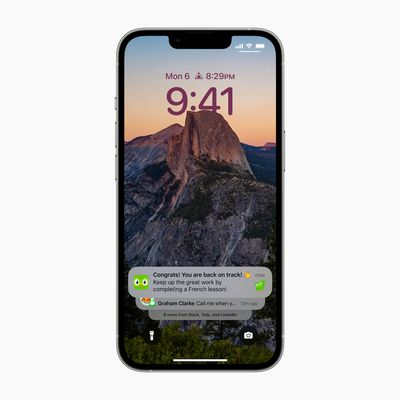
iOS 16: How to Hide Notifications on Your iPhone Lock Screen
Apple in iOS 16 has made many welcome changes to the iPhone Lock Screen, including adding a wealth of customization options and introducing widgets for the first time. The way notifications show up has also changed, and you can now choose how they appear on your Lock Screen, and even hide them altogether, to be revealed by you with a tap.
Due to the Lock Screen changes, notifications in iOS...
iOS 16: How to Automatically Switch to a Lock Screen at a Set Time
Apple has introduced several improvements to Focus modes in iOS 16, and one of them is the ability to link a custom Lock Screen to a particular Focus mode. With the wealth of personalization options that can now be applied to Lock Screens, this means you can customize them specifically to better reflect your focus.
One of the great things about iOS 16 is that it allows you to make Lock...
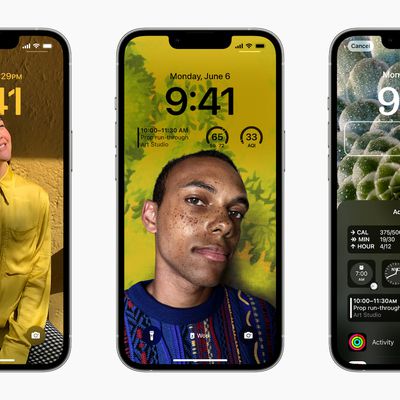
iOS 16: How to Disable Lock Screen Perspective Zoom
With iOS 16, Apple introduced a complete overhaul of the iOS Lock Screen, making it more customizable than ever and bringing widgets to the Lock Screen for the first time.
iOS 16 retains the perspective zoom feature that's responsible for the effect where you can see more of the Lock Screen wallpaper when you tilt your iPhone. As in previous versions of iOS, the feature aims to add more...
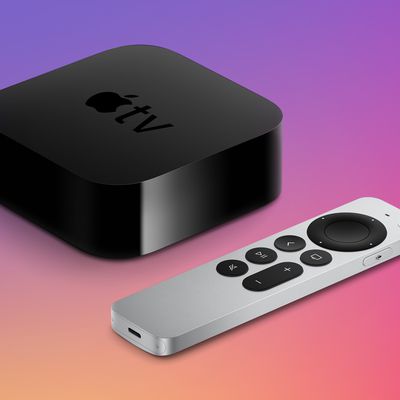
How to Install the tvOS 16 Public Beta on Apple TV
Apple has seeded the first beta of an upcoming tvOS 16 software update to its public beta testing group, giving non-developers a chance to try out the new Apple TV software ahead of its official release in the fall.
tvOS 16 brings several new features to Apple TV. tvOS 16 enables cross-device connectivity, a feature that allows developers to integrate Apple TV apps with iPhone, iPad,...

How to Install the macOS 13 Ventura Public Beta
Apple has made a macOS 13 Ventura beta available for its public beta testing group, letting public beta testers try out the software before it launches this fall.
The macOS Ventura Public Beta is available to anyone with a compatible Mac and it does not require a developer account. This guide walks you through some simple steps on installing the beta software.
Before downloading the...
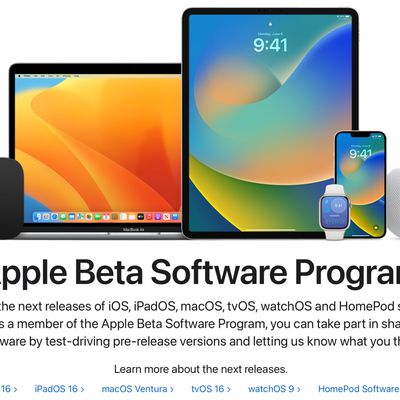
How to Install the iOS 16 Public Beta
Apple today seeded new iOS 16 and iPadOS 16 beta updates to its public beta testing group, giving non-developers an opportunity to try out the new software ahead of its fall launch.
Signing up to get the iOS 16 or iPadOS 16 beta is simple, and can be done by enrolling an iPhone or iPad in Apple's free Apple Beta Software Program. Instructions are below.
On your iOS device, open up...
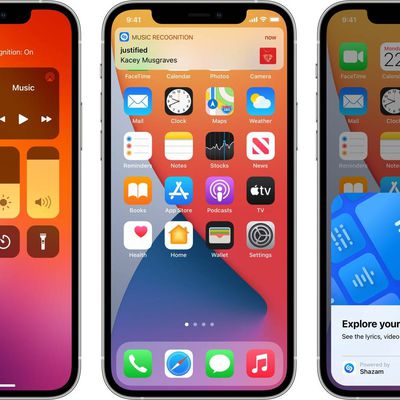
How to View Shazam Music Recognition History on iPhone and iPad
In iOS 14.2 and later, Apple includes a Shazam Music Recognition feature for the Control Center, giving iPhone and iPad users a quick and easy way to identify what music is playing without them having to download the Shazam app.
Music Recognition can be added to Control Center in the Settings app under the Control Center menu. From there, scroll down and tap the + button next to the Music...
