

iOS 17: How to Save Long-Form Web Articles and Other Scrollable Content to Photos
Apple in iOS 17 has added support for saving screenshots of entire webpage articles and other long-form app content to the Photos app. Keep reading to learn how it's done.
Previously in iOS 16, Apple included an option in the system's screenshot interface to capture scrollable content in apps like Safari and Notes and save it as a multi-page PDF document.
In iOS 17, Apple has extended the ...
Read Full Article
iOS 17: How to Choose Which App Siri Uses to Send a Message
In iOS 17, Siri has learned a few more useful features worth knowing about. One is the ability to use Siri to send messages to friends and family over compatible third-party apps. Keep reading to learn how it's done.
When you ask Siri to send a message in iOS 17, you can now tap to select which app on your iPhone that you want to send it from. This allows you to send messages not just...
iOS 17: How to Send an Audio Message in Apple's Messages App
In iOS 17, Apple has added several new Messages features and tweaked the interface design of the Messages app to give it a cleaner look. This means that the way you navigate and perform certain actions in the messaging app has changed quite a bit.
For example, previously in iOS 16, sending a voice message involved tapping the waveform icon in the row of apps below the text input field to...
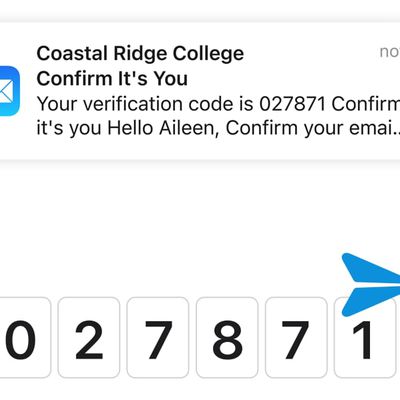
iOS 17: How to Auto-Delete Verification Codes in Messages and Mail
Apple in iOS 17 introduced a new feature for Mail and Messages that can automatically delete one-time verification codes after you have used them. Here's how it works on iPhone and iPad.
These days, many websites and services use one-time passcodes sent via SMS or over email for verification purposes, but these one-time codes can soon clog up your Mail inbox and Messages app.
Thankfully...
Use Emoji as Stickers in iPhone Messages
In iOS 17, Apple has added several new features to its Messages app to make communicating with other Apple users more creative and fun. One such feature is the ability to use emoji as stickers. This article shows you how it's done.
Stickers have been in the Messages app for years now, but not much has changed about them - until now. That's because in iOS 17 Apple treats all standard emoji as ...
iOS 17: How to Add Effects to Stickers in Messages
In iOS 17, Apple has added several new features to its Messages app to make communicating with other Apple users more creative and fun. One such feature is the ability to add effects to your stickers. Keep reading to learn how it works.
iMessage stickers arrived way back in iOS 10, allowing users to resize stickers, put them on top of chat bubbles, add them in photos, and stick them on top...
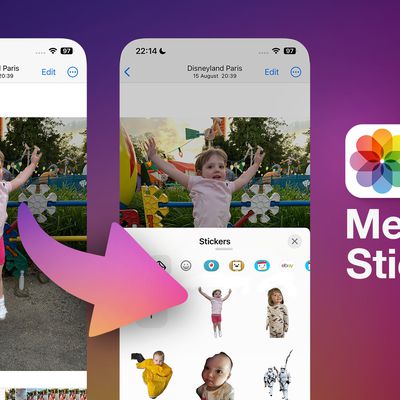
iOS 17: How to Turn Your Photo Subjects into Message Stickers
Apple in iOS 16 introduced a Remove Subject From Background option for photos on your iPhone, and in iOS 17, you can also use the feature to create and save your own stickers. Keep reading to learn how it works.
In iOS 16, Apple enhanced its Visual Look Up capability for photos by making it possible to isolate the subject of a picture from its background so that you can copy it to...
iOS 17: How to Share Photos in Apple's Revamped Messages App
In iOS 17, Apple has added several new Messages features and tweaked the interface design of the Messages app to give it a cleaner look. This means that the way you navigate and perform certain actions in the messaging app has changed quite a bit.
For example, previously in iOS 16, sharing photos involved tapping the Photos icon in the row of apps below the text input field to access your...
iOS 17: How to Access and Manage Sticker Apps in Messages
In iOS 17, Apple not only added several new Messages features, but also tweaked the interface design of the Messages app to give it a cleaner look. This means that the way you navigate and manage some aspects of the app – including iMessage sticker apps – has changed quite a bit. Keep reading to learn how it's done.
iMessage stickers arrived way back in iOS 10, allowing users to resize...
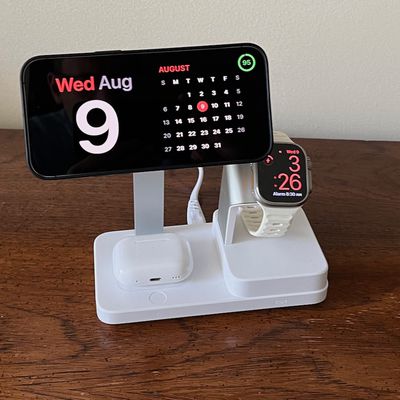
Make Your iPhone's StandBy Mode Come On and Stay On
StandBy is a customizable Lock Screen mode in iOS 17 that activates only when an iPhone is positioned on its side (i.e. horizontally in landscape orientation) while connected to a charging cable, a MagSafe charger, or a Qi-based wireless charger.
Subscribe to the MacRumors YouTube channel for more videos.
Think of it as a kind of smart display for your iPhone that offers fast...

How to Disable the Red Tint in iPhone's StandBy Mode
StandBy is a new customizable Lock Screen mode in iOS 17 and later that activates when an iPhone is charging and positioned on its side. If you charge your iPhone at night, StandBy automatically adapts to low light and takes on a red tone, but there's a way to stop this from happening. Keep reading to learn how.
At night, StandBy mode will get darker if the room you're in is...

iOS 17: How to Customize the Photos Screen in StandBy Mode
StandBy is a Lock Screen mode that activates when an iPhone is plugged into a charger and positioned in a horizontal (or landscape) orientation. It consists of three different screens, one of which is the fullscreen photos view. Keep reading to learn how you can customize it.
Subscribe to the MacRumors YouTube channel for more videos.
StandBy's second screen shows content from your Photo...

How to Send High Resolution Photos and Videos in WhatsApp
WhatsApp has rolled out a new option that lets users send photos and video over the messaging platform in high resolution. Keep reading to learn how it's done.
WhatsApp has released an update allowing iPhone and Android users to send photos and videos in high resolution, finally addressing the service's low quality media sharing limitation.
Called "HD quality," the option means users can...
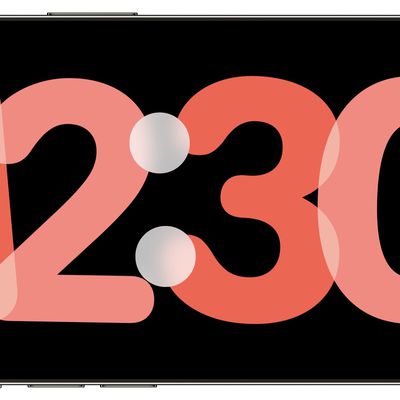
Change Clock Style in Your iPhone's StandBy Mode
StandBy is a Lock Screen mode that activates when an iPhone is plugged into a charger and positioned in a horizontal (or landscape) orientation. It consists of three different screens, the last of which is the fullscreen clock display. Keep reading to learn how to change the style of the clock.
Subscribe to the MacRumors YouTube channel for more videos.
StandBy's third screen shows the time ...
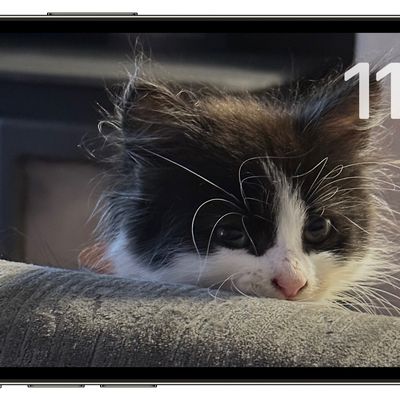
Customize Widgets in Your iPhone's StandBy Mode
StandBy mode on iPhone is a customizable Lock Screen mode introduced in iOS 17 that activates when an iPhone is charging and positioned on its side. Think of it as a kind of smart display for your iPhone that offers fast access to different screens of glanceable information that can be viewed at a distance, when your device is charging on a kitchen, desk, or nightstand, for example.
Subscri ...
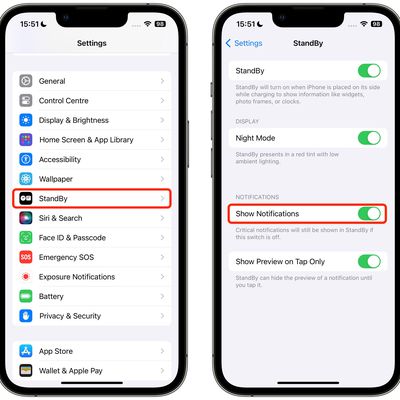
iOS 17: How to Disable Notifications in StandBy Mode
In iOS 17, Apple has added a new dimension to the Lock Screen by including a new horizontal StandBy mode that turns your iPhone into an information hub when it's not in use. This article explains how to prevent the mode from displaying notifications.
Subscribe to the MacRumors YouTube channel for more videos.
StandBy mode activates when an iPhone is plugged into a charger and positioned ...
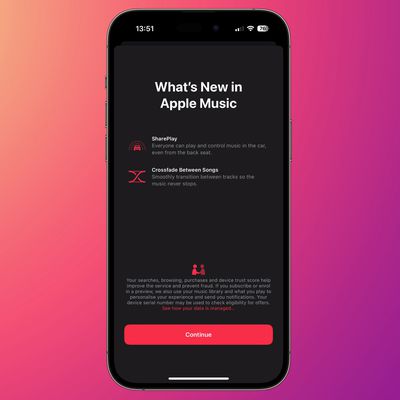
iOS: Crossfade Between Songs in Apple Music
In iOS 18 and later, Apple Music has several features that should make using the Music app and the Apple Music streaming service in general a more enjoyable and immersive experience.
One Apple Music feature in particular that rival music streaming services have had for some time is the ability to crossfade tracks, and now you can do exactly that in Apple Music, so that the audio...
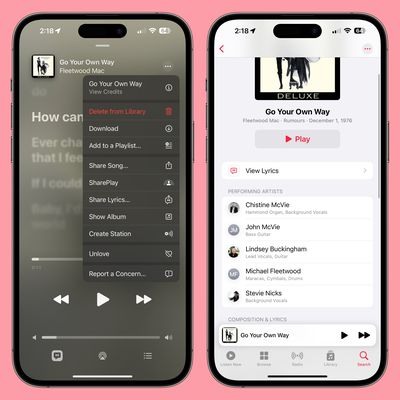
iOS 17: How to View Song Credits in Apple Music
In iOS 17, Apple Music has got some new features that should make using the Music app and the Apple Music streaming service in general a more enjoyable experience.
One new new feature in particular is an option to view song credits for any song that is playing, searched for, or in a playlist. Credits show all of the performing artists, composition artists, and people involved in...
How to Download Safari 17 Beta for macOS Ventura and Monterey
Apple is now allowing Mac users running macOS Ventura and macOS Monterey to try out its latest Safari 17 browser before it officially launches alongside macOS Sonoma in the fall. Keep reading to learn what's new and how to download it.
Last month, Apple quietly began making beta versions of Safari 17 available to download as a standalone package. Prior to this, the only way to try out the...
iOS 17: How to Delete iMessage Apps
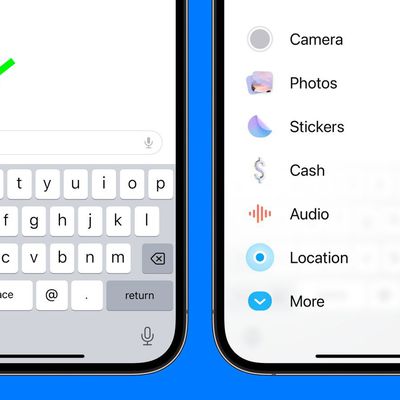
In iOS 17, Apple not only added several new Messages features, but it also tweaked the design of the Messages app to give it a cleaner look.
Now, all iMessage apps and tools like the camera and photo options can be accessed by tapping a "+" button above the keyboard and to the left of the text input field.
Tapping the "+" button brings up a menu column. From the top, the default order of ...
