

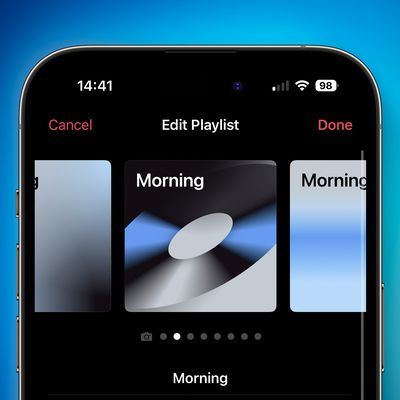
iOS 17.1: How to Add Custom Artwork to Apple Music Playlists
In iOS 17.1, Apple has added the ability for users to customize playlist artwork in Apple Music using a selection of preset options. Keep reading to learn how it's done.
Previously in iOS, when creating a custom playlist, you had to use a basic tiled image made up of track album artwork, or upload a custom image. Given that you custom graphics or relevant photos aren't always readily...
Read Full Article
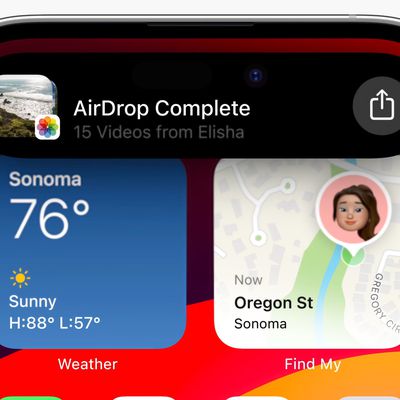
iOS 17.1: How to Use AirDrop Over Cellular
In iOS 17, Apple has enhanced iPhone AirDrop in many ways, and with the release of iOS 17.1, it's just got better, because you will no longer need to within Wi-Fi range of someone to continue a file transfer over AirDrop. Keep reading to learn how it works.
Since its introduction in iOS 7, AirDrop has become the favored means for iPhone users to instantly share photos, videos, documents, and ...
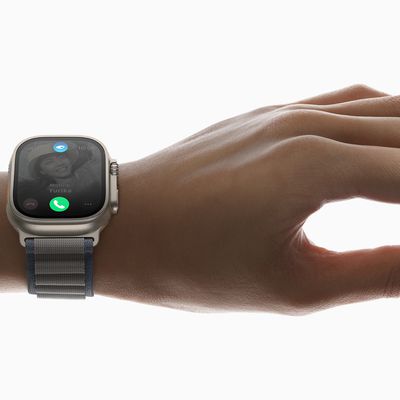
How to Use the New Apple Watch Double Tap Gesture
With watchOS 10.1 now released to the public, Apple Watch Series 9 and Apple Watch Ultra 2 models have gained a new Double Tap gesture. Here's everything Double Tap can do, and how you can get it working on your watch.
Double Tap is a new gesture-based feature for the latest Apple Watch models that lets you control watch functions by tapping your thumb and index finger together twice. The...

How to Enhance Dialogue in Videos on Apple TV and HomePod
In tvOS 17, Apple introduced a New Enhance Dialogue feature for second-generation HomePods that lets users more clearly hear what is being said over effects, action, and music in a movie or a TV show. In iOS 17.1 and HomePod software 17.1, Apple has extended the feature to any HomePod (or set of HomePods) paired to an Apple TV 4K.
When you connect one or two HomePod speakers to Apple TV 4K...

All the New Ringtones and Text Tones on Your iPhone in iOS 17
In iOS 17, Apple overhauled its entire selection of ringtones and text tones, offering more than 20 new sounds that can be used for phone calls, texts, alarms, and more. Here's how to check them out.
Compared to the old ringtones, many of the new ringtones are longer in length and sound more modern.
They include Arpeggio, Breaking, Canopy, Chalet, Chirp, Daybreak, Departure, Dollop,...

How to Disable Gesture-Based FaceTime Reactions
In iOS 17 and iPadOS 17, Apple introduced Messages-like reactions to FaceTime that lighten up your video with visual effects. Rather than triggering them with words, they are triggered using physical hand gestures. For that reason, it's easy to trigger them unintentionally. Keep reading to learn how to turn them off.
When you're on a FaceTime video call on an iPhone or iPad, it's...

How to Pair Nintendo Switch N64 Controllers to Apple Devices
With the release of iOS 17.1, iPadOS 17.1, macOS Sonoma 14.1, and tvOS 17.1, iPhones, iPads, Macs, and Apple TVs include support for pairing Nintendo Switch N64 controllers. Keep reading to learn how it's done.
As many Apple Arcade games enthusiasts will know, Apple's mobile devices and Apple TV set-top box support some popular game controllers right out of the box. For example, these...
How to View Activity History of HomeKit Security Accessories
In iOS 17 and tvOS 17, you can view up to 30 days of recorded activity for security-related HomeKit accessories like door locks, alarm systems, and more. Keep reading to learn how it's done.
Thanks to the latest version of Apple's Home architecture, you can now use the Home app on iPhone, iPad, and Mac to view activity history for smart home accessories including door locks, garage doors,...
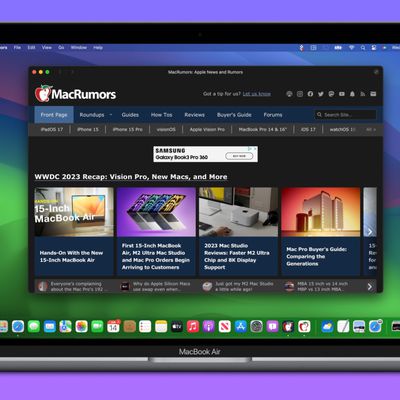
How to Turn Websites into Standalone Mac Apps in macOS
In macOS Sonoma and Safari 17, you can turn websites into "web apps" that can live in your Mac's dock and be accessed much like any other app, without you having to open a browser. Keep reading to learn how it works.
Thanks to a new option in Apple's Safari browser, it's now possible to take any website on the internet that you regularly visit, and turn it into a standalone "web app" that...
How to Separate Your Browsing Habits on Mac With Safari Profiles
In macOS Sonoma and Safari 17, Apple has added a new web browsing feature for Safari called Profiles that's designed to help separate your browsing sessions into things like Work, School, or Personal. Keep reading to learn how it works.
In macOS Sonoma, Apple has expanded on Tab Groups with a Profile feature that is designed to let you separate your browsing for different use cases. You can...

How to Share Passwords Among a Group on iPhone and iPad
In iOS 17 and iPadOS 17, Apple has added the ability to securely share passwords and passkeys with people in your contacts using a new shared password function. It's called Family Passwords, and here's how to use it.
Family Passwords allows you to create a group of trusted contacts that you can share passwords and passkeys with across devices. (Passkeys let users sign in to apps and sites...
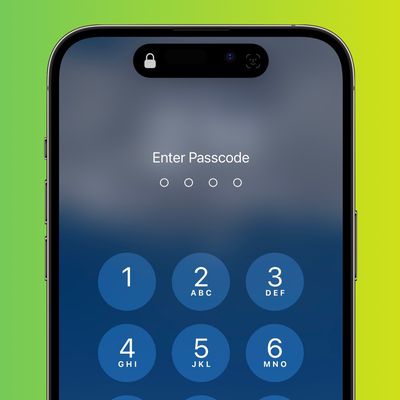
How to Unlock Your iPhone If You Forget Your New Passcode
In iOS 17, if you change your iPhone's passcode and forget it soon after, Apple offers you a 72-hour grace period to fix it without getting locked out of your device. Here's how it works.
In iOS 17 and iPadOS 17, it is now possible to reset an iPhone or iPad's new passcode with the previous passcode you used for up to three days after the change is made. In other words, Apple lets you use...
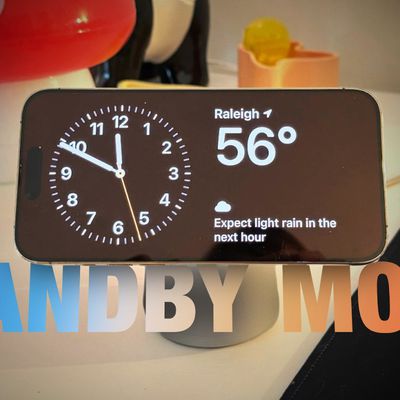
iOS 17: How to Stop iPhone's StandBy Mode Waking on Motion
StandBy is a customizable Lock Screen mode in iOS 17 that activates only when an iPhone is positioned on its side (i.e. horizontally in landscape orientation) while connected to a charging cable, a MagSafe charger, or a Qi-based wireless charger. If StandBy mode on your iPhone is turning on when motion is detected at night, here's how to prevent it from happening.
Subscribe to the MacRumors ...
How to Import and Annotate PDFs in Apple Notes
In iOS 17 and MacOS Sonoma, Apple added the ability to open and annotate PDFs right in the Notes app. Keep reading to learn how it's done.
In the latest version of iOS and macOS, Apple has updated the Notes app to support inline PDFs, which means you can insert a PDF into Notes and then read, annotate, and collaborate on the document. This functionality also works for scanned documents, and...
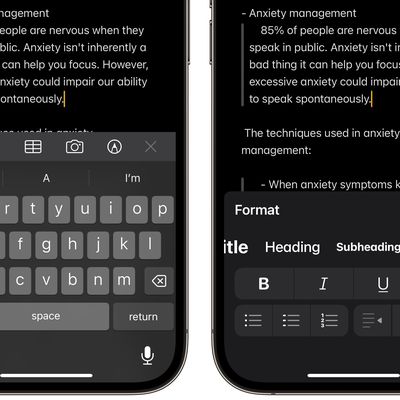
How to Use Block Quotes in Apple Notes
In iOS 17 and macOS Sonoma, Apple added new formatting options to Apple Notes, including block quotes and a new Monostyle style. Here's how to make use of them.
Thanks to additional formatting options in Apple Notes, you can now add block quotes to your notes. Block Quote formatting makes it easy to visually offset a section of writing with a quote bar to the left of the text.
Simply...
How to Trigger Reaction Effects in FaceTime on Mac
In macOS Sonoma, Apple introduced Messages-like reactions for FaceTime. Rather than being triggered by words though, they can be triggered by gestures.
When you're on a FaceTime video call on a Mac running macOS Sonoma or later, you can trigger on-screen effects like hearts, balloons, confetti, fireworks, and more, with the effects flooding the display over the FaceTime window.
You...

How to Use Interactive Widgets on Your Mac's Desktop
In macOS Sonoma, Apple changed how widgets work. Unlike previous versions of macOS, widgets don't have to be hidden away offscreen and largely forgotten in the Notifications Center panel. Now they can live right on your Mac's desktop – and they're interactive, too. Here's how to use them.
If you liked how widgets lived in Notification Center, don't worry – you can still keep them...
macOS: How to Change the Color of Desktop Widgets
In macOS Sonoma, widgets don't have to be hidden offscreen and largely forgotten in the Notifications Center panel, like they were in previous versions of Apple's macOS. Instead, they can be placed right on your Mac's desktop – and they're interactive, too.
When not in use, macOS desktop widgets fade into the background by taking on a monochrome style, which makes them less distracting and ...
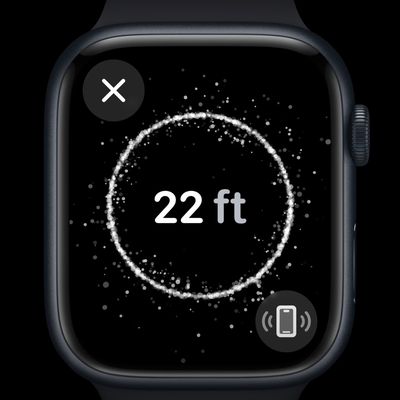
How to Find Your iPhone 15 With Apple Watch Precision Finding
If you have an iPhone 15 and either an Apple Watch Series 9 or second-generation Apple Watch Ultra, you can use your watch to find your iPhone with the help of Apple's Precision Finding feature. Keep reading to learn how it works.
The Apple Watch Series 9 and Apple Watch Ultra 2 share the same updated Ultra Wideband chip as can be found in the iPhone 15 series, so if you have one of the...
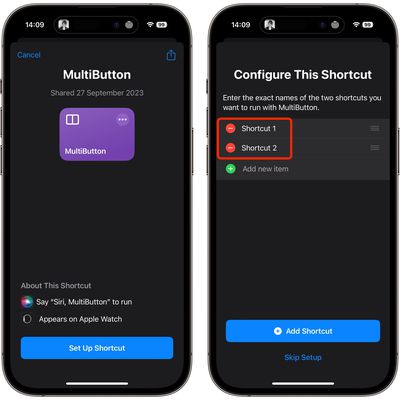
iPhone 15 Pro and iPhone 16: Assign Two Functions to the Action Button
Apple's iPhone 15 Pro and iPhone 16 models feature an Action button to which you can assign a custom function. Officially, the Action button only supports one function, but there is a way to switch between two actions using a special Shortcut. Keep reading to learn how it's done.
Subscribe to the MacRumors YouTube channel for more videos.
On iPhone 15 Pro and iPhone 16 devices, the iOS...
