

iOS 18: Enhance Your Notes With These 4 New Features
With iOS 18, Apple introduced several handy improvements to the Notes app, making it easier to organize information and add visual flair to your notes. Read on to learn how these new features can improve your note-taking experience.
The following four new Notes features are worth getting acquainted with in iOS 18.
Collapsible sections allow for better organization of lengthy notes...
Read Full Article

iOS 18.1: Use the New Reduce Interruptions Focus
As part of Apple Intelligence, iOS 18.1 includes a new dedicated Reduce Interruptions focus mode that only shows you important notifications that need attention while filtering out everything else. Keep reading to learn how to use it.
The Reduce Interruptions focus offers a middle ground between receiving all notifications and using Do Not Disturb. Essentially it acts as a smart filter for...
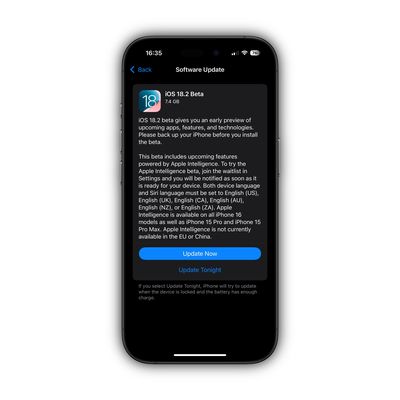
Prevent iPhone Automatically Installing Software Updates
On iPhone and iPad, Apple provides users with granular control over the downloading and installing of system software updates. This article takes you through the options.
In earlier versions of iOS, new software updates were downloaded automatically in the background and then installed through an Automatic Updates feature. But in modern versions of iOS you can customize Automatic Updates...
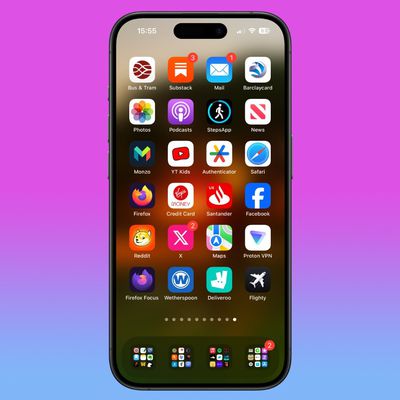
How to Delete Apps on iPhone and iPad
On iPhone or iPad, apps can be deleted from your device in several ways. This article explains how it's done.
Delete Apps From the Home screen
There are actually two slightly different ways to delete an app on the Home screen on iPhone and iPad. Press and hold the app for one second, then select the Remove App action from the pop-up menu. This will invoke a prompt giving you two options: De...
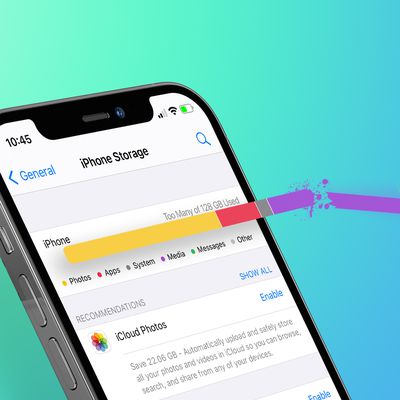
Find and Remove iPhone Apps You Don't Use to Save Storage
There's an app for everything these days, and it's easy to reach a point where you have so many of them on your iPhone that a sizable proportion are simply forgotten about, and soon storage space starts to become an issue.
Fortunately, there's an easy way that you can keep tabs on which apps you use the most and which ones have basically become redundant, and are just adding needless clutter ...

Find WhatsApp Conversations Faster With New Custom Chat Lists
WhatsApp has made it easier to organize your conversations with the global rollout of custom chat lists. This new feature expands on the chat filters introduced earlier this year, and offers a more personalized way to manage your messaging.
To create a custom list, tap the plus (+) icon in the filter bar at the top of the Chats tab. You can add both individual contacts and group chats to...

iOS 18.1: Generate an Apple Intelligence Report
If you're curious about how Apple Intelligence is working on your iPhone, iOS 18.1 offers transparency through the new Apple Intelligence Report feature. Here's how to generate your own report.
Baked into iOS 18, Apple Intelligence can create language and images, take action across apps, and draw from personal context to simplify and accelerate everyday tasks, all through the use of...
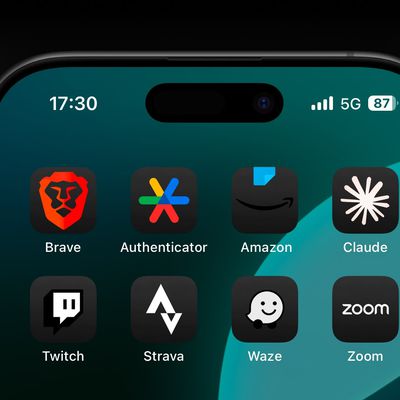
iOS 18: Create Dark Mode Icons for Apps That Won't Go Dark
Have you tried making your iPhone's Home Screen app icons dark using the new customization options in iOS 18? If so, you may have run up against the issue that, despite all efforts, some app icons simply refuse to turn dark. Well, we may have a solution for you.
It's been over two months since Apple released iOS 18, but not all app developers have updated their apps to include equivalent...

iOS 18.1: Proofread Your Writing With Apple Intelligence
Writing Tools is one of the main Apple Intelligence features that's available in the iOS 18.1 update that Apple released on October 28. As the name suggests, this toolset is meant to help you write, and as part of that, it can also proofread your text in various apps.
Apple's Writing Tools feature offers much more than basic spell checking – it provides a sophisticated proofreading...
iOS 18.1: Use Natural Language Search in Photos
Apple's iOS 18.1 update, set to be released on October 28, brings powerful new search functions to the Photos app. It now allows you to find specific images with unprecedented precision, thanks to its natural language input capabilities powered by Apple Intelligence. Here's how to make the most of it.
In iOS 18.1, the key to effective searching in Photos is using natural language. Instead of ...
iOS 18.1: Summarize Text With Apple Intelligence
Writing Tools is one of the main Apple Intelligence features that's available in the iOS 18.1 update that Apple released on October 28. As the name suggests, this toolset is meant to help you write, but it also has the ability to summarize existing text in various apps.
You can select text and use the Writing Tools summary options to automatically distill a longer piece of text into...
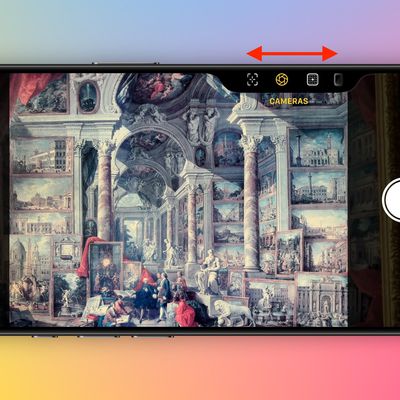
iPhone Camera Control: Everything You Need to Know
Like the iPhone 17 series and iPhone Air, Apple's latest iPhone 18 Pro models and iPhone Duo include a Camera Control button. The button aims to make it easier to adjust photography settings when shooting with the iPhone in both portrait and landscape orientation.
Subscribe to the MacRumors YouTube channel for more videos.
A simple press of the Camera Control button brings up the Camera app...
iOS 18.1: Rewrite Text With Apple Intelligence
Writing Tools is one of the main Apple Intelligence features that's available in the iOS 18.1 update released on October 28. As the name suggests, this toolset is meant to help you write, but it can also rewrite text that you think could be cleaned up or made better by adopting a different tone.
The Writing Tools Rewrite feature can refine what you've written, but it can also be used to...
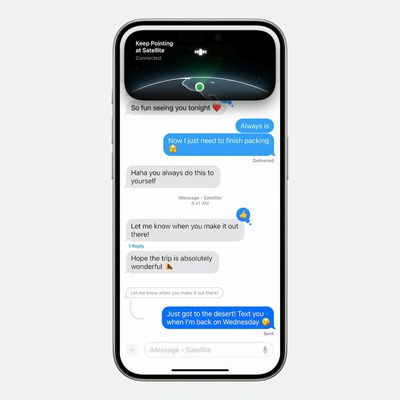
iOS 18: Send Messages Without Wi-Fi or Cellular Connection
In iOS 18, Apple further enhanced its satellite connectivity features for iPhone users with the introduction of Messages via satellite. Keep reading to learn how it works.
Available in the United States and Canada to owners of iPhone 14 models and newer, Messages via satellite enables users to exchange iMessages and SMS texts, including emoji and Tapbacks, through satellite connections when...
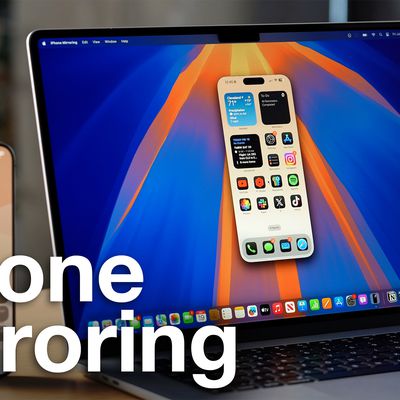
iPhone Mirroring Not Working? How to Fix
iPhone Mirroring offers a seamless way to control your iPhone from your Mac, allowing you to respond to notifications, send messages, and navigate iOS apps without touching your phone. The feature is particularly useful for tasks that require extensive typing, such as composing long emails or editing documents on your iPhone. If you're experiencing issues with iPhone Mirroring, follow these steps ...

iOS 18: Use New Library and Notes Features in Apple Maps
Apple Maps in iOS 18 introduces two helpful new features: a centralized Library for saved content and the ability to add personal notes to locations. Here's how to take advantage of these new tools.
Using the New Library
Apple's iOS 18 update brings significant improvements to the Maps app, and streamlines the process of saving and organizing your favorite locations. Building on the...
Turn Off Optimized Battery Charging in macOS
In macOS Big Sur and later, Apple includes an intelligent feature that's designed to learn from your charging habits and improve the lifespan of your battery by reducing the time your Mac notebook spends fully charged.
When the feature is enabled (by default on Macs with an Apple silicon chip or T2 security chip), your Mac attempts to learn your charging routine with the intention of...
Check the Battery Health of Your Apple Silicon MacBook
Mac notebooks equipped with Apple silicon use Optimized Battery Charging, a feature that's designed to prolong the battery life and battery health of your Mac by reducing the rate of chemical aging.
Mac notebooks use lithium-ion batteries, which like all rechargeable batteries, become less effective as they get older, but their chemical age isn't determined only by time. It's also affected...

AirPods Battery Drain? How to Fix
AirPods and AirPods Pro of all generations are designed to work seamlessly with Apple's Bluetooth-supporting devices, but they are not immune to battery draining issues of one sort or another.
Fortunately, these problems are usually fixable at home without having to contact Apple or return the AirPods. If you have a battery drain problem with your AirPods or are keen to avoid one, try the...
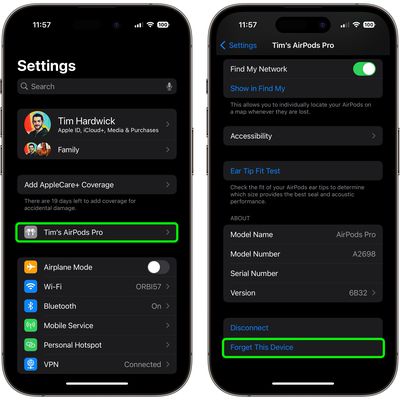
One AirPod Not Working? How to Fix the Problem
Apple's AirPods are designed to work seamlessly with all of Apple's Bluetooth-supporting devices, and the wireless earbuds usually live up their billing, but that doesn't mean they work perfectly for everyone one hundred percent of the time.
Subscribe to the MacRumors YouTube channel for more videos.
A particularly irritating problem that can sometimes occur with any model of AirPods is when...
