

3D Touch is a feature that's been around since the 2015 release of the iPhone 6s, and it's become an integral gesture system on all of Apple's latest iPhones.
Though it's been around for a while, there are several hidden and less obvious 3D Touch gestures that you may have forgotten or might not be aware of, especially if you don't use the feature often. In our most recent YouTube video and in the guide below, we've highlighted some of the most useful and lesser known 3D Touch gestures.

3D Touch Cursor
Whenever you're typing something using the default iOS keyboard on the iPhone, if you 3D Touch, the keyboard turns blank and morphs into a trackpad that allows you to quickly move the cursor on the screen through the text you've written.
This is a useful gesture that allows you to make quick edits without having to reach up and tap the display.
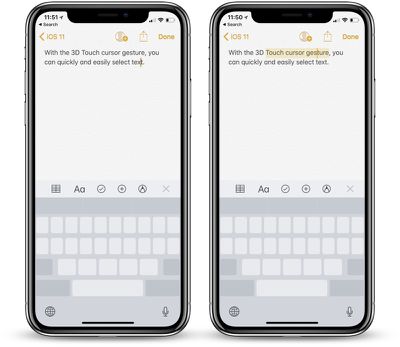
If you hold the cursor over a word for a short length of time, you can also use it to select text for deleting multiple words, copying and pasting, formatting, and other purposes.
You can use this cursor gesture in Mail, Notes, Messages, and more on 3D Touch-enabled devices running iOS 11.
Control Center
In Control Center on devices running iOS 11, you can 3D Touch on almost all of the included icons to get additional control options and shortcut access.
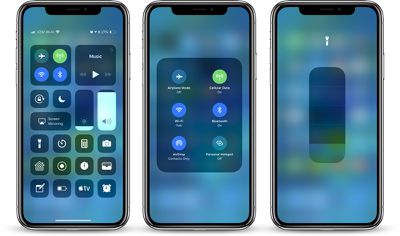
Some of the available options are listed below:
- Wi-Fi - 3D Touch the Wi-Fi/Bluetooth box to get additional options for AirDrop and Personal Hotspot.
- Music - 3D Touch for additional Music control options both for the iPhone and for connected devices that include HomePod and Apple TV.
- Brightness - 3D Touch the brightness control to see a larger slider and to access options for Night Shift and True Tone.
- Volume - 3D Touch to see a larger slider.
- Flashlight - 3D Touch to change the brightness of the rear flash, aka the "Flashlight." There are four brightness levels.
- Timer - 3D Touch to choose a timer length using a built-in slider bar.
- Calculator - 3D Touch to copy your last result.
- Camera - 3D Touch to access quick options for taking a selfie, recording a video, recording a Slo-mo video, or taking a portrait.
- Home - 3D Touch to access controls for your favorite scenes and accessories.
- Screen Recording - 3D Touch for options that include screen recording to camera roll or Facebook, turning the microphone on and off, and starting a recording.
- Wallet - 3D Touch for a shortcut to your default credit or debit card and an option to access your last transaction.
- Notes - 3D Touch to access shortcuts to create a new note, a new checklist, a new photo, or a new sketch.
- Remote - 3D Touch for a full Apple TV Remote interface.
Prioritizing App Downloads
When you're downloading a bunch of updates from the App Store, if you 3D Touch on an app that's pending, you can force it to download first. This is useful if you're stuck with an app that's loading but need to access it quickly.
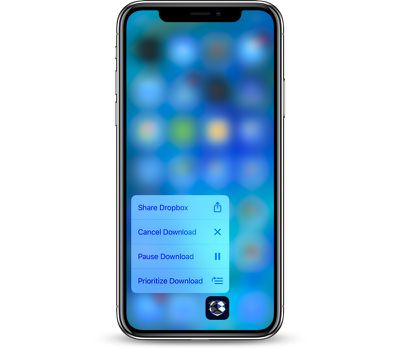
You can also cancel downloads and pause downloads with this feature.
Bonus: In the App Store itself, if you 3D Touch on the icon, you can update all of your apps with a quick tap that doesn't require actually opening up the App Store app and navigating to the Updates tab. There are also shortcuts for accessing your purchased apps, redeeming a gift card or promo code, and conducting a search. Note: The "Update All" icon doesn't seem to appear reliably at all times, which may be due to a bug.
Previewing, Sharing, and Saving Photos
In the Photos app, if you 3D Touch on a thumbnail, you can see a preview of the image without needing to tap to open it, which is known as a Peek and Pop gesture. Swipe up after the initial 3D Touch to get access to options to copy a photo, share a photo, favorite a photo, or show additional photos from the same day.
You can use this same gesture in Safari and other apps that have images, such as Messages, Mail, and Apple News. For example, 3D Touch on an image in Safari, swipe upward, and you'll see options to save the image to your camera roll or copy it. Make sure to 3D Touch and then immediately swipe, because if you continue to hold down it will initiate a full "pop" gesture which eliminates the quick save option.
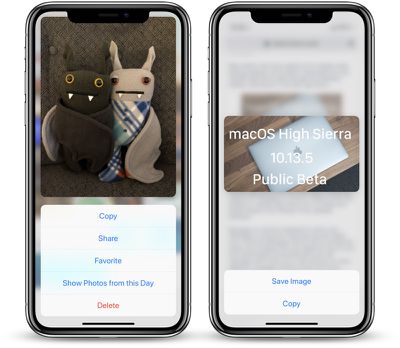
Bonus: 3D Touch on the Photos app icon to get access some fun and useful shortcuts to your most recent photos, your favorite photos, photos from one year ago, or a search interface.
Third-Party App Shortcuts
Apple made 3D Touch available to third-party developers, and there are now hundreds of popular apps that have incorporated it, offering up new options on compatible iPhones.
3D Touch, for example, enables pressure sensitive drawing and writing in note taking and sketching apps, and it's even been incorporated as a control method in some games. Blackbox, Asphalt 8: Airborne, and BADLAND 2 are all examples of games that incorporate 3D Touch in some way.
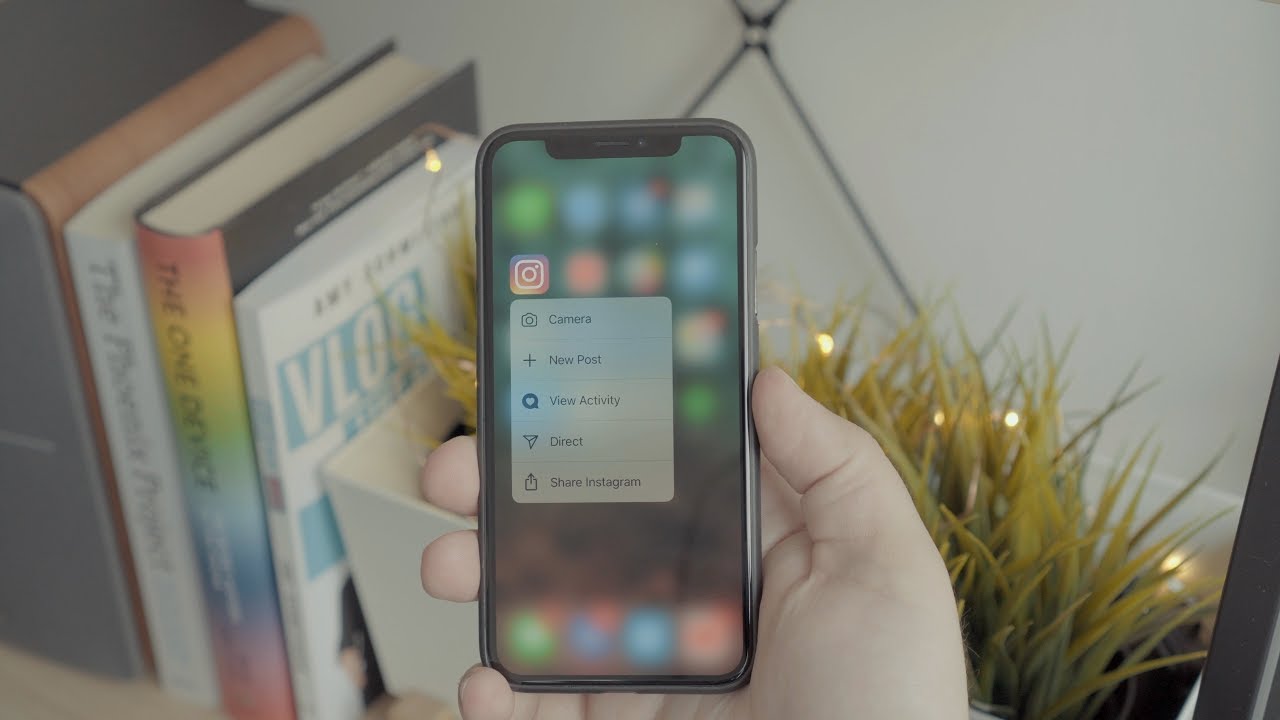
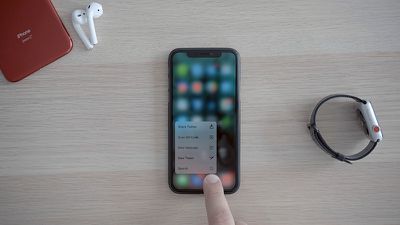
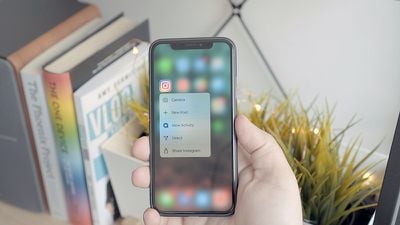
On a more basic level, most apps have Home screen shortcuts accessible using 3D Touch. Instagram, for example, lets you access the camera, create a new post, view activity, or switch accounts using 3D Touch options, while Facebook has shortcuts for things like scanning a QR code, searching, or writing a post.
Many apps also support 3D Touch gestures in app. For example, within Instagram or Facebook, 3D Touch on a thumbnail or a link for a preview of the content. These kind of Peek and Pop gestures have been built into quite a few third-party apps for a consistent usage experience on devices that support 3D Touch.
3D Touch-Compatible Devices
3D Touch continues to be a feature that's limited to the iPhone, and it's enabled through a built-in Taptic engine included in every generation since the iPhone 6s. 3D Touch is available on the following iPhones:
- iPhone 6s
- iPhone 6s Plus
- iPhone 7
- iPhone 7 Plus
- iPhone 8
- iPhone 8 Plus
- iPhone X
Conclusion
3D Touch can do a whole lot more than what's included in this guide, and the best way to discover everything is liberal use of the feature. 3D Touch on third-party app icons to see what shortcuts are available, 3D Touch within apps to see if there are built-in 3D Touch gestures, and give it a try in all of Apple's apps, most of which have been built with 3D Touch integration.
Use 3D Touch in apps Messages, Safari, and Mail on links and photos to preview content with Peek and Pop or to find new sharing options, and 3D Touch on notifications to get more information.
Have a favorite 3D Touch gesture that we didn't cover in the guide? Let us know in the comments.


































Top Rated Comments
Boy do I feel like a fool. My excuse is that my last phone was the 5S. Still though, I should've known, seeing how much time I spend on here.
Thanks again. :)
Its just unfortunate Apple doesn’t Market 3D Touch enough, where a large majority of iPhone users don’t know or understand all of its capabilities.
It smacks of iOS becoming way too complex over the years.
Personally, the only app I ever used 3D Touch quite a bit in, was Apple Music. But that’s only because Apple Music is an absolute mess, UX-wise.
I get that it’s the Touch equivalent to a power user right click on desktop. But it means we all get to pay extra for a harder to make screen component that a) adds cost to each iPhone b) is more expensive to replace when it breaks c) adds on weight to the phone plus reduces battery space & thus overall battery capacity.
I’d rather Apple take a good look at iOS and strip it of the any excessive complexity. Long presses should be ok enough. And surely Apple Pencil is the future?
Thanks for the article though - it was really well written.
[LIST=1]
* Open App Store, go to Updates tab, pull down to refresh.
* Apps now show some updates available
* Force-quit the App Store app
* 3D-Touch the App Store app and you should now see the option to Update All
I like 3D Touch and use it regularly. It’s a good way of increasing functionality without overwhelming the user. I’ve been critical of iOS 11 - mainly the battery/throttling mess - but overall iOS 11.3 on my 6S is one of my best smartphone experiences.