Skip to Content

All of the Live Text Updates in iOS 16

Last year in iOS 15, Apple added a feature that is designed to let you highlight and select written and typed text from photos, interacting with it as you would text in any other place in the operating system.
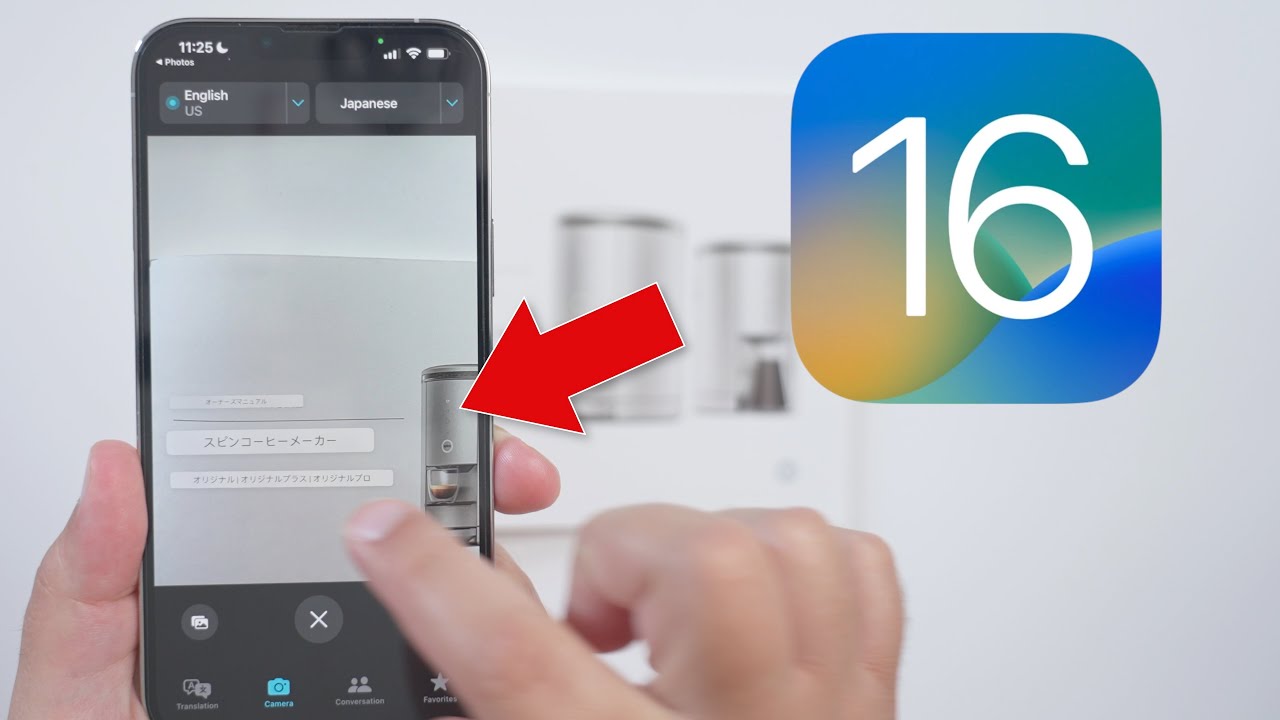

With iOS 16, available now, Apple has continued to improve Live Text, and it has some impressive new capabilities, which we've outlined below.

Live Text in Videos

Video support is the biggest new feature added to Live Text. Rather than just being able to select text in photos, you can now pause a video and interact with the text like you would in an image.

Text in any paused video frame can be copied and pasted or translated, plus it works with Look Up. Live Text works across the operating system in Photos, Camera, Safari, and other apps.

To copy text in a video, pause it on the frame that you want and then touch and hold on a word. You can grab the two blue markers to narrow or widen your selection, and then you can press and hold to get to options like translate and copy.

Quick Actions

Text that is in a photo or a video also supports quick actions, something that Apple added in iOS 15. In iOS 16, there are new quick actions that let you track flights, track packages, translate languages, and convert currencies right from a photo or video.

If you have a photo with a sign in a foreign language, for example, you might see the "Translate" quick action available. Or if there's a foreign currency, Apple will offer up the conversion quick action.

Translate Camera

Apple is using Live Text's functionality in the Translate app, adding a Camera button that opens up the device camera so you can get live translations in real time.

New Languages

Live Text now works with Japanese, Korean, and Ukrainian text in addition to English, Chinese, French, German, Spanish, Italian, and Portuguese.

Live Text capabilities that allow for text to be recognized in photos and videos can be used in Spotlight search in iOS 16, so you can do a Spotlight search to find specific text in an image or video.

Live Text Requirements

Using Live Text features requires an iPhone with an A12 Bionic or later. The iPhone XR, iPhone XS, and iPhone XS Max from 2018 are equipped with an A12 Bionic, so if you have one of these devices or newer you can take advantage of Live Text.

Guide Feedback

Have questions about Live Text in iOS 16, know of a feature we left out, or want to offer feedback on this guide? Send us an email here.


Related Forum: iOS 16

Popular Stories

apple design award 2025

Apple Announces 2025 Design Award Winners Ahead of WWDC 2025

Tuesday June 3, 2025 10:14 am PDT by
As we wait for WWDC to kick off next Monday, Apple today announced the winners of its annual Apple Design Awards, recognizing apps and games for their innovation, ingenuity, and technical achievement. The 2025 Apple Design Award winners are listed below, with one app and one game selected per category: Delight and Fun - CapWords (App) and Balatro (Game) Innovation - Play (App) and PBJ -...
1password deal blue

1Password Security Breach: What Was Accessed and What Wasn't

Wednesday November 25, 2026 1:09 pm PST by
Popular password management app 1Password today said it experienced a security breach earlier this month. 1Password says some customer names and email addresses were accessed, but no customer vault contents were compromised. On November 19, 1Password saw indications that an employee's GitHub account had been breached and began investigating. The company says the breached GitHub account was...
apple store down feature

Here's Why the Apple Store is Going Down

Thursday November 26, 2026 5:49 am PST by
Apple's online store is going down for a few hours on a rolling country-by-country basis right now, but do not get your hopes up for new products. Apple takes its online store down for a few hours ahead of Black Friday every year to tease its annual gift card offer with the purchase of select products. The store is down in Australia, New Zealand, and Thailand, right now, and it will...

Top Rated Comments

techfreak23 Avatar
56 months ago
It's a useful feature, but it has added an annoyance when doing certain tasks. A lot of times, if I'm holding down a YouTube thumbnail that has text in it, Live Text will pick it up instead of opening the contextual menu. Hopefully videos aren't going to have the same issue.
Score: 8 Votes (Like | Disagree)
jayducharme Avatar
56 months ago
I've gotten so spoiled with increasingly advanced tech features, it's difficult for me to appreciate how mind-blowing Translate Camera is.
Score: 8 Votes (Like | Disagree)
FloatingBones Avatar
56 months ago
I love MacOS 12's Live Text. It's so cool to just grab text blocks in Preview. The interface is so unpresuming: just select the text to copy, and paste it elsewhere. So much computation happening behind the scenes! I haven't used on iOS/iPadOS, but I'm sure it's just as easy.

Apple experts should show these cool tools to their less technical friends. They will benefit from using these magical tools; they will think fondly of you for showing them the tools.
Score: 6 Votes (Like | Disagree)
Mr. Awesome Avatar
56 months ago

These are all great. If they can scan the whole video for text seems like they should scan the whole video for faces as well but often seems like it only scans first few seconds.

I know apple has been behind in this area so glad to see them working to catch up.
That’s not exactly what it does. It scans the current frame for text when you pause the video. It doesn’t scan the whole video for text.
Score: 5 Votes (Like | Disagree)
mrgraff Avatar
56 months ago

Definitely have the same experience. More often than not I don’t want the live text enabled. anyway to disable it?

Settings > General > Language & Region. Then turn off the toggle button next to “Live Text“.
Score: 5 Votes (Like | Disagree)
56 months ago
My memory has turned into mush ever since I started using the Live Text feature to transcribe names, addresses, phone numbers, etc. Now I have trouble remembering a few digits ;)
Score: 5 Votes (Like | Disagree)
Latest Stories
The 50+ Best Apple Black Friday Deals Still Available on AirPods, iPads, and More
3 hours ago
Apple's M6 and PROLED MacBook Pro Reach New Low Prices for Black Friday
7 hours ago
The MacRumors Show: iPhone Air 2 and iPhone 18 Are Coming
7 hours ago
Apple Store in Brisbane Reopening Next Month With New Design
8 hours ago
The 60+ Best Black Friday Accessory Deals on iPhone Chargers, TVs, Headphones, and More
9 hours ago
GTA VI Now (Barely) Running on Apple Silicon Macs
9 hours ago
The Best Black Friday Streaming Deals on Apple TV, Disney+, and More
10 hours ago
Apple TV's 'Carême' Wins International Emmy for Best Drama
10 hours ago
iPhone 18 Production Delay Leaves Apple Little Time Before Launch
11 hours ago
The Best Black Friday AirPods Deals Still Available
3 hours ago
The Best Black Friday Deals on Apple Home Products
12 hours ago
The Best Black Friday iPhone Deals Still Available
3 hours ago
The Best Black Friday iPad Deals Still Available
3 hours ago
The Best Black Friday Apple Watch Deals Still Available
3 hours ago
The Best Black Friday AirTag Deals Still Available
3 hours ago
The Best Black Friday Mac Deals Still Available
3 hours ago
iPhone Share of US Smartphone Market Hits 57% as Rivals Slip
13 hours ago
iPhone 20 Pro Rumored to Feature 3D-Printed Titanium Frame
14 hours ago
Apple's Official 2026 Black Friday Offer Starts Rolling Out
1 day ago
Halide Adds Fill Light Feature for iPhone Duo
1 day ago
MacBook Air Black Friday Deals Now Live With Massive $399 Savings
1 day ago
Amazon Discounts All MacBook Neo Models by $99 for Black Friday
1 day ago
Kodak Launches Unique AirTag Rival With E-Ink Display
1 day ago
Here's Why the Apple Store is Going Down
1 day ago
Apple Still Working on Giant Foldable iPad That Could Cost $5,000
2 days ago
iPhones Dominate China's Weak Singles' Day Smartphone Sales
2 days ago
iPhone 20 Pro Could Feature Ceramic in Limited-Edition Model
2 days ago
Apple Faces Korean Regulator Review Over iPhone 16 AI Advertising
2 days ago
Apple Watch Ultra 4 Hits New Best-Ever Price of $649.99 for Black Friday
2 days ago
New Apple Store Opening in India, Download the Special Wallpaper Now
2 days ago
Related Apple News: Buyers Guide | Iphone | Travel | Entertainment | Sport




























