

Apple released iOS 26.2 on December 12, introducing the latest version of iOS 26. iOS 26.2 isn't the biggest update, but it brings quite a few helpful new features to your iPhone.
We've rounded up all of the new features your iPhone is getting in iOS 26.2.
Alarms for Reminders
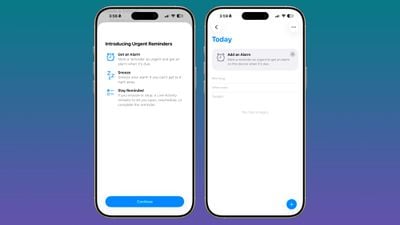
The Reminders app has a new option to have an alarm go off when a reminder is due. Setting up an alarm can be done by toggling on the "Urgent" option when creating a reminder.
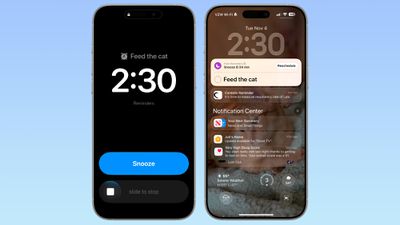
When a Reminder alarm activates, it displays a snooze option or a slide to stop option. If you snooze it, it will show a Live Activity countdown on the Lock Screen that includes an option to complete the reminder or reschedule it. Apple distinguishes Reminders alarms from standard alarms with a new blue color.
Apple provides a splash screen letting users know about the feature, plus a small banner that shows up when you go to add a new entry in the Reminders app after updating to iOS 26.2.
Lock Screen
The Lock Screen has a new Liquid Glass slider that lets you customize the appearance of the time. When using the "Glass" option, you can use the slider to make the time look almost entirely clear, or give it a more frosted look.
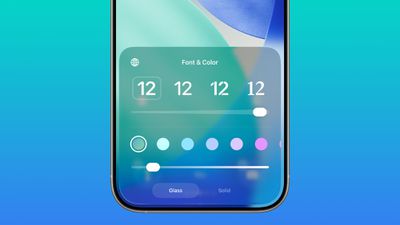
There's still a separate Solid toggle that turns off the Liquid Glass appearance for the clock entirely if you want to opt for a much more opaque design, and you can also still use the color options for the time.
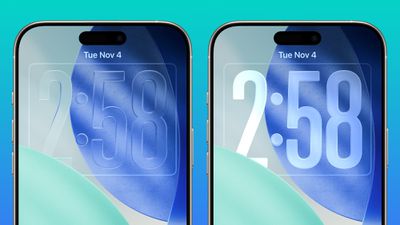
Liquid Glass Settings
When using the Liquid Glass "Tinted" option that reduces transparency, there's a warning that the Tinted option cannot be used in tandem with the Reduce Transparency and Increase Contrast Accessibility settings.
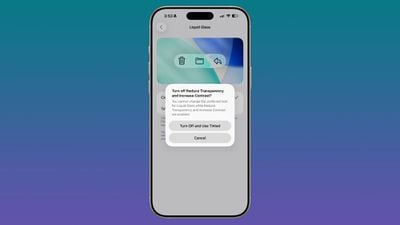
Turning on Tinted mode is able to turn off Reduce Transparency and Increase Contrast automatically. In the prior update, there was no option to turn on Tinted mode without turning off these features manually.
AirDrop
iOS 26.2 increases the security of AirDrop. The update adds an extra layer of verification when using AirDrop with unknown contacts.
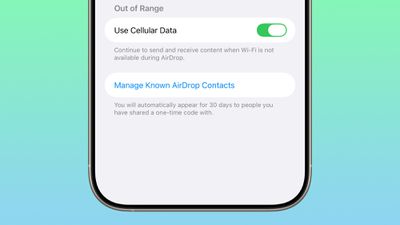
There is an option to generate an AirDrop code on the receiver's device, which can then be entered on the sender's device to complete the transfer. Codes allow AirDrop to work for a 30-day period.
People you have shared a code with can be managed by opening up the Settings app, selecting the General section, choosing AirDrop, and tapping on "Manage Known AirDrop Contacts."
Apple Music
Apple Music supports offline lyrics, so you can see a song's lyrics when not connected to Wi-Fi or cellular.
Your Favorite Songs playlist also now shows up in Top Picks on the home tab.
Sleep Score
With iOS 26.2 and watchOS 26.2, Apple has adjusted the ranges for the Sleep Score feature that it introduced earlier this year. The new Sleep Score numbers better match how people might be feeling after a night of sleep.
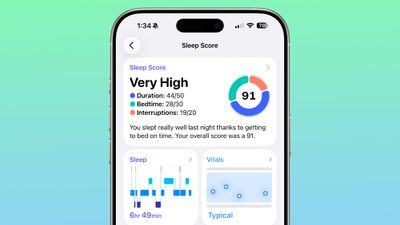
These are the new scores:
- Very Low - 0-40 (previously 0-29)
- Low - 41-60 (previously 30-49)
- OK - 61-80 (previously 50-69)
- High - 81-95 (previously 70-89)
- Very High - 96-100 (previously 90-100)
The "Very High" rank used to be "Excellent," but Apple changed the name to be more in line with the other labels.
Sleep Scores are available on all Apple Watch models compatible with watchOS 26.2 and can be found in the Health app on the iPhone. Apple designed Sleep Score to provide an overall sense of sleep patterns, so users can identify habits that might impact their sleep.
Sleep Score takes into account sleep duration, bedtime, and interruptions to assign a nightly score that represents sleep quality. Duration is worth 50 points, bedtime is worth 30, and interruptions (times woken up in the night) are worth 20, for a total of 100 possible points each night.
Podcasts
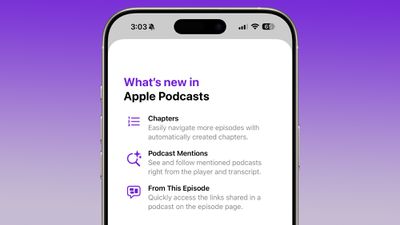
The Podcasts app has three new features, including automatically generated chapters, options to see mentions of other podcasts from the transcript and the player, and access to links mentioned in a podcast on the episode page.
Passwords
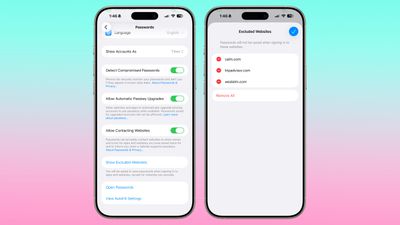
In the Settings section of the Passwords app, there's an option to manage websites where passwords are not saved when signing in.
Freeform
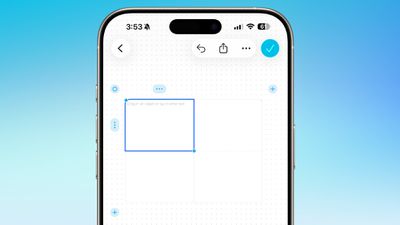
The Freeform app now supports tables that can hold text, images, documents, and drawings. Cells intelligently resize to fit content, providing structure.
Apple News
Apple updated the design of Apple News, adding quick access top buttons for categories like sports, puzzles, politics, business, and food.
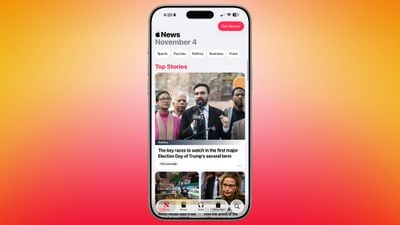
There's also a dedicated tab for Following, which has been decoupled from the search interface.
Home App
The Home app now supports multipack accessory pairing. You can use the same setup code to enroll multiple accessories that are sold together.
Flash for Alerts
The Flash for Alerts option in the Accessibility section of the Settings app allows users to have the screen flash when there's an incoming notification. Previously, this setting was limited to the LED on the back of the iPhone.
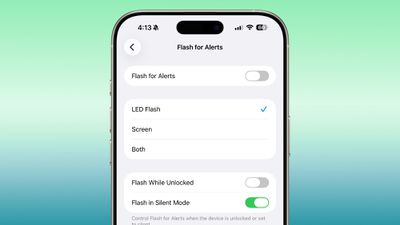
Users can swap to the screen flash or have both flash at the same time when notifications come in.
Enhanced Safety Alerts
In the Notifications section of the Settings app, there's an Enhanced Safety Alerts section for managing earthquake alerts, imminent threat alerts, and activating improved alert delivery, a feature that uses location to improve the reliability of alerts.
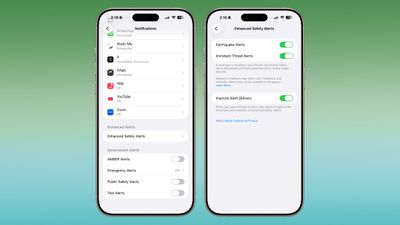
Apple says that Enhanced Safety Alerts provide rich information like a map of affected areas and links to additional safety guidance.
Enhanced Safety Alerts is limited to the United States.
Measure App
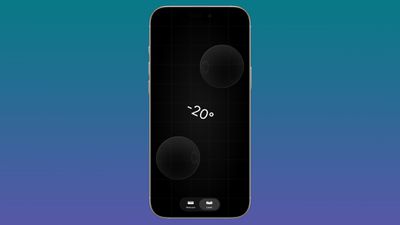
Apple's Measure app now features a Liquid Glass design for the level, with two Liquid Glass bubbles instead of white circles.
Games App
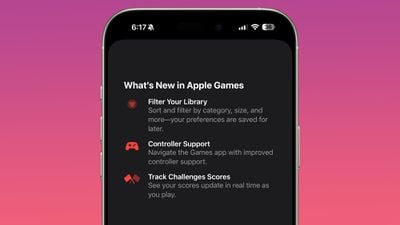
There's an option to sort games in the Games app Library by size, in addition to Name and Recent. In-game challenge score banners provide real-time updates when someone new has taken the lead in a game you're playing.
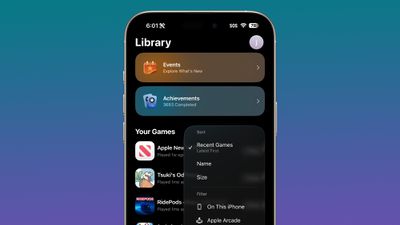
The Games app also supports navigation with a controller and real-time updates to challenge scores during gameplay, plus there's enhanced support for controllers like the Backbone and Razer.
CarPlay
The CarPlay app supports disabling pinned messages in the Messages app for drivers who prefer the classic Messages view that was available before iOS 26.2.

Menu Animations
For pop-out menus that expand from a corner button, iOS 26.2 adds a quicker, bouncier animation that looks like the animation that Apple showed off at WWDC.
Privacy
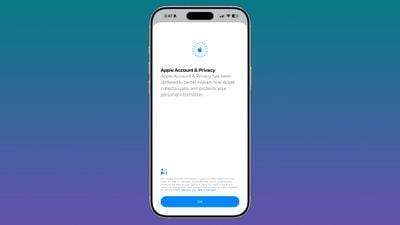
When you access your Apple Account for the first time after installing iOS 26.2, you'll see an alert letting you know that Apple's privacy information for Apple Accounts has been updated to better explain how personal information is collected and used by Apple.
AirPods Live Translation for EU
iOS 26.2 expands AirPods Live Translation to the European Union. Apple had to delay the feature in the EU to complete the engineering work needed to comply with the requirements of the Digital Markets Act.
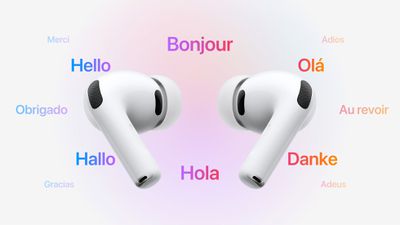
AirPods Live Translation works with the AirPods Pro 3, AirPods Pro 2, and AirPods 4 with ANC. It is available in English, French, German, Portuguese, Spanish, Italian, Chinese (Simplified and Traditional Mandarin), Japanese, and Korean at the current time.
iPhone Changes in Japan
Siri Replacement
Apple is laying the groundwork for a new option that will let iPhone users in Japan choose a different default voice assistant. A press and hold gesture on the Side Button only activates Siri in earlier versions of iOS.
iPhone users in Japan will be able to select a new voice-based conversation app to activate with the Side Button, allowing alternative assistants like Gemini or Alexa to be used on the iPhone. Developer documentation confirms that it will only be available for Japanese Apple Accounts owned by people living in Japan.
Search Engine Choice
After installing iOS 26.2, iPhone users in Japan will be prompted to select a preferred search engine. Options include Bing, Google, DuckDuckGo, Yahoo Japan, or Ecosia, the same options available globally in the Safari settings. In most other countries, Google is the default search engine and there is no prompt to choose a different option when the iPhone first starts up.
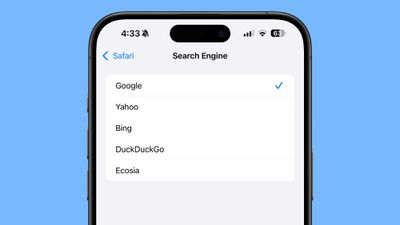
While iPhone users outside of Japan can choose one of the other options, doing so requires going into the Safari section of the Settings app to make a change.
Third Party App Stores
iOS 26.2 will allow iPhone users in Japan to install alternative app marketplaces, similar to the European Union.
Texas App Store Changes
With iOS 26.2, Apple is adding tools for developers that will help them comply with the App Store Accountability Act that goes into effect in Texas in 2026. Apple users in Texas will need to confirm whether they are 18 years or older when creating an Apple Account, and parents will need to provide consent for their children's App Store downloads and in-app transactions.
Apple will share user age range information with developers, and developers will need to implement systems for notifying parents about significant app changes and allowing parents to revoke a child's access to an app at any time.
Bonus: iPadOS 26.2 Multitasking
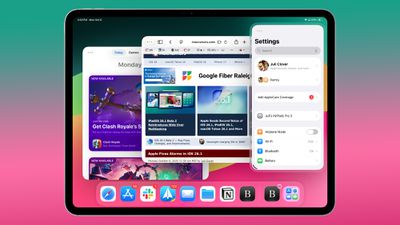
In iPadOS 26.2, Apple is expanding on the updated multitasking that it introduced in iPadOS 26.1. There's an option to drag and drop apps from the App Library, Dock, and Spotlight into Slide Over and tiled views, restoring some functionality that was removed in the iPadOS 18 to iPadOS 26 transition.
Bug Fixes
There are two notable bug fixes in iOS 26.2. Apple addressed an issue that could cause pre-release albums in the Apple Music Library not to be playable at release time, and it addressed an issue where a Privacy and Security setting could be incorrectly marked as managed by an enterprise organization.
Security Updates
iOS 26.2 addresses over 20 vulnerabilities, including two bugs that are known to have been actively exploited.
There are a pair of WebKit vulnerabilities that could allow maliciously crafted web content to execute code or cause memory corruption. Apple says that the bugs might have been exploited in an attack against targeted individuals on versions of iOS before iOS 26.
One of the WebKit bugs was fixed with improved memory management, while the other was addressed with improved validation.
There are several other vulnerabilities that were fixed too, across apps and services. An App Store bug could allow users to access sensitive payment tokens, processing a malicious image file could lead to memory corruption, photos in the Hidden Album could be viewed without authentication, and passwords could be unintentionally removed when remotely controlling a device with FaceTime.
Now that these vulnerabilities have been publicized by Apple, even those that were not exploited before might be taken advantage of now. Apple recommends all users update their devices to iOS 26.2, iPadOS 26.2, and macOS Tahoe 26.2 as soon as possible.
Compatibility
iOS 26.2 is available on all iPhones that support iOS 26.
What's Next
Apple is likely to release the first beta of its next update, iOS 26.3, as soon as next week.



































