Skip to Content

Five of the Best Email Apps on iPhone

Email apps are a popular App Store category for one simple reason - almost all of us need to access email on our iPhones and iPads. While Apple has its own Mail app built into iOS devices, some people want a more feature rich experience.

Luckily there are plenty of developers out there who are trying to create the perfect iOS inbox, but it's hard to sort through the dozens of email apps available. We dove into the ‌App Store‌ in our latest YouTube video and rounded up a handful of the best email apps we found.


Best Email Apps for iPhone

Spike

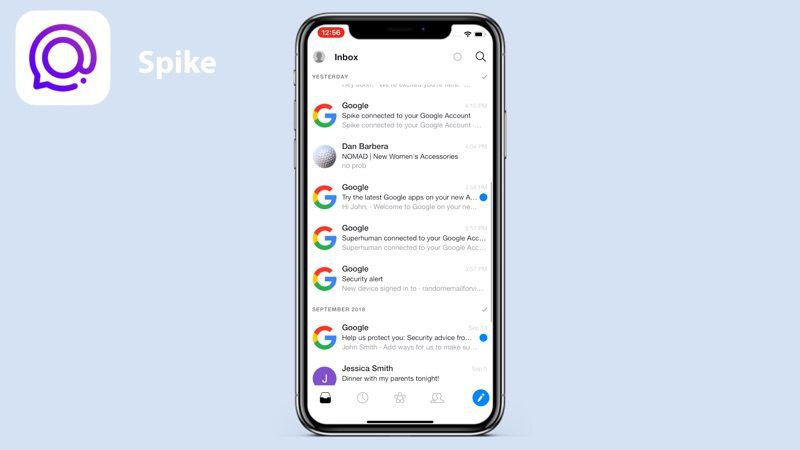
Spike, a free app, is a conversation-based email app that used to be called Hop. The app's aim is to turn emailing into more of a message like conversation, organizing the inbox into a chat-style window.

emailappsspike
Spike removes email headers, signatures, and more to make the emailing experience chat-like, and it prioritizes emails sent by people while filing newsletters and other automatic emails to other folders. Other features include a unified inbox, email grouping options, quick responses, a unified calendar, and snooze. Spike is unusual and not our first choice, but it's definitely unique and could be what some people are looking for.

Polymail

Polymail, also free, is more of a traditional email app. It has a sleek, clean interface with a useful comment and mention feature that's available on the desktop for teams.

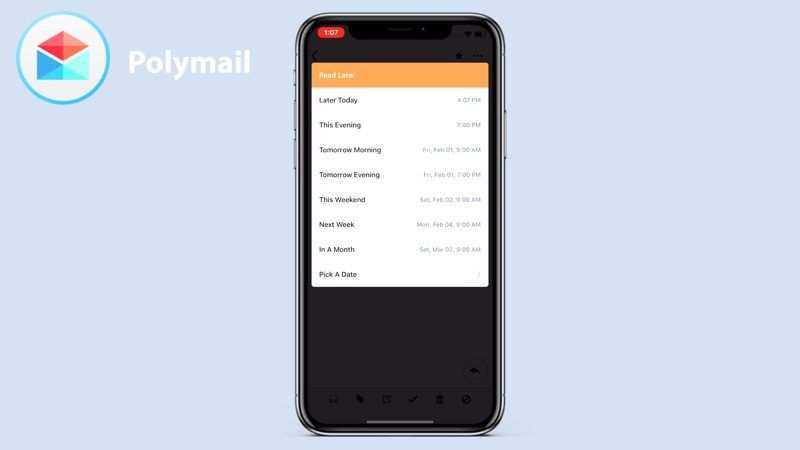
On iOS, Polymail offers useful features like quick tags, read later, and read receipts to let you know what someone has received and read your email. You can also get reminders to follow up on an email that someone has read but not responded to. Other unique features include a calendar invite option in the compose window, one-click unsubscribe, email scheduling, click and attachment tracking, and more.

emailappspolymail
Polymail is one of the more useful apps if you want to better track who is viewing your emails, but if you don't need that functionality, there may be better apps for you.

Airmail

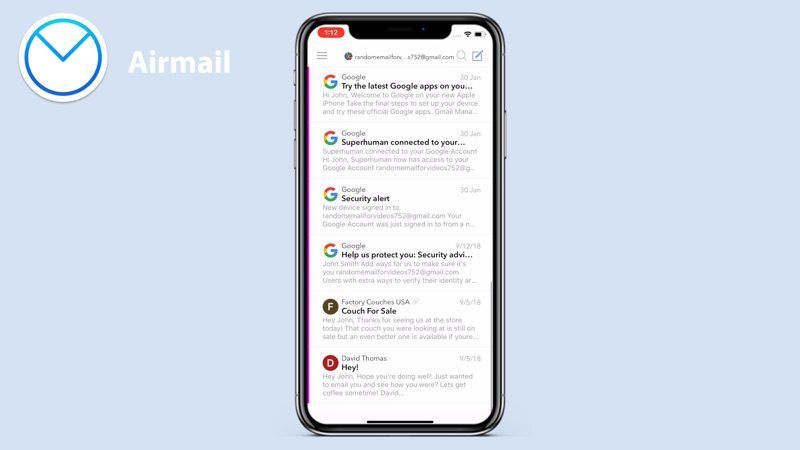
Airmail, priced at $4.99, started as a Mac app and then expanded to iOS. Airmail is a straightforward email app with a focus on minimalism. There's a single unified "All Inboxes" view for quick email management, but if you swipe from the left, there's access to folders for to-do lists, snoozed emails, and attachments, which is handy for finding specific content.

Airmail keeps it simple with options to reply, delete, and archive when viewing an email, though there are an expanded set of features in the compose window, including tracking, send later options, reminders, and templates. Airmail is compatible with a wide range of other services and apps so you can better integrate the apps you already use with your email app.

emailappsairmail
Airmail's interface isn't going to appeal to everyone, especially on iOS, but it offers a good cross-platform experience.

Spark

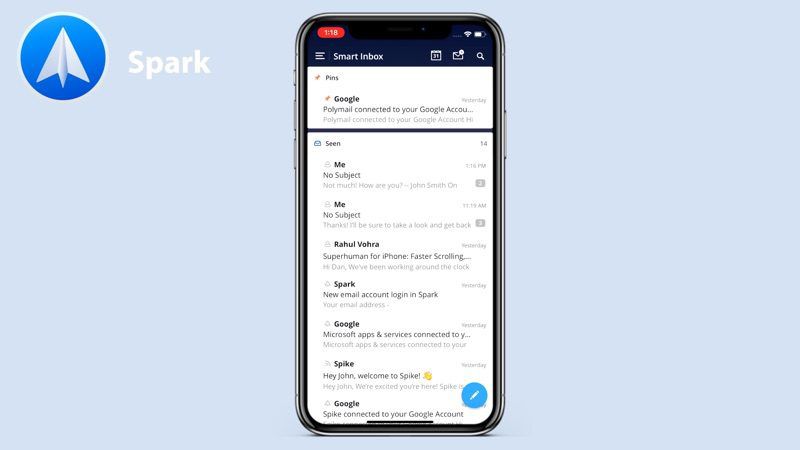
Spark, a free app from Readdle, is one of our top email app picks. Spark offers up a Smart Inbox that presents your most important emails first, saving the junk, newsletters, and less important tasks for later.

Emails are automatically categorized into sections that include Personal, Notifications, and Newsletters, but you can use a single firehose inbox option if you want. Spark has a robust search engine, which makes it easy to find any email, something that we liked about the app.

emailappsspark
Spark has tools for discussing and collaborating on emails with your team, and it's one of the few email apps with these kinds of tools. It also offers options for scheduling emails and snoozing emails, plus there are smart notifications so you only get pinged when there's something important to see.

Other Spark features include followup reminders, integrations with other services, and customizable swipe gestures.

Edison Mail

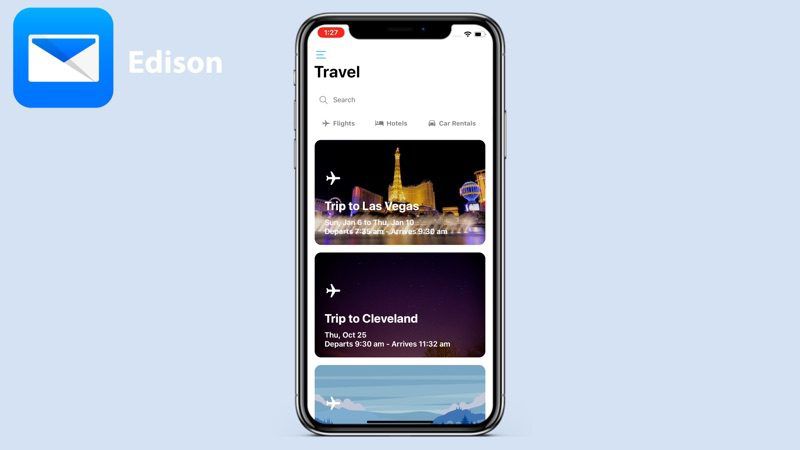
Edison Mail, another free app, is super popular on the ‌App Store‌ for a reason. It has a clean, modern look, customizable swipe settings, and all of the tools that you need for managing your email.

Edison Mail's design is reminiscent of the design of the Mail app, so it fits well on the iPhone, but it offers a richer feature set than the Mail app. There's an included personal assistant that organizes your inbox, sorting out subscriptions, travel emails, bills, receipts, and package emails.

emailappsedison
It lets you track packages and sends an alert when something is out for delivery, and it can do other things like send notifications for upcoming flights. Traditional tools are included too, like snooze options, send undo, and one-tap unsubscribe. It also integrates with Face ID, providing another layer of protection for your inbox.

Conclusion

Of all the email apps listed above, which are some excellent options for email management, we liked Spark and Edison the best, with Edison ranking as our top favorite. If you're looking for a new email app to try out, it's worth taking a look at everything on the list.

Did we miss your favorite email app? Let us know which one you prefer in the comments.

Popular Stories

apple design award 2025

Apple Announces 2025 Design Award Winners Ahead of WWDC 2025

Tuesday June 3, 2025 10:14 am PDT by
As we wait for WWDC to kick off next Monday, Apple today announced the winners of its annual Apple Design Awards, recognizing apps and games for their innovation, ingenuity, and technical achievement. The 2025 Apple Design Award winners are listed below, with one app and one game selected per category: Delight and Fun - CapWords (App) and Balatro (Game) Innovation - Play (App) and PBJ -...
1password deal blue

1Password Security Breach: What Was Accessed and What Wasn't

Wednesday November 25, 2026 1:09 pm PST by
Popular password management app 1Password today said it experienced a security breach earlier this month. 1Password says some customer names and email addresses were accessed, but no customer vault contents were compromised. On November 19, 1Password saw indications that an employee's GitHub account had been breached and began investigating. The company says the breached GitHub account was...
apple store down feature

Here's Why the Apple Store is Going Down

Thursday November 26, 2026 5:49 am PST by
Apple's online store is going down for a few hours on a rolling country-by-country basis right now, but do not get your hopes up for new products. Apple takes its online store down for a few hours ahead of Black Friday every year to tease its annual gift card offer with the purchase of select products. The store is down in Australia, New Zealand, and Thailand, right now, and it will...

Top Rated Comments

102 months ago
Shocked you didn't mention Outlook. The latest version combines what I like in Airmail and Edison
Score: 45 Votes (Like | Disagree)
102 months ago
Outlook on iOS is by far and away the best. Makes Apple’s own effort look poor.
Score: 43 Votes (Like | Disagree)
drumcat Avatar
102 months ago
All of which you must provide your email password, and every email traverses their servers.

I did this with Airmail shortly, and they screwed up and forced 4 password resets with iCloud in 48 hours. Once I knew they were a proxy, it was immediately back to the iOS app. It's not just a better UI; it's a server you have to trust. I don't anymore after being burned.

Just be sure you are comfortable with all of your emails going through the servers of the app you use.

(Edit: remember, if something is free, you're the product...)
Score: 31 Votes (Like | Disagree)
102 months ago
I'm always on guard for an app that 'free', which is code for 'you are the product'. If Edison is free, how is it monetised - how-do-they-make-money?
Score: 23 Votes (Like | Disagree)
Apple_Robert Avatar
102 months ago
Dan, I am surprised you like and recommend Edison.

From their privacy policy: "Any data we do collect is used for only three purposes: 1) to provide you with the best service possible, 2) to perform research on new features for our users, and 3) to create aggregate ecommerce trends.

Edison talks a good security game earlier in their statement and then in less than straight-forward language, they let you know what they are really about. Sound familiar? Think Google and Facebook.

Edited to add: If MR is going to suggest apps like these, the least they should do is alert the readers to the difference in security policies and use when using iOS or Mac, so that people will be better informed. No mention of the difference between PUSH or FETCH and how the email clients handle each.
Score: 20 Votes (Like | Disagree)
102 months ago
Email apps are a popular App Store category for one simple reason - almost all of us need to access email on our iPhones and iPads. While Apple has its own Mail app built into iOS devices, some people want a more feature rich experience.

Luckily there are plenty of developers out there who are trying to create the perfect iOS inbox, but it's hard to sort through the dozens of email apps available. We dove into the App Store in our latest YouTube video and rounded up a handful of the best email apps we found.


Subscribe to the MacRumors YouTube channel ('https://www.youtube.com/user/macrumors?sub_confirmation=1') for more videos.

Spike

Spike ('https://itunes.apple.com/us/app/spike-conversational-email/id707452888?mt=8'), a free app, is a conversation-based email app that used to be called Hop. The app's aim is to turn emailing into more of a message like conversation, organizing the inbox into a chat-style window.
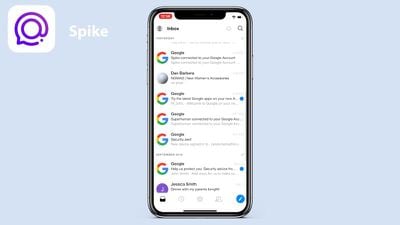


Spike removes email headers, signatures, and more to make the emailing experience chat-like, and it prioritizes emails sent by people while filing newsletters and other automatic emails to other folders. Other features include a unified inbox, email grouping options, quick responses, a unified calendar, and snooze. Spike is unusual and not our first choice, but it's definitely unique and could be what some people are looking for.

Polymail

Polymail ('https://itunes.apple.com/us/app/polymail/id1082058386?mt=8'), also free, is more of a traditional email app. It has a sleek, clean interface with a useful comment and mention feature that's available on the desktop for teams.

On iOS, Polymail offers useful features like quick tags, read later, and read receipts to let you know what someone has received and read your email. You can also get reminders to follow up on an email that someone has read but not responded to. Other unique features include a calendar invite option in the compose window, one-click unsubscribe, email scheduling, click and attachment tracking, and more.
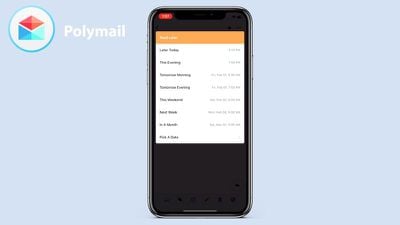


Polymail is one of the more useful apps if you want to better track who is viewing your emails, but if you don't need that functionality, there may be better apps for you.

Airmail

Airmail ('https://itunes.apple.com/us/app/airmail-your-mail-with-you/id993160329?mt=8'), priced at $4.99, started as a Mac app and then expanded to iOS. Airmail is a straightforward email app with a focus on minimalism. There's a single unified "All Inboxes" view for quick email management, but if you swipe from the left, there's access to folders for to-do lists, snoozed emails, and attachments, which is handy for finding specific content.

Airmail keeps it simple with options to reply, delete, and archive when viewing an email, though there are an expanded set of features in the compose window, including tracking, send later options, reminders, and templates. Airmail is compatible with a wide range of other services and apps so you can better integrate the apps you already use with your email app.
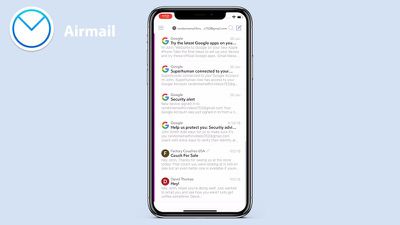


Airmail's interface isn't going to appeal to everyone, especially on iOS, but it offers a good cross-platform experience.

Spark

Spark ('https://itunes.apple.com/us/app/spark-email-app-by-readdle/id997102246?mt=8'), a free app from Readdle, is one of our top email app picks. Spark offers up a Smart Inbox that presents your most important emails first, saving the junk, newsletters, and less important tasks for later.

Emails are automatically categorized into sections that include Personal, Notifications, and Newsletters, but you can use a single firehose inbox option if you want. Spark has a robust search engine, which makes it easy to find any email, something that we liked about the app.
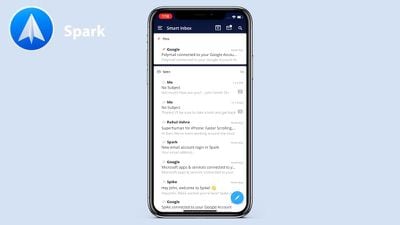


Spark has tools for discussing and collaborating on emails with your team, and it's one of the few email apps with these kinds of tools. It also offers options for scheduling emails and snoozing emails, plus there are smart notifications so you only get pinged when there's something important to see.

Other Spark features include followup reminders, integrations with other services, and customizable swipe gestures.

Edison Mail

Edison Mail ('https://itunes.apple.com/us/app/email-edison-mail/id922793622?mt=8'), another free app, is super popular on the App Store for a reason. It has a clean, modern look, customizable swipe settings, and all of the tools that you need for managing your email.

Edison Mail's design is reminiscent of the design of the Mail app, so it fits well on the iPhone, but it offers a richer feature set than the Mail app. There's an included personal assistant that organizes your inbox, sorting out subscriptions, travel emails, bills, receipts, and package emails.
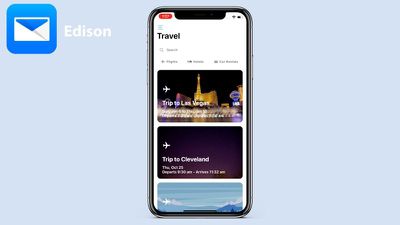


It lets you track packages and sends an alert when something is out for delivery, and it can do other things like send notifications for upcoming flights. Traditional tools are included too, like snooze options, send undo, and one-tap unsubscribe. It also integrates with Face ID, providing another layer of protection for your inbox.

Conclusion

Of all the email apps listed above, which are some excellent options for email management, we liked Spark and Edison the best, with Edison ranking as our top favorite. If you're looking for a new email app to try out, it's worth taking a look at everything on the list.

Did we miss your favorite email app? Let us know which one you prefer in the comments.

Article Link: Five of the Best Email Apps on iOS ('https://www.macrumors.com/guide/best-email-apps-ios/')
I used to love edison mail before they admitted they let their employees read peoples emails.

Score: 18 Votes (Like | Disagree)
Latest Stories
The 50+ Best Apple Black Friday Deals Still Available on AirPods, iPads, and More
1 hour ago
Apple's M6 and PROLED MacBook Pro Reach New Low Prices for Black Friday
8 hours ago
The MacRumors Show: iPhone Air 2 and iPhone 18 Are Coming
9 hours ago
Apple Store in Brisbane Reopening Next Month With New Design
9 hours ago
The 60+ Best Black Friday Accessory Deals on iPhone Chargers, TVs, Headphones, and More
10 hours ago
GTA VI Now (Barely) Running on Apple Silicon Macs
10 hours ago
The Best Black Friday Streaming Deals on Apple TV, Disney+, and More
11 hours ago
Apple TV's 'Carême' Wins International Emmy for Best Drama
11 hours ago
iPhone 18 Production Delay Leaves Apple Little Time Before Launch
12 hours ago
The Best Black Friday AirPods Deals Still Available
4 hours ago
The Best Black Friday Deals on Apple Home Products
13 hours ago
The Best Black Friday iPhone Deals Still Available
4 hours ago
The Best Black Friday iPad Deals Still Available
4 hours ago
The Best Black Friday Apple Watch Deals Still Available
4 hours ago
The Best Black Friday AirTag Deals Still Available
4 hours ago
The Best Black Friday Mac Deals Still Available
4 hours ago
iPhone Share of US Smartphone Market Hits 57% as Rivals Slip
14 hours ago
iPhone 20 Pro Rumored to Feature 3D-Printed Titanium Frame
16 hours ago
Apple's Official 2026 Black Friday Offer Starts Rolling Out
1 day ago
Halide Adds Fill Light Feature for iPhone Duo
1 day ago
MacBook Air Black Friday Deals Now Live With Massive $399 Savings
1 day ago
Amazon Discounts All MacBook Neo Models by $99 for Black Friday
1 day ago
Kodak Launches Unique AirTag Rival With E-Ink Display
2 days ago
Here's Why the Apple Store is Going Down
2 days ago
Apple Still Working on Giant Foldable iPad That Could Cost $5,000
2 days ago
iPhones Dominate China's Weak Singles' Day Smartphone Sales
2 days ago
iPhone 20 Pro Could Feature Ceramic in Limited-Edition Model
2 days ago
Apple Faces Korean Regulator Review Over iPhone 16 AI Advertising
2 days ago
Apple Watch Ultra 4 Hits New Best-Ever Price of $649.99 for Black Friday
2 days ago
New Apple Store Opening in India, Download the Special Wallpaper Now
2 days ago
Related Apple News: Ipad | World News | News | Technology | Iphone