iOS 27 Lets You Add Apple TV Remote to Your iPhone's Home Screen
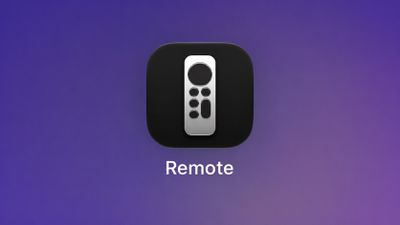 Starting with iOS 27, the virtual Apple TV remote can be added to the iPhone's Home Screen again, rather than being limited to Control Center. To do so, swipe down on the Home Screen and search for "remote." Next, tap and hold on the Remote app and drag it to your Home Screen. Alternatively, you can find it in the App Library.
Apple used to offer an Apple TV Remote app in the App Store, but it was removed in 2020.
Popular Stories
Apple today added a new option for unlocking the iPhone Duo using the front-facing camera, giving device users multiple ways to access their content. The feature is available in the second iOS 27.3 beta.
The option to unlock with facial recognition is only available on the Lock Screen, and authentication via Touch ID is still needed for Apple Pay purchases, adding passwords and logins, and...
Apple's massive wave of product launches will finally end next week, with its all-new HomeView smart home hub and the fourth-generation Apple TV 4K set to be released on Friday, November 13 and no other major hardware releases expected for the remainder of the year. Since late August, Apple has announced more than 25 new devices and accessories in one of its busiest stretches...
The iOS 27.2.1, iPadOS 27.2.1, and macOS 27.2.1 updates Apple released today fix a handful of security vulnerabilities. With the security fixes implemented, it's a good idea to update as soon as you can.
A bug with iMessage could let a remote attacker join a group chat to receive its messages, and another could let users see messages sent before they joined a group chat.
Most of the...