Apple today released watchOS 26.3, an update to the watchOS 26 operating system that came out in September. watchOS 26.3 comes two months after Apple released watchOS 26.2.
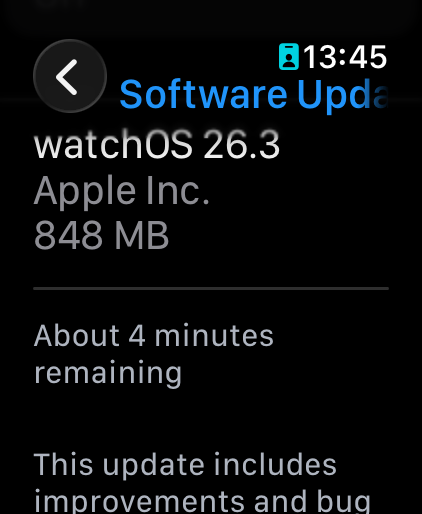
watchOS 26.3 can be downloaded for free on an iPhone running iOS 26.3 by opening up the Apple Watch app and going to General > Software Update, or initiating an update in the Settings app on the watch. To install the new software, the Apple Watch needs to have at least 50 percent battery and it needs to be placed on a charger.
According to Apple's release notes, watchOS 26.3 includes unspecified bug fixes and security updates, and there were no new outward-facing features discovered during the beta testing process.
Tuesday November 3, 2026 10:35 am PST by Juli Clover
With the first beta of watchOS 27.3, Apple is introducing new Audio Intelligence features it previewed for the Apple Watch Series 12 and Ultra 4 earlier this year. Powered by the S11 chip, Audio Intelligence includes Live Rewind, Siri Recap, Sound Recognition, and Shazam Music Recognition.
Sound Recognition and Shazam are already on the watch, but Live Rewind and Siri Recap are now available ...
Friday November 20, 2026 1:45 pm PST by Juli Clover
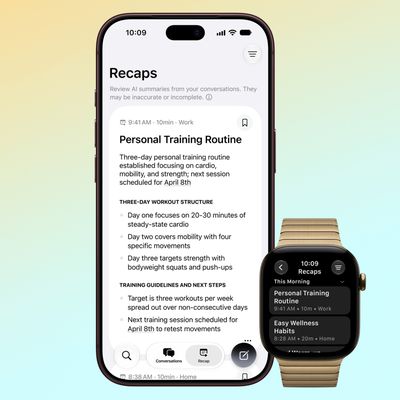
With the watchOS 27.3 beta, Apple started testing Siri Recap. Siri Recap lets the Series 12 and Ultra 4 Apple Watch models listen to conversations to generate a brief summary of what was discussed. Actual audio is sectioned off from apps, Apple, and the rest of the OS, and then discarded after a summary is generated.
It's a privacy-forward way of tracking what's going on around you, but...
Monday November 9, 2026 10:08 am PST by Juli Clover
Apple today released new watchOS 27.2.1 and visionOS 27.2.1 updates, with the software coming two weeks after the launch of watchOS 27.2 and visionOS 27.2.
According to Apple's release notes, the watchOS update includes security fixes, while the visionOS 27.2.1 update includes security updates and bug fixes.
The new software can be installed using the Settings app on each device.
...
intiate the download from the apple watch app on my phone then turn off bluetooth on my phone
It should not matter too much but if you start the download over BT and then kill the BT it will switch to Wifi and try re-regulate the speed. It might just be cleaner to do the entire thing over wifi.
I doubt it makes too much difference over the download period but optically it will likely give you incorrect "... minutes remaining" estimates.
EDIT: Just don't forget to turn BT back on after the download has finished :D
You mean the actual download itself? Mine took <5 min, don't want to know what if would have been via the phone, but yes, preparing, verifying takes another 20-30 min and install is usually about 5 min. I usually plan on the whole process taking maybe an hour, which is fine with me. Slow, sure, but the computing power in the watch is limited.
Mine’s taking longer than both my iPhone and iPad.
You mean the actual download itself? Mine took <5 min, don't want to know what if would have been via the phone, but yes, preparing, verifying takes another 20-30 min and install is usually about 5 min. I usually plan on the whole process taking maybe an hour, which is fine with me. Slow, sure, but the computing power in the watch is limited.