Skip to Content

iOS 26: All the New iPhone Lock Screen Customizations

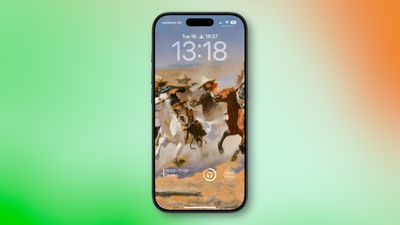
Apple has now made iOS 26 available to download on compatible iPhone models, and if you just installed the new software, Apple has made some changes and feature additions to the iPhone Lock Screen that you may want to check out.
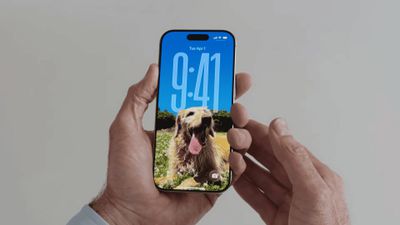
new iphone lockscreen ios 26
To download iOS 26 on your iPhone, go to Settings ➝ General ➝ Software Update, then let your device check Apple's servers for the latest software. Wait for the update screen to appear, then hit Update Now. With that done, here are five new things you can do to customize your the Lock Screen in iOS 26.

Change iPhone Clock to Liquid Glass
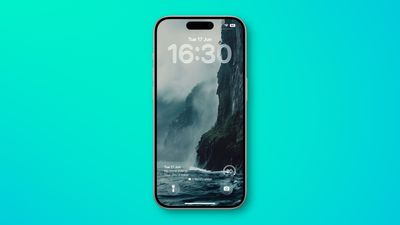
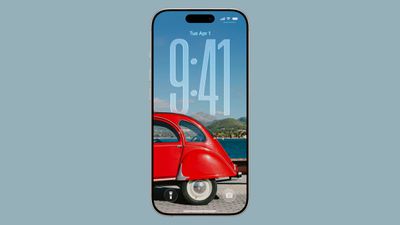
ios 26 bottom widgets lock screen
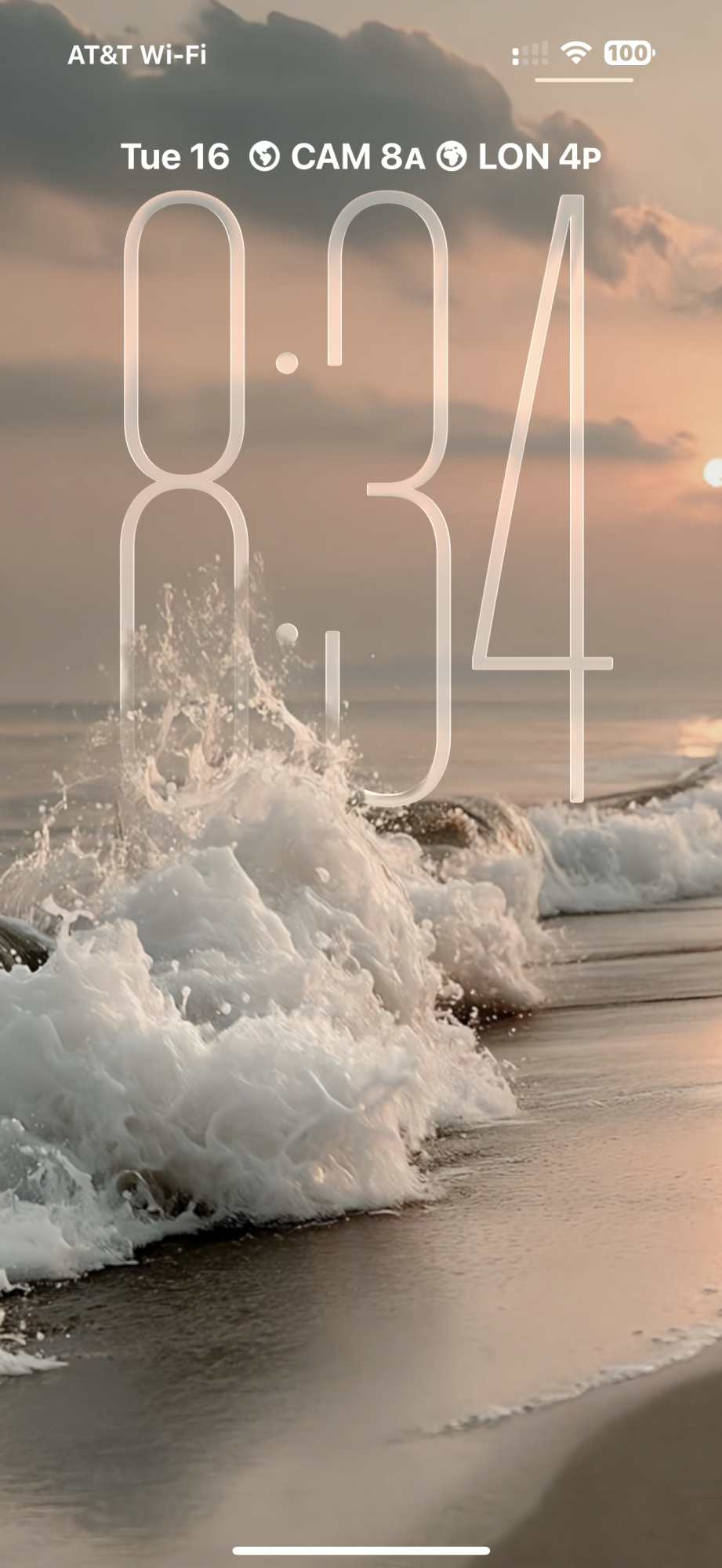
In iOS 26, Liquid Glass is Apple's new translucent material that reflects and refracts its surroundings, while dynamically transforming to help bring greater focus to content across system controls, navigation elements, app icons, and widgets. The design represents the most significant visual overhaul since iOS 7, and it also brings a new clock appearance option to your iPhone Lock Screen.

  1. Wake your iPhone so the Lock Screen is showing.
  2. Long press anywhere on the Lock Screen, then tap Customize.
  3. Tap the time within the square frame.
  4. Tap the new Glass option to switch from Solid.
  5. Make any other desired changes to the clock's color and style, then tap Done to finish.
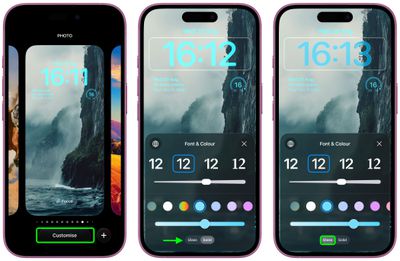
liquid glass clock ios

Move Lock Screen Widgets to Bottom

lock screen widgets bottom 2
In iOS 18, the row of widgets on your Lock Screen is literally locked in place right below the clock. In iOS 26, however, Customize mode lets you drag them down to the bottom of the screen, so that they hover just above the two quick actions (assuming you have any). The new optional positioning makes tapping a widget during one-handed use a lot easier.

  1. Long press anywhere on the Lock Screen, then tap Customize.
  2. Below the clock, drag the widgets frame to the bottom of the screen.
  3. Make any other desired changes to the Lock Screen, then tap Done to finish.
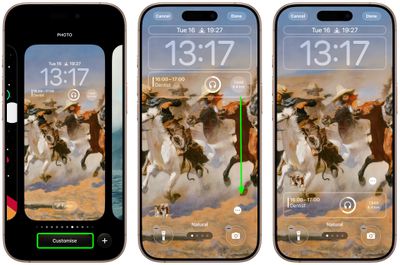
lock screen widgets bottom

Resize Lock Screen Clock

ios 26 lock screen time
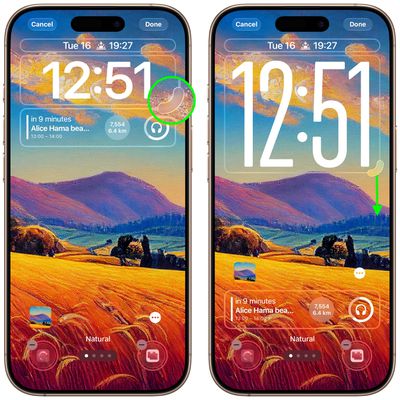
In iOS 26, Apple has made it so that the clock on the Lock Screen can be expanded to fill more of the display, making it easier to read. This can be done in Customize mode thanks to a new drag handle on the bottom-right corner of the selection frame around the time.

You can make the digits take up half of the screen, though if you have any widgets, they will slide down to the bottom of the display. In addition, if you have a depth effect applied to a photo and pinch to crop, the time will automatically adjust to accommodate the subject. Bear in mind that the ability to expand the time depends on the selected photo – if there's no space above the photo's subject, the drag handle won't appear.

  1. Long press anywhere on the Lock Screen, then tap Customize.
  2. Rest your finger on the drag handle located at the bottom-right of the clock frame.
  3. Drag down to resize the clock, then up to adjust if it's too big.
  4. Make any other desired changes to the Lock Screen, then tap Done to finish.
resze lock screen clock ios

Turn Lock Screen Wallpaper Into a Spatial Scene

spatial scenes lock screen
In iOS 26, your iPhone can convert 2D images into a 3D Spatial Scene that can be viewed on your Lock Screen.

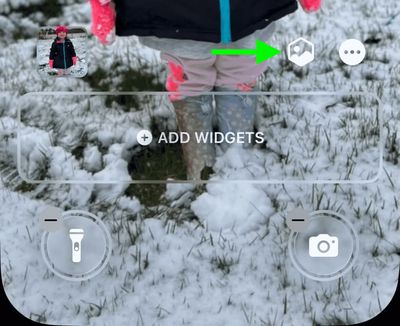
When you're browsing Lock Screen wallpaper options, iOS automatically suggests photos from your library that are compatible with the feature. And if you manually select a Lock Screen photo that supports Spatial Scenes, you'll see a toggle on the customization screen that lets you enable or disable the effect.
spatial scene gif 1
The feature works using generative AI that analyzes your photos to identify different elements and create depth maps. Importantly, it doesn't require Apple Intelligence to function, meaning Spatial Scenes works on iPhone 12 and newer models.

It's hard to appreciate without trying it yourself, but the results are impressive as the image animates when you move your device. Spatial Scenes use machine learning rather than Apple Intelligence, which means the feature is available on iPhone 12 and newer devices.

Make Music Albums Animate
liquid glass music lock screen
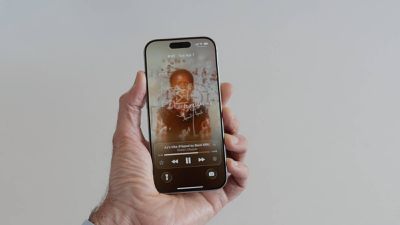
iOS 26 introduces full-screen animated album art on the iPhone Lock Screen for select Apple Music tracks. By tapping the album art in the Lock Screen music player, the artwork expands and animates, creating a more immersive listening experience. While animated album art has been available within the Apple Music app for some time, this marks its first appearance on the Lock Screen. Not all songs support it yet, but the number is steadily increasing. Apple is also opening the Animated Album Art feature to third‑party developers, so expect it to work with apps like Spotify and YouTube Music soon.


Popular Stories

apple design award 2025

Apple Announces 2025 Design Award Winners Ahead of WWDC 2025

Tuesday June 3, 2025 10:14 am PDT by
As we wait for WWDC to kick off next Monday, Apple today announced the winners of its annual Apple Design Awards, recognizing apps and games for their innovation, ingenuity, and technical achievement. The 2025 Apple Design Award winners are listed below, with one app and one game selected per category: Delight and Fun - CapWords (App) and Balatro (Game) Innovation - Play (App) and PBJ -...

Apple 2026 Black Friday Event Hero

Apple's Official 2026 Black Friday Offer Starts Rolling Out

Thursday November 26, 2026 8:37 am PST by
Apple's annual four-day Black Friday through Cyber Monday shopping event is now live in Australia, New Zealand, and Thailand, and it will continue to roll out across Europe, the U.S., and Canada as the calendar turns to Friday, November 27 around the world. In the U.S., Apple's terms and conditions say the promotion begins on November 27 at 12 a.m. Pacific Time and ends on November 30 at...
1password deal blue

1Password Security Breach: What Was Accessed and What Wasn't

Wednesday November 25, 2026 1:09 pm PST by
Popular password management app 1Password today said it experienced a security breach earlier this month. 1Password says some customer names and email addresses were accessed, but no customer vault contents were compromised. On November 19, 1Password saw indications that an employee's GitHub account had been breached and began investigating. The company says the breached GitHub account was...

Top Rated Comments

16 months ago
Does anyone else accidentally engage the lock-screen customizer when you grab your phone and your thumb does a long press on the screen? I wish I could lock the customizer to stop the accidental long press.
Score: 12 Votes (Like | Disagree)
Taq'aix Avatar
16 months ago
Having the widgets at the bottom is quite nice tbh.
Score: 7 Votes (Like | Disagree)
LordArchie Avatar
16 months ago
Day to day, I keep it simple. No widget and no quick access buttons.. When I travel I add a couple of travel related widgets.

Attachment Image
Score: 5 Votes (Like | Disagree)
16 months ago
Extending the clock on lock screen doesn't work for me on Iphone 13, tried multiple times and restarted my phone. I hold my finger the on sides but it doesn't do anything, am I the only one?
Score: 5 Votes (Like | Disagree)
Ntombi Avatar
16 months ago
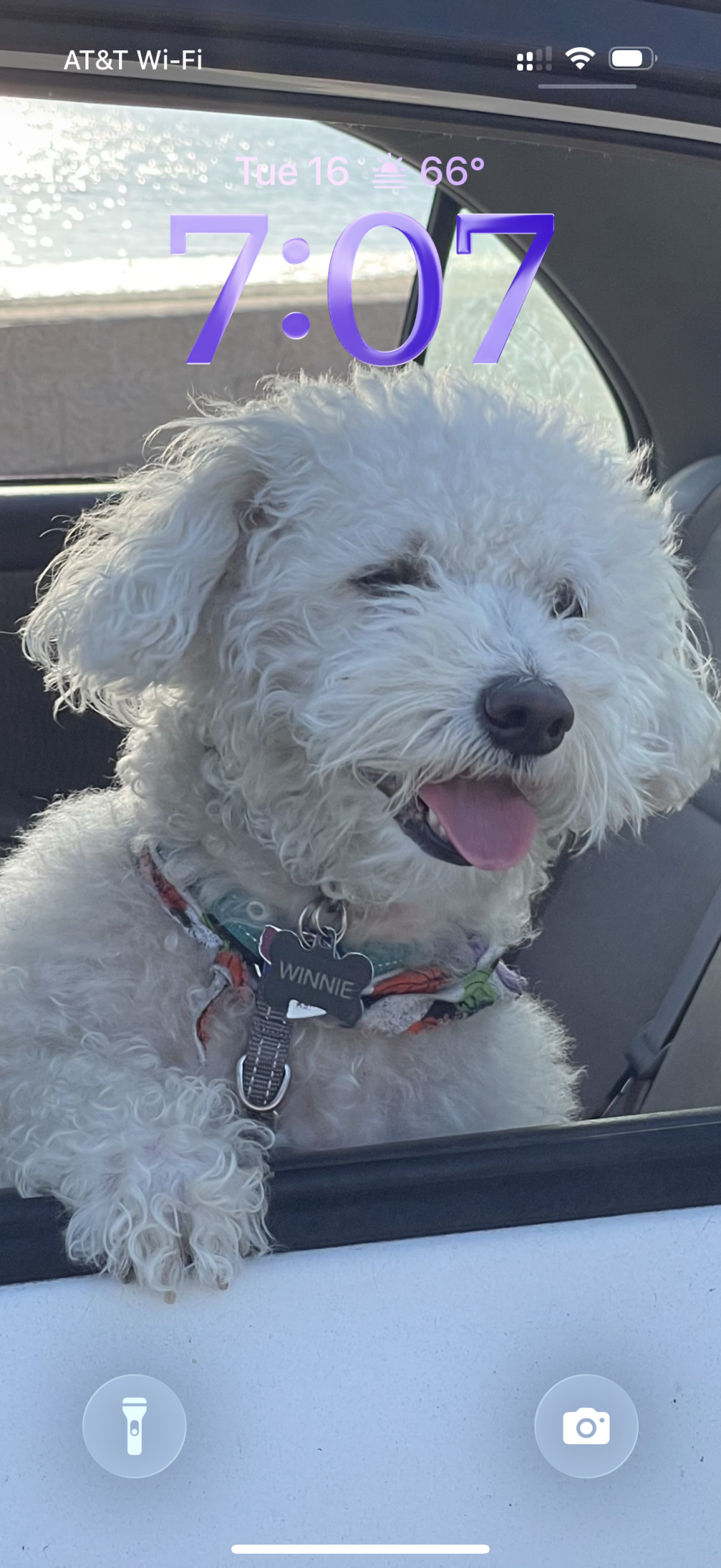
I like an uncluttered lock screen, but I’m glad there’s more options available.

Attachment Image
Score: 5 Votes (Like | Disagree)
ItsASpider Avatar
16 months ago
Apple should add a background to the widgets, even if optionally. Especially on iPad they look like such a mess when using various formats. Having clear borders through background would be a much welcome improvement. And make them work in landscape mode, too.
Score: 4 Votes (Like | Disagree)
Latest Stories
Here Are the Best Apple Black Friday Leftover Deals You Can Get Today
6 hours ago
HomePod Mini 2 in (RED) Seemingly Spotted Ahead of Announcement
18 hours ago
Apple's M6 and PROLED MacBook Pro Reach New Low Prices for Black Friday
1 day ago
The MacRumors Show: iPhone Air 2 and iPhone 18 Are Coming
1 day ago
Apple Store in Brisbane Reopening Next Month With New Design
1 day ago
The 60+ Best Black Friday Accessory Deals on iPhone Chargers, TVs, Headphones, and More
6 hours ago
GTA VI Now (Barely) Running on Apple Silicon Macs
1 day ago
The Best Black Friday Streaming Deals on Apple TV, Disney+, and More
1 day ago
Apple TV's 'Carême' Wins International Emmy for Best Drama
1 day ago
iPhone 18 Production Delay Leaves Apple Little Time Before Launch
1 day ago
The Best Black Friday AirPods Deals Still Available
1 day ago
The Best Black Friday Deals on Apple Home Products
1 day ago
The Best Black Friday iPhone Deals Still Available
1 day ago
The Best Black Friday iPad Deals Still Available
1 day ago
The Best Black Friday Apple Watch Deals Still Available
1 day ago
The Best Black Friday AirTag Deals Still Available
1 day ago
The Best Black Friday Mac Deals Still Available
1 day ago
iPhone Share of US Smartphone Market Hits 57% as Rivals Slip
1 day ago
iPhone 20 Pro Rumored to Feature 3D-Printed Titanium Frame
1 day ago
The 50+ Best Apple Black Friday Deals Still Available on AirPods, iPads, and More
8 hours ago
Apple's Official 2026 Black Friday Offer Starts Rolling Out
2 days ago
Halide Adds Fill Light Feature for iPhone Duo
2 days ago
MacBook Air Black Friday Deals Now Live With Massive $399 Savings
2 days ago
Amazon Discounts All MacBook Neo Models by $99 for Black Friday
2 days ago
Kodak Launches Unique AirTag Rival With E-Ink Display
2 days ago
Here's Why the Apple Store is Going Down
2 days ago
Apple Still Working on Giant Foldable iPad That Could Cost $5,000
2 days ago
iPhones Dominate China's Weak Singles' Day Smartphone Sales
2 days ago
iPhone 20 Pro Could Feature Ceramic in Limited-Edition Model
2 days ago
Apple Faces Korean Regulator Review Over iPhone 16 AI Advertising
2 days ago
Related Apple News: Iphone | Opinion | Travel | Mac | Buyers Guide