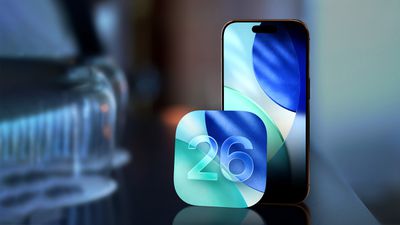
Apple today provided developers and public beta testers with the iOS 26 Release Candidate, and the update represents the final version of iOS 26 that will be provided to the public if no additional bugs are found that need fixing.
Release Candidates include release notes, so we have Apple's full iOS 26 release notes for the first time. There's nothing we didn't know about, but it's useful to see all of the features listed in one place.
Design
- Liquid Glass makes interactions across iOS more delightful, refracts and reflects content in real time, and brings even more focus to what you're viewing on your screen
- Adaptive time on the Lock Screen fluidly resizes to the available space on your Lock Screen, complementing the subjects of your photos and adapting as notifications and Live Activities appear
- Spatial scenes let you add a new 3D effect to your photo wallpapers, bringing them to life when you move your iPhone
- App icons get a fresh new look with Liquid Glass, and there are more ways to customize them with updated light or dark appearances, new color-tinted icons, and a new clear look
- Animated album art makes music playback more immersive, with full screen artist-designed animations on supported albums
Apple Intelligence
Visual Intelligence
- Learn more about the content in any app by pressing the same buttons you use to take a screenshot
- Highlight to search for something specific on your screen
- Jump into Google search results based on the content on your screen, find related items from your most-used third-party apps, or ask ChatGPT about what you're looking at
Live Translation
- In Messages, automatically translate incoming texts, including group messages, and send a response in your preferred language -- it'll be translated when it's delivered
- In FaceTime, live translated captions appear on screen during the call
- In Phone, audio is translated and spoken out loud in real time, and you can follow along with a transcription when the call is on speaker
- With AirPods, hear a translation hands-free when someone nearby speaks to you in a different language
Shortcuts
- Intelligent actions let you take advantage of Writing Tools, Image Playground, and other Apple Intelligence features within your shortcut
- "Use model" is a new action that lets you tap directly into Apple Intelligence models to get responses that feed into the rest of your shortcut, or use ChatGPT if you want to tap into its broad world knowledge and expertise
Genmoji & Image Playground
- Make Genmoji by mixing two emoji together, or by combining an emoji with a description to create what you have in mind
- Choose expressions for your Genmoji of people, making characters look happy, shocked, and more
- Personal attributes like hairstyle and facial hair can be modified for the Genmoji that are inspired by people from your Photos library
- More styles with ChatGPT lets you explore additional styles like Oil Painting and Anime, or you can tap Any Style to describe the image and style you want
Camera
- Streamlined design makes it even easier to access the Photo and Video capture modes, with other modes still just a swipe away
- Lens cleaning hints alert you when your lens is smudged so you can capture the clearest possible photo (iPhone 15 and later)
- New AirPods gesture lets you take a photo or start recording video just by pressing the stem on AirPods 4 and AirPods Pro 2 and later
Photos
- Separate tabs for Library and Collections offers easier navigation, and you can access Search in every view
- Collections view can be customized with three different layout options, and it's easy to collapse and reorder the collections
- Recognition for events like concerts and sports lets you see the details of an event and access related content
Phone
- New unified layout option brings together your Favorites, Recents, and Voicemails
- Call Screening lets you screen incoming calls from unknown numbers, getting you the caller's name and reason for the call before the phone rings
- Screened calls from unknown numbers can be placed in a new area of your call list so they're out of your way
- Hold Assist keeps your spot in line while you wait to speak to a live agent, and rings you to return to the call when the live agent is there
Messages
- Screening for unknown senders helps you to stay in control of who can reach you, and puts screened messages in a new area of your conversation list so they're out of your way
- Backgrounds can be added to conversations to make them more personal, with the option to use built-in backgrounds, your own photos, or images made with Image Playground
- Polls can help you find out everyone's availability for an upcoming dinner plan or decide on a group gift
- Typing indicators in groups make it easy to know exactly who is about to chime in
CarPlay
- A new design with Liquid Glass helps make each interaction area of the Dashboard distinct, and provides a new tab bar design for easy navigation in apps
- Compact design for incoming calls makes it easy to keep your eyes on the upcoming turn in your favorite navigation app
- Tapbacks in Messages gives you a simple way to react to messages while driving, like with a thumbs up or a heart
- Pinned conversations appear at the top of Messages, making it easy to get to your most frequent conversations
- Widgets stacks can be found to the left of the Dashboard, so you can stay on top of your favorite apps at a glance
- Live Activities appear automatically on the Dashboard, making it easy to keep track of real time events on the go
Maps
- Visited Places gives you the option to allow your iPhone to detect the places you visit, like a restaurant or shop, so you can easily find them again in the Maps library and share them easily
- Preferred routes improve your frequent drives by learning the routes you take between places you regularly visit, like your commute from home to work
Music
- Lyrics Translation and Pronunciation help you understand the meaning behind your favorite songs and makes it easy to sing along, even if you don't know the language
- AutoMix transitions one song into the next like a DJ does, time stretching and beatmatching to deliver a continuous playback experience
- Pin songs, albums, playlists, and more at the top of Library for quick, easy playback
Wallet
- Updated boarding passes give you more access to timely and relevant information about your flights and airports, as well as quick access to airline app features
- Order tracking (beta) uses Apple Intelligence to find emails sent by either merchants or delivery carriers and brings your full order details, progress notifications, and more into one place in the Wallet app
- Installment financing options from your bank or card provider for your credit and debit card purchases are accessible when you pay with Apple Pay in-store on iPhone
Apple Games
- New app is the all-in-one destination for gaming on your iPhone, helping you jump back into the games you love, discover new favorites, and play with friends in new ways
- Challenge friends, track scores in real time, and see what else your friends are playing
- Access your entire game library, including new and past downloads from the App Store and Apple Arcade, and launch when you are ready to play
- Recommendations for new games are based on the games you love to play
Protecting Kids Online
- Communication Requests give kids the ability to send requests to their parents when there are new phone numbers they want to be able to communicate with
- Convert existing accounts to Child Accounts easily to take full advantage of all available child safety protections
- Age-appropriate experiences in apps gives parents the option to enable kids to share their age range with third-party apps, so they can access content and features suited to their age group
- Communication Safety expands to intervene when nudity is detected on live FaceTime calls, and to blur out nudity in Shared Albums in Photos
Accessibility
- Accessibility Nutrition Labels in App Store product pages tell you if accessibility features like VoiceOver, Voice Control, and Captions are available within apps and games before you download them
- Accessibility Reader makes text in any app easier to read by giving you new ways to customize text with extensive options for font, color, and spacing, as well as support for Spoken Content
- Braille Access helps you take notes, read documents, access Live Captions, launch apps, and perform various other tasks effortlessly with your connected braille display
Other
- Preview is a new app on iPhone dedicated to viewing and editing PDFs, with powerful features like AutoFill, a document scanner, and export options
- FaceTime has a reimagined landing page that features personalized Contact Posters for your recent callers and video messages that play as you scroll
- Reminder Suggestions use Apple Intelligence to identify relevant tasks when you share an email, website, note, or other text to the Reminders app
- Local capture records the high-quality audio and video from your iPhone while on any video conferencing call, letting you produce an interview or podcast with the clearest recordings
- Audio input picker in Control Center makes it easy to choose the right microphone for each app, including on the web
- Estimated time to charge lets you know how long it will take for your iPhone to charge
- Adaptive power learns your typical battery usage and, on higher usage days, makes automatic adjustments to help you extend your battery life throughout the day (iPhone 15 Pro and later)
- Blood pressure logging experience in the Health app can send you reminders to measure your blood pressure using a third-party cuff and create a PDF report for your healthcare provider
- New Workout tab in the Fitness app brings workout tracking, so you can track metrics like pace and distance, and even more if you have a compatible heart rate monitor like AirPods Pro 3. If you have an Apple Watch, you can take advantage of the larger screen while using features like building a Custom Workout
- Adaptive Temperature automatically adjusts your thermostat to your preferred temperature when you're on your way home, and adjusts to save energy when you leave for the day or go on vacation
- Custom snooze options let you adjust how long you can snooze when your alarm goes off, with options between 1 and 15 minutes
- Password History provides a timeline of changes you've made to an account in Passwords, including a history of past passwords and generated strong passwords
- Notes lets you import and export Markdown formatted files
iOS 26 will be released on Monday, September 15.
Related Forum: iOS 26