Apple Music Features Improved Spotify-Like Queue System on iOS 18
Apple has revamped the song queuing system in the Music app on iOS 18, and early reaction to the changes has been overwhelmingly positive.
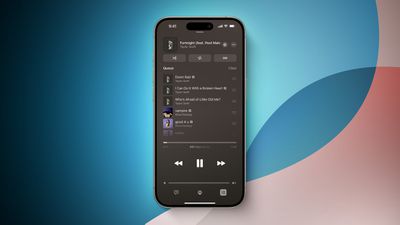
Notable changes include a new "Add Songs to Queue" button at the bottom of the queue, an option to clear the entire queue all at once, and the ability to change the currently playing song without having the queue disappear. In addition, the former "Play Last" menu option has been replaced with "Add to Queue." While listening to a playlist, it is now possible to add a song to the queue for immediate playback after the current song, whereas the song would previously get added to the end of the playlist.
These changes bring Apple Music's queuing system on iPhone more in line with Spotify, and the Android version of the Apple Music app. It also brings Apple Music's queuing system more in line with how it worked back on iOS 9.
iOS 18 is currently available in beta for members of the Apple Developer Program, with a public beta to follow in July. The update should be widely released in September, allowing everyone to try out the new queuing system.
Popular Stories
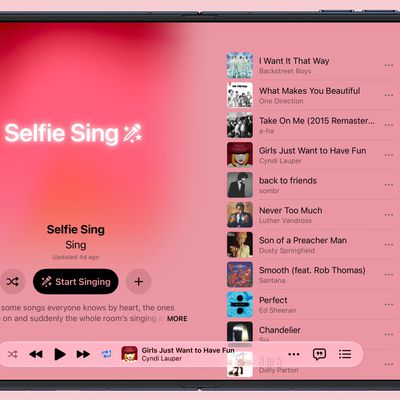
iOS 27.3 adds a new "Selfie Sing" feature in Apple Music that lets users record themselves while singing a song.
There's a dedicated Selfie Sing playlist and a selfie camera view that shows lyrics on the screen while also recording a video. Apple has a description of the feature:
There are some songs everyone knows by heart, the ones that come on and suddenly the whole room's singing along. ...
Streaming music service Tidal today said it plans to start blocking AI music on December 9. Any track generated entirely with AI will be removed from the platform, with Tidal rejecting AI songs in the future.
Tidal lead Robert Andersen said 43 percent of tracks uploaded in the last 90 days have been flagged as AI-generated. Approximately 29 million songs will be deleted and Tidal expects...
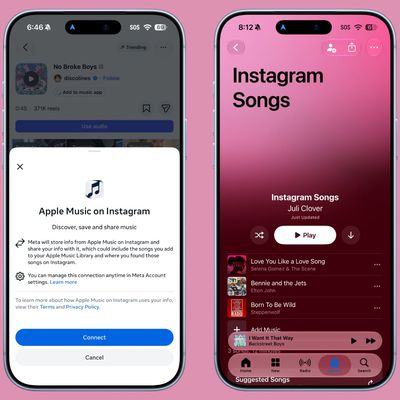
Sometime in the last week or two, Instagram added a new Apple Music feature. You can now connect an Apple Music account to the social network and save songs you come across to an Apple Music playlist.
If you tap a song link on a post or a story on Instagram, you'll see a prompt to connect Instagram to Apple Music. Once your Apple Music account is linked to Instagram, you can tap a song name...