Skip to Content

Hands-On With the Apple Vision Pro: Unboxing, Initial Thoughts and More

Apple's first major new product category in almost a decade launched today, with the Vision Pro now in the hands of consumers in the United States. We picked up a Vision Pro this morning, and spent the day testing it out and filming our first impressions.


Fit appointments at the Apple Store are useful because we've already heard of several situations where the initial ‌Apple Store‌ readings were off in terms of fit. If you're experiencing an issue with light leakage or comfort, Apple employees can get you a new Light Seal or help you adjust the straps to get the headset working the right way.

At over 1.3 pounds, the Vision Pro is undeniably heavy, but the weight is distributed well with the right fit. It can get heavy to wear over time, but you'll mostly notice the weight when you take it off and feel the relief of not having 1.3 pounds on your face. We've had some light leaking in around the nose even with a solid fit, but the displays seem to work well enough even with that little bit of light.

Putting on the Vision Pro for the first time is absolutely a "holy crap" moment because it's such a different experience, especially with the demo that ‌Apple Store‌ employees provide. The immersive content is mind blowing, especially when digging in to your own panoramas and spatial videos.

Navigation is intuitive for the most part, but the virtual keyboard is kind of a miss. You can enter text one character at a time and that's fine, but you're going to want a Bluetooth keyboard for any extensive writing. Poking at the keyboard to type feels the most natural, but you can also look at the letters and pinch.

The built-in speakers are great and do an awesome job with spatial audio, but be warned that people around you can hear what's going on so you might want to wear AirPods.

Anything you're seeing in the real world is being relayed through passthrough cameras, so if you're not in the best lighting, you're not going to have the best view. Passthrough video quality can be hit or miss for this reason.

Have you had a chance to try out the Vision Pro? Let us know in the comments below. Apple's retail stores are holding demos all weekend long, and starting Monday, you can book an appointment to get a demonstration if you don't have a Vision Pro yourself.
Related Roundup: Apple Vision Pro
Buyer's Guide: Vision Pro (Neutral)
Related Forum: Apple Vision Pro

Popular Stories

orrorin glasses 1920x1080 1

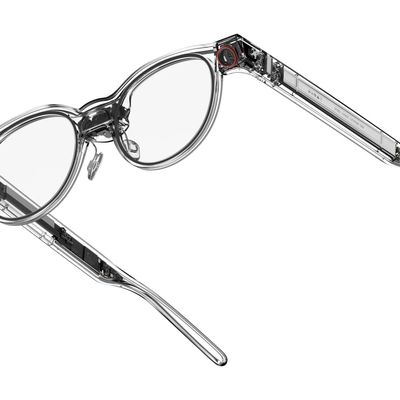
$799 Smart Glasses Promise Vision Pro-Style Controls in a 45g Frame

Wednesday November 25, 2026 9:09 am PST by
Hong Kong startup Savage Technology has announced its first product, "Orrorin Glasses," promising Vision Pro-style pinch controls and full-color displays for both eyes in a frame weighing just 45 grams. The company describes the glasses as offering "Vision Pro–level interaction" and being around 25 times lighter than Apple's headset, including its external battery. Savage highlights the...
watchos 27

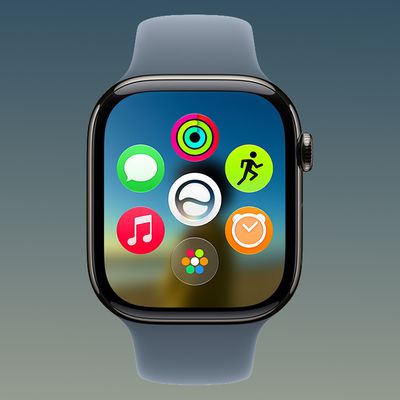
Apple Releases watchOS 27.2.1 and visionOS 27.2.1 With Security Fixes

Monday November 9, 2026 10:08 am PST by
Apple today released new watchOS 27.2.1 and visionOS 27.2.1 updates, with the software coming two weeks after the launch of watchOS 27.2 and visionOS 27.2. According to Apple's release notes, the watchOS update includes security fixes, while the visionOS 27.2.1 update includes security updates and bug fixes. The new software can be installed using the Settings app on each device. ...
General visionOS watchOS and tvOS Betas Feature Redux

Apple Releases First watchOS 27.3, tvOS 27.3 and visionOS 27.3 Betas

Tuesday November 3, 2026 10:07 am PST by
Alongside new betas of iOS 27.3, iPadOS 27.3, and macOS Golden Gate 27.3, Apple has released the first betas of watchOS 27.3, tvOS 27.3, and visionOS 27.3. The betas come a week after the 27.2 software updates were released. Registered developers can download the betas through the Settings app on each device. Two new Apple Intelligence features are coming to the Apple Watch Series 12 and...

Top Rated Comments

karranz Avatar
37 months ago
A $ 3,500 promising solution for a non existent problem.
Score: 34 Votes (Like | Disagree)
37 months ago
I've been playing around with it for about 4 hours now.
Some initial thoughts and observations:
Text is crisp and video is amazing. The immersive videos are jaw dropping.
I grew quickly fatigued using the solo band. The dual solved that.
There's a little light leakage around the bottom of my nose. It's a little distracting. I can also see my eyes dimly reflected when watching movies. Also a little distracting.
Netflix and Hulu work in the browser, but you are limited to a fairly small "screen."
I couldn't sign into Peacock: sign in page wouldn't load. Paramount plus won't play videos. You start a video and it crashes back to the title page. I thought I read reviews where they watched football on Paramount, hopefully this will be an easy fix.
When it works, using it as a display for my MacBook Pro is great. But about 25% of the time I can't get it to sync.
Passthrough is adequate, but it's fuzzy when you are moving and it's not terribly clear when you are not. Definitely won't mistake it for real life.
Controlling things with eyes and pinching works pretty well, but doesn't work enough to be annoying.
I entered the wrong password for Disney a couple of times and it just froze on the sign in screen. I had to uninstall the app to get it to work.
It's hard to drink when you have the goggles on. I was watching Ready Player one through AppleTV in 3D in the theater environment. Looks and sounds amazing. I got some popcorn and a glass of soda. It's a little weird. You can see your hands, but you can't see the popcorn or the glass. I was very worried about setting the glass down on the edge of the side table. It's also difficult to drink with the goggles on. The upper rim of the glass hits the goggles. You need to tilt your head all the way back.
Score: 29 Votes (Like | Disagree)
37 months ago
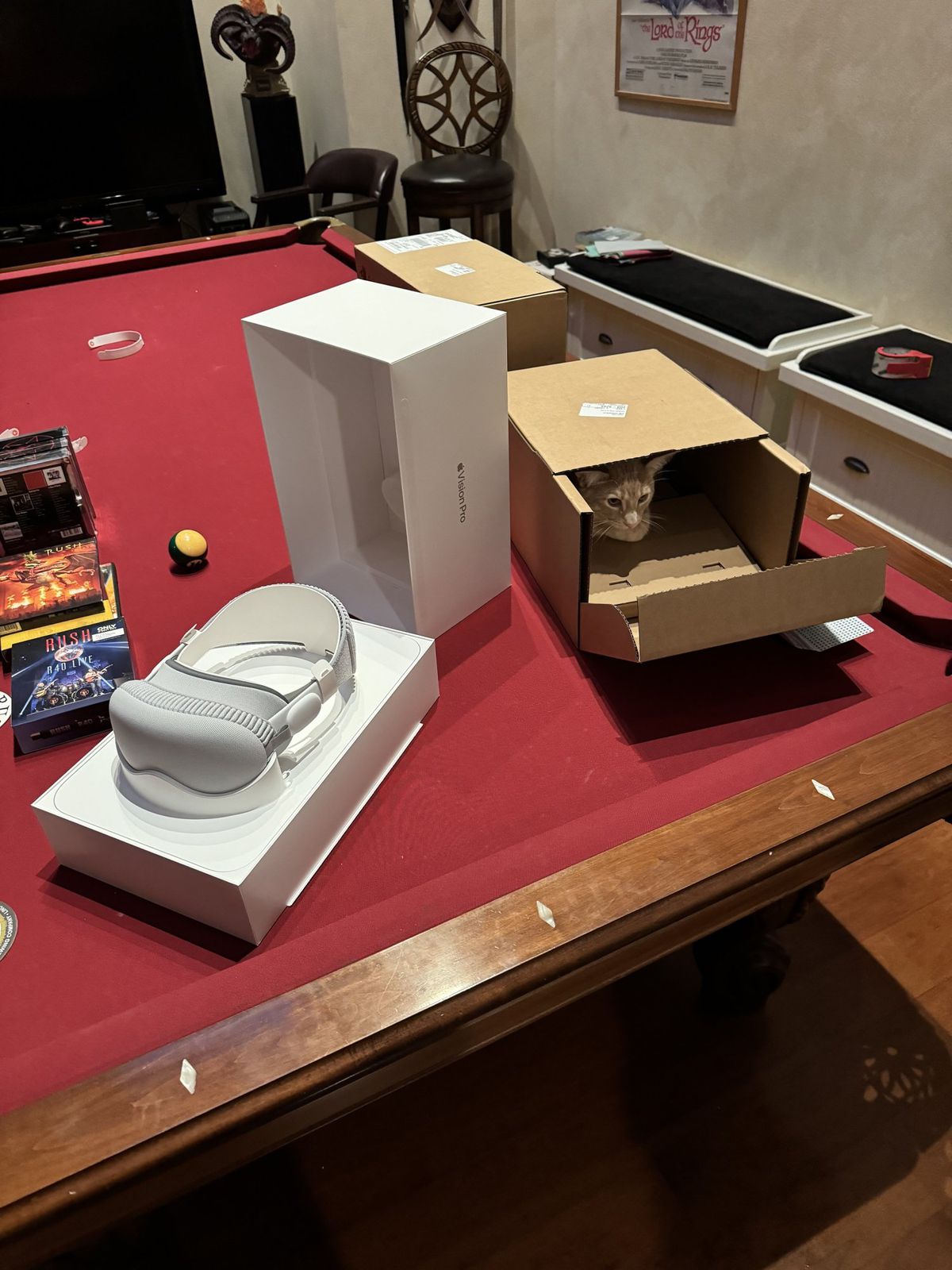
I suspected my 7 month old cat would find his way into the box immediately after I opened it!

Attachment Image
Score: 18 Votes (Like | Disagree)
37 months ago

I've been playing around with it for about 4 hours now.
Some initial thoughts and observations:
Text is crisp and video is amazing. The immersive videos are jaw dropping.
I grew quickly fatigued using the solo band. The dual solved that.
There's a little light leakage around the bottom of my nose. It's a little distracting. I can also see my eyes dimly reflected when watching movies. Also a little distracting.
Netflix and Hulu work in the browser, but you are limited to a fairly small "screen."
I couldn't sign into Peacock: sign in page wouldn't load. Paramount plus won't play videos. You start a video and it crashes back to the title page. I thought I read reviews where they watched football on Paramount, hopefully this will be an easy fix.
When it works, using it as a display for my MacBook Pro is great. But about 25% of the time I can't get it to sync.
Passthrough is adequate, but it's fuzzy when you are moving and it's not terribly clear when you are not. Definitely won't mistake it for real life.
Controlling things with eyes and pinching works pretty well, but doesn't work enough to be annoying.
I entered the wrong password for Disney a couple of times and it just froze on the sign in screen. I had to uninstall the app to get it to work.
It's hard to drink when you have the goggles on. I was watching Ready Player one through AppleTV in 3D in the theater environment. Looks and sounds amazing. I got some popcorn and a glass of soda. It's a little weird. You can see your hands, but you can't see the popcorn or the glass. I was very worried about setting the glass down on the edge of the side table. It's also difficult to drink with the goggles on. The upper rim of the glass hits the goggles. You need to tilt your head all the way back.
you will have to buy some straws
Score: 15 Votes (Like | Disagree)
itsMaxDigital Avatar
37 months ago
Dont even feel like opening it ever since i saw all the reviews

Attachment Image
Score: 14 Votes (Like | Disagree)
erikkfi Avatar
37 months ago

A $ 3,500 promising solution for a non existent problem.
What if the problem is that I need to buy a new monitor and I want to way overspend on it?
Score: 9 Votes (Like | Disagree)
Latest Stories
The 50+ Best Apple Black Friday Deals on AirPods, iPads, MacBooks, and More
13 hours ago
Apple's Official 2026 Black Friday Offer Starts Rolling Out
18 hours ago
Halide Adds Fill Light Feature for iPhone Duo
18 hours ago
MacBook Air Black Friday Deals Now Live With Massive $399 Savings
19 hours ago
Amazon Discounts All MacBook Neo Models by $99 for Black Friday
19 hours ago
Kodak Launches Unique AirTag Rival With E-Ink Display
20 hours ago
Here's Why the Apple Store is Going Down
20 hours ago
Apple Still Working on Giant Foldable iPad That Could Cost $5,000
21 hours ago
iPhones Dominate China's Weak Singles' Day Smartphone Sales
21 hours ago
iPhone 20 Pro Could Feature Ceramic in Limited-Edition Model
22 hours ago
Apple Faces Korean Regulator Review Over iPhone 16 AI Advertising
23 hours ago
Apple Watch Ultra 4 Hits New Best-Ever Price of $649.99 for Black Friday
23 hours ago
New Apple Store Opening in India, Download the Special Wallpaper Now
1 day ago
Redesigned OLED MacBook Air Could Launch in 2027 or 2028
1 day ago
AirPods Pro 3 for $149 is One of The Best Black Friday Deals This Year
1 day ago
1Password Security Breach: What Was Accessed and What Wasn't
2 days ago
WhatsApp Finally Adds Scheduled Messages
2 days ago
Get Apple's Cheapest iPad for $379 During Amazon's Black Friday Sale
2 days ago
Rumor: iOS 28 to Revamp Notifications
2 days ago
iPhone 18 Pro Max Battery Exhausts a Toy Cyclops in New Apple Ad
2 days ago
$799 Smart Glasses Promise Vision Pro-Style Controls in a 45g Frame
2 days ago
How To Get an iPhone Duo or iPhone 18 Pro at No Cost Through T-Mobile for Black Friday
2 days ago
Apple Has an iPhone Notifications Problem
2 days ago
Amazon Sweetens Black Friday Deals on PROLED MacBook Pro
2 days ago
Apple Has iPads Running macOS Internally, Says Gurman
2 days ago
Apple Is Far From Done With 2026: Here's What's Still Coming
2 days ago
Threads App for iPad Now Available
2 days ago
Claude Now Lets You Install Artifacts as Desktop Apps
2 days ago
Tidal Bans AI Music, While Apple Music Sticks to Labels
2 days ago
Add Holiday Lights and Snow to Your Mac With Festivitas
2 days ago
Related Apple News: Mac | South Africa | Culture | Reviews | Opinion