Skip to Content

16 Hidden iOS 16 Features You Didn't Know About

Apple this week released iOS 16, the latest version of iOS with a new customizable Lock Screen, major new additions to Messages, and enhancements to Mail, Maps, and more.
iOS 16 hidden features
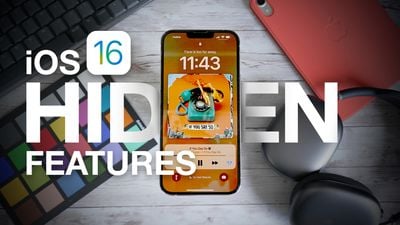
Other than the headlining features, there are a number of quality-of-life changes, improvements, and new capabilities baked into iOS 16 that help improve the iPhone experience. We've listed 16 hidden features and changes from iOS 16 that you may not have known about below.

  • Get Rid of Duplicate Photos - The iOS 16 Photos app can let you know if you have multiple identical photos, giving you the opportunity to delete the extras to save space. Duplicate photos are listed in a new "Duplicates" album that appears if you have duplicates to deal with.
  • AirPods Updates - It's simpler to manage AirPods settings in iOS 16 with a dedicated section that pops up in the Settings app when AirPods are connected. iOS 16 also adds a Personalized Spatial Audio feature that uses the TrueDepth camera to scan your ears, providing a unique listening experience tuned just to you.
  • Face ID in Landscape Mode - iPhone models running iOS 16 support Face ID in landscape mode, making it easier to unlock the iPhone when it's not held in the standard portrait orientation. The feature is limited to the iPhone 13 and later.
  • Hidden and Deleted Photo Protection - In iOS 16, you need to authenticate with Face ID or Touch ID before the Hidden and Recently Deleted photo albums can be accessed. This essentially locks these albums from view should someone gain access to your phone while it's otherwise unlocked.
  • WiFi Password - If you've ever been frustrated by an inability to access the WiFi password of the network you're using, that's changing in iOS 16. In the iPhone's WiFi settings, you can see the password of the network that you're connected to.
  • Haptic Feedback for Keyboard - There's a keyboard setting in iOS 16 that lets you enable haptic feedback that can be felt when you're typing. The vibrations are for each key tap, offering users a physical confirmation that a letter has been tapped.
  • Copy and Delete Screenshots - When you take a screenshot on iOS, alongside being able to save the screenshot to ‌Photos‌, save as a Quick Note, and save to Files, you'll now be able to "Copy and Delete." The new option saves the screenshot to your clipboard and then deletes it from your Camera Roll, making it easier to use one-time screenshots without them being saved to your device and needing to be cleaned up later.
  • Ability to Delete Find My, Clock, and Health - With iOS 14, Apple allowed users to offload some of the apps that come pre-installed on the iPhone. With iOS 16, Apple is expanding the number of apps you can delete from your phone, which now includes Find My, Clock, and Health. Deleted apps can be redownloaded from the App Store later if needed.
  • Built-In Currency Converison - Thanks to new features in Live Text, iOS now includes built-in currency conversion within the Camera and ‌Photos‌ apps. Simply hold your iPhone camera up to a price tag, wait for the Live Text icon to appear, tap and hold on the price, and select "Convert." Live Text also supports translation and measurement conversion.
  • See Your Battery Percentage - In iOS 16, Apple is giving users the ability to display their battery percentage directly in the status bar inside of the battery icon, removing the need to swipe into Control Center to check on their battery level. The battery percentage toggle is not available on all iPhones.
  • Use Siri to Hang Up a Call - A new settings in iOS 16 lets users use Siri to hang up an active call. By heading into Settings > Accessibility > ‌Siri‌ and activating Call Hangup, users can now say "Hey ‌Siri‌, hang up the call" to end an active call. Note that the other person/people on the call will hear your request to ‌Siri‌ before being hung up on.
  • Prevent Accidental Call Hangups - Users on iOS 16 will now have the ability to disable the side button from ending an active call. In prior versions of iOS, pressing the side button and locking the iPhone while in a call would instantly end it. In iOS 16, Apple allows users to disable that to prevent accidents by going into Settings > Accessibility> Touch and toggling on "Prevent Lock to End Call."
  • Sorting Options for Playlists - In Apple Music on iOS 16, users will now have the ability to sort playlists by title, artist, album, and release date. The new sorting option can be found by pressing the three dots in the upper right-hand corner when viewing a playlist.
  • Full-Screen Music Player - One major but possibly lesser-known feature of iOS 16 is that Apple is bringing back the full-screen Lock Screen music player. When listening to a song from ‌Apple Music‌, Spotify, or other third-party music apps, press on the album art on the Lock Screen from Now Playing to enter the all-new player look. Tap the full-screen album art to minimize Now Playing.
  • Spatial Audio Just for You - With the latest AirPods and some Beats earphones, iOS 16 users can activate Personalized Spatial Audio. Personalized Spatial Audio uses the LiDAR scanner on the iPhone 12 Pro, iPhone 13 Pro, or the iPhone 14 Pro to scan the geometry of the user's ears in order to deliver a better Spatial Audio experience.
  • New Warning While Charging - On iOS 16, if your iPhone is warm, you'll get a new notification letting you know that charging will be paused until your iPhone's temperature cools down. This is done in order to prevent possible long-term damage to your iPhone's battery.

For the ultimate walkthrough of everything new in iOS 16, see our comprehensive roundup.

Related Forum: iOS 16

Popular Stories

1password deal blue

1Password Security Breach: What Was Accessed and What Wasn't

Wednesday November 25, 2026 1:09 pm PST by
Popular password management app 1Password today said it experienced a security breach earlier this month. 1Password says some customer names and email addresses were accessed, but no customer vault contents were compromised. On November 19, 1Password saw indications that an employee's GitHub account had been breached and began investigating. The company says the breached GitHub account was...
apple design award 2025

Apple Announces 2025 Design Award Winners Ahead of WWDC 2025

Tuesday June 3, 2025 10:14 am PDT by
As we wait for WWDC to kick off next Monday, Apple today announced the winners of its annual Apple Design Awards, recognizing apps and games for their innovation, ingenuity, and technical achievement. The 2025 Apple Design Award winners are listed below, with one app and one game selected per category: Delight and Fun - CapWords (App) and Balatro (Game) Innovation - Play (App) and PBJ -...
ipad pro prime

Apple Has iPads Running macOS Internally, Says Gurman

Wednesday November 25, 2026 4:55 am PST by
Apple has iPads running macOS internally and has had them "for some time," according to Bloomberg's Mark Gurman, although he says no work is currently being done to bring the Mac operating system to iPads. Speaking on his latest Power On podcast, Gurman said there is "no work being done to consumerize macOS on the iPad." Rather, Apple will continue to bring Mac features and apps like Final Cut ...

Top Rated Comments

55 months ago

All of iOS 16’s features will remain “hidden” to me as I won’t be upgrading. There’s zero of any significant practical use to me.
I find the folks that never want to upgrade their software to be a strange lot.
Score: 69 Votes (Like | Disagree)
nate_hannon Avatar
55 months ago
* Spatial Audio Just for You - With the latest AirPods and some Beats earphones, iOS 16 users can activate Personalized Spatial Audio. Personalized Spatial Audio uses the LiDAR scanner on the iPhone 12 Pro, iPhone 13 Pro, or the iPhone 14 Pro to scan the geometry of the user's ears in order to deliver a better Spatial Audio experience.

So much wrong on this part. You don’t need a pro phone to get this. It uses the TrueDepth camera that is used for Face ID, not the LiDAR Scanner. Also this is available for first gen AirPods Pro.
Score: 19 Votes (Like | Disagree)
55 months ago

That seems like a weird feature to add. I have signed friends into my wifi network for them because I didn't want to share the password (and I use my guest network for IoT stuff). So, now they technically could go in and reveal the password if they wanted to know it. Not a big deal, but I'm not sure why making it possible to reveal passwords already typed in is every really a good idea from a security standpoint.
That was never a secure way to connect someone: if their keychains are synced across devices, they could have always accessed them in plain text from their Macs…
Score: 16 Votes (Like | Disagree)
55 months ago


* WiFi Password - If you've ever been frustrated by an inability to access the WiFi password of the network you're using, that's changing in iOS 16. In the iPhone's WiFi settings, you can see the password ('https://www.macrumors.com/2022/06/06/ios-16-wifi-network-password/') of the network that you're connected to.


That seems like a weird feature to add. I have signed friends into my wifi network for them because I didn't want to share the password (and I use my guest network for IoT stuff). So, now they technically could go in and reveal the password if they wanted to know it. Not a big deal, but I'm not sure why making it possible to reveal passwords already typed in is every really a good idea from a security standpoint.
Score: 16 Votes (Like | Disagree)
soapropos Avatar
55 months ago
Now do being able to delete CarPlay screenshots (or turn them off altogether) without an obscure shortcut
Score: 12 Votes (Like | Disagree)
gmanist1000 Avatar
55 months ago
I’m confused, my calls have never ended when I press the side button. Even FaceTime calls just turn the screen off.
Score: 11 Votes (Like | Disagree)
Latest Stories
The 50+ Best Apple Black Friday Deals on AirPods, iPads, MacBooks, and More
14 hours ago
iPhone 20 Pro Rumored to Feature 3D-Printed Titanium Frame
47 minutes ago
Apple's Official 2026 Black Friday Offer Starts Rolling Out
18 hours ago
Halide Adds Fill Light Feature for iPhone Duo
19 hours ago
MacBook Air Black Friday Deals Now Live With Massive $399 Savings
20 hours ago
Amazon Discounts All MacBook Neo Models by $99 for Black Friday
20 hours ago
Kodak Launches Unique AirTag Rival With E-Ink Display
21 hours ago
Here's Why the Apple Store is Going Down
21 hours ago
Apple Still Working on Giant Foldable iPad That Could Cost $5,000
22 hours ago
iPhones Dominate China's Weak Singles' Day Smartphone Sales
22 hours ago
iPhone 20 Pro Could Feature Ceramic in Limited-Edition Model
23 hours ago
Apple Faces Korean Regulator Review Over iPhone 16 AI Advertising
1 day ago
Apple Watch Ultra 4 Hits New Best-Ever Price of $649.99 for Black Friday
1 day ago
New Apple Store Opening in India, Download the Special Wallpaper Now
1 day ago
Redesigned OLED MacBook Air Could Launch in 2027 or 2028
2 days ago
AirPods Pro 3 for $149 is One of The Best Black Friday Deals This Year
2 days ago
1Password Security Breach: What Was Accessed and What Wasn't
2 days ago
WhatsApp Finally Adds Scheduled Messages
2 days ago
Get Apple's Cheapest iPad for $379 During Amazon's Black Friday Sale
2 days ago
Rumor: iOS 28 to Revamp Notifications
2 days ago
iPhone 18 Pro Max Battery Exhausts a Toy Cyclops in New Apple Ad
2 days ago
$799 Smart Glasses Promise Vision Pro-Style Controls in a 45g Frame
2 days ago
How To Get an iPhone Duo or iPhone 18 Pro at No Cost Through T-Mobile for Black Friday
2 days ago
Apple Has an iPhone Notifications Problem
2 days ago
Amazon Sweetens Black Friday Deals on PROLED MacBook Pro
2 days ago
Apple Has iPads Running macOS Internally, Says Gurman
2 days ago
Apple Is Far From Done With 2026: Here's What's Still Coming
2 days ago
Threads App for iPad Now Available
2 days ago
Claude Now Lets You Install Artifacts as Desktop Apps
2 days ago
Tidal Bans AI Music, While Apple Music Sticks to Labels
2 days ago
Related Apple News: Culture | Iphone | News | Entertainment | Technology