Skip to Content

Some M1 Macs Affected By Fast User Switching Screensaver Bug

A growing number of user reports online suggest some of Apple's M1 Mac models are susceptible to a Fast User Switching bug that spontaneously activates the screensaver and leaves the user unable to dismiss it.
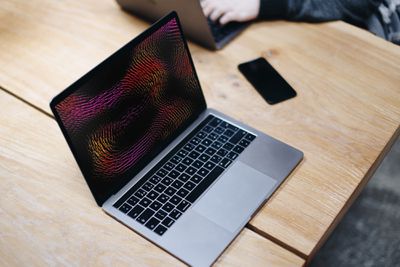
macbook pro screensaver table
In macOS Big Sur, Fast User Switching allows users to quickly switch between user accounts without having to completely log out. Based on posts in the MacRumors forums, Apple Community forums, and on Reddit, however, a screensaver can sometimes take over the screen of Apple Silicon Macs without notice, rendering the desktop workspace completely unavailable.

While the screensaver appears on the screen, the mouse pointer is still on top and moving, but nothing else works, and users have to close and re-open the lid on their MacBook Air or MacBook Pro, or light press the Power/Touch ID key or use the Alt-Command-Q key combination to get back to the login page.

MacRumors forum member drmacnut:

Brand new Mac mini M1, 2nd day using it, Big Sur macOS 11.1 (20C69) with screensaver and screen sleep set to 20 mins. I was actively editing some Calendar entries when all of a sudden the same exact thing happened (screensaver on, user locked out). I ended up using Remote Access from my MBP to get in and log out the user on the Mini. The Mac mini then jumped to the login screen and it's working fine again now. Very weird.

Apple Community forums member Squeaks2369:

I am experiencing the same issue. M1 MacBook Air. Big Sur 11.0.1. Happens on two separate user accounts, both with the screensaver disabled. No way to exit the screensaver but to close then open the lid. Happens a few times a day while actively using the computer. Browsing various forums it appears others are having this issue as well.

Video shared by MacRumors forum member dawideksl

Disabling Fast User Switching prevents the issue from happening, but that obviously leaves the login feature inaccessible. Having the screensaver disabled in System Preferences for all users doesn't seem to make a difference either.

The issue has been reported on ‌M1‌ ‌MacBook Air‌, ‌M1‌ 13-inch ‌MacBook Pro‌, and ‌M1‌ Mac mini models, and occurs on all versions of macOS Big Sur, including the latest 11.1 update. Affected users are advised to submit feedback to Apple to hopefully facilitate a fix.

(Thanks, Chris!)

Related Forum: macOS Big Sur

Popular Stories

1password deal blue

1Password Security Breach: What Was Accessed and What Wasn't

Wednesday November 25, 2026 1:09 pm PST by
Popular password management app 1Password today said it experienced a security breach earlier this month. 1Password says some customer names and email addresses were accessed, but no customer vault contents were compromised. On November 19, 1Password saw indications that an employee's GitHub account had been breached and began investigating. The company says the breached GitHub account was...
apple design award 2025

Apple Announces 2025 Design Award Winners Ahead of WWDC 2025

Tuesday June 3, 2025 10:14 am PDT by
As we wait for WWDC to kick off next Monday, Apple today announced the winners of its annual Apple Design Awards, recognizing apps and games for their innovation, ingenuity, and technical achievement. The 2025 Apple Design Award winners are listed below, with one app and one game selected per category: Delight and Fun - CapWords (App) and Balatro (Game) Innovation - Play (App) and PBJ -...
ipad pro prime

Apple Has iPads Running macOS Internally, Says Gurman

Wednesday November 25, 2026 4:55 am PST by
Apple has iPads running macOS internally and has had them "for some time," according to Bloomberg's Mark Gurman, although he says no work is currently being done to bring the Mac operating system to iPads. Speaking on his latest Power On podcast, Gurman said there is "no work being done to consumerize macOS on the iPad." Rather, Apple will continue to bring Mac features and apps like Final Cut ...

Top Rated Comments

77 months ago
I've had the same issue on the 16" Macbook Pro, so I think it's more likely a big sur bug, than an M1 issue.
Score: 35 Votes (Like | Disagree)
77 months ago
I haven't used a screen'saver' since I've switched to LCD screens 25 years ago. So I haven't noticed.
Score: 12 Votes (Like | Disagree)
skardvin Avatar
77 months ago
No wonder when Craig Federighi opened the M1 MacBook Air to show off the spontaneous wake from sleep that it didn't have this issue...🤔🙄 he must have had to disable fast user switching first before filming. 😂
Score: 10 Votes (Like | Disagree)
77 months ago
I'm sure they will fix it soon enough, but things like this are why I never jump on major architecture changes immediately. If you depend on your device for work, you need some level of stability. I'm keen to migrate to Apple Silicon, but will probably wait until 'M2'
Score: 9 Votes (Like | Disagree)
77 months ago
Author of a macOS screensaver here (Aerial), since the introduction of Catalina (which changed a lot of things for screensavers), I've had users report that exact kind of issue. In some cases, ScreenSaverEngine (the "app" that hosts the screensaver) will lose focus and you see those exact symptoms.

You will see your mouse pointer when you move it around (it's not supposed to) and few things short of Cmd + Opt + Shift + Esc will work. You can also use mouse gestures like trigger Exposé, which is really weird. During the Big Sur beta, this used to happen fairly often with no obvious cause.

My best assessment of the issue is that usually, another app will steal the focus. Something like the crash report window for some other program that crashed in the background will steal the focus by being put up to front. It's quite possible that fast user switching triggers this loss of focus more often, but I don't think this is either specific to M1 or Big Sur.

Hopefully they will start looking into this !
Score: 7 Votes (Like | Disagree)
77 months ago

I'm sure they will fix it soon enough, but things like this are why I never jump on major architecture changes immediately. If you depend on your device for work, you need some level of stability. I'm keen to migrate to Apple Silicon, but will probably wait until 'M2'
Its an soft issue not an m1
We had on the 16” mbp also for some weeks now
So if this is not fixed on software level..you will get this with m2 or m30 as well
Score: 5 Votes (Like | Disagree)
Latest Stories
The 50+ Best Apple Black Friday Deals on AirPods, iPads, MacBooks, and More
15 hours ago
iPhone Share of US Smartphone Market Hits 57% as Rivals Slip
29 minutes ago
iPhone 20 Pro Rumored to Feature 3D-Printed Titanium Frame
2 hours ago
Apple's Official 2026 Black Friday Offer Starts Rolling Out
20 hours ago
Halide Adds Fill Light Feature for iPhone Duo
20 hours ago
MacBook Air Black Friday Deals Now Live With Massive $399 Savings
21 hours ago
Amazon Discounts All MacBook Neo Models by $99 for Black Friday
21 hours ago
Kodak Launches Unique AirTag Rival With E-Ink Display
22 hours ago
Here's Why the Apple Store is Going Down
23 hours ago
Apple Still Working on Giant Foldable iPad That Could Cost $5,000
23 hours ago
iPhones Dominate China's Weak Singles' Day Smartphone Sales
23 hours ago
iPhone 20 Pro Could Feature Ceramic in Limited-Edition Model
1 day ago
Apple Faces Korean Regulator Review Over iPhone 16 AI Advertising
1 day ago
Apple Watch Ultra 4 Hits New Best-Ever Price of $649.99 for Black Friday
1 day ago
New Apple Store Opening in India, Download the Special Wallpaper Now
1 day ago
Redesigned OLED MacBook Air Could Launch in 2027 or 2028
2 days ago
AirPods Pro 3 for $149 is One of The Best Black Friday Deals This Year
2 days ago
1Password Security Breach: What Was Accessed and What Wasn't
2 days ago
WhatsApp Finally Adds Scheduled Messages
2 days ago
Get Apple's Cheapest iPad for $379 During Amazon's Black Friday Sale
2 days ago
Rumor: iOS 28 to Revamp Notifications
2 days ago
iPhone 18 Pro Max Battery Exhausts a Toy Cyclops in New Apple Ad
2 days ago
$799 Smart Glasses Promise Vision Pro-Style Controls in a 45g Frame
2 days ago
How To Get an iPhone Duo or iPhone 18 Pro at No Cost Through T-Mobile for Black Friday
2 days ago
Apple Has an iPhone Notifications Problem
2 days ago
Amazon Sweetens Black Friday Deals on PROLED MacBook Pro
2 days ago
Apple Has iPads Running macOS Internally, Says Gurman
2 days ago
Apple Is Far From Done With 2026: Here's What's Still Coming
2 days ago
Threads App for iPad Now Available
2 days ago
Claude Now Lets You Install Artifacts as Desktop Apps
2 days ago
Related Apple News: News | Entertainment | Travel | Local News | Business