Skip to Content

Hands-On With iOS 14.2's New Shazam Music Recognition Toggle in Control Center

Shortly after launching iOS 14, Apple introduced an upcoming iOS 14.2 update, which is now available to developers and public beta testers ahead of a public release that could come at some point in October.
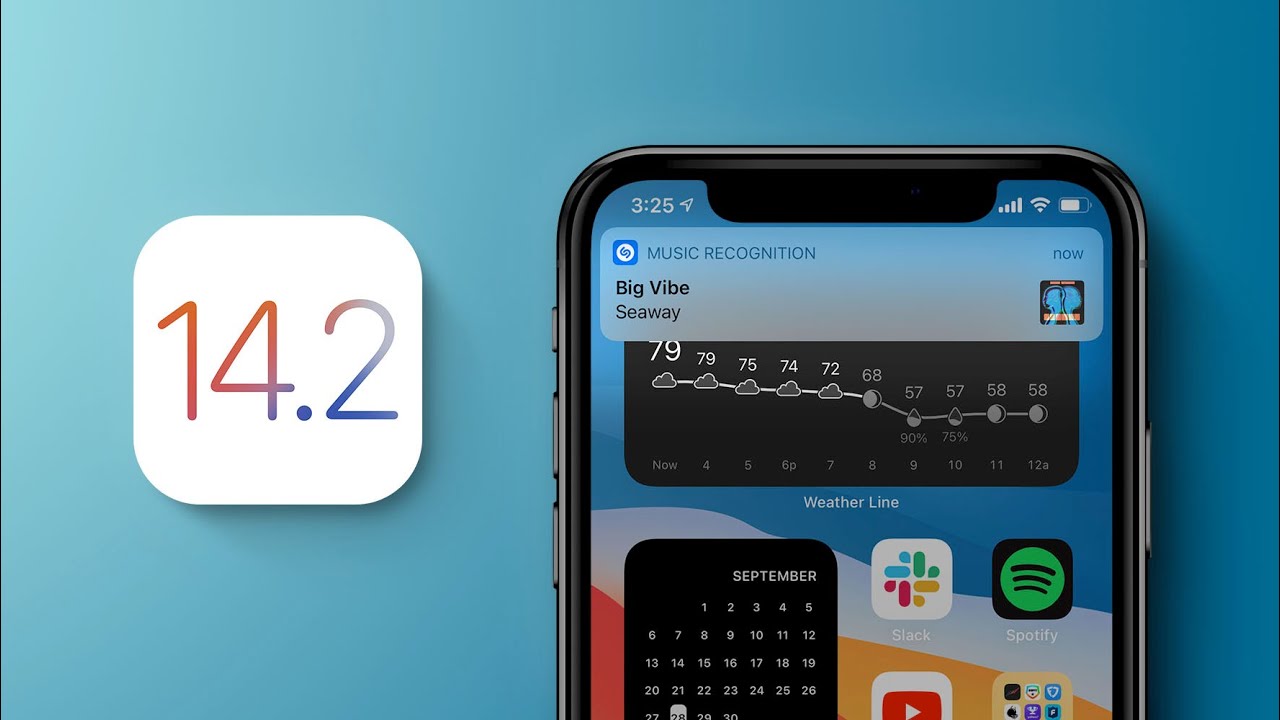

The iOS 14.2 update mainly focuses on the Control Center, introducing a new Music Recognition toggle that deepens the Shazam integration in the iPhone and iPad. We thought we'd test out the new Shazam toggle in the Control Center in our latest YouTube video, giving those who haven't installed the beta a look at what it does.

For those unfamiliar with Shazam, it's designed to listen for music that's playing, providing a song title and artist for identification purposes. Apple's iPhones and iPads have long had Shazam integration, available through the Shazam app and by asking Siri to identify a song that's playing.

After years of ‌Siri‌ integration, Apple acquired Shazam in 2017, and the acquisition was finished in 2018, but until now, Apple hasn't made a move to make song recognition a system-level function.

iOS 14.2 adds a new "Music Recognition" toggle to the Control Center, which you can tap whenever music is playing to get a song recognition. Note that Music Recognition is distinct from Sound Recognition, an Accessibility feature introduced in iOS 14 to help those who are hard of hearing listen for sounds like alarms.

The Music Recognition toggle doesn't show up in Control Center by default (at least in the beta), but it can be enabled by opening up the Settings app, choosing Control Center, and then scrolling down and tapping the "+" button next to Music Recognition.
music recognition

Tapping the Music Recognition button in Control Center will cause an iPhone or ‌iPad‌ to listen for a song that's playing, and when a song is recognized, you'll be notified through a pop up banner. Tapping the banner opens up Shazam, but a long press will give you the option to open the song right in Apple Music, which is handy for ‌Apple Music‌ subscribers.

Music Recognition works with songs playing in the ambient environment as well as songs playing on your iPhone. So if you're watching a video and want to know what song is in it, you can just tap the Music Recognition toggle to find out. It even works when AirPods are connected, so the sound doesn't need to be out loud. This was possible with a ‌Siri‌ command before, but the functionality is easier to use with the simple Control Center toggle.

Along with Music Recognition, there are a few other bonus tweaks in the iOS 14.2 update. The Now Playing interface in Control Center has been redesigned and now, when there's no music playing, it will show suggestions based on songs and albums that you've listened to recently. The design has also been streamlined, and if you want to AirPlay to other devices, there's now a little toggle to tap that brings up all nearby ‌AirPlay‌ 2 compatible devices in a list, rather than displaying them at all times in the widget.

iOS 14.2 also adds one more Accessibility feature, enhancing the Magnifier app on the iPhone. There's now an option to turn on People Detection in Magnifier, which lets the app detect people to let those with low sight know when someone is within six feet. The People Recognition option is also able to identify specific people that have been labeled in the Photos app using the iPhone's facial detection feature.

The iOS 14.2 update is available to both developers and public beta testers at this time, so anyone can test it out if desired. It is a beta, so expect some bugs. iOS 14.2 will likely be in beta testing for some time as we await new iPhones, with a launch perhaps coming later in October.


Related Forum: iOS 14

Popular Stories

apple design award 2025

Apple Announces 2025 Design Award Winners Ahead of WWDC 2025

Tuesday June 3, 2025 10:14 am PDT by
As we wait for WWDC to kick off next Monday, Apple today announced the winners of its annual Apple Design Awards, recognizing apps and games for their innovation, ingenuity, and technical achievement. The 2025 Apple Design Award winners are listed below, with one app and one game selected per category: Delight and Fun - CapWords (App) and Balatro (Game) Innovation - Play (App) and PBJ -...
1password deal blue

1Password Security Breach: What Was Accessed and What Wasn't

Wednesday November 25, 2026 1:09 pm PST by
Popular password management app 1Password today said it experienced a security breach earlier this month. 1Password says some customer names and email addresses were accessed, but no customer vault contents were compromised. On November 19, 1Password saw indications that an employee's GitHub account had been breached and began investigating. The company says the breached GitHub account was...
Apple 2026 Black Friday Event Hero

Apple's Official 2026 Black Friday Offer Starts Rolling Out

Thursday November 26, 2026 8:37 am PST by
Apple's annual four-day Black Friday through Cyber Monday shopping event is now live in Australia, New Zealand, and Thailand, and it will continue to roll out across Europe, the U.S., and Canada as the calendar turns to Friday, November 27 around the world. In the U.S., Apple's terms and conditions say the promotion begins on November 27 at 12 a.m. Pacific Time and ends on November 30 at...

Top Rated Comments

81 months ago
A long long time ago, Shazam or Soundhound (can't remember which one) was smart enough to recognize and name a song if you just hummed it. It was magical, and I swear I'm not hallucinating it. Now neither seems capable of this. Does anyone know of an app that has this capability?
Score: 9 Votes (Like | Disagree)
nymphe Avatar
81 months ago
It is SoundHound and it still can do it. I used this feature on a French song couple of weeks ago and it recognized the song.

btw I can’t speak French, so I just hummed the melody, so no words at all.

(The song is: une belle histoire)


A long long time ago, Shazam or Soundhound (can't remember which one) was smart enough to recognize and name a song if you just hummed it. It was magical, and I swear I'm not hallucinating it. Now neither seems capable of this. Does anyone know of an app that has this capability?
Score: 7 Votes (Like | Disagree)
mashdots Avatar
81 months ago
I've been using shazam for years and i've loved how easily it has worked. very excited to have it integrated into the OS!
Score: 5 Votes (Like | Disagree)
AppleGuesser Avatar
81 months ago

If the new 14.2 Update is as bug-prone with issues as the original iOS 14 was, PLEASE iron out the kinks before you release it, Apple. I know too many people who have screwed up their Apple watches, iPads & iPhones with battery issues, color shifts, pages that will not load, freeze up, etc. due to updating to iOS 14. :mad:
This is a tired quote. For everyone of these posts, 100 are positive about ios 14. The only mistake apple made was moving from GM to Public release in about a day instead of 1-2 weeks. Other than that, this is better than iOS 13 or 11 judging from the hate comments here on MacRumors.
Score: 4 Votes (Like | Disagree)
Digital Dude Avatar
81 months ago
I just took a look-see at the Magnifier App. While all this adds utility, I'd rather see existing Apps that work. To date, iOS 14.x is the most bug-infested version I have ever used. 🤨

I didn't even see the post above mine (#7) before I posted my comment.
Score: 4 Votes (Like | Disagree)
RevTEG Avatar
81 months ago

If the new 14.2 Update is as bug-prone with issues as the original iOS 14 was, PLEASE iron out the kinks before you release it, Apple. I know too many people who have screwed up their Apple watches, iPads & iPhones with battery issues, color shifts, pages that will not load, freeze up, etc. due to updating to iOS 14. :mad:
I know many are having a different experience, but I’m with you on this one. I’m currently running 14.2 PB on my 2018 12.9. I’m still having issues with battery, widgets not working, some apps are not the correct size and I keep getting stuck with the spinning “wheel” in the upper right corner, which drains the battery really fast. A restart stops the spinning “wheel” but only for a few hours. I‘ve done all I know to do except for erasing and fresh install. Again, not hating on Apple, I’m positive many are not having these issues. However, for me, iOS/PadOS14 has been the most unstable update I‘ve ever experienced.
Score: 4 Votes (Like | Disagree)
Latest Stories
The 50+ Best Apple Black Friday Deals Still Available on AirPods, iPads, and More
12 hours ago
HomePod Mini 2 in (RED) Seemingly Spotted Ahead of Announcement
9 hours ago
Apple's M6 and PROLED MacBook Pro Reach New Low Prices for Black Friday
19 hours ago
The MacRumors Show: iPhone Air 2 and iPhone 18 Are Coming
20 hours ago
Apple Store in Brisbane Reopening Next Month With New Design
20 hours ago
The 60+ Best Black Friday Accessory Deals on iPhone Chargers, TVs, Headphones, and More
21 hours ago
GTA VI Now (Barely) Running on Apple Silicon Macs
21 hours ago
The Best Black Friday Streaming Deals on Apple TV, Disney+, and More
22 hours ago
Apple TV's 'Carême' Wins International Emmy for Best Drama
22 hours ago
iPhone 18 Production Delay Leaves Apple Little Time Before Launch
23 hours ago
The Best Black Friday AirPods Deals Still Available
15 hours ago
The Best Black Friday Deals on Apple Home Products
1 day ago
The Best Black Friday iPhone Deals Still Available
15 hours ago
The Best Black Friday iPad Deals Still Available
15 hours ago
The Best Black Friday Apple Watch Deals Still Available
15 hours ago
The Best Black Friday AirTag Deals Still Available
15 hours ago
The Best Black Friday Mac Deals Still Available
15 hours ago
iPhone Share of US Smartphone Market Hits 57% as Rivals Slip
1 day ago
iPhone 20 Pro Rumored to Feature 3D-Printed Titanium Frame
1 day ago
Apple's Official 2026 Black Friday Offer Starts Rolling Out
2 days ago
Halide Adds Fill Light Feature for iPhone Duo
2 days ago
MacBook Air Black Friday Deals Now Live With Massive $399 Savings
2 days ago
Amazon Discounts All MacBook Neo Models by $99 for Black Friday
2 days ago
Kodak Launches Unique AirTag Rival With E-Ink Display
2 days ago
Here's Why the Apple Store is Going Down
2 days ago
Apple Still Working on Giant Foldable iPad That Could Cost $5,000
2 days ago
iPhones Dominate China's Weak Singles' Day Smartphone Sales
2 days ago
iPhone 20 Pro Could Feature Ceramic in Limited-Edition Model
2 days ago
Apple Faces Korean Regulator Review Over iPhone 16 AI Advertising
2 days ago
Apple Watch Ultra 4 Hits New Best-Ever Price of $649.99 for Black Friday
2 days ago
Related Apple News: Travel | Motoring | Health | Local News | Culture






























