Skip to Content

8 Mac Tips and Tricks You Might Not Know

There are tons of hidden features and shortcuts for Macs that Apple has built into macOS over the years, ranging from shortcuts to keyboard commands to other little hacks to make Mac usage just a bit simpler. In our latest YouTube video, we highlighted several of these tips and tricks, and some of them might just be new to you.

  • Transfer Files Fast - If you hold down "T" when your Mac is booting up, you can enter Target Disk Mode. In this mode, use a Thunderbolt 3 cable to transfer large files at fast speeds between two Macs.
  • Paste With Style Matching - When pasting something, if you use Option-Shift-Command-V instead of just Command-V, you can transform the pasted content into the style of the content that already exists in a document. If you have a block of text that's bold, for example, and then want to paste in text from the web and make it bolded too, you can use this keyboard shortcut.
  • Turn a Website Into a Dock App - You can add any website to your dock by dragging the URL bar over to the bottom section of the dock that houses open and recently used apps. Adding a website to the dock makes it quicker to open because you can click from that spot alongside all your apps.
  • Quick Print Shortcut - If you go to the Printers and Scanners section of System Preferences and drag the icon for your favorite printer to your desktop, you can then drag and drop files onto the printer icon to print them automatically.
  • Screen Sharing in Messages - In a Messages conversation with someone, click on the "Details" link and then click on the icon that looks like two screens together to initiate screen sharing with the person who you're talking to. This is super handy for troubleshooting problems for less tech savvy family members from afar, provided you can get them to click the screen sharing option.
  • Preview Files From the Dock - In the Downloads or Documents folder on the Dock, hover your mouse over a file and then press the space bar to see a preview. This also works for selected files in Finder.
  • See Where Files are Stored - If you have a Downloads or Documents folder on your dock, you can hold Command and click on a folder or file to display its location in Finder.
  • Move Files Quickly - To move files from one location to another using keyboard shortcuts, just use Command-C to copy the files you want to move and then Option-Command-V to move those files to a new spot.

Know of other useful Mac tips and tricks that we didn't cover here? Let us know in the comments and we might highlight them in a future video.


Popular Stories

1password deal blue

1Password Security Breach: What Was Accessed and What Wasn't

Wednesday November 25, 2026 1:09 pm PST by
Popular password management app 1Password today said it experienced a security breach earlier this month. 1Password says some customer names and email addresses were accessed, but no customer vault contents were compromised. On November 19, 1Password saw indications that an employee's GitHub account had been breached and began investigating. The company says the breached GitHub account was...
apple design award 2025

Apple Announces 2025 Design Award Winners Ahead of WWDC 2025

Tuesday June 3, 2025 10:14 am PDT by
As we wait for WWDC to kick off next Monday, Apple today announced the winners of its annual Apple Design Awards, recognizing apps and games for their innovation, ingenuity, and technical achievement. The 2025 Apple Design Award winners are listed below, with one app and one game selected per category: Delight and Fun - CapWords (App) and Balatro (Game) Innovation - Play (App) and PBJ -...
ipad pro prime

Apple Has iPads Running macOS Internally, Says Gurman

Wednesday November 25, 2026 4:55 am PST by
Apple has iPads running macOS internally and has had them "for some time," according to Bloomberg's Mark Gurman, although he says no work is currently being done to bring the Mac operating system to iPads. Speaking on his latest Power On podcast, Gurman said there is "no work being done to consumerize macOS on the iPad." Rather, Apple will continue to bring Mac features and apps like Final Cut ...

Top Rated Comments

85 months ago
More people should know that Command-Control-Space will summon the emoji picker and let you insert emoji at the cursor point.
Score: 34 Votes (Like | Disagree)
85 months ago
I posted this last year, may be useful here.

A few tips people may find useful, if you don't already know them. Hopefully we all know that Command + tab shows the open applications, and (while keeping your finger on command) using tab or left and right arrows to move between the applications. What's not so obvious is Apple added a number of other uses for this.
1 - while tabbing to an app you can quit the app by pressing Q, you can go through and quit every app if you want without going to the app. It's not a force quit, and you'll be asked if something needs saving. Similarly pressing H will hide a specific App.
2 - you can drop a file on the app icons to open with a specific app, if it can.
3 - The really handy one, which I use all the time, is when tabbing to a specific app press the up or down arrow key, at which point all the open windows in that app will be shown. If a window is in the dock it's a thumbnail at the bottom of the screen. Pick a window, and that window alone comes to the top. I usually have lots of windows open, so if I want to reference a window in another app, but going to the app brings all it's open windows to the top, this method only brings the one you want, not covering up the window you're working on.
Score: 21 Votes (Like | Disagree)
PBG4 Dude Avatar
85 months ago
I love hitting the spacebar to preview files. Keeps me from firing up an app more than half the time. Probably the biggest macOS feature I miss on my work PC. Keep hitting the spacbar on my Dell and wondering why nothing is happening.
Score: 17 Votes (Like | Disagree)
SteveW928 Avatar
85 months ago
The problem with 'Past With Matching Style' is that the shortcut isn't consistent or always available (and requires finger gymnastics). :(

I'm not sure who would want anything but this aside from special circumstances. Sucks that it is so difficult (by comparison to Command-V).
Score: 13 Votes (Like | Disagree)
85 months ago
Printing can be faster.... Select a document and then hit command+p ...
Score: 12 Votes (Like | Disagree)
Taz Mangus Avatar
85 months ago
Toggle showing/hiding hidden files in finder, command-shift-. (command-key, shift-key, period-key).
Score: 10 Votes (Like | Disagree)
Latest Stories
The 50+ Best Apple Black Friday Deals on AirPods, iPads, MacBooks, and More
24 minutes ago
The Best Black Friday Apple Watch Deals
4 minutes ago
The Best Black Friday AirTag Deals
8 minutes ago
The Best Black Friday Mac Deals
13 minutes ago
The Best Black Friday AirPods Deals
20 minutes ago
iPhone Share of US Smartphone Market Hits 57% as Rivals Slip
59 minutes ago
iPhone 20 Pro Rumored to Feature 3D-Printed Titanium Frame
3 hours ago
Apple's Official 2026 Black Friday Offer Starts Rolling Out
20 hours ago
Halide Adds Fill Light Feature for iPhone Duo
21 hours ago
MacBook Air Black Friday Deals Now Live With Massive $399 Savings
21 hours ago
Amazon Discounts All MacBook Neo Models by $99 for Black Friday
22 hours ago
Kodak Launches Unique AirTag Rival With E-Ink Display
23 hours ago
Here's Why the Apple Store is Going Down
23 hours ago
Apple Still Working on Giant Foldable iPad That Could Cost $5,000
1 day ago
iPhones Dominate China's Weak Singles' Day Smartphone Sales
1 day ago
iPhone 20 Pro Could Feature Ceramic in Limited-Edition Model
1 day ago
Apple Faces Korean Regulator Review Over iPhone 16 AI Advertising
1 day ago
Apple Watch Ultra 4 Hits New Best-Ever Price of $649.99 for Black Friday
1 day ago
New Apple Store Opening in India, Download the Special Wallpaper Now
1 day ago
Redesigned OLED MacBook Air Could Launch in 2027 or 2028
2 days ago
AirPods Pro 3 for $149 is One of The Best Black Friday Deals This Year
2 days ago
1Password Security Breach: What Was Accessed and What Wasn't
2 days ago
WhatsApp Finally Adds Scheduled Messages
2 days ago
Get Apple's Cheapest iPad for $379 During Amazon's Black Friday Sale
2 days ago
Rumor: iOS 28 to Revamp Notifications
2 days ago
iPhone 18 Pro Max Battery Exhausts a Toy Cyclops in New Apple Ad
2 days ago
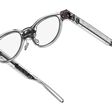
$799 Smart Glasses Promise Vision Pro-Style Controls in a 45g Frame
2 days ago
How To Get an iPhone Duo or iPhone 18 Pro at No Cost Through T-Mobile for Black Friday
2 days ago
Apple Has an iPhone Notifications Problem
2 days ago
Amazon Sweetens Black Friday Deals on PROLED MacBook Pro
2 days ago
Related Apple News: South Africa | Iphone | Travel | Ipad | Education