Skip to Content

Five Mac Apps Worth Checking Out - September 2019

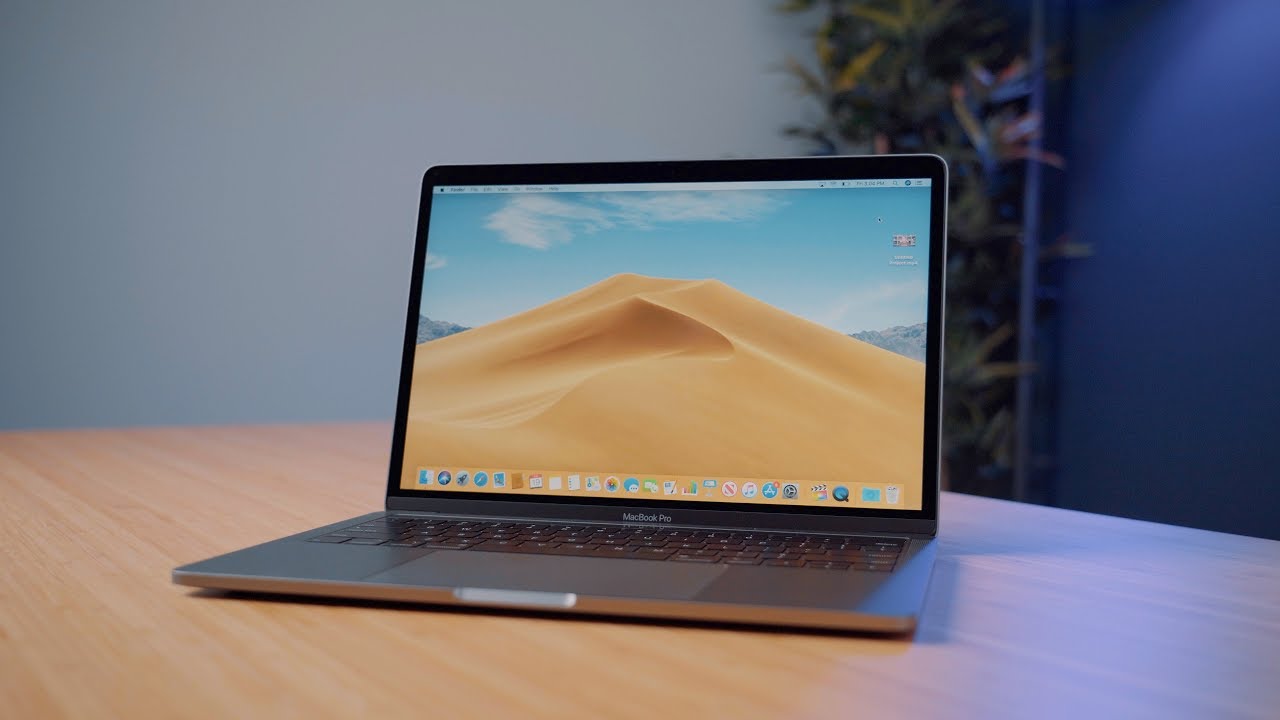
Apps designed for the Mac don't often receive as much attention as apps made for iPhones and iPads, so we have a series here at MacRumors designed to highlight useful and interesting Mac apps worth checking out.

This month's picks include apps for revamping your dock, discovering new music, making GIFs, annotating and managing screenshots, and more.
  • Plug (Free) - Plug is a macOS player for The Hype Machine, a website that's designed to help you discover interesting new music. The Hype Machine curates content from up and coming artists highlighted by various websites on the internet, which can result in a nice mix of fresh music. You can choose to see what's popular, view remixes, see what friends are listening to, and more.
  • Active Dock ($19.99) - Active Dock is a dock replacement app for the Mac that offers features you don't get with the standard dock. You can group documents and apps together for quicker switching between what's open, and you can hover over an app on the dock to see all of the open windows. You can get to options like system preferences and frequently accessed documents, plus there are tons of customization options to work with for changing the look of the dock, icons, and more. Active Dock costs $19.99, but there's a free trial.
  • GIFSKI (Free) - GIFSKI is a fun little app that's designed to allow you to create custom GIFs from video clips. Just drag and drop a video file into the app, adjust the start and end points, and you have a GIF. The app supports multiple video formats, it has a clean interface, and it's simple to use.
  • In Your Face ($1.99) - In Your Face is a notification app that takes over the entire screen, so if there's something that you really need to remember to do, this is the app to use. The app is located in the menu bar and it interrupts whatever you're doing when it's time for something like an important meeting. It's a good idea if you typically dismiss reminders and calendar events without paying attention, because it's impossible to miss the In Your Face popups.
  • Xnip (Free) - Xnip is a screenshot and annotation app that adds a few capabilities not possible with Apple's built-in screenshotting tools. You can capture a full-page screenshot in an app like Safari where all of the content might not be visible, and you can capture multiple windows together. A color picker tool lets you pick a color of a pixel to make a capture, there's an option to measure objects on the screen, and there are other tools like pixelation for hiding details and numbered annotation options. Removing watermarks from screenshots requires a $4.99 per year subscription.

If you have a favorite must-have Mac app that we haven't highlighted yet, let us know in the comments, and we might feature it in a future video. For more of our Mac app picks, make sure to check out our Mac app archives.

Popular Stories

1password deal blue

1Password Security Breach: What Was Accessed and What Wasn't

Wednesday November 25, 2026 1:09 pm PST by
Popular password management app 1Password today said it experienced a security breach earlier this month. 1Password says some customer names and email addresses were accessed, but no customer vault contents were compromised. On November 19, 1Password saw indications that an employee's GitHub account had been breached and began investigating. The company says the breached GitHub account was...
apple design award 2025

Apple Announces 2025 Design Award Winners Ahead of WWDC 2025

Tuesday June 3, 2025 10:14 am PDT by
As we wait for WWDC to kick off next Monday, Apple today announced the winners of its annual Apple Design Awards, recognizing apps and games for their innovation, ingenuity, and technical achievement. The 2025 Apple Design Award winners are listed below, with one app and one game selected per category: Delight and Fun - CapWords (App) and Balatro (Game) Innovation - Play (App) and PBJ -...
ipad pro prime

Apple Has iPads Running macOS Internally, Says Gurman

Wednesday November 25, 2026 4:55 am PST by
Apple has iPads running macOS internally and has had them "for some time," according to Bloomberg's Mark Gurman, although he says no work is currently being done to bring the Mac operating system to iPads. Speaking on his latest Power On podcast, Gurman said there is "no work being done to consumerize macOS on the iPad." Rather, Apple will continue to bring Mac features and apps like Final Cut ...

Top Rated Comments

AZhappyjack Avatar
94 months ago
Just what we need... a subscription app for annotating screen prints... just freaking stop the madness...
Score: 15 Votes (Like | Disagree)
sydneysider88 Avatar
94 months ago
I would be interested in “In Your Face” type app for iOS.
It’s called iOS 6.
Score: 4 Votes (Like | Disagree)
sw1tcher Avatar
94 months ago
In Your Face is a notification app that takes over the entire screen, so if there's something that you really need to remember to do, this is the app to use.
Now I need an app to remind me to put a reminder in this reminder app
Score: 3 Votes (Like | Disagree)
AZhappyjack Avatar
94 months ago
I like the idea of Plug... checking it out now.
Score: 3 Votes (Like | Disagree)
AZhappyjack Avatar
94 months ago
I'm surprised that Apple allows Active Dock app.
macOS is not the walled garden that iOS is... MAS apps have to be sandboxed, but non-MAS apps don't necessarily need be.
Score: 2 Votes (Like | Disagree)
94 months ago
I'm a long-term user of Gifski, been using it since the very first version, works beautifully all the time. As for Xnip, I'm surprised it's in the list, but CleanShot (https://getcleanshot.com ('https://getcleanshot.com/')) is not. Great design and gets the job done.

Unrelated to Gifski's purpose, but the same developer recently published a new app called Dato - it's a replacement for a menu bar clock with cool features like built-in calendar and different timezones. You can check it out here https://sindresorhus.com/dato. Funnily enough, he even built an app to replace battery indicator too :D
Score: 1 Votes (Like | Disagree)
Latest Stories
The 50+ Best Apple Black Friday Deals on AirPods, iPads, MacBooks, and More
4 hours ago
Apple's Official 2026 Black Friday Offer Starts Rolling Out
9 hours ago
Halide Adds Fill Light Feature for iPhone Duo
9 hours ago
MacBook Air Black Friday Deals Now Live With Massive $399 Savings
10 hours ago
Amazon Discounts All MacBook Neo Models by $99 for Black Friday
10 hours ago
Kodak Launches Unique AirTag Rival With E-Ink Display
11 hours ago
Here's Why the Apple Store is Going Down
11 hours ago
Apple Still Working on Giant Foldable iPad That Could Cost $5,000
12 hours ago
iPhones Dominate China's Weak Singles' Day Smartphone Sales
12 hours ago
iPhone 20 Pro Could Feature Ceramic in Limited-Edition Model
13 hours ago
Apple Faces Korean Regulator Review Over iPhone 16 AI Advertising
14 hours ago
Apple Watch Ultra 4 Hits New Best-Ever Price of $649.99 for Black Friday
14 hours ago
New Apple Store Opening in India, Download the Special Wallpaper Now
21 hours ago
Redesigned OLED MacBook Air Could Launch in 2027 or 2028
1 day ago
AirPods Pro 3 for $149 is One of The Best Black Friday Deals This Year
1 day ago
1Password Security Breach: What Was Accessed and What Wasn't
1 day ago
WhatsApp Finally Adds Scheduled Messages
1 day ago
Get Apple's Cheapest iPad for $379 During Amazon's Black Friday Sale
1 day ago
Rumor: iOS 28 to Revamp Notifications
1 day ago
iPhone 18 Pro Max Battery Exhausts a Toy Cyclops in New Apple Ad
1 day ago
$799 Smart Glasses Promise Vision Pro-Style Controls in a 45g Frame
1 day ago
How To Get an iPhone Duo or iPhone 18 Pro at No Cost Through T-Mobile for Black Friday
1 day ago
Apple Has an iPhone Notifications Problem
1 day ago
Amazon Sweetens Black Friday Deals on PROLED MacBook Pro
1 day ago
Apple Has iPads Running macOS Internally, Says Gurman
2 days ago
Apple Is Far From Done With 2026: Here's What's Still Coming
2 days ago
Threads App for iPad Now Available
2 days ago
Claude Now Lets You Install Artifacts as Desktop Apps

2 days ago
Tidal Bans AI Music, While Apple Music Sticks to Labels
2 days ago
Add Holiday Lights and Snow to Your Mac With Festivitas
2 days ago
Related Apple News: Local News | Lifestyle | Sport | Education | Motoring