Skip to Content

6 Gestural Interface Tricks to Try Out With Your New iPhone X

by

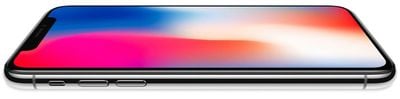
Most iPhone X owners have had barely 48 hours to get to grips with Apple's new home bar-based user interface which does away with traditional home button functions, but the general consensus is that it becomes extremely intuitive to use after just a few hours. In this article, we've gathered some neat tips and gestural tricks for using iOS 11 on iPhone X that you may not have come across.
iphonexretinadisplay
Some of the tips listed below offer an alternative one-handed approach to gestures that typically require two hands, while others simply demonstrate a quicker way of interfacing with your iPhone X that Apple hasn't made explicit in its support literature. Hopefully at least one of them will be new to you and will help you get more out of your new smartphone.

Faster App Switcher Access

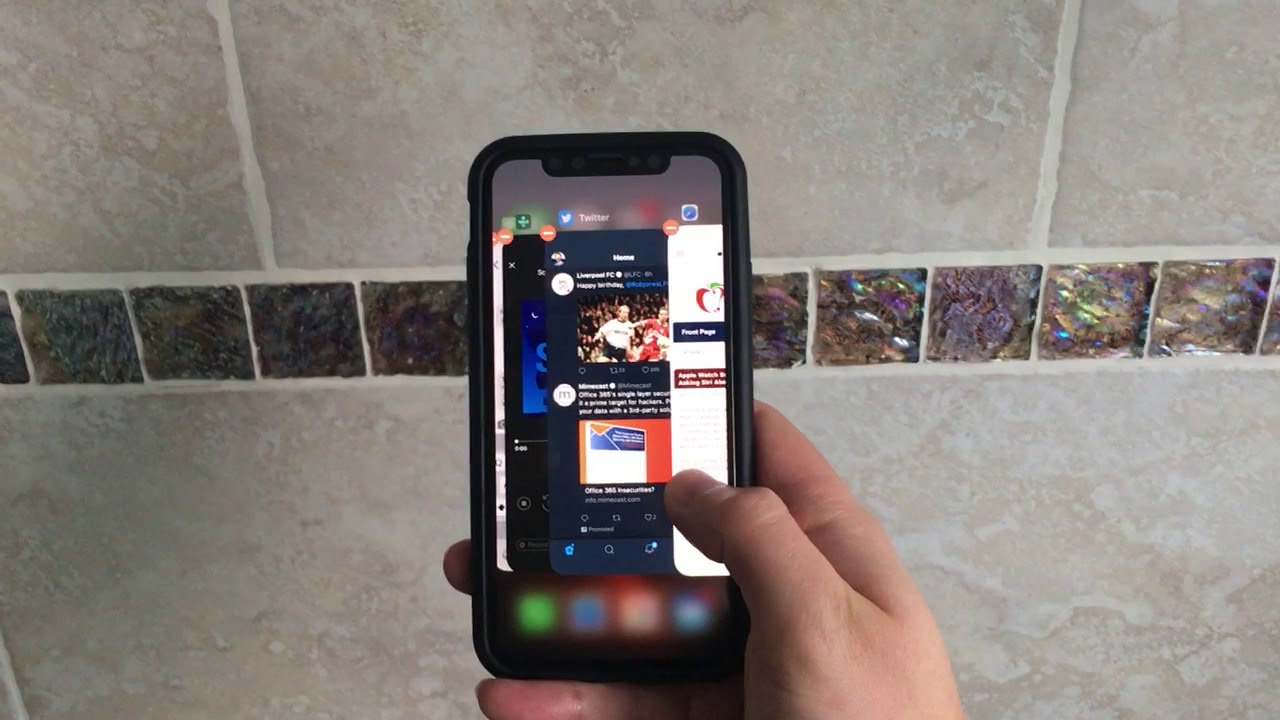
Apple's Guided Tour of the new iPhone X interface would have you believe that to access the App Switcher you must swipe upwards from the middle of the home bar and then pause for a moment, before swiping along to see your open apps.

Actually there's another, faster method you can try: simply swipe up from the home bar at a 45-degree angle towards the right of the screen and then let go, and the app switcher should move straight into view almost immediately. Granted, it's a tiny adjustment to the official way of doing things, but you'll probably find it a little speedier and more intuitive.


Quit Apps Quicker

At first sight, quitting apps from within the App Switcher seems to require two fingers: one to tap-hold the app, and another to tap the app card's minus button which the first action elicits. Thankfully though, the whole process can be performed with one hand by tap-holding and swiping up on the app as soon as the minus button appears.

Reach for Control Center

Accessing the Control Center on iPhone X is completely different to how it's done on older iPhones running iOS 11. Instead of swiping up from the bottom of the screen, users must swipe down from the top-right "ear", which requires another hand. The change is a curious one, given that Apple considered locating the Control Center at the right of the App Switcher, which looks more intuitive during one-handed use. Apple could always introduce this implementation as an option in a later version of iOS 11, but until then, Reachability is your friend.


To enable the setting in iOS 11.1, go to Settings -> General -> Accessibility, and turn on Reachability. Now simply swipe down from the gestural home bar to bring the top of the interface halfway down the screen, and you should be able to swipe from the top-right with your thumb to bring down Control Center.

This method can also be used as a quick way to check your battery percentage, or to see if your VPN is connected – just a small drag from the top-right reveals the information, without you having to invoke the Control Center wholesale.

Return to Last App

Swiping the home bar to switch between apps is a smart gesture that most iPhone X owners will have already grasped. But did you know that you can perform the same swipe action from the home screen to return to the last-used app? Simply drag your thumb right across the bottom of the dock, where the home bar usually appears.

Exit App Wiggle Mode

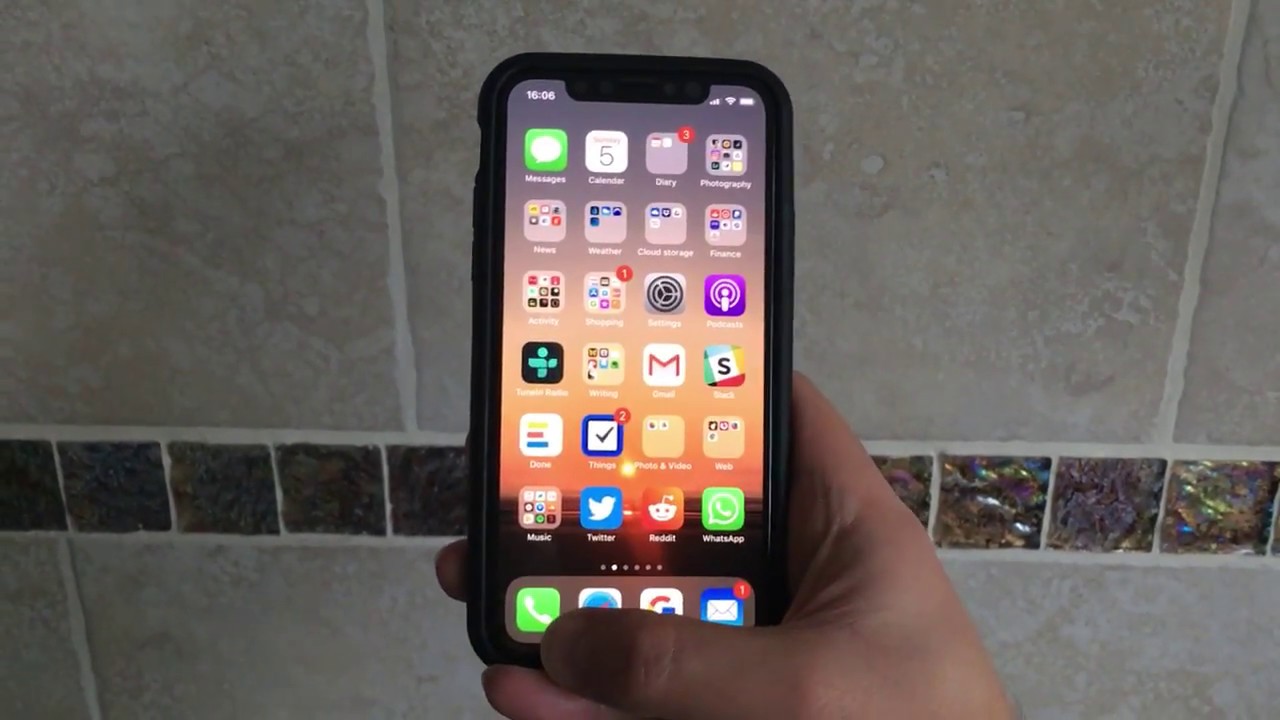
Holding an app on the home screen makes all apps wiggle, indicating that you can now re-locate or delete them individually. With no home button to turn "wiggle mode" off, Apple added a "Done" button to the top-right on the screen. But you don't have to raise your other hand to tap it and exit wiggle mode – just swipe up from the bottom of the dock instead.


Instant Siri Search

This last one is less a new gesture, and more a combination of two, the latter of which has existed since iOS 9. Whenever you're in an app and want to do a quick search, swipe up from the home bar, release for a split second, then immediately swipe down again from the middle of the screen. (Note: this action won't work if the app you're using is located in a folder.)

This is a particularly useful swipe combo given that in iOS 11 you can now search both your iPhone and the web, with Siri offering autocomplete options similar to how it does when you perform a search in Safari. Finally, to exit the Siri Search window and return to the app you were just using, simply swipe right across the bottom of the screen.


For a screen recording of every video above in action, click here. Know of any more neat UI tricks for iPhone X? Let us know in the comments below.


Related Forum: iPhone

Top Rated Comments

sniffies Avatar
118 months ago
Here's a graphic I created showing App Switcher access in a much much faster and more intuitive and 100% consistent way. Shhh, even Craig doesn't know about it ;)

And remember:

1. No pausing
2. No L-shaped gesture
3. No r-shaped gesture
4. No whatever-shaped gesture
5. No gesture at weird angles

Simply up! Boom and you're done!


My App Switcher graphic demonstrated in video

Both hands:


One hand:


More lesser-known gestures in this thread ('https://forums.macrumors.com/threads/a-collection-of-useful-and-lesser-known-gestures-for-iphone-x-guaranteed-to-make-your-life-easier.2084829')
Score: 18 Votes (Like | Disagree)
Cpsadowski Avatar
118 months ago
These videos would of been a lot more useful, had they included fingers showing the swipes instead of plain videos.
Score: 13 Votes (Like | Disagree)
118 months ago
love my iPhone X
Score: 8 Votes (Like | Disagree)
Rocketman Avatar
118 months ago
What's interesting to me about the iPhone ecosystem is it has large sociological impact. A computer in your hand and all that. But lesser considered is the changes in daily behaviour in how you interact with the device. When you have millions of people simultaneously changing habitual behaviour and in concert with each other, it gives them a sense of community of a style that has never existed before. Not religion. Not geography. Not politics. Behaviour. Discuss.
Score: 4 Votes (Like | Disagree)
_mdavenport Avatar
118 months ago
Thanks for the tips, these are great.

I’m enjoying most of the new gestures on iPhone X but the decision to move Control Center to the top right is bizarre. It completely breaks one-handed use. I wish they would put it in the app switcher, or do something like a 3D Touch on the “Home Bar” to invoke Control Center.
Score: 3 Votes (Like | Disagree)
118 months ago
The control center methods are terrible. I use the CC a lot and it seems :apple: half assed the effort.

Why not use 3D Touch in some way to invoke the CC? Or combine the CC with instant Siri search? Or at least put quick CC info such as battery %, Bluetooth, etc in the app switcher mode. :rolleyes:
Apple is basically in transition on the way to "intuitive" all screen navigation. I really wished that they broke with the current paradigm and introduced something radically new, but I guess, that would be too risky.

The home indicators gestures are a good first step, but "notification centre vs control centre" swipes are just plain awful (especially if they warrant the need for reachability). All of this non-immediate-app access needs better integration. Maybe improvements will come with iOS 12.
Score: 3 Votes (Like | Disagree)

Popular Stories

apple design award 2025

Apple Announces 2025 Design Award Winners Ahead of WWDC 2025

Tuesday June 3, 2025 10:14 am PDT by
As we wait for WWDC to kick off next Monday, Apple today announced the winners of its annual Apple Design Awards, recognizing apps and games for their innovation, ingenuity, and technical achievement. The 2025 Apple Design Award winners are listed below, with one app and one game selected per category: Delight and Fun - CapWords (App) and Balatro (Game) Innovation - Play (App) and PBJ -...
Apple 2026 Black Friday Event Hero

Apple's Official 2026 Black Friday Offer Starts Rolling Out

Thursday November 26, 2026 8:37 am PST by
Apple's annual four-day Black Friday through Cyber Monday shopping event is now live in Australia, New Zealand, and Thailand, and it will continue to roll out across Europe, the U.S., and Canada as the calendar turns to Friday, November 27 around the world. In the U.S., Apple's terms and conditions say the promotion begins on November 27 at 12 a.m. Pacific Time and ends on November 30 at...
1password deal blue

1Password Security Breach: What Was Accessed and What Wasn't

Wednesday November 25, 2026 1:09 pm PST by
Popular password management app 1Password today said it experienced a security breach earlier this month. 1Password says some customer names and email addresses were accessed, but no customer vault contents were compromised. On November 19, 1Password saw indications that an employee's GitHub account had been breached and began investigating. The company says the breached GitHub account was...
Latest Stories
The 50+ Best Apple Black Friday Deals Still Available on AirPods, iPads, and More
1 hour ago
HomePod Mini 2 in (RED) Seemingly Spotted Ahead of Announcement
11 hours ago
Apple's M6 and PROLED MacBook Pro Reach New Low Prices for Black Friday
21 hours ago
The MacRumors Show: iPhone Air 2 and iPhone 18 Are Coming
22 hours ago
Apple Store in Brisbane Reopening Next Month With New Design
22 hours ago
The 60+ Best Black Friday Accessory Deals on iPhone Chargers, TVs, Headphones, and More
23 hours ago
GTA VI Now (Barely) Running on Apple Silicon Macs
23 hours ago
The Best Black Friday Streaming Deals on Apple TV, Disney+, and More
1 day ago
Apple TV's 'Carême' Wins International Emmy for Best Drama
1 day ago
iPhone 18 Production Delay Leaves Apple Little Time Before Launch
1 day ago
The Best Black Friday AirPods Deals Still Available
17 hours ago
The Best Black Friday Deals on Apple Home Products
1 day ago
The Best Black Friday iPhone Deals Still Available
17 hours ago
The Best Black Friday iPad Deals Still Available
17 hours ago
The Best Black Friday Apple Watch Deals Still Available
17 hours ago
The Best Black Friday AirTag Deals Still Available
17 hours ago
The Best Black Friday Mac Deals Still Available
17 hours ago
iPhone Share of US Smartphone Market Hits 57% as Rivals Slip
1 day ago
iPhone 20 Pro Rumored to Feature 3D-Printed Titanium Frame
1 day ago
Apple's Official 2026 Black Friday Offer Starts Rolling Out
2 days ago
Halide Adds Fill Light Feature for iPhone Duo
2 days ago
MacBook Air Black Friday Deals Now Live With Massive $399 Savings
2 days ago
Amazon Discounts All MacBook Neo Models by $99 for Black Friday
2 days ago
Kodak Launches Unique AirTag Rival With E-Ink Display
2 days ago
Here's Why the Apple Store is Going Down
2 days ago
Apple Still Working on Giant Foldable iPad That Could Cost $5,000
2 days ago
iPhones Dominate China's Weak Singles' Day Smartphone Sales
2 days ago
iPhone 20 Pro Could Feature Ceramic in Limited-Edition Model
2 days ago
Apple Faces Korean Regulator Review Over iPhone 16 AI Advertising
2 days ago
Apple Watch Ultra 4 Hits New Best-Ever Price of $649.99 for Black Friday
2 days ago
Related Apple News: Entertainment | Education | Buyers Guide | Local News | Technology






























