Skip to Content

North Carolina Law Students Must Disable MacBook Pro Touch Bar for 2017 Bar Exam [Updated]

by

North Carolina law students who purchased one of Apple's new MacBook Pro models that include a Touch Bar will need to disable much of its functionality to be able to use their MacBooks on the upcoming 2017 Bar Examination, according to a new notice put out today by the Board of Law Examiners of the State of North Carolina.

According to the notice, applicants will need to disable the Touch Bar's ability to be used with apps through the System Preferences before they can use their computers to take the test. The Touch Bar needs to be set to "Expanded Control Strip," which displays options like screen brightness and volume controls without allowing it to show app-specific content that shifts with each app.
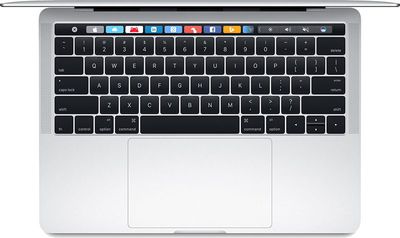
13inchmacbookprokeyboard

This is a notice for all applicants who will be using their laptop at the February 2017 North Carolina Bar Examination. If you are planning to use the newest version of the Mac Book Pro with Touch Bar, you will be required to disable the Touch Bar feature prior to entry into the Bar Examination Site.

To disable the Touch Bar:
From the Dock, open System Preferences, then double-click Keyboard, then open the drop-down menu for "Touch Bar Shows," and select Expanded Control Strip.

Please be advised that the Announcing Proctor will make an announcement at the start of the exam session asking anyone who is using a Mac Book Pro with Touch Bar to raise their hand so that a proctor or ExamSoft technician can come to their seat and ensure that the Touch Bar has been disabled.

The notice doesn't include the reason why Touch Bar functionality must be limited, but in a statement, a board staff member said that it has the potential to compromise security, perhaps leading to cheating. An anonymous source also told MacRumors that the ban stems from ExamSoft, the company responsible for making sure test takers have restricted access to the internet, apps, and files. One of the concerns ExamSoft has is the Touch Bar's predictive text feature, which suggests words to users. According to the source, the MacBook Pro is restricted from all tests administered by ExamSoft clients.

Update: It appears the Touch Bar ban expands beyond North Carolina and is even harsher in some states. In California, the Committee of Bar Examiners has decided that the MacBook Pro with Touch Bar can't be used at all on the February 2017 examination and sent out notices to test takers this morning.

The Committee of Bar Examiners has been advised that the MacBook Pro laptop with Touch Bar contains certain embedded features that makes it problematic for use during the upcoming February 2017 administration of the CBX. As a result, applicants will NOT be allowed to use the MacBook Pro laptop with Touch Bar during the February 2017 CBX.

According to the Committee of Bar Examiners, applicants will need to find a different laptop to use during the test. Those who attempt to use a MacBook Pro with Touch Bar will receive a score of zero for the session and will not be allowed to continue the exam.
Related Roundup: MacBook Pro
Buyer's Guide: MacBook Pro (Buy Now)
Related Forum: MacBook Pro

Top Rated Comments

Porco Avatar
128 months ago
That's a Touchy Bar Examination. :D
Score: 30 Votes (Like | Disagree)
oneMadRssn Avatar
128 months ago
From my experience taking the bar exam, the software they have you install reboots the computer into a sort of safe-mode where the OS loads the bare minimum to run the bar exam software, and nothing else. Then after you submit the exam, the computer reboots again as usual.

During the pseudo-safe mode of taking the bar exam, I noticed none of the text replacements I had set up in the settings worked (I had common law school stuff like pp=plaintiff, dd=defendant, ss=section symbol, etc.). Other typical OS X shortcuts and commands did not work either.

My guess is the touchbar doesn't actually pose any real threat to cheat yet, but their software vendor hasn't figured out all the ins and outs yet, and they are taking this step out of caution.
Score: 18 Votes (Like | Disagree)
128 months ago
To disable the Touch Bar:
From the Dock, open System Preferences, then double-click Keyboard, then open the drop-down menu for "Touch Bar Shows," and select Expanded Control Strip.
Instructions like this from "IT Department Experts" really annoy me. First, they call it the "Mac Book Pro", with a space between "Mac" and "Book". Second, they instruct you to open System Preferences from the Dock, but how many people leave that icon in the Dock? Choosing from the Apple menu would be far more consistent. And finally, they say to "double-click Keyboard"... ugh!
Score: 11 Votes (Like | Disagree)
128 months ago
I'm here for the puns. Please don't disappoint.
Score: 9 Votes (Like | Disagree)
128 months ago
Wait, what? They let you use computers to take the bar exam?! You're expecting people going into a profession of being crooked, to take an honest test with a computer?!

The insanity!
Score: 6 Votes (Like | Disagree)
Slix Avatar
128 months ago
The irony is that it's a Bar Examination. :P
Score: 6 Votes (Like | Disagree)

Popular Stories

Apple MacBook Pro with PROLED XDR Display family lineup feature

Apple Announces OLED MacBook Pro With Touch Display

Wednesday October 28, 2026 10:11 am PDT by
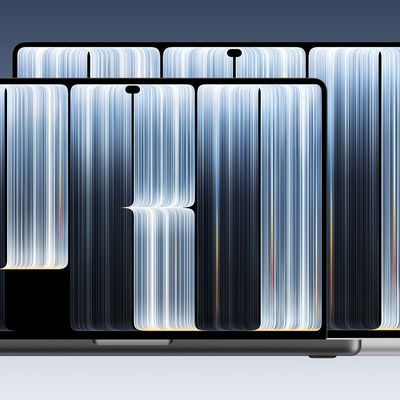
Apple today announced a new high-end MacBook Pro, which is available in 14-inch and 16-inch sizes. The new device has a PROLED XDR display that supports touch gestures, and a glowing rear Apple logo. Pricing on the MacBook Pro starts at $2,899 for the 14-inch model and $3,399 for the 16-inch model. Apple says the MacBook Pro has the "world's best display in a pro laptop." The PROLED...
World Travel Adapter Kit Feature with Charger

Apple Releases Redesigned Mac Chargers and 'World Travel Adapter Kit'

Wednesday October 28, 2026 11:29 am PDT by
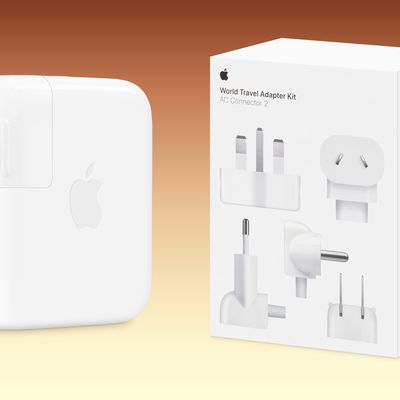
Apple today began selling updated versions of its 70W Power Adapter, 140W Power Adapter, and Power Adapter Extension Cable, all with a new "AC Connector 2." The updated power adapters and extension cable are available on Apple's online store in the U.S. and many other countries around the world. Apple also released an updated version of its World Travel Adapter Kit that had disappeared...
MacBook Pro Glowing Apple Logo

'Backglow' Lets You Customize New MacBook Pro's Glowing Apple Logo

Saturday November 7, 2026 12:44 pm PST by
A new "Backglow" app created by designer Juan Buis lets you customize the illuminated Apple logo on the lid of the new MacBook Pro models. The free version of the app allows you to manually adjust the brightness level of the Apple logo, independent of the MacBook Pro's display brightness level. You can also turn it off entirely with a single click, rather than having to use Terminal....
Latest Stories
The 50+ Best Apple Black Friday Deals on AirPods, iPads, MacBooks, and More
3 hours ago
Apple TV's 'Carême' Wins International Emmy for Best Drama
35 minutes ago
iPhone 18 Production Delay Leaves Apple Little Time Before Launch
1 hour ago
The Best Black Friday AirPods Deals
2 hours ago
The Best Black Friday Deals on Apple Home Products
2 hours ago
The Best Black Friday iPhone Deals
2 hours ago
The Best Black Friday iPad Deals
2 hours ago
The Best Black Friday Apple Watch Deals
2 hours ago
The Best Black Friday AirTag Deals
2 hours ago
The Best Black Friday Mac Deals
2 hours ago
iPhone Share of US Smartphone Market Hits 57% as Rivals Slip
3 hours ago
iPhone 20 Pro Rumored to Feature 3D-Printed Titanium Frame
5 hours ago
Apple's Official 2026 Black Friday Offer Starts Rolling Out
22 hours ago
Halide Adds Fill Light Feature for iPhone Duo
23 hours ago
MacBook Air Black Friday Deals Now Live With Massive $399 Savings
1 day ago
Amazon Discounts All MacBook Neo Models by $99 for Black Friday
1 day ago
Kodak Launches Unique AirTag Rival With E-Ink Display
1 day ago
Here's Why the Apple Store is Going Down
1 day ago
Apple Still Working on Giant Foldable iPad That Could Cost $5,000
1 day ago
iPhones Dominate China's Weak Singles' Day Smartphone Sales
1 day ago
iPhone 20 Pro Could Feature Ceramic in Limited-Edition Model
1 day ago
Apple Faces Korean Regulator Review Over iPhone 16 AI Advertising
1 day ago
Apple Watch Ultra 4 Hits New Best-Ever Price of $649.99 for Black Friday
1 day ago
New Apple Store Opening in India, Download the Special Wallpaper Now
1 day ago
Redesigned OLED MacBook Air Could Launch in 2027 or 2028
2 days ago
AirPods Pro 3 for $149 is One of The Best Black Friday Deals This Year
2 days ago
1Password Security Breach: What Was Accessed and What Wasn't
2 days ago
WhatsApp Finally Adds Scheduled Messages
2 days ago
Get Apple's Cheapest iPad for $379 During Amazon's Black Friday Sale
2 days ago
Rumor: iOS 28 to Revamp Notifications
2 days ago
Related Apple News: Travel | Sport | Culture | Health | Iphone