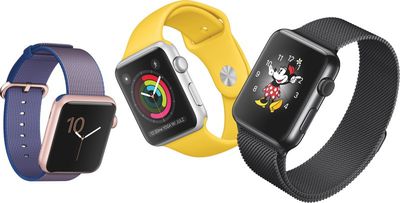
Alongside the first iOS 10.1 beta and the first macOS Sierra 10.12.1 beta, Apple has seeded new betas of watchOS 3.1 and tvOS 10.0.1 to developers, just over a week after the latter two operating systems were released.
On the Apple Watch, the software update can be downloaded through the dedicated Apple Watch app on an iPhone by going to General --> Software update.
To install the update, the Apple Watch needs to have 50 percent battery, it must be on the Apple Watch charger, and it must be in range of the iPhone. watchOS 3 also requires an iPhone running iOS 10 to install.
On the Apple TV, installing the tvOS beta requires the Apple TV to be connected to a computer with a USB-C to USB-A cable, with the software downloaded and installed via iTunes or Apple Configurator. Once a beta profile has been installed on the device through iTunes, new beta updates will be available over the air.
It is not known what new features might be included in the watchOS 3.1 and tvOS 10.0.1 updates, but they are likely to include bug fixes for issues that have been discovered since the release of watchOS 3 and tvOS 10.
We'll update this post with any new features that are found in the two betas.
Friday November 6, 2026 7:36 am PST by Joe Rossignol
Apple's massive wave of product launches will finally end next week, with its all-new HomeView smart home hub and the fourth-generation Apple TV 4K set to be released on Friday, November 13 and no other major hardware releases expected for the remainder of the year. Since late August, Apple has announced more than 25 new devices and accessories in one of its busiest stretches...
Thursday October 29, 2026 5:50 pm PDT by Joe Rossignol
Apple today released Xcode 27.2, and it reveals how much RAM is in the new fourth-generation Apple TV 4K and the new iPad mini with an OLED display.
As expected, the new Apple TV 4K with the A19 chip is equipped with 8GB of RAM, while the new iPad mini with the A20 Pro chip has 12GB of RAM.
For good measure, Xcode shows the iPhone Duo is equipped with 12GB of RAM.
None of these RAM...
Sunday November 1, 2026 3:34 am PST by Tim Hardwick
Apple has published a support document describing what to do if your Apple Watch continues to show time that's off by one hour after daylight savings time changes. "This incorrect time appears only on the Always On display when your wrist is down," says Apple. "When you activate the display by tapping it or raising your wrist, the time changes to the correct hour."
To fix the issue, Apple says ...
I agree. 3rd-party apps load more quickly now. Some are so fast I had to double-check to see if they were in my Dock (and therefore resident in RAM). Nope.
There are still some stuttery transitions on my original issue Watch. But all in all: Impressive.