Skip to Content

Apple Releases WatchOS 2 With Native App Support, New Watch Faces, Nightstand Mode, and More

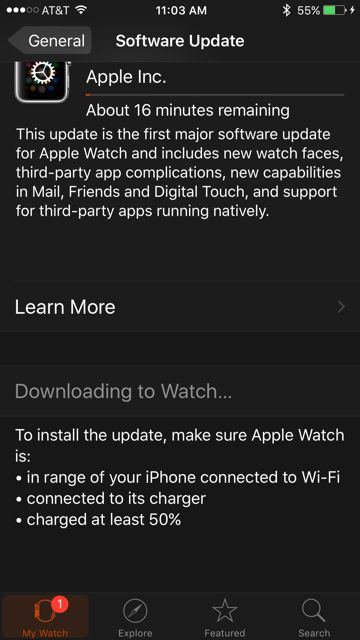
Apple today released watchOS 2 to the public, making the first major update to the watchOS software available to all Apple Watch owners. The update requires iOS 9 and can be downloaded over-the-air through the Apple Watch app on the iPhone by going to General --> Software Update.

watchOS 2 was originally scheduled to launch on Wednesday, September 16 alongside iOS 9, but Apple delayed the launch in order to address a major bug that was found shortly before the software was set to debut.

As the first significant update to watchOS, watchOS 2 introduces a lot of new features to the Apple Watch, mainly through new developer tools. watchOS 2 brings native apps that run on the watch itself instead of the iPhone, and it lets developers access several sensors and hardware features including the Taptic Engine, heart rate monitor, microphone, and accelerometer.
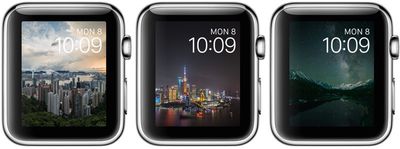
timelapsewatchfaces

The new time-lapse watch faces in watchOS 2

Along with these features for developers, which will lead to more complex and full-featured third-party apps that run much more smoothly, watchOS 2 also includes new watch faces (photo album and time-lapse), third-party Complications, a tweak that makes the screen stay on for up to 70 seconds when activated, and Activation Lock.

There's also a new Time Travel feature for viewing past and upcoming events in a watch face Complication, and a Nightstand mode that's activated when the watch is charging, displaying the time.
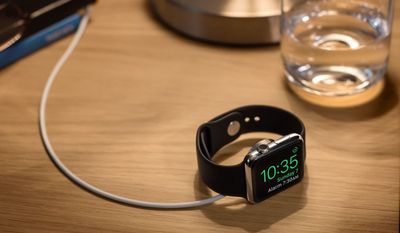
nightstandmode

Nightstand mode

More details on what's new in watchOS 2 can be found in our dedicated watchOS 2 roundup, which includes all of the features the update brings, big and small. Discussion on new features in watchOS 2 is also taking place in our dedicated Apple Watch forum, and we encourage all of our readers to join in with new discoveries and questions about the update.


Related Roundup: Apple Watch 12
Buyer's Guide: Apple Watch (Buy Now)
Related Forum: Apple Watch

Popular Stories

apple watch series 3 design

Apple Offers Steps to Fix Daylight Saving Time Bug on Apple Watch

Sunday November 1, 2026 3:34 am PST by
Apple has published a support document describing what to do if your Apple Watch continues to show time that's off by one hour after daylight savings time changes. "This incorrect time appears only on the Always On display when your wrist is down," says Apple. "When you activate the display by tapping it or raising your wrist, the time changes to the correct hour." To fix the issue, Apple says ...
muse apple watch app

Meta's Muse AI Agent Comes to Apple Watch

Monday November 9, 2026 1:55 pm PST by
Meta today updated the Muse app for iOS to add Apple Watch support, which means Muse users can access the proactive AI agent from the watch. The app adds the Muse character to the watch with an option to text it, dictate text to it, or call it. There's also a Muse complication for quick access. Muse is Meta's personal AI agent that can complete tasks for users. It is available as a...
siri recap live rewind

watchOS 27.3 Brings Live Rewind and Siri Recap to Apple Watch

Tuesday November 3, 2026 10:35 am PST by
With the first beta of watchOS 27.3, Apple is introducing new Audio Intelligence features it previewed for the Apple Watch Series 12 and Ultra 4 earlier this year. Powered by the S11 chip, Audio Intelligence includes Live Rewind, Siri Recap, Sound Recognition, and Shazam Music Recognition. Sound Recognition and Shazam are already on the watch, but Live Rewind and Siri Recap are now available ...

Top Rated Comments

ghost187 Avatar
146 months ago
We took into careful consideration, the amount of time it took for the update to download, so our customers can fully appreciate their Apple Watch, and know what it is like to be without it. This sense of separation from something you hold so dear to your heart truly enhances ones ability to appreciate the very existence of that object. We worked very hard to calculate the exact time it took for a human being to feel separated from the Apple Watch and that's the reason why we unapologetically delayed the update. We have reduced the margin of error to plus or minus 50 milliseconds, to deliver the most memorable experience our customers can feel from updating their software.

Attachment Image
Score: 40 Votes (Like | Disagree)
146 months ago
Thats what I would have thought as well. My work connection is pretty fast. Just odd. Seems slow for only half a gig.
Agreed, I'm in the same boat. Maybe they're hosting the download on an Apple Watch.

Thank you, I'll be here all week.
Score: 10 Votes (Like | Disagree)
Rogifan Avatar
146 months ago
Good god there's people on Twitter complaining because the Watch needs to be on its charger in order to update. Seriously you can't wait until you get home to update? Sheesh.

Score: 9 Votes (Like | Disagree)
parseckadet Avatar
146 months ago
One gripe fest has ended. Let a whole new gripe fest begin.
Score: 8 Votes (Like | Disagree)
146 months ago
im curious how much battery improvement there will be over watchOS 1.0.1?

i have the 38 MM sport green watch band.
The green band means battery life goes down 29%.
Score: 7 Votes (Like | Disagree)
146 months ago
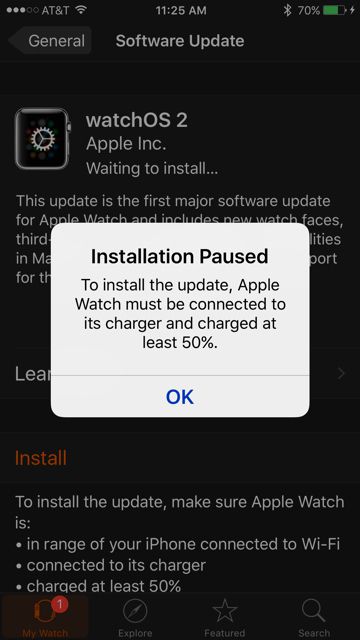
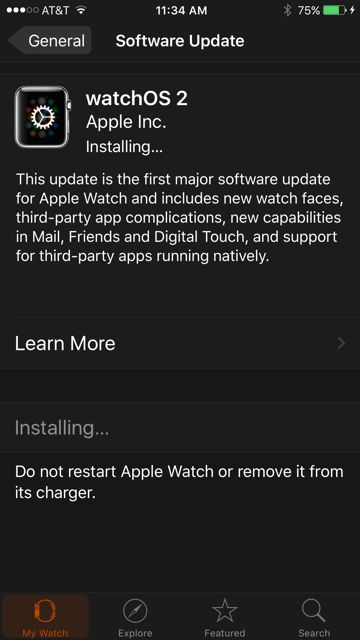
Well it took me under 1 hour give or take a few minutes using home wifi. Some of the directions I thought could have been better and wasted my time putting my watch on the charger when it needed to initially be on my hand. Appreciated the download progress bar but nothing to indicate anything was really happening with verify and install. The download for me was 15-17 minutes I think it said. Think the verify took 10 minutes or so but for me the install was in the area of 30 minutes or so. Like I said no indication it was even doing the install except for the text saying so. I guess I would say be patient.

I also think I could have cut down on my time by putting my watch charger, which was on a stand in the bathroom while doing the update in the adjoining bedroom, next to my phone. If you are reading the thread before downloading I'd say bring them all close together. You do need to have your watch charged to 50% at least to do the Install so take care of that first before the download. Once you start your install the Watch App software will say Do Not Restart Apple Watch or remove it from its charger.


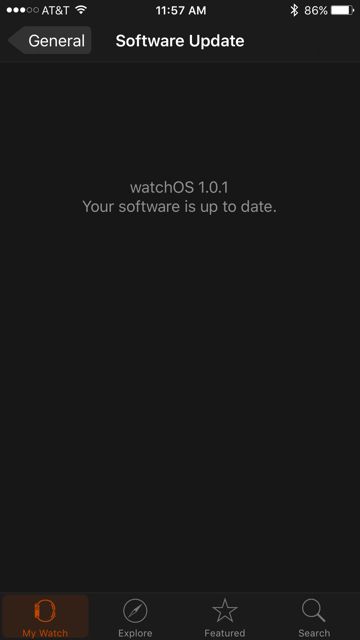
When the install finished my Watch App/General/Software Update screen changed and said "watchOS 1.0.1 / Your software is up to date". Huh??? However I was able to check the Watch App About info to see that it was now listed as Version 2.0. That was confusing. At first I wasn't sure it actually installed the update since it had taken so long and didn't know if it crashed and just put up that screen.

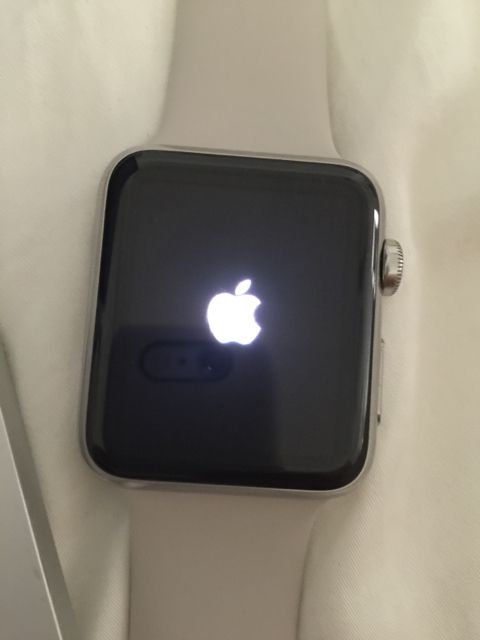
My watch did require a passcode. At some point it put up the Apple logo with the circular ticks as it showed progress finalizing I guess. Then it went black and just put up the white apple logo. And then it completed and I'm off to explore my "new" watch. First checked settings in the Watch App on my phone. Some new ones to check off. I did add the 70 second watch face glance. It's not something that works when you just pick up your arm, you need to tap on the screen to wake it and get the 70 second screen.

Here's a few photos I grabbed as I was going through my install. Hopefully you all see the final apple logo and are good to go.

Then Verified then...

Huh? This screen gave me pause after I had been Installing for last half hour. It updated though. Just confusing screen.
Time to have fun!

BTW I heard about the release being out when I saw the News Alert on CNBC saying the Release was public now. I thought that was funny that a news channel was making that an Alert :p (Just think of the significance of that -- the power of Apple and the public I guess -- funny since the news channels have been saying the watch is a disappointment and flop too!) and when I went to General/Software Update it was still showing being current at 1.0.1. I went out of the settings area and went back a few minutes later and the update to 2.0 was then showing.

Attachment Image

Attachment Image

Attachment Image

Attachment Image

Attachment Image
Score: 5 Votes (Like | Disagree)
Latest Stories
The 50+ Best Apple Black Friday Deals on AirPods, iPads, MacBooks, and More
3 hours ago
GTA VI Now (Barely) Running on Apple Silicon Macs
8 minutes ago
The Best Black Friday Streaming Deals on Apple TV, Disney+, and More
47 minutes ago
Apple TV's 'Carême' Wins International Emmy for Best Drama
1 hour ago
iPhone 18 Production Delay Leaves Apple Little Time Before Launch
2 hours ago
The Best Black Friday AirPods Deals
3 hours ago
The Best Black Friday Deals on Apple Home Products
3 hours ago
The Best Black Friday iPhone Deals
3 hours ago
The Best Black Friday iPad Deals
3 hours ago
The Best Black Friday Apple Watch Deals
3 hours ago
The Best Black Friday AirTag Deals
3 hours ago
The Best Black Friday Mac Deals
3 hours ago
iPhone Share of US Smartphone Market Hits 57% as Rivals Slip
4 hours ago
iPhone 20 Pro Rumored to Feature 3D-Printed Titanium Frame
6 hours ago
Apple's Official 2026 Black Friday Offer Starts Rolling Out
23 hours ago
Halide Adds Fill Light Feature for iPhone Duo
1 day ago
MacBook Air Black Friday Deals Now Live With Massive $399 Savings
1 day ago
Amazon Discounts All MacBook Neo Models by $99 for Black Friday
1 day ago
Kodak Launches Unique AirTag Rival With E-Ink Display
1 day ago
Here's Why the Apple Store is Going Down
1 day ago
Apple Still Working on Giant Foldable iPad That Could Cost $5,000
1 day ago
iPhones Dominate China's Weak Singles' Day Smartphone Sales
1 day ago
iPhone 20 Pro Could Feature Ceramic in Limited-Edition Model
1 day ago
Apple Faces Korean Regulator Review Over iPhone 16 AI Advertising
1 day ago
Apple Watch Ultra 4 Hits New Best-Ever Price of $649.99 for Black Friday
1 day ago
New Apple Store Opening in India, Download the Special Wallpaper Now
2 days ago
Redesigned OLED MacBook Air Could Launch in 2027 or 2028
2 days ago
AirPods Pro 3 for $149 is One of The Best Black Friday Deals This Year
2 days ago
1Password Security Breach: What Was Accessed and What Wasn't
2 days ago
WhatsApp Finally Adds Scheduled Messages
2 days ago
Related Apple News: South Africa | News | Reviews | World News | Local News